
Quick Summary: Finding the best headphones for your Samsung S24 Ultra involves understanding your listening needs. This guide breaks down the top choices, from premium noise-canceling over-ear models to convenient true wireless earbuds, and even wired options. We focus on sound quality, comfort, features like ANC, and seamless connectivity with your S24 Ultra, helping you make a confident decision.
Best Headphones for Samsung S24 Ultra: Essential Guide

Hello, audio adventurers! Edward Cavitt here, your friendly guide at headphonehorizon. Upgrading to the Samsung S24 Ultra is exciting, and to truly hear its amazing capabilities, you need the right audio companions. Whether you’re diving into crisp music, important podcasts, or immersive movie audio, your headphones play a massive role.
Worried about navigating the sea of options? Don’t be! This guide is crafted to simplify your search, helping you find the perfect fit for your S24 Ultra and your unique listening style. Let’s explore the best headphones that will make your new phone truly sing!
Why Your Samsung S24 Ultra Deserves the Best Headphones

The Samsung S24 Ultra is a powerhouse of technology, and its audio capabilities are no exception. With advanced processors and high-resolution audio support, it’s designed to deliver an exceptional listening experience. To fully appreciate the rich sound, deep bass, and clear highs your S24 Ultra can produce, pairing it with quality headphones is key. Whether you’re a music aficionado seeking studio-like fidelity, a traveler needing to tune out the world with Active Noise Cancelation (ANC), or someone who values the convenience of wireless freedom, the right headphones will transform your everyday listening into something extraordinary.
Understanding Your Audio Needs
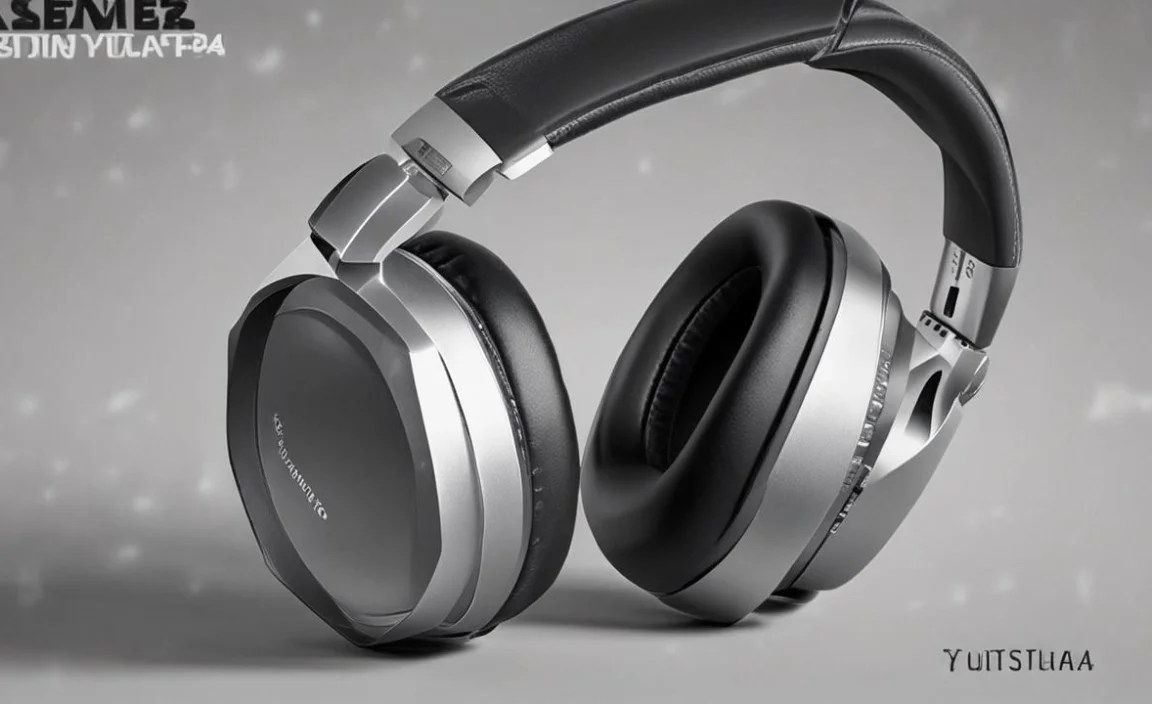
Before we dive into specific recommendations, let’s think about what you’ll primarily use your headphones for. This will help narrow down the choices significantly.
- Music Enjoyment: Are you after deep bass for hip-hop, detailed mids for vocals, or crisp highs for classical?
- Commuting & Travel: Does Active Noise Cancelation (ANC) feature high on your list to block out engine noise or office chatter?
- Workouts & Exercise: Do you need a secure, sweat-resistant fit that stays put during vigorous activity?
- Calls & Productivity: Is microphone quality and ambient noise reduction for calls a priority?
- Comfort: Will you be wearing them for long periods? Over-ear, on-ear, or in-ear styles offer different levels of comfort and portability.
Top Headphone Categories for the Samsung S24 Ultra

Your Samsung S24 Ultra, like many modern smartphones, primarily relies on Bluetooth for wireless audio. However, there are still options for wired connections if that’s your preference, though you’ll likely need a USB-C to 3.5mm adapter. We’ll focus on the most popular and best-suited categories.
1. True Wireless Earbuds: The Pinnacle of Portability and Convenience
True wireless earbuds are incredibly popular for a reason: they offer maximum freedom with no wires at all. They are perfect for on-the-go listening, workouts, and everyday use. The S24 Ultra supports the latest Bluetooth codecs, so you’ll get the best possible wireless audio quality.
Key Features to Look For:
- Bluetooth Version: Aim for Bluetooth 5.2 or higher for stable connectivity and better power efficiency.
- Codec Support: While your S24 Ultra supports many, look for earbuds that support SBC, AAC, and ideally aptX or LDAC for higher fidelity if you’re an audiophile.
- Active Noise Cancelation (ANC): Essential for blocking out distractions.
- Comfort and Fit: Multiple ear tip sizes are crucial for a secure and comfortable seal.
- Water Resistance: An IPX4 rating or higher is great for sweaty workouts or light rain (IPX4 means splash-proof).
- Battery Life: Consider the earbud battery life and how many charges the case provides.
Editor’s Picks for True Wireless Earbuds:
These earbuds offer a fantastic blend of sound quality, features, and comfort, making them excellent companions for your S24 Ultra.
| Model | Key Strengths | Best For | Price Range (USD) |
|---|---|---|---|
| Sony WF-1000XM5 | Industry-leading ANC, exceptional sound quality, comfortable fit, great call quality. | Travelers, commuters, audiophiles seeking premium sound and silence. | $$$ |
| Samsung Galaxy Buds2 Pro | Seamless integration with Samsung devices, excellent ANC, good sound, comfortable. | Samsung ecosystem users, everyday listening, ANC on the go. | $$ |
| Bose QuietComfort Ultra Earbuds | Superb ANC, immersive soundstage, very comfortable fit. | Those prioritizing the absolute best noise cancellation and comfort. | $$$ |
| Jabra Elite 8 Active | Durable, IP68 waterproof and dustproof, secure fit for sports, good ANC. | Athletes, outdoor enthusiasts, anyone needing rugged earbuds. | $$ |
Why these? Sony’s WF-1000XM5 consistently lead the pack for ANC and sound. Samsung’s own Galaxy Buds2 Pro offer the most seamless experience with the S24 Ultra, leveraging its advanced audio capabilities. Bose brings its renowned noise-canceling prowess to a compact earbud. And for active users, the Jabra Elite 8 Active are built to withstand tough conditions.
2. Wireless Over-Ear Headphones: Immersive Sound and Ultimate Comfort
If you prioritize comfort for long listening sessions and the absolute best in sound quality and noise cancellation, over-ear headphones are the way to go. They completely envelop your ears, providing a fantastic passive seal and allowing for larger drivers for richer audio.
Key Features to Look For:
- Sound Quality: Look for headphones with balanced audio profiles, supporting high-resolution codecs if possible (LDAC, aptX HD).
- Active Noise Cancelation (ANC): Top-tier ANC is often best realized in over-ear designs.
- Comfort: Plush earcups and an adjustable headband are essential for extended wear.
- Battery Life: Over-ear headphones typically offer excellent battery life, often exceeding 20-30 hours.
- Portability: Many models fold up and come with carrying cases.
Editor’s Picks for Wireless Over-Ear Headphones:
These headphones provide an unparalleled listening experience that complements the S24 Ultra’s capabilities without compromise.
| Model | Key Strengths | Best For | Price Range (USD) |
|---|---|---|---|
| Sony WH-1000XM5 | Exceptional ANC, superb audio clarity, comfortable design, long battery life. | Frequent flyers, commuters, home listeners seeking the ultimate in ANC and sound. | $$$ |
| Bose QuietComfort Ultra Headphones | World-class ANC, comfortable fit, balanced sound, intuitive controls. | Those prioritizing comfort and the most effective noise reduction. | $$$ |
| Sennheiser Momentum 4 Wireless | Outstanding battery life (up to 60 hours), excellent sound quality, comfortable. | Long-haul travelers, users who rarely want to charge. | $$ |
Why these? Sony’s WH-1000XM5 are the gold standard, offering a perfect blend of features. Bose delivers unparalleled ANC and comfort. Sennheiser impresses with its marathon battery life and refined sound, making it perfect for extended use without interruption.
3. Wired USB-C Headphones: For the Purists and Clarity Seekers
While Bluetooth is king, the S24 Ultra does still offer a USB-C port, and wired headphones can offer incredibly detailed audio without the need for battery life concerns or potential Bluetooth compression. You’ll need a USB-C to 3.5mm adapter if your headphones have a standard headphone jack. However, many modern wired headphones now connect directly via USB-C.
Key Features to Look For:
- Driver Quality: Larger drivers often mean better bass response and overall sound.
- Build Quality: Durable materials mean they’ll last longer.
- Cable Length & Design: A non-tangle cable is a bonus.
- DAC/Amplifier: Some USB-C headphones have built-in digital-to-analog converters and amplifiers for improved sound.
Editor’s Picks for Wired USB-C Headphones:
These headphones provide a direct pipeline to exceptional audio quality from your S24 Ultra.
| Model | Key Strengths | Best For | Price Range (USD) |
|---|---|---|---|
| Samsung Galaxy Buds2 Pro (with USB-C adapter for wired mode) | While primarily wireless, can be used wired with an adapter; offers Samsung ecosystem benefits. | Users who occasionally want wired but prefer Samsung’s native features. | $$ |
| Audio-Technica ATH-M50xPB (with USB-C adapter) | Professional-grade sound, robust build, detailed audio reproduction. | Budding audiophiles, music producers, or anyone seeking critical listening. | $$ |
| Campfire Audio Andromeda (with USB-C adapter) | Exceptional clarity, detailed soundstage often found in audiophile IEMs. | Serious music lovers who want to hear every nuance. | $$$$ |
Why these? For those committed to wired audio, the S24 Ultra offers a direct route. While Samsung doesn’t push wired earbuds as heavily now, high-quality USB-C models or adapters to reputable headphones like Audio-Technica or audiophile darlings like Campfire Audio will unlock pristine sound. Remember, for headphones with a 3.5mm jack, you’ll need a quality USB-C to 3.5mm adapter. Samsung’s own adapter is a good starting point.
Setting Up Your Headphones with the Samsung S24 Ultra

Connecting your new headphones to your S24 Ultra is usually a breeze. Here’s how it’s done for both wireless and wired options:
Pairing Wireless Headphones (Bluetooth)
- Enable Bluetooth on your S24 Ultra: Go to Settings > Connections > Bluetooth. Ensure the toggle is switched on.
- Put your headphones in pairing mode: This process varies by brand. Typically, you’ll need to press and hold a button on the headphones or charging case for a few seconds until an LED indicator flashes, usually blue or white. Refer to your headphone’s manual for exact instructions.
- Select your headphones from the list: Your S24 Ultra will scan for nearby Bluetooth devices. Your headphone’s name should appear under “Available devices.” Tap on it.
- Confirm pairing: You might be prompted to confirm a pairing code. Once connected, your headphones will appear under “Paired devices.”
Tip: For Samsung Galaxy Buds, opening the case near your phone will often prompt an on-screen connection. You can also use the Wearable app for advanced settings.
Connecting Wired USB-C Headphones
- Direct USB-C Connection: If your headphones have a USB-C connector, simply plug them into the USB-C port on the bottom of your S24 Ultra.
- Using a USB-C to 3.5mm Adapter: If your headphones have a standard 3.5mm audio jack, plug them into the adapter, and then plug the adapter into your S24 Ultra’s USB-C port.
Your S24 Ultra should automatically recognize the connected headphones. You may see an indicator on your screen confirming audio output or a notification about the connected accessory.
Enhancing Your Audio Experience with S24 Ultra Features
Your S24 Ultra isn’t just a phone; it’s an audio hub. Here are some features that can enhance your headphone experience:
- Dolby Atmos: For supported content and headphones, Dolby Atmos can create a more immersive, 3D soundscape. You can find this by going to Settings > Sounds and vibration > Sound quality and effects > Dolby Atmos. Experiment with different modes like Auto, Movie, Music, or Voice.
- High-Quality Audio Codecs: The S24 Ultra supports LDAC and aptX Adaptive, which allow for higher-resolution audio transmission wirelessly compared to standard Bluetooth. Ensure your headphones also support these codecs and that the setting is enabled in Bluetooth settings (usually under advanced options for the paired device).
- Samsung Music App: If you’re an avid music listener, explore the Samsung Music app for equalizer settings and playback options that can tailor the sound to your liking.
- Personalized Audio Settings: Some Samsung headphones, when paired with the Galaxy Wearable app, offer personalized sound profiles based on your hearing.
For more details on Samsung’s audio technologies, you can refer to official Samsung support resources.
Troubleshooting Common Headphone Issues
Even with the best gear, you might run into minor hiccups. Here are solutions to common problems:
- Connection Problems:
- Ensure Bluetooth is on for both devices.
- Restart both your S24 Ultra and headphones.
- ” Forget” the device in your S24 Ultra’s Bluetooth settings and re-pair.
- Check for interference from other wireless devices.
- Audio Lag (Latency): This is more common with Bluetooth.
- Ensure your headphones support aptX Low Latency if gaming or watching videos.
- Close other apps that might be using significant processing power.
- For some headphones, there might be a “game mode” in their companion app to reduce latency.
- Low Volume:
- Check the volume levels on both your S24 Ultra and your headphones.
- Ensure the volume limiter setting is not too low in your S24 Ultra’s sound settings.
- If using wired headphones, check if the adapter is properly seated.
- One Earbud Not Working:
- Place both earbuds back in the charging case and close the lid for a few seconds before trying again.
- Check the companion app for any “balance” settings.
- Perform a factory reset on the earbuds according to the manufacturer’s instructions.
If you encounter persistent issues, consult your headphone manufacturer’s support or Samsung’s support pages.
Frequently Asked Questions (FAQ)
Q1: Do I need a specific type of headphone for the Samsung S24 Ultra?
No, you don’t need a “specific” type, but for the best experience, we recommend Bluetooth 5.0 or higher headphones (especially true wireless or over-ear) to leverage the S24 Ultra’s advanced wireless audio capabilities. Wired USB-C headphones are also a great option for maximum audio fidelity.
Q2: Will my old wired headphones work with the Samsung S24 Ultra?
Your S24 Ultra does not have a 3.5mm headphone jack. To use headphones with a traditional headphone plug, you will need a USB-C to 3.5mm audio adapter. Quality adapters can be purchased from Samsung or reputable third-party brands.
Q3: What is Active Noise Cancelation (ANC) and is it important?
ANC is a feature that uses microphones to detect ambient noise and then generates an opposite sound wave to cancel it out. It’s incredibly useful for blocking out distractions in noisy environments like airplanes, trains, or busy offices, allowing you to focus on your audio.
Q4: How do I choose between true wireless earbuds and over-ear headphones?
True wireless earbuds are best for maximum portability, portability, and workouts. Over-ear headphones offer superior comfort for long sessions, better passive noise isolation, and often the most immersive sound and ANC performance.
