
Quick Summary: Choosing the best headphones for studio mixing is crucial for accurate sound. This guide breaks down what to look for – flat response, comfort, and open vs. closed-back designs – to help beginners make informed decisions for professional-sounding results.
Best Headphones For Studio Mixing: Your Essential Beginner’s Guide

Hey there! Edward Cavitt here, your friendly guide from headphonehorizon. So, you’ve been diving into the exciting world of music production, maybe laying down some tracks or working on your latest mix. That little spark of creativity is fantastic! But as you get more serious, you’ll notice something – your regular earbuds or your favorite bass-heavy headphones just aren’t cutting it for getting those mixes sounding truly professional.
That’s where studio mixing headphones come in. They’re not about making your music sound “cool” or “exciting” for casual listening; they’re designed to give you a crystal-clear, uncolored picture of your sound so you can make the right decisions. Think of them as your sonic magnifying glass! This guide is made to demystify headphone choices for studio mixing, even if you’re just starting out.
Why Studio Mixing Headphones Are Different

Ever put on a pair of headphones and felt like the bass was booming, or perhaps the vocals were a bit too sharp? That’s because most consumer headphones are “voiced” – meaning their sound frequencies are boosted or cut in certain areas to make music sound more pleasing to the average listener.
While great for enjoying your favorite tunes, this can be a huge problem when you’re mixing music. You might add too much bass because your headphones are already emphasizing it, or cut it too much thinking it’s overpowering. Studio mixing headphones, also known as studio monitor headphones, aim for a “flat frequency response.”
This means they reproduce sound as accurately as possible across the entire audible spectrum, from the lowest lows to the highest highs, without artificial enhancements. This is vital because your job as a mixer is to hear your music exactly as it is, so you can make precise adjustments that will translate well to any listening system – from car stereos to earbuds to big studio monitors.
Key Features to Look For in Studio Mixing Headphones

When you’re shopping for headphones specifically for mixing, a few key features should be at the top of your list. We’re not looking for flashy colors or fancy Bluetooth here; we’re prioritizing clarity and accuracy.
1. Flat Frequency Response
This is, hands down, the most important factor. A flat frequency response means the headphones don’t color the sound. You want to hear the intended balance of bass, mids, and treble. If a headphone exaggerates the bass, you might mix with less bass than you intended, and then when you listen on a neutral system, it will sound thin. Conversely, if it boosts the highs, you might mix with less treble, only to find your mix sounds harsh on other speakers.
It’s important to remember that “perfectly” flat is a theoretical ideal. In reality, even the best studio headphones have slight variations. The goal is to find headphones with a response that is as close to flat as possible and is consistent and predictable, so you can learn their characteristics and mix accordingly.
2. Comfort and Design
You’ll likely be wearing these headphones for long hours during mixing sessions. This makes comfort a crucial consideration. Look for:
- Padded Earcups: Soft, breathable materials like velour or synthetic leather can prevent ear fatigue and keep you comfortable.
- Adjustable Headband: A good fit means the headphones won’t dig into your head or feel too tight.
- Weight: Lighter headphones are generally more comfortable for extended wear.
3. Open-Back vs. Closed-Back Design
This is a fundamental choice and affects how you perceive sound and how well the headphones isolate outside noise. Understanding the difference is key to choosing the right tool for the job.
Open-Back Headphones
These headphones have earcups that are ventilated or have an open grille on the back. This allows air and sound to pass through.
- Pros:
- More natural, spacious, and airy soundstage. Excellent for precise stereo imaging and depth perception, which is critical for placing instruments in a mix.
- Less listener fatigue; sound feels less “in your head.”
- Generally more accurate reproduction of low frequencies without “slam.”
- Cons:
- Poor isolation: They leak sound significantly, both in and out. You’ll hear your surroundings, and others will hear your music.
- Not suitable for recording: The sound leakage can be picked up by microphones during recording sessions, creating unwanted bleed in your tracks.
- Less bass impact: While accurate, they might lack the perceived punch that some listeners associate with bass.
Closed-Back Headphones
These headphones have solid earcups with no ventilation. They seal the sound in.
- Pros:
- Excellent isolation: They block out external noise very well and prevent sound from leaking out. This makes them ideal for tracking (recording) vocals or instruments without the headphone sound bleeding into the microphone.
- Good for critical listening in noisy environments: If you’re mixing at home where there’s ambient noise, closed-back can be a lifesaver.
- More bass emphasis: The sealed design can naturally boost bass frequencies, which some mixers find helpful for clarity in that range.
- Cons:
- Less natural soundstage: The soundstage can feel more confined or “in your head” compared to open-back designs.
- Can feel fatiguing: Some people find closed-back headphones can cause ear fatigue more quickly.
- Potential for resonance: The sealed cups can sometimes create unwanted resonances in the sound.
The Verdict on Open vs. Closed: For pure mixing and mastering where accuracy and a wide soundstage are paramount, many engineers prefer open-back. However, if you also plan to record yourself or work in a noisy environment, a good pair of closed-back headphones can be more versatile. Some professionals even use both!
4. Impedance and Sensitivity
These are slightly more technical terms, but they’re good to know.
- Impedance (Ohm – Ω): This measures the resistance of the headphones to electrical current. Higher impedance headphones (typically 250Ω and above) generally require a more powerful amplifier to reach adequate listening volumes. Lower impedance headphones (under 100Ω) can be driven easily by most computers and mobile devices. For studio work, headphones in the 32Ω to 250Ω range are common and usually work fine plugged directly into a computer’s headphone jack or a basic audio interface. Higher impedance headphones might benefit from a dedicated headphone amplifier for optimal performance.
- Sensitivity (dB/mW): This indicates how loud the headphones can get with a given amount of power. Higher sensitivity means they’ll get louder more easily. This is less of a concern for studio mixing than impedance, as you’ll likely be connecting them to a consistent audio source.
5. Build Quality and Durability
Studio gear gets a lot of use. You want headphones that are built to last. Look for sturdy materials, well-constructed hinges, and replaceable cables. A detachable cable is a big plus, as cables are often the first thing to wear out.
Recommended Headphones for Studio Mixing (Beginner-Friendly Options)

Finding the “best” is subjective and depends on your budget and specific needs. However, here are a few popular and well-regarded headphones that are excellent starting points for beginners looking to mix.
Top Picks for Studio Mixing
| Headphone Model | Type | Key Features | Ideal Use Case | Price Range |
|---|---|---|---|---|
| Audio-Technica ATH-M50x | Closed-Back | Excellent clarity, detailed sound, robust build, good isolation, swiveling earcups. | Tracking, general mixing, commuting, beginners needing isolation. | $$ (Mid-range) |
| Beyerdynamic DT 770 PRO | Closed-Back | Comfortable, highly durable, punchy bass, clear highs. Available in different impedances (80Ω, 250Ω). | Tracking, mixing in noisy environments, electronic music. | $ to $$ (Budget to Mid-range) |
| Sennheiser HD 280 PRO | Closed-Back | Great value, effective isolation, balanced sound, durable construction. | Beginners on a budget, tracking, live sound. | $ (Budget) |
| AKG K240 Studio | Semi-Open Back | Balanced sound, good for detail, comfortable, semi-open design offers a wider soundstage than closed-back. | Mixing, monitoring, music enjoyment where isolation isn’t critical. | $ (Budget) |
| Sony MDR-7506 | Closed-Back | Industry standard for years, legendary clarity, detailed mids and highs, foldable. | Broadcast, field recording, studio monitoring, mixing. | $$ (Mid-range) |
Note: Prices are approximate and can vary based on retailer and region.
Let’s briefly touch on why these are often recommended:
- Audio-Technica ATH-M50x: These are incredibly popular for good reason. They offer a very detailed sound with a slight boost in bass which makes them exciting for listening but still accurate enough for mixing. Their isolation is great, making them a solid all-rounder.
- Beyerdynamic DT 770 PRO: A workhorse in many studios. They are known for their comfort, legendary durability, and a sound signature that’s energetic and clear. The 80 Ohm version is a sweet spot for connectivity without needing a dedicated amp.
- Sennheiser HD 280 PRO: If you’re on a tighter budget, these are an absolute gem. They provide excellent isolation and a surprisingly balanced sound that gives you a good representation of your mix.
- AKG K240 Studio: These are semi-open back, striking a nice balance. They offer better soundstage than most closed-back headphones without leaking as much sound as fully open ones. They are also very comfortable.
- Sony MDR-7506: A staple in professional broadcasting and recording studios for decades. While they can sound a bit bright to some listeners, their accuracy and ability to reveal subtle details are undeniable. They are built like tanks.
Using Your Studio Headphones Effectively
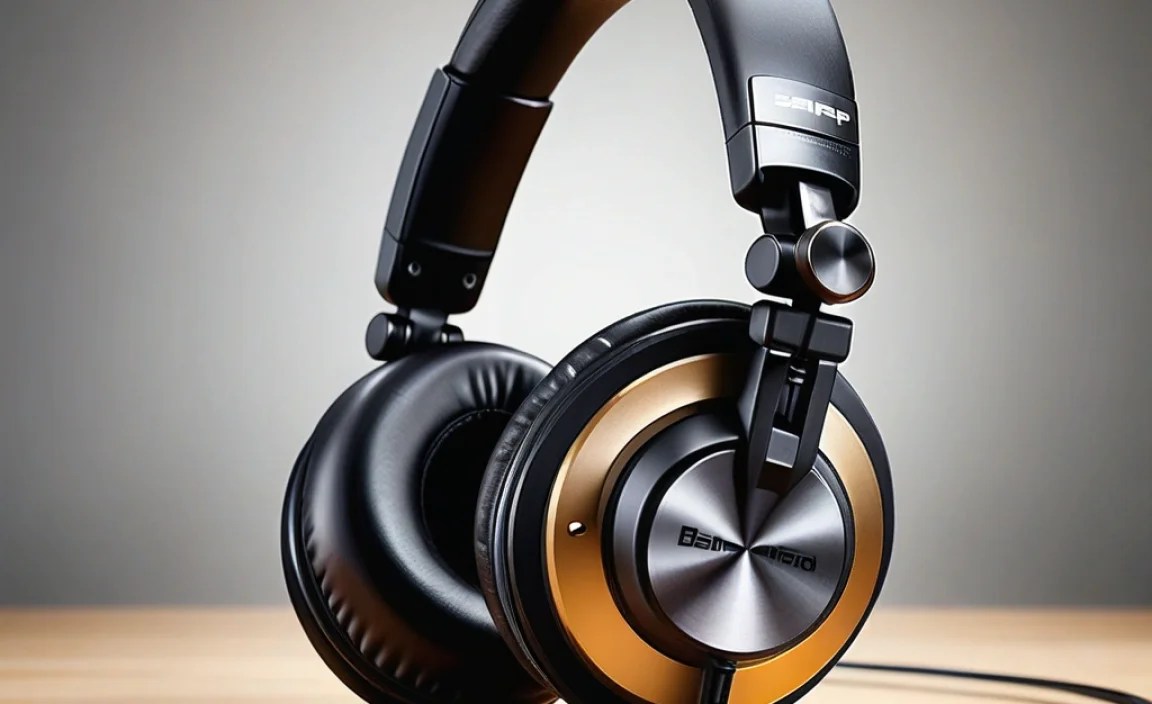
Owning the right headphones is only half the battle. How you use them significantly impacts your mixing decisions.
Step-by-Step Guide to Mixing with Headphones
- Acclimatize Your Ears: Before you dive into mixing, spend some time listening to well-mixed tracks that you know intimately and trust. This helps your brain calibrate to how your new headphones reproduce familiar music compared to other systems.
- Check Your Levels: Don’t mix too loud! Prolonged exposure to high volumes can cause ear fatigue, which impairs your hearing and leads to poor mixing decisions. Aim for a moderate listening level – loud enough to hear details, but quiet enough that you can talk comfortably over the music. A good rule of thumb is to monitor at around 85 dB, but it’s often lower in practice. You can use a smartphone app to get a rough idea of your dB levels. According to the American Wind Energy Association, prolonged exposure to noise above 85 decibels can cause hearing damage.
- Take Regular Breaks: Your ears are muscles, and they get tired! Schedule short breaks every 30-60 minutes. Step away from your desk, close your eyes, or do something else entirely to give your ears a rest. This is crucial for maintaining critical listening skills.
- Cross-Reference on Different Systems: This is perhaps the most vital step. No matter how good your studio headphones are, they are still a substitute for a perfectly treated room and studio monitors. Periodically, and especially when you think you’re finished, export your mix and listen to it on as many different playback systems as possible:
- Your car stereo
- Your laptop speakers
- A Bluetooth speaker
- Even your earbuds!
This helps you catch any translation issues. For example, if your bass sounds huge in your headphones but weak in your car, you know you need to add more bass.
- Listen to the Midrange: The midrange frequencies (roughly 300 Hz to 4 kHz) are where the most important elements of a mix reside – vocals, guitars, snare drums, and keys. These headphones are designed to reveal this range accurately. Pay close attention to how these instruments sit together.
- Focus on Stereo Imaging: Open-back or semi-open headphones are particularly good for this. Listen to where instruments are placed in the stereo field (left, right, center, or somewhere in between). Are the vocals clearly in the center? Are the guitars panned effectively?
- Don’t Overdo EQ and Compression: Because studio headphones are revealing, you might be tempted to make drastic EQ or compression adjustments. Remember that subtle changes are often more effective. Trust your ears, but always verify on other systems.
Addressing Common Beginner Concerns
It’s totally normal to have questions when you’re first diving into studio gear. Here are some common ones:
FAQ Section
Q1: Do I really need special headphones for mixing? Can’t I just use my favorite pair?
While you can try to mix on consumer headphones, it’s like trying to paint a masterpiece with smudged brushes. Consumer headphones often color the sound, meaning you’re not hearing the true balance of your mix. This leads to mixing decisions that won’t translate well to other listening systems. Studio mixing headphones provide the accurate, uncolored “picture” you need to make informed choices and achieve professional-sounding results.
Q2: I hear terms like “soundstage” and “imaging.” What do they mean in simple terms?
Imagine standing in front of a live band. The soundstage is the sense of space, depth, and width you perceive – how far away instruments sound, how “big” or “small” the room feels. Imaging refers to how precisely you can pinpoint the location of individual instruments within that space – is the lead guitar slightly to the left? Is the kick drum dead center? Studio headphones, especially open-back ones, are designed to give you a clearer understanding of these crucial spatial elements in your mix.
Q3: My headphones sound a bit “boring” compared to my old ones. Is something wrong?
Nope, that’s a good sign! Studio headphones are designed to be neutral, not exciting. They’re not trying to impress you with booming bass or piercing highs. They’re showing you the unvarnished truth about your audio. The “boring” sound you’re hearing is actually the accurate representation of your mix. The excitement will come from the music itself once it’s mixed well, not from the headphones artificially adding it.
Q4: I’m on a very tight budget. What’s the absolute minimum I should spend on studio headphones?
It’s tempting to go for the cheapest option, but you might end up with something that’s still too colored or uncomfortable. For a truly functional pair for basic mixing, aim for the budget-friendly options mentioned earlier like the Sennheiser HD 280 PRO or AKG K240 Studio. While more expensive options will offer greater accuracy and comfort, these entry-level professional choices will give you a much better starting point than consumer headphones. Investing a little more here will save you time and frustration down the line.
Q5: Can I use the same headphones for listening to music casually?
Yes, but you might find their neutral sound less “fun” for casual listening than your old consumer headphones. However, if you’ve grown accustomed to hearing the true sound of music, you might start to appreciate their accuracy even for casual listening over time. They are primarily designed for critical listening and mixing work.
Q6: How important is it to have a “good” headphone amplifier with studio headphones?
It depends on the impedance of your headphones and your audio interface. If you’re using headphones with a lower impedance (like 32Ω or 80Ω), they will likely sound perfectly fine plugged directly into most modern computer sound cards or audio interfaces. However, if you opt for higher impedance headphones (like 250Ω or higher), a dedicated headphone amplifier can provide more clean power, ensuring you can drive them to sufficient volumes without distortion and
