
Quick Summary: Upgrade your Nintendo Switch gaming experience with the right headphones. This guide breaks down the best options for immersive sound, clear communication, and comfortable play, whether you’re battling aliens or exploring vast worlds. Discover essential features and top picks for every budget.
Best Headphones for Switch: Your Essential Buying Guide

Hey everyone, Edward Cavitt here from Headphone Horizon! So, you’ve got a Nintendo Switch and you’re ready to dive deep into those incredible games. But are you truly hearing all the magic? The right pair of headphones can transform your gaming from good to absolutely epic. Whether it’s the subtle rustle of leaves in Hyrule, the thunderous roar of a boss battle, or coordinating with teammates online, immersive audio is key. Don’t worry if you’re new to the headphone scene; this guide is designed to make choosing the best headphones for your Switch super simple. Let’s find the perfect audio companion for your gaming adventures!
Why Headphones Make a HUGE Difference for Your Nintendo Switch
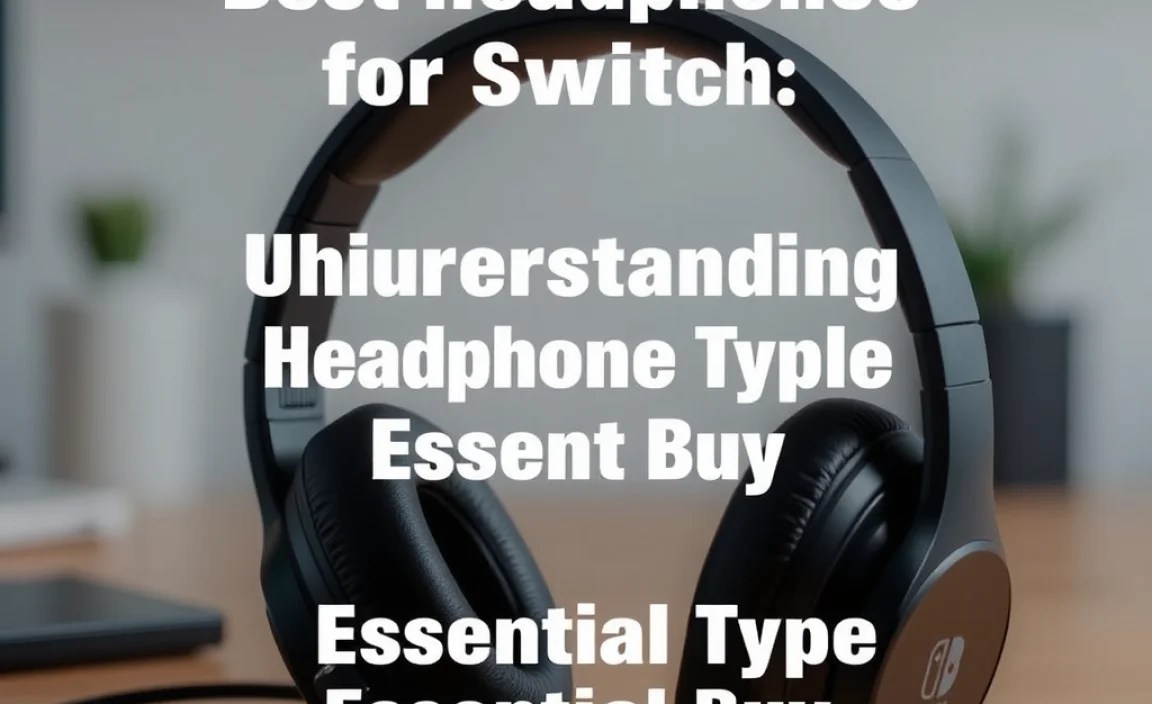
Think about your favorite Switch games. The developers pour so much effort into the sound design – the music, the character voices, the environmental audio. When you play with just the built-in speakers, you’re missing a significant chunk of that experience. Headphones unlock a new layer of immersion:
- Deeper Immersion: You’re no longer just looking at the screen; you’re hearing every detail as if you’re right there in the game world. Explosions feel more impactful, stealth moments become more tense, and orchestral scores soar.
- Enhanced Gameplay: In competitive games, crucial audio cues like enemy footsteps or the whir of an incoming attack can give you a real advantage.
- Clearer Communication: For multiplayer games, a headset with a good microphone is essential for strategizing with friends or dominating voice channels.
- Personal Space: Enjoy your games at any volume without disturbing others around you. Perfect for playing on the go or late at night.
- Comfort: Long gaming sessions are much more enjoyable with comfortable earcups that reduce fatigue.
Choosing the right headphones isn’t just about getting a fancier accessory; it’s about getting more out of the games you love. It’s an essential buy for any serious Switch gamer.
Understanding Headphone Types for the Nintendo Switch

When you start looking for headphones, you’ll see a few different types. For the Switch, we’re mostly looking at two main categories:
1. Wired Headphones
These are your classic headphones that plug directly into the Switch’s 3.5mm audio jack. They’re often the most reliable and offer great value.
- Pros: No batteries needed, generally more affordable, no concerns about wireless interference or audio lag, simple plug-and-play.
- Cons: The wire can sometimes get in the way, limited by the cable length.
2. Wireless Headphones
These connect to your Switch without a wire, usually via Bluetooth. Some might require a separate Bluetooth adapter for the Switch, as not all models have built-in Bluetooth support for audio. (Note: The Nintendo Switch Lite and Switch OLED models have Bluetooth audio built-in. The original Switch model might require an adapter for wireless audio).
- Pros: Complete freedom of movement, cleaner aesthetic with no wires.
- Cons: Require charging, can sometimes experience slight audio lag (though often imperceptible for most games), may be more expensive, Bluetooth adapter might be needed for older models.
For most Switch gamers, especially beginners, wired headphones are a fantastic starting point due to their simplicity and reliability. If you prioritize freedom of movement and your Switch model supports it (or you’re willing to get an adapter), wireless can be a great upgrade!
Key Features to Look For in Switch Headphones

Now that you know the types, let’s talk about what makes a headphone good for the Nintendo Switch. These are the features you’ll want to keep an eye on:
1. Sound Quality
This is paramount! You want clear audio that brings your games to life. For gaming, a good balance is key: clear highs for details, strong mids for voices and instruments, and punchy lows (bass) for explosions and impactful moments, without overpowering everything else.
Tip: Look for descriptions that mention balanced sound profiles or “gaming-tuned” audio. Reading reviews from reputable tech sites can also give you a good idea of sound performance.
2. Comfort and Design
You’ll probably be wearing these for hours! Comfort is non-negotiable.
- Earcups: Over-ear headphones (which cup around your ears) are generally more comfortable for long sessions than on-ear models. Look for soft, breathable padding.
- Headband: An adjustable, padded headband will ensure a good fit without putting too much pressure on your head.
- Weight: Lighter headphones are always better for extended play.
3. Microphone Quality (If You Plan to Game Online)
If voice chat is important for your gaming, you need a good microphone. Look for headphones with:
- Clear, Adjustable Boom Mic: A mic that can be positioned directly in front of your mouth usually picks up your voice best and can often be flipped up or down to mute.
- Noise Cancellation: This helps filter out background noise so your teammates can hear you clearly, not your barking dog or the TV.
4. Durability
Gaming can be intense! You want headphones that can withstand regular use. Look for sturdy materials, reinforced cables (for wired models), and solid construction.
5. Connectivity
For wired headphones, ensure they use a standard 3.5mm audio jack, which the Switch has. For wireless, confirm Bluetooth compatibility with your specific Switch model or consider a reliable Bluetooth adapter.
6. Volume Control and Mute Switch
Convenience is key. Easy-to-access volume controls directly on the headphones or cable, along with a mute button for the microphone, are incredibly handy.
Top Picks: Best Headphones for Nintendo Switch
Alright, let’s get down to the exciting part! Based on these features, here are some highly recommended headphones that are perfect for the Nintendo Switch. We’ll cover a few categories to suit different needs and budgets.
Best Overall Wired Gaming Headset
For a plug-and-play experience that delivers excellent audio and a great microphone, this category is usually dominated by dedicated gaming brands.
HyperX Cloud Stinger Core (Wired)
This headset is a perennial favorite for a reason. It offers impressive comfort, solid sound, and a very capable microphone.
- Pros: Extremely comfortable for long sessions, durable build, clear audio for gaming, good value for money, easy plug-and-play with Switch.
- Cons: Bass can be a little less pronounced than some audiophile headphones, but it’s excellent for gaming.
The HyperX Cloud Stinger Core uses memory foam earcups and a lightweight design that makes you forget you’re even wearing them. Its 40mm directional drivers deliver clear in-game sounds, and the swivel-to-mute noise-canceling microphone ensures your team hears you loud and clear. It’s designed for gaming, making it a natural fit for the Switch.
Best Budget-Friendly Wired Option
If you’re on a tighter budget but still want a significant audio upgrade, there are great options.
Razer BlackShark V2 X
Razer might have a premium reputation, but their budget options are phenomenal. The BlackShark V2 X offers a lot for its price point.
- Pros: Fantastic value, comfortable design, great sound isolation, decent microphone, durable.
- Cons: The cable is not detachable, which can be a minor inconvenience for storage.
Inspired by aviation headsets, the BlackShark V2 X boasts comfortable memory foam ear cushions and a design that minimizes pressure. Its 50mm “Triforce” drivers are engineered for clarity, and the cardioid microphone captures your voice without picking up too much background noise. It’s a step up in audio fidelity from many basic earbuds.
Best Wireless Option (with Bluetooth Adapter)
For those who crave wireless freedom, you’ll likely need a Bluetooth adapter for the Switch (unless you have a newer model with built-in Bluetooth audio support). Once connected, many excellent Bluetooth headphones can be used.
Sony WH-CH710N Wireless Noise Cancelling Headphones
While not strictly gaming headphones, these Sony cans offer superb sound, comfort, and noise-cancelling for an immersive experience, and they work great wirelessly with a Bluetooth adapter for the Switch.
- Pros: Excellent sound quality, effective noise cancellation for uninterrupted play, long battery life, very comfortable for long wear, can be used for music and calls too.
- Cons: Requires a separate Bluetooth adapter for direct Switch connection (unless your Switch has native Bluetooth audio), microphone is primarily for calls, not a dedicated gaming boom mic.
These headphones provide a rich, balanced sound that is perfect for games and music. The noise cancellation is fantastic for blocking out distractions. Their lightweight design and soft earcups ensure comfort for marathon gaming sessions. For many, the versatility of being able to use them for other purposes makes them a top choice. You can find reliable USB Bluetooth adapters for the Switch online from various retailers.
Best Wireless Gaming Headset (Bluetooth Enabled Switch)
If your Switch has built-in Bluetooth audio and you want a headset designed for gaming, consider options like these. (Note: Always check compatibility for specific models).
SteelSeries Arctis 1 Wireless (with USB-C Dongle)
This is a fantastic all-rounder. It uses a low-latency 2.4GHz wireless connection via a USB-C dongle (which can plug into the Switch dock or the console itself) for a near-lag-free experience.
- Pros: Very low latency for wireless gaming, excellent sound clarity, comfortable and lightweight, detachable ClearCast microphone, versatile for other devices.
- Cons: Dongle adds a bit of bulk, not standard Bluetooth which means it won’t connect to devices without a USB-C port.
The SteelSeries Arctis 1 Wireless is designed with gaming in mind, offering a high-performance audio experience. Its S1 speaker drivers deliver detailed sound, and the retractable, noise-cancelling ClearCast microphone ensures your voice comes through crisply. The wireless dongle is plug-and-play for the Switch, offering a stable, lag-free connection that’s crucial for fast-paced games. The earcups can also be detached from the headband for a sleeker look.
A Quick Comparison Table
To help you visualize the differences, here’s a quick rundown:
| Headphone Model | Type | Key Feature(s) | Best For |
|---|---|---|---|
| HyperX Cloud Stinger Core | Wired | Comfort, Value, Gaming Audio | All-around gaming, budget-conscious wired players |
| Razer BlackShark V2 X | Wired | Budget, Sound Isolation, Durability | Beginners, budget gamers seeking quality |
| Sony WH-CH710N | Wireless (Bluetooth + Adapter) | Noise Cancellation, Versatility, Sound Quality | Immersive solo play, multi-purpose use (requires adapter) |
| SteelSeries Arctis 1 Wireless | Wireless (USB-C Dongle) | Low Latency, Gaming Mic, Versatility | Lag-free wireless gaming, online multiplayer |
How to Connect Your Headphones to the Nintendo Switch
Connecting your headphones is usually straightforward, but let’s cover the common scenarios:
For Wired Headphones:
- Locate the 3.5mm audio jack on your Nintendo Switch. It’s typically found on the bottom of the console in handheld mode or on the front of the dock.
- Simply plug the headphone’s 3.5mm connector into the jack.
- Your Switch should automatically detect the headphones and route audio through them. You can adjust the volume using the controls on your headphones, the in-game settings, or the Switch’s system menu.
For Wireless Headphones (via Bluetooth on newer Switches):
Ensure your Switch model has built-in Bluetooth audio support (Switch, Switch Lite, and Switch OLED do). If it doesn’t, you’ll need a compatible Bluetooth transmitter/adapter that plugs into the USB-C port or dock.
- On your Switch: Go to System Settings > Bluetooth Audio.
- On your headphones: Put them into pairing mode. This usually involves holding down the power button or a dedicated Bluetooth button until an indicator light flashes. Consult your headphone’s manual for specific instructions.
- On your Switch: Select “Pair New Device” and choose your headphones from the list when they appear.
- Once paired, audio should automatically play through your headphones. You may need to select them in the Bluetooth Audio menu if it doesn’t happen automatically.
For Wireless Headphones (via USB-C Dongle):
- Ensure the dongle is compatible with the Nintendo Switch.
- Plug the USB-C dongle into the USB-C port on your Nintendo Switch. In docked mode, you can also plug it into one of the USB-A ports on the dock using an adapter if needed.
- Turn on your wireless headphones. They should automatically connect to the dongle.
- Audio should now play through your headphones. Some headsets may have a small button on the dongle or headset to re-establish connection if needed.
Important Note on Audio Latency: While Bluetooth technology has improved, there can still be a slight delay between the on-screen action and the sound you hear (latency). This is usually imperceptible for casual gaming but can be noticeable in fast-paced or rhythm games. For the most lag-free wireless experience, a dedicated 2.4GHz wireless dongle (like the SteelSeries Arctis 1 Wireless uses) is generally superior for gaming.
For more on Nintendo Switch audio, you can check out Nintendo’s official support page on Bluetooth audio. It’s a great resource for understanding the capabilities of your console.
Frequently Asked Questions (FAQ)
Q1: Do I need special headphones for the Nintendo Switch?
No, you don’t need special headphones. The Switch uses a standard 3.5mm audio jack, so most regular headphones and gaming headsets will work perfectly. The key is finding ones that offer good sound, comfort, and any specific features you need, like a mic.
Q2: Can I use my smartphone headphones with the Switch?
Yes, in most cases! If your smartphone headphones have a standard 3.5mm plug, they will work with the Nintendo Switch. You’ll get better audio quality than the built-in speakers, but keep in mind that the microphone might not always be optimized for gaming chat compared to dedicated gaming headsets.
Q3: Will any Bluetooth headphones work with the Switch?
Only if your Nintendo Switch model has built-in Bluetooth audio support (Switch, Switch Lite, Switch OLED). Older original Switch models require a compatible USB Bluetooth audio transmitter/adapter. Even with built-in Bluetooth, some audiophile-grade headphones might have higher latency, so dedicated gaming wireless headsets or those with specific low-latency codecs are often preferred for gaming.
Q4: How does the microphone work on gaming headsets for the Switch?
Most gaming headsets designed for consoles will have a microphone that connects via the 3.5mm jack. When plugged into your Switch, the console typically routes your voice through the headset’s mic for in-game voice chat. Some headsets feature a mute button on the cable or earcup, which is very convenient.
Q5: My headphones aren’t working. What should I do?
First, ensure the headphone plug is fully inserted into the audio jack. Try unplugging and re-plugging it. If you’re using wireless headphones, check that they are charged and properly paired. You can also test the headphones with another device (like your phone) to see if they work. If they still don’t work with the Switch, try restarting your console. For wired headphones, check if there’s any visible damage to the cable or plug.
