
Quick Summary: Discover the best headphones for VR to elevate your immersive experiences. This guide breaks down what to look for – from sound quality and comfort to connectivity and price – helping you find the perfect audio match for your virtual adventures without getting lost in jargon.
Best Headphones For VR: Amazing Audio for Immersive Worlds
Welcome to headphonehorizon! If you’ve ever strapped on a VR headset and realized the audio wasn’t quite cutting it, you’re in the right place. Virtual reality is all about stepping into new worlds, and truly captivating audio is just as crucial as stunning visuals. It’s what makes a dragon’s roar feel terrifyingly close or a quiet forest sound incredibly peaceful. But with so many options, how do you find the “best headphones for VR” that won’t break the bank or overwhelm you with tech specs? Don’t worry, we’ll simplify it all, guiding you through what really matters to unlock incredible soundscapes in your favorite VR games and experiences.
Why Great Audio Matters in VR

In virtual reality, audio isn’t just background noise; it’s a fundamental part of the immersion. Think about it: sound does so much heavy lifting in telling a story.
- Immersion: Directional audio cues, like footsteps approaching from behind or the distant clang of metal, pull you deeper into the virtual environment. Without good 3D spatial audio, you miss out on these crucial elements.
- Believability: Rich, nuanced sound makes virtual worlds feel more real. The subtle rustle of leaves, the distinct hum of machinery, or the clear dialogue of characters all contribute to a convincing experience.
- Performance: In gaming, precise audio can give you a competitive edge. Knowing exactly where an enemy is coming from by sound alone can make the difference between victory and defeat.
- Safety: Sometimes sounds can alert you to real-world events (like someone entering your play space) which can be important for safety.
The headphones that come bundled with some VR headsets are often functional but rarely exceptional. Upgrading your audio is one of the most impactful ways to boost your VR experience. We’re here to help you find that perfect audio upgrade.
What to Look For in the Best Headphones for VR

When choosing headphones for your virtual adventures, several key factors come into play. We’ll break down what makes a pair of headphones truly shine in a VR context.
1. Sound Quality & Spatial Audio
This is the heart of the matter. You want headphones that deliver clear, crisp sound with a good range from deep bass to crisp highs. But in VR, there’s an extra layer: spatial audio or 3D audio.
- Spatial Audio: This technology aims to replicate how we hear sound in the real world, allowing you to pinpoint the direction and distance of sounds within the VR environment. Look for terms like “virtual surround sound,” “3D audio,” or mention of specific spatial audio technologies compatible with your VR headset. This is crucial for feeling truly present and for gameplay advantages.
- Clarity: Even with spatial audio, if the sound itself is muddy or distorted, you’ll lose detail. Clear audio means you can distinguish different sound sources and enjoy the full richness of the virtual world.
- Bass Response: For action-packed games, a good bass response can add punch and impact, making explosions feel more visceral and exciting. However, overly boomy bass can sometimes muddle other details.
2. Comfort and Fit
You’ll likely be wearing VR headphones for extended periods. Comfort is paramount. A heavy, tight, or poorly fitting headset can quickly pull you out of the immersive experience.
- Weight: Lighter headphones will put less strain on your head and neck over long VR sessions.
- Clamping Force: The pressure the headphones exert on your head should be firm enough to stay put but not so tight that it causes discomfort or headaches.
- Earcup Material: Soft, breathable materials like velour or memory foam can significantly improve comfort. For VR, especially, consider if they can handle sweat or if they are easy to wipe down.
- Over-Ear vs. On-Ear: Over-ear (circumaural) headphones completely enclose your ears, offering better isolation and often more comfort. On-ear (supra-aural) headphones rest on your ears and can be less isolating but sometimes lighter. For VR, over-ear is generally preferred for immersion and comfort.
- Headstrap Compatibility: Consider how the headphones will integrate with your VR headset’s strap system. Some headphones are designed to clip on, while others might be standalone or sit over a strap.
3. Connectivity
How the headphones connect to your VR system is important for ease of use and audio quality.
- Wired: Typically offer the best audio quality with no latency (delay). However, wires can be a nuisance, potentially tangling or pulling. Many VR headsets use a standard 3.5mm audio jack, making wired headphones a straightforward choice.
- Wireless: Offer freedom of movement, which is a huge plus for VR. However, wireless audio can introduce latency, which is particularly problematic in VR. Look for low-latency wireless technologies like aptX Low Latency or proprietary wireless solutions. Bluetooth can sometimes have noticeable delay, depending on the codec and implementation.
- Headset Integration: Some headphones are designed specifically to attach to or work seamlessly with certain VR headsets. This can be the most convenient option if available.
4. Durability and Build Quality
VR can involve a lot of movement. You want headphones that can withstand the occasional bump or tug. Robust materials and a solid construction will ensure your investment lasts.
5. Noise Isolation (Passive vs. Active)
This refers to how well the headphones block out external noise. This is generally desirable in VR to keep you focused on the virtual world.
- Passive Noise Isolation: Achieved through the physical design of the headphones – how well the earcups seal around your ears. Most good over-ear headphones offer decent passive isolation.
- Active Noise Cancellation (ANC): Uses microphones to detect and cancel out ambient sound. While great for commutes, ANC isn’t always ideal for VR. It can sometimes create a slight hiss or pressure feeling, and more importantly, it can block out important real-world sounds (like a smoke alarm or someone calling your name), which can be a safety concern. Many VR users prefer strong passive isolation instead.
6. Price
“Best” is often subjective and tied to budget. You can find good audio options at various price points. We’ll look at some diverse options to suit different budgets.
Recommended Top Picks for the Best Headphones for VR

Finding the absolute “best” depends heavily on your specific VR headset and personal preferences. Here, we’ll highlight some highly-regarded options that consistently receive praise for their VR capabilities. These aren’t necessarily VR-specific headphones, but rather headphones that excel in the areas crucial for virtual reality.
Category 1: The Immersive Powerhouses (Gaming Focused)
These are often wired, prioritize directional audio and a good soundstage, and are built for performance in games.
| Headphone Name | Type | Connectivity | Key Features for VR | Pros | Cons |
|---|---|---|---|---|---|
| SteelSeries Arctis Nova 7/Pro Wireless | Over-ear, Wireless/Wired Hybrid | 2.4 GHz Wireless (USB-C dongle), Bluetooth, 3.5mm Audio | Excellent spatial audio capabilities, low latency wireless, comfortable, good microphone. The Pro version offers ANC that can be turned off. | Versatile connectivity, great comfort for long sessions, superb audio for gaming. | Pricey (especially Pro version), ANC not ideal for all VR use cases if always on. |
| Beyerdynamic DT 770 PRO (80 Ohm) | Over-ear, Closed-back | Wired (3.5mm) | Exceptional detail and accuracy, good bass, very comfortable velour ear pads, excellent passive noise isolation. Known for great soundstage for a closed-back. | Audiophile-grade sound at a reasonable price, robust build, incredibly comfortable. | Wired nature can be restrictive in VR, requires a good headphone jack on your headset or PC. |
| HyperX Cloud II | Over-ear, Closed-back | Wired (USB/3.5mm) | 7.1 virtual surround sound option, comfortable memory foam earcups, good build quality. A long-time favorite for gamers. | Great value for money, very comfortable, effective virtual surround. | Virtual surround can sometimes sound artificial depending on taste. |
Category 2: The Pure Audio Aficionados (Music & Media Focused)
If you prioritize the absolute best sound fidelity for enjoying music or cinematic VR experiences, these might be for you. They might not have gaming-specific features like virtual surround, but their pure audio quality is top-notch.
| Headphone Name | Type | Connectivity | Key Features for VR | Pros | Cons |
|---|---|---|---|---|---|
| Sennheiser HD 599 SE | Over-ear, Open-back | Wired (3.5mm) | Incredible soundstage and detail, natural and balanced sound, very comfortable. Open-back design provides a more natural, airy sound. | Fantastic sound for the price, excellent for immersive music and non-action intense VR. | Open-back design means poor noise isolation (both ways) – sounds leak in and out. Not ideal for loud environments or when you need to block out the world. |
| Audio-Technica ATH-M50x | Over-ear, Closed-back | Wired (3.5mm/6.3mm detachable cables) | Balanced, accurate sound with a slight emphasis on bass. Good isolation, durable build. | Professional studio sound that translates well to immersive media, good isolation, foldable design. | Can be a bit heavy for some, soundstage isn’t as wide as open-backs. |
Category 3: The Built-in Solutions & VR-Specific Accessories
Some headsets offer their own audio solutions or have accessories designed to integrate perfectly.
- Meta Quest 3 Elite Strap with Battery and Dual-Lens Case: (Audio part) While not headphones themselves, this strap often pairs well with various 3.5mm wired earbuds or compact headphones. It’s important to check compatibility.
- Vive Pro/Pro 2 Integrated Audio: The official Vive Pro headset comes with excellent integrated headphones that offer great spatial audio and comfort, if you own that specific headset.
- Third-Party Mod Kits: For some headsets (like the original Quest or Quest 2), companies offered clip-on headphone mods or alternative audio strap solutions. These can vary greatly in quality.
Important Note on Wireless Latency: Wireless is convenient, but latency (the delay between the video and audio) is the enemy of VR immersion. For wireless VR audio, prioritize solutions that use dedicated 2.4GHz dongles over standard Bluetooth, as these generally offer much lower latency. Always check reviews for mentions of audio delay.
Step-by-Step Guide: Integrating Your New Headphones

Once you’ve chosen your perfect pair, getting them set up for VR is usually straightforward. Here’s how to approach it.
Step 1: Identify Your VR Headset’s Audio Output
First, check how your VR headset connects to audio. Most PC VR headsets and standalone headsets like the Meta Quest series have a 3.5mm headphone jack. Some may have USB-C audio output, or rely on wireless connections.
- Meta Quest 3/Pro/2: Primarily uses the 3.5mm audio jack.
- Valve Index: Has built-in “off-ear” speakers, but you can plug in your own headphones via a 3.5mm jack.
- PICO 4: Features a 3.5mm audio jack.
- PC VR (various headsets): Most connect to your PC, so audio will be routed through your PC’s sound card or any USB audio devices you connect.
Step 2: Connect Your Headphones
For Wired Headphones:
- Locate the 3.5mm audio port on your VR headset. It’s usually on the side or the strap.
- Plug the headphone’s 3.5mm cable firmly into the port. Ensure it’s fully seated.
- If your headphones have a separate in-line microphone or volume control, check that it’s also functioning.
For Wireless Headphones (with a Dongle):
- Plug the USB-C or USB-A dongle into an available port on your PC or directly into your headset if it supports it (like the Quest 2/3 via USB-C).
- Turn on your headphones and ensure they are paired to the dongle (this is usually automatic).
- In your VR system’s audio settings (on your PC or within the headset’s menu), select the wireless headphones/dongle as the audio output device.
For Wireless Headphones (Bluetooth):
- Put your headphones into Bluetooth pairing mode (check your headphone manual).
- On your VR headset or PC, go to Bluetooth settings and scan for new devices.
- Select your headphones from the list to pair them.
- In your VR system’s audio settings, select your headphones as the output device. Be aware of potential latency here.
Step 3: Configure Audio Settings in VR
This is where you fine-tune the experience.
For PC VR:
- Right-click the speaker icon in your Windows taskbar and select “Sound settings” or “Open Sound settings.”
- Under “Output,” choose your new headphones from the dropdown menu.
- Some VR platforms (like SteamVR) have their own advanced audio settings. Explore these for options like spatial sound enhancements. While many modern games and VR systems handle spatial audio automatically, check your VR software for specific settings.
For Standalone VR (e.g., Meta Quest):
- Open the main “Settings” menu on your Quest headset.
- Navigate to the “Device” or “Sound” section.
- Under “Audio Output,” select your connected headphones. If you plugged in a 3.5mm jack, it should automatically switch. For wireless, select your paired Bluetooth device from the list.
Step 4: Test and Adjust
Launch a VR application or game. Pay attention to:
- Volume Levels: adjust to a comfortable, safe listening level. Remember prolonged exposure to high decibels can damage hearing. The National Institute on Deafness and Other Communication Disorders has great resources on noise-induced hearing loss.
- Directional Cues: Play an action scene or a game that relies heavily on audio positioning. Can you tell where sounds are coming from?
- Overall Sound Clarity: Does the dialogue come through clearly? Are the environmental sounds rich and detailed?
- Comfort: How do they feel after 30 minutes? Any pressure points? Can you adjust them slightly for better fit?
If something sounds off, revisit your settings. Sometimes, simply unplugging and replugging the headphones or restarting the VR application can resolve minor glitches.
Tips for Maximizing Your VR Audio Experience
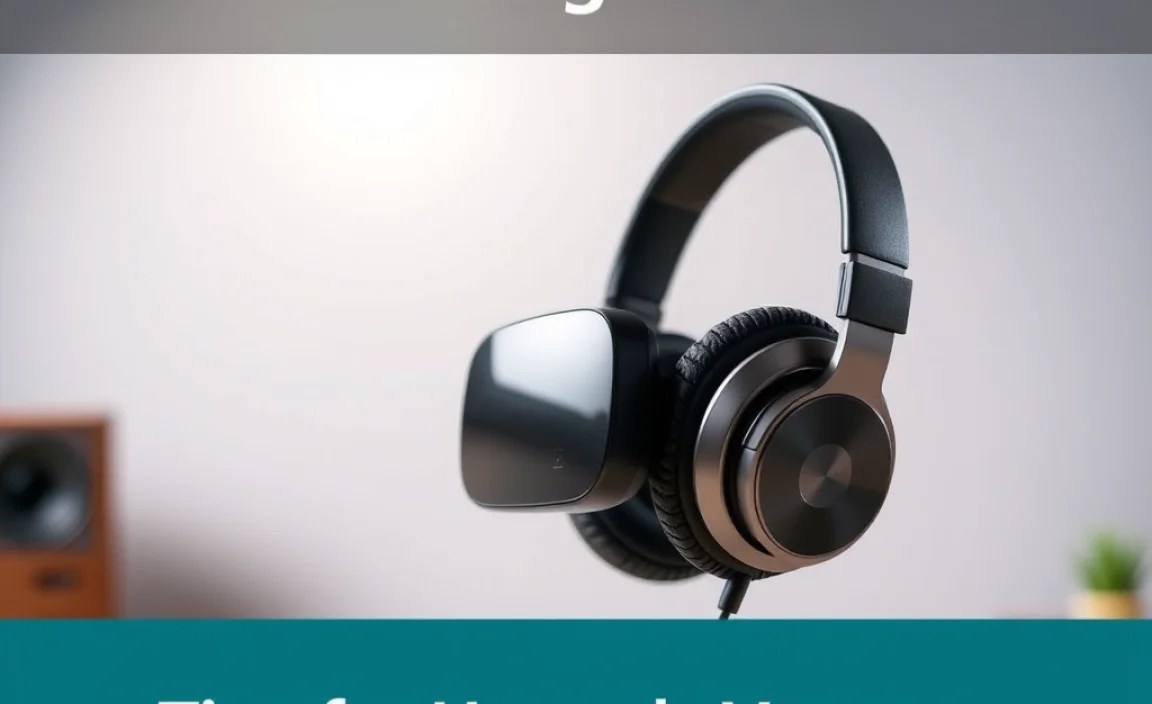
Getting the right headphones is the first step; making the most of them is the next!
- Keep Volume at Safe Levels: Immersive audio can be tempting to crank up, but protecting your hearing is vital for long-term enjoyment. A good rule of thumb is the 60/60 rule: listen at no more than 60% volume for no more than 60 minutes at a time.
- Experiment with Spatial Audio Settings: Some games offer their own in-game audio options. Try different settings to see what sounds best and feels most immersive to you.
- Manage Cables (for wired users): If you’re using wired headphones, consider cable management solutions. Routing the cable up your back and securing it can prevent it from getting tangled or pulled. Many VR headset straps have clips designed for this, or you can use Velcro ties.
- Clean Your Headphones: Especially earcups. Sweat and
