
Quick Summary: Discover the best inexpensive in-ear headphones that deliver exceptional sound without breaking the bank. This guide is your key to unlocking essential audio quality for music, podcasts, and calls, making it simple to find your perfect pair.
Best Inexpensive In-Ear Headphones: Essential Sound for Every Ear
Hey everyone, Edward Cavitt here from Headphone Horizon! You know, sometimes the most incredible audio experiences don’t require a hefty price tag. If you’re on the hunt for that perfect blend of affordability and fantastic sound, you’ve landed in the right spot. We’re diving deep into the world of the best inexpensive in-ear headphones. Forget those tinny, uncomfortable earbuds of the past! Today’s budget-friendly options offer surprising clarity, solid bass, and a comfortable fit, making them perfect companions for your daily commute, intense study sessions, or just jamming out to your favorite tunes. Let’s explore how to find sonic bliss without emptying your wallet.
Why Budget In-Ear Headphones Still Rock

It’s easy to think that great audio is only for those who spend a fortune. But honestly, the landscape of personal audio has changed dramatically. Manufacturers are putting more effort into developing high-quality sound drivers and comfortable designs even in their most affordable offerings. These “inexpensive” options often punch well above their weight class, providing a listening experience that’s more than satisfying for the everyday user. They’re versatile, portable, and often surprisingly durable, making them an excellent choice for anyone who values good sound but also understands the importance of a smart budget.
Key Features to Look For in Affordable In-Ear Headphones

When you’re looking for the “best inexpensive in ear headphones,” it’s not just about the price. You want to ensure you’re getting good value. Here’s what to keep an eye on:
- Sound Quality: This is paramount. Look for mentions of balanced sound, clear mids, decent bass response, and crisp highs. Even budget headphones can offer a surprisingly rich soundstage.
- Comfort and Fit: In-ear headphones need to stay put and feel good for extended listening. Check for different ear tip sizes (silicone or foam) included in the package. A secure fit also helps with passive noise isolation.
- Durability: A good pair should withstand daily use. Look for sturdy cable construction, reinforced connectors, and a build that feels solid, not flimsy.
- Microphone and Remote: If you plan on taking calls or controlling your music directly from your earbuds, a built-in microphone and in-line remote are essential.
- Connectivity: Most inexpensive in-ear headphones use a standard 3.5mm audio jack, which is widely compatible. Newer, slightly pricier models might offer USB-C or Bluetooth, but for the absolute cheapest, a wired connection is the norm.
- Brand Reputation: While you don’t need to stick to premium brands, looking at established companies often means a more reliable product and better customer support.
Your Step-by-Step Guide to Finding the Best Inexpensive In-Ear Headphones

Ready to find your next sonic companion? Follow these simple steps, and you’ll be well on your way.
Step 1: Define Your Primary Use Case
What will you be using your headphones for most often? This is the very first question you should ask yourself. The “best” headphones for one person might not be the best for another, even at the same price point.
- Commuting/Travel: You might prioritize noise isolation and a robust build.
- Workout/Exercise: Look for a secure fit, sweat resistance, and a cable that doesn’t bounce around too much.
- General Music Listening: Balanced sound across all frequencies is key.
- Podcasts/Audiobooks: Clear vocals and a comfortable sound signature are important.
- Gaming (Casual): Decent soundstage and clear audio cues can make a difference.
- Calls: A good microphone quality is essential here.
Step 2: Set Your Budget (Realistically)
When we talk about “inexpensive,” what does that mean to you? For in-ear headphones, you can find surprisingly good options often ranging from $10 to $30. While extremely cheap earbuds (under $10) can be hit-or-miss, this mid-tier budget often delivers the best bang for your buck. Decide on your absolute maximum, and try to aim slightly below it to leave some wiggle room.
Step 3: Research Top Contenders & Read Reviews
Now for the fun part! Start exploring brands known for producing quality budget audio gear. Some names that frequently pop up in the “best inexpensive in ear headphones” discussions include:
- JLab: Often praised for their value and feature-rich budget options.
- Anker (Soundcore): A powerhouse in affordable tech, their audio products are no exception.
- KZ (Knowledge Zenith): Known for offering audiophile-like sound profiles at incredible prices, though they can be more niche.
- Panasonic: A long-standing electronics brand that consistently delivers reliable, budget-friendly audio.
- AmazonBasics: Surprisingly capable for their super-low price points.
When reading reviews, look for detailed feedback on:
- Sound profile (e.g., “too bassy,” “clear vocals,” “muffled”)
- Comfort over long periods
- Build quality and cable durability
- Microphone performance
- Any common issues reported by users
Reputable tech review sites and user feedback on retailer websites are invaluable here. For instance, sites like Rtings.com or CNET often have in-depth reviews, though they might sometimes focus on higher-priced items. For the budget segment, diving into user reviews on Amazon, Best Buy, or other retailers can be very insightful.
Step 4: Consider Key Specifications (Keep it Simple!)
Don’t get bogged down in overly technical specs. For budget in-ear headphones, focus on these:
- Driver Size: Generally, larger drivers (e.g., 9mm, 10mm, 12mm or more) can produce better bass and a fuller sound. However, good tuning is more important than just size.
- Frequency Response: This tells you the range of sound frequencies the headphones can reproduce. A wider range (e.g., 20Hz – 20kHz, which is the typical human hearing range) is good, indicating they can produce both deep bass and high treble.
- Impedance: Measured in Ohms (Ω). For most mobile devices and computers, you won’t need to worry about this too much. Inexpensive earbuds will usually have low impedance (e.g., 16-32 Ohms), meaning they’re easy to drive and don’t require a special amplifier.
Step 5: Check for Accessories and Comfort Features
Even budget headphones can come with thoughtful extras. Ensure the pair you’re considering:
- Includes Multiple Ear Tip Sizes: This is crucial for a good seal and comfortable fit. Look for at least small, medium, and large.
- Has a Sturdy Cable: A flat or braided cable is often less prone to tangling than a round one. Check for reinforced strain relief where the cable meets the earbuds and the jack.
- Offers an In-line Microphone and Controls: If calls or quick music adjustments are important to you.
Step 6: Make Your Purchase and Test Them Out
Once you’ve narrowed down your choices, you’re ready to buy! When they arrive, take a few minutes to:
- Try out all the different ear tip sizes to find the best fit and seal.
- Listen to a variety of music genres to assess the sound quality.
- Test the microphone by making a call or recording your voice.
- Comfortably wear them for at least 30 minutes to a hour to check for any pressure points or discomfort.
Top Picks for Best Inexpensive In-Ear Headphones (Under $30)
While specific models do change, here are some reliable types and brands that consistently offer fantastic value in the budget category. Always check the latest reviews for current models:
| Brand/Model Example | Approximate Price | Pros | Cons | Best For |
|---|---|---|---|---|
| JLab JBuds Air T Lions | $15 – $25 | Good battery life (if wireless), decent for calls, comfortable fit, often include multiple ear tips. | Sound can be a bit bass-heavy for some, build quality adequate but not premium. | Everyday use, casual listening, taking calls. |
| Anker Soundcore R500 (or similar wired models) | $15 – $25 | Balanced sound profile, comfortable, good bass, durable build for the price. | May lack the ‘wow’ factor for critical listeners, microphone quality good but not exceptional. | Clear audio for music and podcasts, general use. |
| KZ ZSN Pro / ZST X (check pricing, can fluctuate) | $20 – $30 | Surprisingly detailed and clear sound, often praised by budget audiophiles, customizable fit with detachable cables (on some models). | Can be less user-friendly for absolute beginners, sound signature is very analytical (might lack warmth for some). | Music lovers seeking detail and clarity on a budget. |
| Panasonic ErgoFit RP-HJE120 | $10 – $20 | Extremely affordable, very comfortable, decent sound for the price, wide range of colors. | Build quality is basic, bass can be a bit weak, no mic/remote on many versions. | Super budget-conscious users, simple listening, comfort is key. |
| Sony MDR-EX15AP | $15 – $25 | Reputable brand, good comfort, clear sound with decent bass, includes mic and remote. | Cable can be prone to tangling, build is lightweight. | Reliable everyday listening from a trusted brand. |
Please note: Prices are approximate and can vary based on retailer and sales. Always check the latest product details before purchasing.
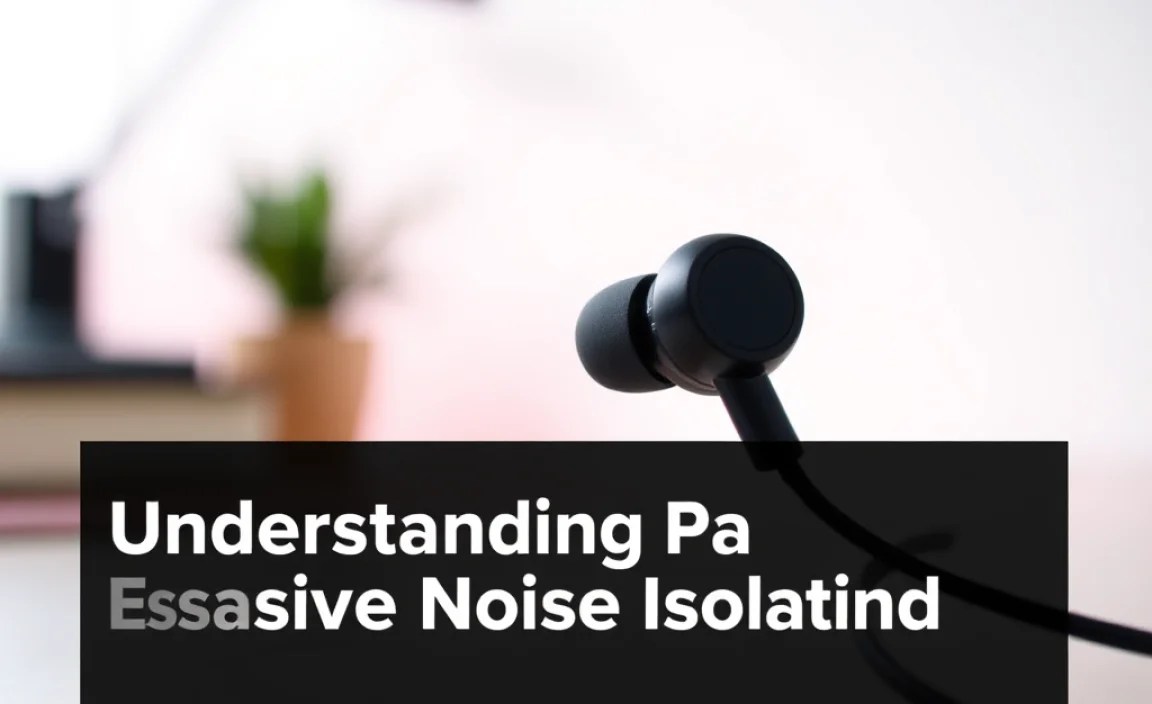
Understanding Passive Noise Isolation
You might hear the term “passive noise isolation.” This is something in-ear headphones excel at, especially when you get a good seal. Unlike active noise cancellation (ANC) which uses microphones to cancel out sound electronically, passive isolation is purely mechanical. It’s the physical barrier created by the earbud tip and the earphone housing that blocks out external noise. For inexpensive in-ear headphones, good passive isolation is a huge win, allowing you to focus on your audio without cranking the volume to damaging levels. A proper fit with the right ear tips is key to maximizing this effect. For more on how sound works and hearing health, resources like the National Institute on Deafness and Other Communication Disorders (https://www.nidcd.nih.gov/health/noise-induced-hearing-loss) offer valuable information.
Troubleshooting Common Issues with Inexpensive In-Ear Headphones
Even the best inexpensive gear can sometimes act up. Here are a few common hiccups and how to solve them:
- One Earbud Not Working:
- Check the connection: Ensure the headphone jack is fully plugged into your device. If it’s a wired connection, try gently wiggling the jack at each end.
- Inspect the cable: Look for any visible nicks, cuts, or kinks, especially near the jack and the earbuds. A damaged cable is often unfixable at this price point, unfortunately.
- Test on another device: Plug them into a different phone, computer, or MP3 player to see if the issue persists. This helps determine if it’s the headphones or the source device.
- Clean the jack: Sometimes lint or debris can build up. You can carefully clean the headphone jack of your device with a dry, non-metallic brush or a puff of compressed air.
- Low Volume:
- Check device volume: Make sure the volume on your phone or computer is turned up.
- Ensure a good seal: If using in-ear headphones, a poor seal means less bass and perceived lower volume. Try different ear tip sizes.
- Check app/software settings: Some music players or apps have their own volume controls or equalizers that might be set low.
- Sound Distortion or Crackling:
- Check for damage: Often a sign of internal damage to the earphone driver, especially common with drops or excessive yanking.
- Test on another device: Similar to the “one earbud not working” issue, this helps isolate the problem.
- Equalizer settings: If you’re using an equalizer, very high bass boosts can sometimes cause distortion. Try resetting to flat.
- Microphone Not Working:
- Check device permissions: For some apps (like voice recorders or video calls), you may need to grant microphone access in your device’s settings.
- Clean the mic grille: If there’s a small grille on the in-line remote, ensure it’s clear of debris.
- Ensure it’s unplugged correctly: Some devices have separate mic/headphone jacks or require specific stereo/TRRS configurations. For standard earbuds with an integrated mic, ensure the jack is fully inserted.
Caring for Your Inexpensive In-Ear Headphones
Treating your budget earbuds with a little care can significantly extend their lifespan. Here are some simple tips:
- Untangle Gently: Never yank the cable. Store them loosely coiled or in a small pouch rather than stuffed in a pocket where they’ll tangle.
- Keep Them Dry: Avoid exposing them to rain, sweat, or excessive moisture. If they get damp, let them air dry completely before using.
- Clean Them Regularly: Ear wax and dirt can build up on the ear tips and speaker grilles. Gently wipe them with a dry microfiber cloth. For ear tips, you can sometimes wash silicone tips with mild soap and water, but ensure they are thoroughly dry before reattaching.
- Use a Protective Case: Even a simple cloth pouch
