
The Best Low-Cost Wireless Headphones: Essential Budget Buys for Every Listener
Ready to cut the cord without cutting into your budget? Discover the best low-cost wireless headphones that deliver great sound, comfort, and features without breaking the bank. This guide helps you find reliable earbuds and over-ear options perfect for music, calls, and everyday listening, making smart audio accessible to everyone.
Welcome to headphonehorizon! As Edward Cavitt, I’m thrilled to guide you through the exciting world of affordable personal audio. Many people think high-quality sound comes with a hefty price tag, but that’s simply not true! The market for wireless headphones is booming, and that means more options than ever for budget-conscious consumers. Whether you’re a student trying to focus during study sessions, a commuter wanting to tune out the world, or a fitness enthusiast needing some motivational tunes, there’s a pair of fantastic, low-cost wireless headphones out there for you. We’ll dive into what makes a good budget buy, explore some top contenders, and help you make an informed decision without the overwhelming tech talk. Let’s get your ears happy!
Why Go Wireless on a Budget?

The allure of wireless headphones is undeniable. No more tangled cords snagging on everything, no more fumbling to plug them in. But does going wireless mean you have to spend a fortune? Absolutely not! The evolution of Bluetooth technology and increased competition have driven down prices significantly, making reliable wireless audio accessible to everyone. You can now find headphones that offer impressive battery life, decent sound quality, comfortable fits, and useful features like built-in microphones for calls, all at prices that won’t make your wallet weep.
In fact, choosing a budget-friendly wireless option can be a smart move. Beginners can explore the wireless experience without a huge investment, while savvy shoppers can find incredible value. We’ll focus on headphones that provide a solid balance of performance, durability, and price, ensuring you get the most bang for your buck.
What to Look for in Low-Cost Wireless Headphones

When shopping for affordable wireless headphones, it’s easy to get lost in the technical specs. But for everyday listeners, a few key features really matter. Think of these as your essential checklist to find a pair that fits your needs and your budget:
1. Sound Quality (It’s Not Just About Loud!)
While you won’t find audiophile-grade sound at the lowest price points, you can find headphones that offer clear, balanced audio. Look for descriptions that mention decent bass response (without being boomy), clear mids (where vocals live), and crisp highs (for detail and sparkle). Articles and reviews often describe sound profiles as “balanced,” “punchy,” or “clear.” For a budget option, aim for “clear and balanced.”
2. Battery Life (Keep the Music Playing)
This is crucial for wireless devices. How long do they last on a single charge? For earbuds, check the total playback time including the charging case. For over-ear headphones, look at the hours the headphones themselves will last. Aim for at least 4-6 hours of playback for earbuds per charge, and 20+ hours total with the case. For over-ear headphones, 15-20 hours is a good starting point for budget models.
3. Comfort and Fit (Essential for Long Listening)
If your headphones aren’t comfortable, you won’t wear them. For earbuds, this means checking if they come with multiple sizes of ear tips. A secure fit is especially important if you plan to use them for workouts. For over-ear headphones, look for padded earcups and an adjustable headband. Try to find reviews that specifically mention comfort for extended wear.
4. Connectivity (Bluetooth Version Matters)
Most wireless headphones use Bluetooth. While older versions (like Bluetooth 4.x) are still found on very cheap models, try to aim for Bluetooth 5.0 or later if possible. Newer versions offer better stability, longer range, and more efficient power consumption. This means fewer dropouts and a more seamless experience.
5. Durability and Build Quality (Can They Take a Knock?)
Budget headphones might not use premium materials, but they should still feel reasonably well-built. Check for sturdy plastic, secure hinges (on over-ear models), and robust charging ports. If you plan to use them outdoors or for exercise, look for some level of water or sweat resistance (often indicated by an IPX rating).
6. Microphone Quality (For Calls and Voice Assistants)
If you plan to take calls or use voice assistants, check reviews specifically on microphone performance. Cheaper headphones can struggle with background noise cancellation, making your voice sound muffled or distant.
Top Picks: Best Low-Cost Wireless Headphones in [Current Year]
![Top Picks: Best Low-Cost Wireless Headphones in [Current Year]](https://i2.wp.com/headphonehorizon.com/wp-content/uploads/2026/05/top-picks-best-low-cost-wireless-headphones-in-current-year.webp)
Finding the absolute “best” is subjective, as it depends on your specific needs. However, based on widespread reviews, user feedback, and feature sets, here are some consistently recommended low-cost wireless headphone options that offer great value. We’ll highlight both earbuds and over-ear models.
Best True Wireless Earbuds Under $50
True wireless earbuds offer complete freedom with no connecting wire between the two earpieces.
| Model | Key Features | Battery Life (Earbuds + Case) | Water Resistance | Price Range (Approx.) |
|---|---|---|---|---|
| Anker Soundcore Life P2 / P3i | Good sound for the price, 4 mics for calls, customizable EQ via app. | 7-9 hours per charge, 40+ hours total with case. | IPX5 | $40-$60 |
| JLab Go Air Pop | Incredibly lightweight and compact, decent sound, easy controls. | 8 hours per charge, 32+ hours total with case. | IPX4 | $20-$30 |
| EarFun Free Mini / Air Pro 3 (depending on sales) | Solid sound, comfortable fit, active noise cancellation (ANC) on some models. | 6-7 hours per charge for ANC models, 24-30+ hours total with case. | IPX5 | $30-$60 |
Anker Soundcore Life P2 / P3i: The All-Rounder
Anker’s Soundcore line consistently delivers excellent value. The Life P2 (or its slightly upgraded P3i variant) offers a balanced sound profile, impressive battery life, and clear call quality thanks to its multiple microphones. The companion Soundcore app allows for EQ customization, letting you tweak the sound to your preference. They are comfortable, come with multiple ear tip sizes, and offer good passive noise isolation.
JLab Go Air Pop: The Ultra-Budget Champion
If your budget is extremely tight, the JLab Go Air Pop are astonishingly good for their price. They are incredibly small and lightweight, making them perfect for those who find earbuds uncomfortable. Sound quality is surprisingly listenable for casual listening, and the battery life is respectable. While they lack advanced features, they nail the basics of wireless earbuds.
EarFun Free Mini / Air Pro 3: Features Galore
EarFun is another brand that punches above its weight in the budget category. The Free Mini offers a compact design and good sound, while models like the Air Pro 3 often include active noise cancellation (ANC) and a transparency mode, features rarely found at this price point. Check for sales, as they frequently drop into very attractive price ranges.
Best Low-Cost Over-Ear Wireless Headphones
Over-ear headphones offer a more immersive listening experience, better passive noise isolation, and often more comfort for extended wear.
| Model | Key Features | Battery Life | Comfort | Price Range (Approx.) |
|---|---|---|---|---|
| Anker Soundcore Life Q20 / Q30 | Excellent ANC for the price, comfortable earcups, strong bass. | 40+ hours (ANC on) / 60 hours (ANC off) | Plush earcups, adjustable headband | $50-$70 |
| Sennheiser HD 450BT (often on sale) | Reputable brand, good sound signature, decent ANC, multipoint connection. | 30 hours (ANC on) | Lightweight, soft earcups | $70-$100 (watch for sales) |
| COWIN E7 / SE8 | Good value ANC headphones, decent sound, solid build. | 30 hours (ANC on) | Comfortable memory foam earcups | $50-$70 |
Anker Soundcore Life Q20 / Q30: ANC on a Budget
These are often cited as the leaders in affordable ANC over-ear headphones. The Q20 and Q30 (an upgrade) provide surprisingly effective active noise cancellation that can significantly cut down on low-frequency noise like airplane engines or office hum. The sound is bass-forward, which many listeners enjoy, and the battery life is phenomenal. They’re also known for being very comfortable for long listening sessions.
Sennheiser HD 450BT: The Audiophile-Adjacent Choice
While slightly higher priced, the Sennheiser HD 450BT frequently goes on sale, making it a fantastic budget-friendly option from a renowned audio company. They offer a more refined sound signature than many budget competitors, better build quality, and reliable ANC. The addition of multipoint Bluetooth connection, allowing you to connect to two devices simultaneously, is a significant bonus for productivity.
When considering Sennheiser’s commitment to audio quality, it’s worth noting their involvement in developing standards that benefit all audio experiences. For example, their research has contributed to advancements in acoustic reproduction that are foundational to how we perceive sound. You can explore more about the science of hearing and sound reproduction through resources like those found at The American Academy of Audiology, which showcases the ongoing work in understanding our auditory systems.
COWIN E7 / SE8: Solid All-Rounder
COWIN headphones are popular performers in the sub-$70 category. They boast active noise cancellation, comfortable memory foam earcups, and a sound profile that’s generally well-received. While perhaps not as polished as higher-end options, they offer a very compelling package of features and performance at their price point, making them a smart choice for general listening and travel.
Features Worth Considering (But Don’t Overpay For)
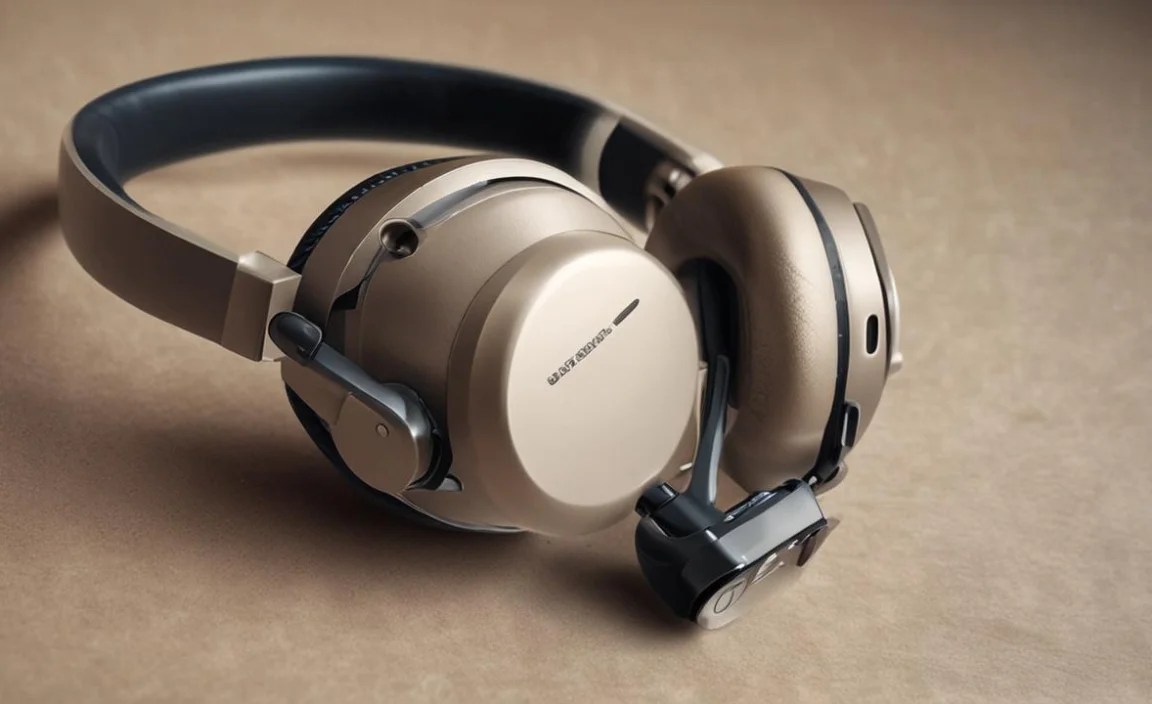
As you look at different models, you’ll see various features advertised. Here’s a quick rundown of what’s important and what might be a ‘nice-to-have’ on a budget:
Essential Features:
- Reliable Bluetooth Connectivity: Aim for Bluetooth 5.0 or newer for stable connections.
- Decent Battery Life: Enough for your daily commute or work sessions.
- Comfortable Fit: Especially for over-ear headphones and earbuds you’ll wear for hours.
- Built-in Microphone: For calls and voice assistant access.
Nice-to-Have Features (If You Find Them on Sale):
- Active Noise Cancellation (ANC): Great for noisy environments, but less common and effective on the very cheapest models.
- Transparency Mode: Lets ambient sound in so you can hear your surroundings without removing headphones.
- App Support: For EQ adjustments, firmware updates, and customization.
- Water/Sweat Resistance (IPX4 or higher): Essential if you plan to use them for exercise.
- Multipoint Bluetooth: Connect to two devices at once (laptop and phone).
Don’t feel pressured to get every “nice-to-have.” A pair of headphones that excel at the essentials—good sound, comfort, and reliable wireless connection—will serve you well.
Getting the Most Out of Your Budget Wireless Headphones

Once you’ve chosen your new headphones, a little care and knowledge can go a long way in ensuring they perform well and last for a long time. It’s not about complicated maintenance; it’s about practical habits.
1. Proper Charging Habits
For Earbuds with Charging Cases:
- Always ensure the charging contacts on both the earbuds and inside the case are clean. A dry cotton swab or a soft, lint-free cloth usually does the trick.
- Place earbuds firmly back into the case to ensure they connect and charge. Check the indicator lights on the case and earbuds if available.
- Don’t leave the charging case plugged in indefinitely after it’s fully charged, though modern lithium-ion batteries are quite resilient.
For Over-Ear Headphones:
- Use the charging cable provided or a reputable compatible one.
- Avoid charging the headphones with overly powerful chargers (like those for laptops) unless specified by the manufacturer, as this can potentially damage the battery over time. A standard USB wall adapter or computer port is usually best.
- Store them with some charge if you plan to leave them unused for extended periods (e.g., over a month).
2. Cleaning for Longevity
Regular cleaning prevents performance issues and keeps your headphones hygienic.
- Earbuds: Gently wipe down the earbuds with a slightly damp cloth or an alcohol wipe. Clean the silicone ear tips separately with mild soap and water, ensuring they are completely dry before reattaching.
- Over-Ear Headphones: Use a dry or slightly damp microfiber cloth to wipe down the earcups and headband. For fabric earcups, a slightly soapy water solution with a soft brush can be used, followed by a damp cloth wipe and air drying. Avoid harsh chemicals, as they can damage the materials.
3. Protecting Your Investment
While budget headphones are less costly to replace, a little protection can extend their usable life.
- Storage: When not in use, store your headphones in their case or in a safe place where they won’t be crushed, stepped on, or exposed to extreme temperatures.
- Cable Management (for wired fallback): Many wireless headphones still have a 3.5mm jack for wired use or charging. If you use the wired option, coil the cable loosely to prevent internal wire damage.
- Environmental Factors: Avoid exposing your headphones to excessive moisture, direct sunlight for prolonged periods, or extreme heat/cold.
4. Understanding Bluetooth Connectivity
Sometimes, you might experience connection issues. Here are quick fixes:
- Restart Devices: Turn your headphones off and on again, and restart your phone or device.
- Forget and Re-pair: Go into your device’s Bluetooth settings, “forget” your headphones, and then pair them again as if they were new.
- Check Distance: Ensure your headphones are within the recommended Bluetooth range (usually around 30 feet or 10 meters). Obstacles like walls can interfere.
- Firmware Updates: If your headphones have an app, check for firmware updates, as these can often resolve connectivity bugs.
For more detailed information on Bluetooth standards and how they ensure seamless connectivity, you can refer to official guides. The Bluetooth SIG (Special Interest Group) provides comprehensive details on the technology that powers your wireless listening experience.
FAQ: Your Budget Wireless Headphone Questions Answered
Here are some common questions beginners have when looking for and using low-cost wireless headphones:
Q1: Can I get good bass from cheap wireless headphones?
Yes, many budget headphones, especially over-ear models, focus on delivering a punchy bass response which is popular for genres like pop, hip-hop, and electronic music. While they may not match the subtle nuances of high-end headphones, you can definitely find options with satisfying bass for everyday listening.
Q2: Are water-resistant budget headphones suitable for swimming?
Most water-resistant ratings (like IPX4 or IPX5) on budget headphones mean they can handle sweat and light rain. They are NOT designed for swimming. For swimming, you need specialized waterproof devices with a much higher IPX rating (like IPX8).
Q3: How do I pair my new wireless headphones for the first time?
Generally, you put the headphones in pairing mode (often by holding down a power or multi-function button until an indicator light flashes, or automatically when you first turn them on if they haven’t been paired before). Then, go to the Bluetooth settings on your phone
