
Looking for wireless headphones that don’t lag behind? This guide dives into the best low latency wireless headphones for gamers, video editors, and music lovers. We break down what low latency means, how to choose the right pair, and offer proven performance picks for a seamless, lag-free audio experience.
Untangled Audio Bliss: Finding the Best Low Latency Wireless Headphones for Proven Performance

Ever feel that frustrating disconnect between what you see and what you hear when using wireless headphones? That little delay, known as latency, can pull you right out of the moment, whether you’re reacting to a game, watching a movie, or even just trying to enjoy your favorite song. If you’re tired of the lag, you’re in the right place!
This guide is designed especially for you – the everyday listener, the music lover, the busy student or professional – who wants to cut through the tech jargon and find wireless headphones that simply work and sound great, without that annoying delay. We’ll explore what makes certain headphones “low latency,” what to look for when buying, and highlight some fantastic options that deliver on their promises of proven performance.
What Exactly is Wireless Latency, and Why Does it Matter?

Think of latency as the time it takes for a sound to travel from its source (like your phone, computer, or game console) to your ears through your wireless headphones. When this travel time is very short, we call them “low latency” headphones. If the time is longer, you’ll notice a delay or a lag. This lag is most noticeable in fast-paced activities.
Why is this important for everyday listeners?
- For Gamers: In fast-paced video games, split-second reactions are key. If your headphones have high latency, you might hear an explosion a moment after it happens on screen, putting you at a disadvantage. You want to hear footsteps and gunfire precisely when they occur.
- For Video and Audio Professionals:
- For Video and Audio Professionals: When editing videos or music, precise synchronization between the audio and video is crucial. High latency makes it difficult to edit accurately, as you can’t rely on what you’re hearing matching what you’re seeing.
- For Movie Buffs: Imagine watching an intense action sequence or a dialogue-heavy scene, and the audio is just slightly out of sync with the on-screen action. It can totally break the immersion.
- For Everyday Listening: While less critical for casual music listening, even a slight lag can feel unnatural. Low latency ensures a more seamless and natural listening experience overall.
The standard for wireless audio, Bluetooth, has improved significantly over the years, but latency can still be a concern. This is where specific technologies and designs come into play to minimize that delay.
Understanding Wireless Audio Technologies for Low Latency
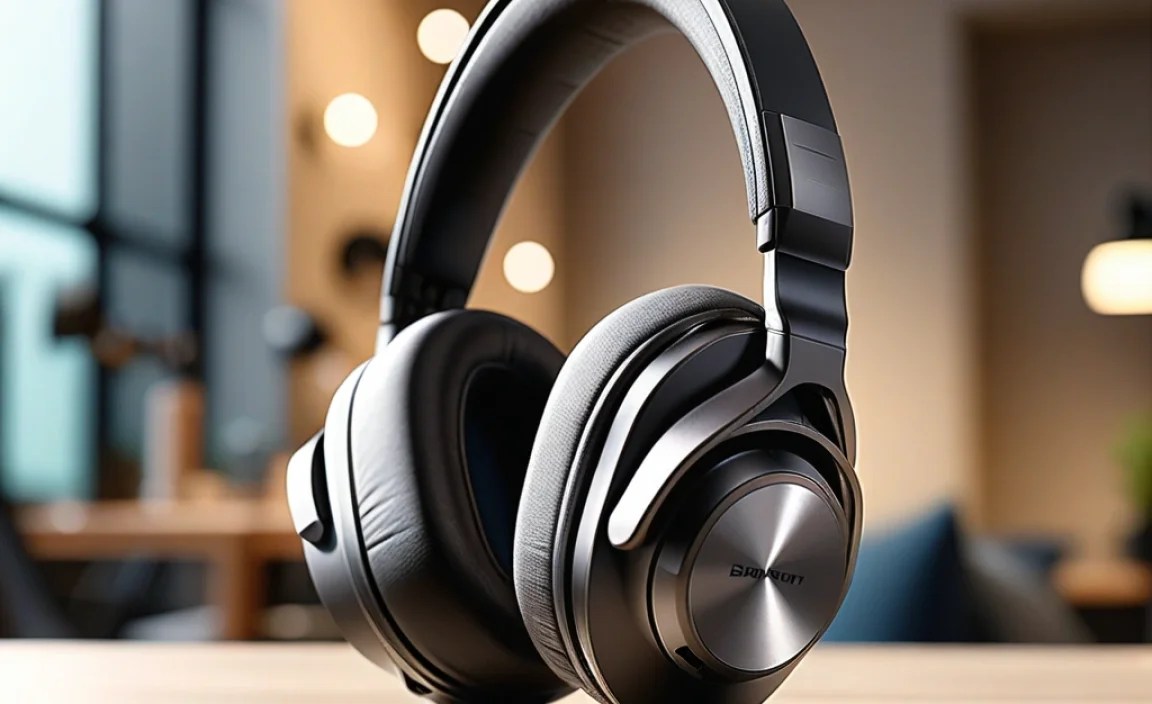
Several technologies and standards are employed to achieve low latency in wireless headphones. Knowing a bit about them can help you make an informed choice.
Bluetooth Codecs: The Communication Language
Think of Bluetooth codecs as the different languages your headphones and your device use to talk to each other wirelessly. Some languages are more efficient (faster) than others. For low latency, you’ll want to look for headphones and devices that support specific, faster codecs.
- SBC (Subband Coding): This is the basic, universal Bluetooth audio codec. It’s compatible with almost all devices but isn’t known for speed or high audio quality. Latency can be noticeable.
- AAC (Advanced Audio Coding): Commonly used by Apple devices (iPhones, iPads, Macs) and also supported by many Android devices. AAC offers better audio quality than SBC and generally lower latency, especially when paired with Apple devices.
- aptX (and its variants like aptX HD, aptX Low Latency): Developed by Qualcomm, aptX codecs are famous for their balance of high audio quality and reduced latency compared to SBC. aptX Low Latency is specifically designed to minimize delay, making it a great choice for video and gaming. For this to work, both your headphones and your source device (phone, laptop) need to support the same aptX codec.
- LDAC: Developed by Sony, LDAC aims to deliver the highest possible audio quality over Bluetooth, capable of transmitting more data than SBC or AAC. While primarily focused on sound fidelity, it can also offer decent latency, though sometimes aptX LL might be even faster for pure lag reduction.
Dedicated Wireless Technologies
Beyond standard Bluetooth, some manufacturers use proprietary wireless technologies or dedicated dongles to achieve even lower latency, often bypassing some of Bluetooth’s inherent complexities.
- 2.4 GHz Wireless: Many gaming headsets, for example, come with a USB dongle that uses a 2.4 GHz wireless connection. This is a dedicated, often uncompressed, radio frequency connection that typically offers the lowest latency possible for consumer wireless audio, often below 20ms. The tradeoff is usually that this connection is only between the dongle and the headphones; you can’t easily connect them to multiple devices simultaneously like you can with Bluetooth.
- Other Proprietary Systems: Some brands have their own unique wireless protocols designed for specific use cases, like professional audio monitoring or ultra-low latency gaming. These are less common for general consumer headphones but are worth noting if you have very specific, demanding needs.
Key Features to Look for in Low Latency Wireless Headphones

When you’re shopping for the best low latency wireless headphones, keep these crucial features in mind. They will help you narrow down your options and ensure you get a product that meets your needs for lag-free audio.
1. Bluetooth Version and Supported Codecs
As discussed, Bluetooth 5.0 and later versions generally offer better stability and efficiency. More importantly, check which codecs the headphones support. If you use an iPhone, look for AAC support. If you have an Android device or use a PC that also supports Qualcomm’s aptX, look for headphones with aptX or, even better, aptX Low Latency. Some headphones can even switch between codecs depending on the connected device, which is handy.
2. Dedicated Wireless Dongle (for Gaming/Pro Use)
If your primary concern is the absolute lowest latency for gaming or professional work, a pair of headphones that comes with a USB dongle is often your best bet. These bypass Bluetooth and use a proprietary 2.4 GHz connection for near-instantaneous audio transmission. Just ensure your device has a compatible USB port.
3. Comfort and Fit
Even the lowest latency headphones won’t be great if they’re uncomfortable to wear for long periods. Whether you prefer over-ear, on-ear, or in-ear designs, make sure they feel good. Look for “memory foam” earcups, adjustable headbands, and lightweight construction. For in-ear models, multiple ear tip sizes are essential for a secure and comfortable fit.
4. Battery Life
Wireless headphones rely on battery power. While focusing on low latency, don’t forget to check the playback time. A good range is typically 8-10 hours per charge, with many premium models offering 20-40 hours. Consider how long you typically use your headphones between charges and if quick charging is available.
5. Sound Quality
Low latency is fantastic, but you still want your audio to sound good! Read reviews that comment on the clarity, balance, and richness of the sound. Some audiophiles might look for specific frequency responses or support for high-resolution audio codecs.
6. Build Quality and Durability
You want your headphones to last. Look for sturdy materials, reinforced hinges, and good overall construction. While many headphones feel great out of the box, durable materials and robust design will ensure they stand up to daily use.
7. Microphone Quality (if important)
If you plan to use your headphones for calls, gaming chat, or voiceovers, the microphone quality is important. Some low latency headphones, especially gaming ones, will have boom mics for clearer voice pickup. Others will rely on smaller, built-in mics which can be more convenient but sometimes less clear.
Proven Performers: Top Picks for Low Latency Wireless Headphones

Based on reviews, technical specifications, and common user experiences, here are some categories and examples of headphones that consistently deliver excellent low latency performance. Remember that “best” can be subjective and depend on your specific needs and budget.
For the Ultimate Immersive Gaming: Dedicated 2.4 GHz Dongle Headsets
When latency needs to be virtually non-existent, a headset with a dedicated USB wireless dongle is the way to go. These offer the lowest possible delay, often below 20ms, creating an incredibly responsive gaming experience.
| Headset Model | Primary Connection | Typical Latency | Key Features |
|---|---|---|---|
| SteelSeries Arctis Nova Pro Wireless | 2.4 GHz Wireless (Dongle) & Bluetooth | < 20ms (via 2.4 GHz) | Dual wireless, excellent mic, active noise cancellation, swappable batteries. |
| Logitech G Pro X Wireless LIGHTSPEED | 2.4 GHz Wireless (Dongle) & Bluetooth | < 20ms (via 2.4 GHz) | Comfortable, Pro-grade mic, solid build, long battery life. |
| HyperX Cloud Alpha Wireless | 2.4 GHz Wireless (Dongle) | < 20ms | Incredible battery life (300+ hours), comfortable, great sound. |
For Seamless Multimedia & Video Editing: aptX Low Latency Enabled Headphones
When your work or entertainment involves more than just gaming, and you want a good balance of versatility and reduced lag, headphones supporting aptX Low Latency are your best friend. This ensures your audio is synced nicely with video without a noticeable delay.
| Headphone Model | Primary Connection | Supported Codecs | Key Features |
|---|---|---|---|
| Sennheiser MM 450-X Travel (Older, but still notable) | Bluetooth | aptX, aptX Low Latency, SBC, AAC | Compact, excellent for travel, good sound portability. |
| Avantree Audition Pro | Bluetooth | aptX, aptX HD, aptX Low Latency, SBC | Dual-link support (connect to two devices), good battery. |
| Taotronics SoundLiberty 530 (check model specs carefully) | Bluetooth | aptX, aptX Low Latency, SBC, AAC (varies by model) | Affordable true wireless option with aptX LL support. |
Note: Finding headphones explicitly advertising aptX Low Latency can be tricky as it’s a specific feature. Always double-check product specifications or reviews for confirmation. Your source device (your phone, tablet, or computer) must also support aptX Low Latency for the feature to work.
For Apple Users: Prioritizing AAC and W1/H1 Chip Technology
If you’re deeply embedded in the Apple ecosystem, headphones featuring Apple’s W1 or H1 chip (like AirPods Pro, AirPods Max, Beats headphones) offer excellent, low-latency performance specifically within the Apple environment. These chips are optimized for seamless pairing, stable connections, and significantly reduced audio delay with iPhones, iPads, and Macs.
- Apple AirPods Pro (2nd generation): Fantastic balance of active noise cancellation, spatial audio, transparency mode, and very good, low latency for Apple devices. Ideal for everyday use, movies, and casual gaming within the ecosystem.
- Apple AirPods Max:
