
Quick Summary: Neckband headphones offer a comfortable, secure, and convenient audio experience, blending the portability of earbuds with the stability of over-ear options. This guide breaks down what makes them great, how to choose the right pair for you, and tips for getting the most out of your listening.
Hello there, fellow audio adventurers! Edward Cavitt here from Headphone Horizon. If you’ve ever found yourself wrestling with tangled earbud wires or feeling weighed down by bulky over-ear headphones, then you’ve landed in the right place. Today, we’re diving into the world of neckband headphones. These nifty devices offer a fantastic balance, keeping your audio close without being intrusive. They’re perfect for workouts, commutes, or just enjoying your favorite tunes with incredible ease. Let’s explore why they might just be your next favorite audio companion!
Why Choose Neckband Headphones? The Sweet Spot of Audio Convenience

Neckband headphones have carved out a popular niche for good reason. They’re designed to sit comfortably around your neck, featuring earbuds that often attach magnetically to the band when not in use. This design offers a unique blend of benefits that make them a compelling choice for many listeners.
Unmatched Comfort and Stability
One of the biggest draws of neckband headphones is their comfort. The neckband itself is usually lightweight and flexible, distributing weight evenly and reducing ear fatigue that can sometimes come with in-ear or on-ear styles. For active users, the neckband provides a secure fit, preventing the earbuds from falling out during vigorous movement. Unlike true wireless earbuds, there’s no risk of losing one earbud because they are physically tethered.
Always Ready, Never Lost
Tired of searching for your earbuds? Neckband headphones keep them within easy reach. The magnetic attachment feature is a game-changer. When you need to take a call or pause your music, simply connect the earbuds to the band. They’re then securely stored and ready to go the moment you need them again. This practical design greatly reduces the chances of misplacing them and simplifies the process of putting them away.
Extended Battery Life and Enhanced Features
The larger form factor of the neckband allows for bigger batteries compared to many true wireless earbuds. This often translates to longer listening times per charge, which is a huge plus for long commutes, travel, or extended listening sessions. Additionally, the neckband can house more advanced technology, such as superior Bluetooth antennas for a more stable connection, dedicated physical buttons for control, and even features like active noise cancellation (ANC) or enhanced microphones.
Cost-Effective Solution
While premium models can be costly, neckband headphones often represent a more budget-friendly option than comparable true wireless earbuds with similar features. You get a robust design and often better battery life at a more accessible price point, making them a smart choice for those seeking value without compromising too much on quality.
How to Choose the Best Neck Band Headphones for Your Needs

With so many options out there, picking the ‘best’ neckband headphones can feel overwhelming. Don’t worry, I’m here to guide you through it. Think about what matters most to you and use these key factors to make an informed decision.
1. Sound Quality: What Will You Be Listening To?
This is number one for a reason. Your headphones should make your music, podcasts, or calls sound great. Consider:
- Sound Profile: Do you prefer bass-heavy sound for workouts, a balanced, neutral sound for critical listening, or clear vocal reproduction for podcasts? Most product descriptions will offer clues, but reading reviews is also key.
- Codec Support: For Bluetooth headphones, codecs like aptX or LDAC can offer higher-fidelity audio if your source device also supports them. For general listening, SBC or AAC are usually perfectly fine.
2. Fit and Comfort: The Neckband Experience
The neckband’s design is crucial for how comfortable they’ll be during long wear. Check for:
- Material: Is it flexible, soft silicone, or a stiffer plastic? Silicone often offers a more comfortable, adaptable fit.
- Weight Distribution: Does the band feel balanced, or does it tend to slide forward or backward?
- Earbud Fit: Do they come with multiple ear tip sizes? A good seal is essential not only for comfort but also for passive noise isolation and bass response.
3. Battery Life: Power Through Your Day (and Beyond)
Nobody likes their headphones dying mid-song. Look at the manufacturer’s stated battery life for both the headphones themselves and the charging case (if applicable).
- Continuous Playback: How many hours can you expect on a single charge?
- Quick Charge: Many models offer a quick charge feature – e.g., 10-15 minutes of charging for an hour of playback. This is incredibly useful for last-minute power-ups.
4. Durability and Water Resistance: Ready for Anything
If you plan to use your headphones for exercise or in potentially wet conditions, look for an IP (Ingress Protection) rating. An IPX4 rating, for instance, means they can withstand splashes of water, making them suitable for sweaty workouts or light rain.
A solid build quality also matters. Check reviews for comments on how well the materials hold up over time.
5. Connectivity: A Stable Link
Bluetooth version and supported profiles impact connection stability and range. For example, Bluetooth 5.0 and later offer improved power efficiency, faster pairing, and better range. Multipoint pairing, which allows connection to two devices simultaneously, is a fantastic feature for multitasking.
6. Features That Matter to You
Beyond the basics, consider these extras:
- Active Noise Cancellation (ANC): Great for blocking out ambient noise on commutes or in busy environments.
- Microphone Quality: If you take a lot of calls, check reviews specifically mentioning microphone performance.
- Physical Controls: Some prefer physical buttons for tactile feedback, while others like touch controls.
Top Picks: Best Neck Band Headphones Categories

To help you get started, here are some standout categories for neckband headphones. Please note that specific models can change rapidly in this market, so always check for the latest versions and reviews!
Best All-Around
These models aim to strike a balance between excellent sound, comfort, battery life, and features. They are usually a safe bet for most users.
Best for Workouts
Prioritizing secure fit, sweat resistance, and potentially a more energetic sound signature, these are built to keep up with your active lifestyle.
Best for Calls
Focusing on superior microphone technology and clear audio transmission, these are ideal for professionals or anyone who uses their headphones extensively for voice communication.
Best Budget-Friendly
Offering great value for the price, these headphones provide solid performance without breaking the bank. You might sacrifice some premium features, but the core experience remains strong.
Best with Active Noise Cancellation (ANC)
For those who demand silence amidst the hustle, these models incorporate ANC technology to significantly reduce background noise.
Finding the absolute “best” is personal, but looking at highly-rated models within these categories will point you in the right direction. Always check recent reviews from reputable tech sites such as RTINGS.com for in-depth performance metrics and comparisons.
Key Features and Technologies Explained (Beginner-Friendly)
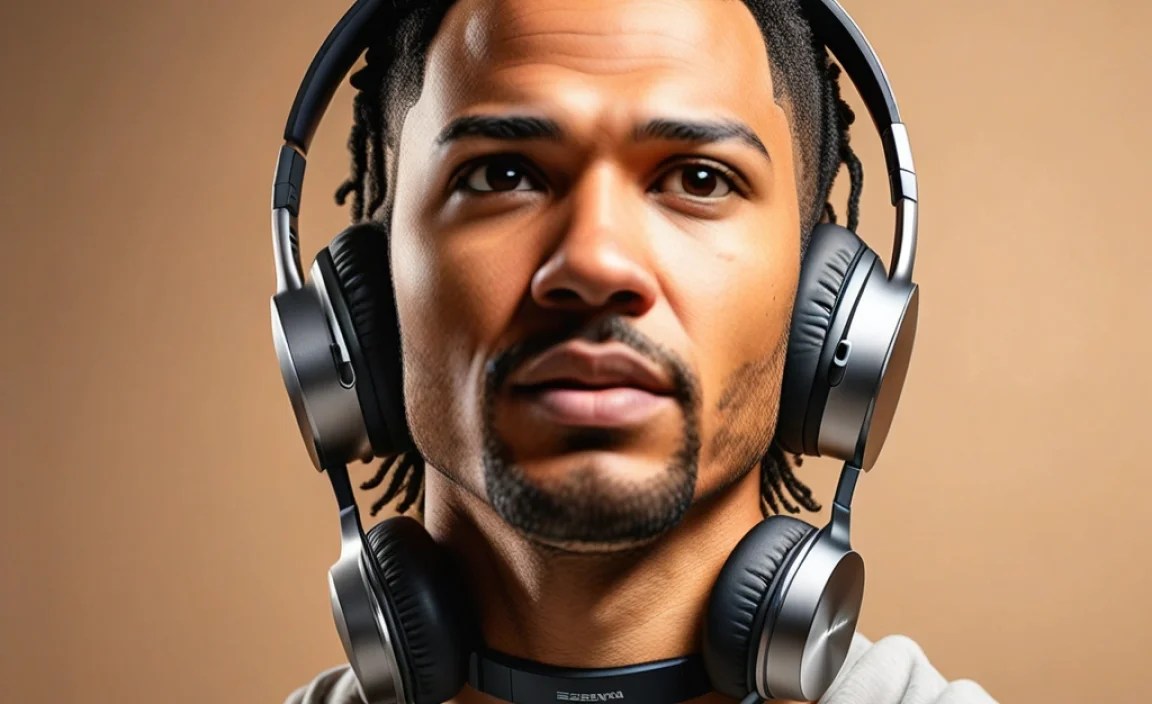
Let’s demystify some of the tech terms you’ll encounter. You don’t need to be an audio engineer to understand these!
- Bluetooth: This is the wireless technology that allows your headphones to connect to your phone, tablet, or computer without cables. Newer versions (like Bluetooth 5.0+) are more power-efficient and offer a more stable connection.
- IP Rating (Ingress Protection): This rating tells you how well the headphones are protected against dust and water. A common rating for fitness headphones is IPX4, meaning they can handle splashes of water from any direction. Higher numbers mean better protection. For more on IP ratings, you can check out resources like the International Electrotechnical Commission (IEC), which sets these standards.
- Active Noise Cancellation (ANC): ANC uses small microphones on the headphones to detect ambient sound. Then, it generates an “anti-noise” soundwave that cancels out the unwanted noise. It’s great for planes, trains, or noisy offices.
- Passive Noise Isolation: This is achieved simply by the physical design of the earbuds creating a seal in your ear canal, blocking out external sounds. All in-ear headphones provide this to some degree.
- Codec: Think of a codec as a language for audio data over Bluetooth. Common ones include SBC (basic), AAC (good for Apple devices), and aptX/LDAC (can offer higher quality if both your headphones and device support them).
- Multipoint Pairing: This allows your headphones to be connected to two devices at once. For example, you could be listening to music on your laptop and then seamlessly switch to an incoming call on your phone.
Neckband Headphones vs. Other Types: A Quick Comparison

To really see where neckband headphones shine, let’s briefly compare them to their main competitors:
| Feature | Neckband Headphones | True Wireless Earbuds | Over-Ear Headphones | On-Ear Headphones |
|---|---|---|---|---|
| Portability | High (secure, less likely to lose) | Very High (compact case) | Low (bulky) | Medium (foldable options exist) |
| Comfort (Long-term) | Excellent (reduced ear fatigue) | Good (depends on ear shape) | Excellent (over ear cups) | Good (can press on ears) |
| Stability (During Activity) | Very High | Variable (can fall out) | None (worn over head) | Medium (can shift) |
| Battery Life | Very Good (larger battery) | Good (improving, case recharges) | Excellent (largest batteries) | Good |
| Sound Quality Potential | Very Good | Good to Very Good | Excellent | Good |
| Risk of Loss | Low | High (individual earbuds) | Low | Low |
| Price Point | Mid-range to High | Mid-range to High | Mid-range to High | Entry-level to Mid-range |
Pros and Cons of Neckband Headphones
Like anything, neckband headphones have their advantages and disadvantages:
Pros:
- Secure Fit: Excellent for active individuals and prevents accidental drops.
- Convenience: Earbuds are always attached and easily accessible.
- Comfort: Lightweight neckband reduces ear pressure and fatigue.
- Battery Life: Often longer than comparable true wireless earbuds.
- Durability: Less likely to be lost or damaged due to their connected nature.
- Physical Controls: Easier to find and use buttons by feel.
Cons:
- Less Compact: Not as pocketable as true wireless earbuds.
- Aesthetics: Some users may find the neckband visible or less sleek.
- Limited Customization: Less room for miniaturized tech compared to true wireless.
Getting the Most Out of Your Neckband Headphones
Once you’ve got your new neckband headphones, a few simple steps can ensure you enjoy them to the fullest and keep them in great shape.
1. Proper Fit and Ear Tip Selection
This is key for both sound quality and comfort. The earbuds should create a snug seal without being uncomfortable. Most come with several sizes of silicone or foam ear tips. Experiment to find the set that provides the best seal and feels most secure during movement. A good seal also improves passive noise isolation and bass response.
2. Mastering the Controls
Take a moment to learn your headphones’ button layout. Most have controls for play/pause, volume, track skipping, and answering/ending calls. Keeping them straight means you can control your audio without constantly pulling out your phone. Many manuals are available online, so a quick search for your model number can bring them up.
3. Maximizing Battery Life
- Charge Regularly: Don’t wait for the battery to hit zero. Charging them when they’re at around 20-30% is good practice.
- Avoid Extreme Temperatures: Batteries degrade faster when exposed to excessive heat or cold.
- Use Provided Cables: Utilize the charging cables that came with your headphones for the best compatibility and charging speed.
4. Maintaining a Secure Connection
Keep your device’s Bluetooth settings and the headphone’s firmware up-to-date. Firmware updates, usually managed through a companion app, can improve performance, fix bugs, and enhance connectivity. If you experience dropouts, try moving your device closer or ensuring there are no significant obstructions between it and the headphones.
5. Simple Cleaning and Care
Keeping your headphones clean ensures hygiene and prolongs their life.
- Ear Tips: Remove the ear tips and wash them gently with mild soap and water. Let them air dry completely before reattaching.
- Earbud Nozzles: Use a dry, soft brush (like a clean toothbrush or a small artist’s brush) to gently dislodge any earwax or debris from the speaker grilles. Avoid pushing debris further in.
- Neckband: Wipe down the neckband with a slightly damp, soft cloth. Avoid getting moisture into any ports or speaker openings.
- Storage: When not in use, store them in a case or their designated spot to protect them from dust and physical damage.
For more detailed cleaning advice, consult guides on headphone hygiene from organizations like the National Institutes of Health (NIH), although for consumer electronics, the principles are generally straightforward. Always ensure the components are completely dry before using them again.
Frequently Asked Questions (FAQ)
Q1: Are neckband headphones good for running?
Yes, absolutely! Their main advantage for runners is their secure fit. The neckband keeps the earbuds in place, significantly reducing the chance of them falling out during vigorous movement. Look for models with a good IP rating (like IPX4 or higher) for sweat and water resistance.
Q2: How do I fix a neckband headphone that has lost one earbud?
This is rare with neckband headphones as the earbuds are tethered. If, however, an earbud has detached from the neckband itself (e.g., the wire broke loose), this usually indicates a hardware failure. For minor issues like a loose magnetic attraction, ensure the magnetism isn’t obstructed. For broken wires, it’s often difficult and costly to repair, and it might be more practical to consider a replacement, especially if still under warranty.
Q3: Can I use neckband headphones with my computer?
As long as your computer has Bluetooth capabilities, you can connect most neckband headphones wirelessly. If your computer doesn’t have built-in Bluetooth, you can purchase an affordable Bluetooth adapter (dongle) that plugs into a USB port.
Q4: What is the average battery life for neckband headphones?
Battery life can vary, but a good set of neckband headphones will typically offer anywhere from 8 to 20 hours of continuous playback on a single charge. Some premium models can even exceed 30 hours. Always check the manufacturer’s specifications for the most accurate information.
Q5: Do neckband headphones offer noise cancellation?
Many neckband headphones do come with Active Noise Cancellation (ANC) technology, similar to true wireless earbuds or over-ear headphones. However, the effectiveness of ANC can vary by model and price point. Some users also benefit from the passive noise isolation provided by a good earbud seal.
Q6: How do I clean my neckband headphones?
Cleaning is straightforward. Gently wipe the neckband with a soft, slightly damp cloth. For the earbuds, remove the ear tips and wash them with mild soap and water, allowing them to air dry completely. Use a dry, soft brush to clean any debris from the speaker grilles. Make sure all parts are completely dry before reassembling or using them.
Conclusion: Embracing the Neckband Advantage
<
