
Looking for the best Nintendo Switch headphones? This guide breaks down essential features, connection types, and top picks to enhance your gaming audio experience. Discover wired, wireless, and budget-friendly options perfect for immersive gameplay and clear communication.
Hey there, fellow gamers! Edward Cavitt here from Headphone Horizon. Diving into the vibrant world of Nintendo Switch gaming is an absolute blast, isn’t it? Whether you’re exploring Hyrule, battling it out in a multiplayer arena, or solving intricate puzzles, the right audio can transform your experience from good to absolutely epic. But with so many headphone options out there, how do you find the perfect pair for your Switch? Don’t worry, I’m here to make it super simple. We’ll explore what makes a Nintendo Switch headphone “great” and pinpoint some fantastic choices that will bring your game’s soundscapes to life.
Why Upgrading Your Nintendo Switch Headphones Matters

You might be thinking, “My Switch speakers are fine, why bother with headphones?” While the built-in speakers offer a convenient way to hear your game, headphones unlock a whole new dimension of audio immersion. They can:
- Enhance Immersion: Hear every rustle of leaves, every distant enemy footstep, and the subtle nuances of the game’s soundtrack with incredible detail. This makes your gaming sessions far more engaging.
- Improve Spatial Awareness: Directional audio cues from headphones allow you to pinpoint the location of sounds – crucial for first-person shooters and adventure games where knowing where an enemy or objective is coming from can be a game-changer.
- Enable Clearer Communication: If you play online multiplayer games, a good headset with a clear microphone is essential for coordinating with your team.
- Provide Private Gaming: Enjoy your games at any volume without disturbing others around you, perfect for late-night sessions or playing in shared spaces.
- Reduce Distractions: Good noise isolation from headphones helps you focus on the game, blocking out ambient noise that can pull you out of the experience.
Understanding Nintendo Switch Audio Connections

Before we jump into specific recommendations, it’s important to understand how headphones connect to your Nintendo Switch. This will dictate what types of headphones you can use.
The 3.5mm Headphone Jack: The Classic Choice
The most common and straightforward connection is the standard 3.5mm headphone jack, located on the top of the Nintendo Switch console and at the top of the Nintendo Switch Lite. This is the same port found on most smartphones, mp3 players, and computers. It offers:
- Universal Compatibility: Almost any wired headphones or gaming headset with a 3.5mm plug will work.
- Simple Plug-and-Play: No batteries, no pairing, just plug them in and go.
- No Latency: Wired connections offer zero audio delay, which is critical for fast-paced games where timing is everything.
When looking for wired headphones, ensure they have a standard 3.5mm TRRS (Tip-Ring-Ring-Sleeve) connector, which supports both audio output and microphone input, if you plan to use voice chat.
Bluetooth Connectivity: The Wireless Freedom
The Nintendo Switch officially supports Bluetooth audio devices. This means you can connect wireless headphones and earbuds directly to your Switch without any adapters, provided your Switch’s system is updated. To enable Bluetooth audio:
- Ensure your Nintendo Switch system is updated to the latest version. Bluetooth audio support was added in a system update. You can check for updates in System Settings > System > System Update.
- Turn on your Bluetooth headphones and put them in pairing mode (check your headphone’s manual for specific instructions).
- On your Switch, go to System Settings > Controllers and Sensors > Turn off Controllers (this is a temporary step to ensure Bluetooth audio pairing works correctly) then go to System Settings > Bluetooth Audio > Pair with Device.
- Select your headphones from the list of available devices.
Important Note on Bluetooth Latency: While convenient, Bluetooth audio can sometimes introduce a slight delay (latency) between what you see on screen and what you hear. For most casual gaming, this is unnoticeable. However, for highly competitive or rhythm-based games, this latency might affect your gameplay. Newer Bluetooth technologies like aptX Low Latency can significantly reduce this, but the Switch doesn’t natively support all advanced Bluetooth codecs. For critical competitive play, wired connections are still king.
USB-C and Other Connections: For Specific Accessories
Some gaming headsets connect via the Switch’s USB-C port. This is often seen with certain docking stations or specific USB-C headphones designed for gaming. These connections can offer high-quality audio and microphone support, bypassing the traditional headphone jack.
Key Features to Look For in Nintendo Switch Headphones

Now that we know how to connect, let’s talk about what makes a pair of headphones truly shine for Nintendo Switch gaming.
1. Comfort and Design
You’ll likely be wearing your headphones for extended gaming sessions. Comfort is paramount. Look for:
- Ergonomic Fit: Padded earcups that are soft and breathable, and an adjustable headband that doesn’t create pressure points.
- Lightweight Construction: Heavy headphones can become uncomfortable over time.
- Over-Ear vs. On-Ear vs. In-Ear:
- Over-Ear: Cups completely surround your ears, offering excellent noise isolation and often the most immersive sound.
- On-Ear: Cups rest on your ears. They can be less isolating but more portable.
- In-Ear (Earbuds): Small and portable, they fit inside the ear canal. Good for portability and often offer decent passive noise isolation.
2. Audio Quality
This is where the magic happens. You want headphones that deliver clear sound, impactful bass, and well-defined mids and highs. For gaming, this means:
- Clear Positional Audio: The ability to distinguish sounds from different directions (left, right, front, back, above, below) is vital for immersion and competitive play.
- Balanced Sound Profile: Avoid headphones that are overly bass-heavy, as this can muddle other important game sounds like footsteps or dialogue.
- Good Bass Response: For explosions and dramatic moments, a satisfying bass presence is important, but it shouldn’t overpower everything else.
3. Microphone Quality
If you play online games that involve communication, a good microphone is a must. Look for:
- Clear Voice Pickup: Your teammates should be able to hear you clearly without picking up too much background noise.
- Mute Function: An easily accessible mute button on the headset or cord is very convenient.
- Detachable or Retractable Mics: These offer flexibility if you use the headphones for other purposes like listening to music.
4. Durability and Build Quality
Gaming gear can take a beating. Invest in headphones that are built to last. Look for sturdy materials and well-constructed joints, especially where the earcups meet the headband.
5. Noise Isolation
This refers to how well the headphones block out external noise. Good passive noise isolation (achieved through the design of the earcups and seal) can significantly improve your focus and allow you to hear game audio at lower volumes, which is better for your hearing in the long run. Active Noise Cancellation (ANC) is less common in dedicated Switch headphones but can be found in higher-end Bluetooth models.
Best Nintendo Switch Headphones: Our Top Picks
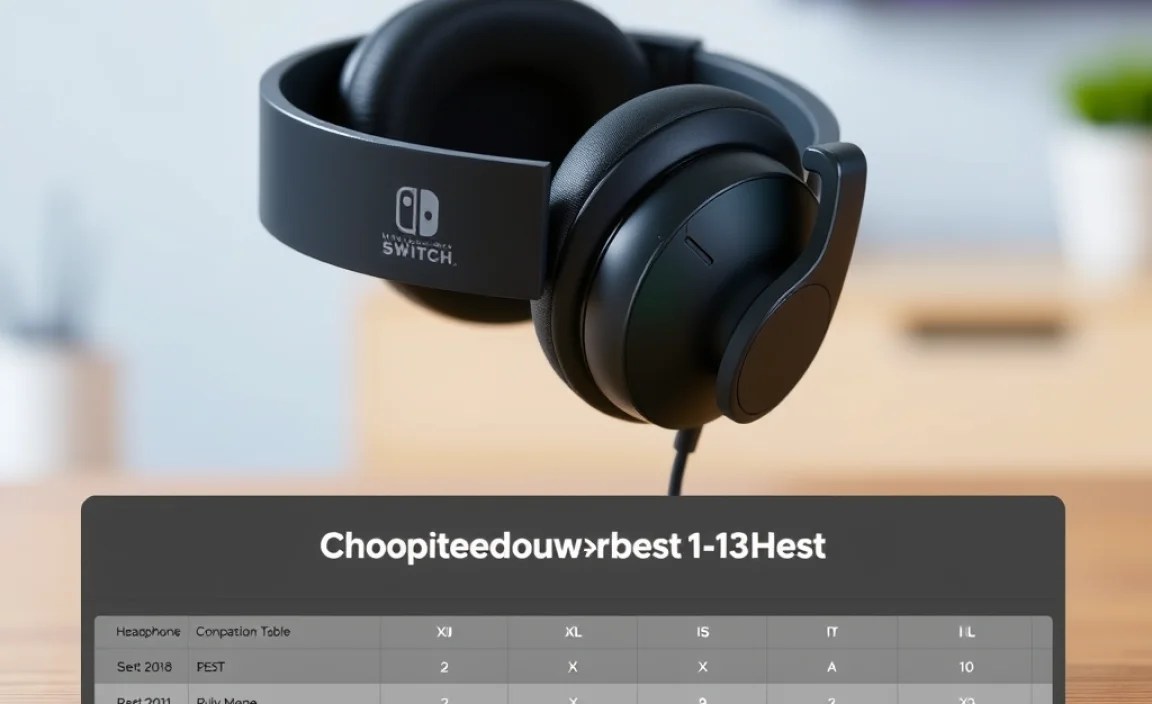
Finding the “best” headphones is subjective and depends on your budget and needs. Here are some highly recommended options across different categories, known for their performance with the Nintendo Switch:
Wired Headsets: Uncompromised Performance
For those who prioritize zero latency and reliable performance, wired is the way to go. Most will utilize the 3.5mm jack wonderfully.
1. SteelSeries Arctis 1 (Wired Version)
Why it’s great: The Arctis 1 is a fantastic all-rounder. It boasts a comfortable design, excellent audio quality for gaming, and a detachable ClearCast microphone that delivers crisp voice chat. It’s also fairly lightweight and has a sleek, understated look.
- Pros: Detachable microphone, comfortable, clear audio, good build quality, versatile (can be used with other devices).
- Cons: Can feel a bit plasticky to some; no complex EQ options out of the box.
2. HyperX Cloud Stinger Core
Why it’s great: The Cloud Stinger Core offers superb comfort and impressively good audio for its budget price point. The plush earcups and lightweight design make it ideal for long gaming sessions. Its integrated microphone is flip-to-mute, which is super convenient.
- Pros: Very affordable, comfortable, flip-to-mute microphone, decent sound for the price.
- Cons: Build quality is good but not premium; microphone quality is good but not astonishing.
3. Razer Kraken X
Why it’s great: Razer is known for its gaming peripherals, and the Kraken X is a testament to that. It’s incredibly lightweight, making it comfortable for hours of play. The 7.1 surround sound (via software on PC, but the directional audio is still excellent on Switch) and clear microphone make it a strong contender for immersive gaming.
- Pros: Extremely lightweight, comfortable, good value for money, clear audio imaging.
- Cons: Microphone isn’t detachable; build can feel a little less robust than some competitors.
Wireless Headphones: Freedom to Roam
For those who value cable-free convenience and don’t mind potential minor latency, Bluetooth is a great option. Remember to check your Switch’s system updates!
1. Nintendo Switch Pro Controller (with 3.5mm Jack)
Why it’s great: This might seem unconventional, but the official Nintendo Switch Pro Controller has a built-in 3.5mm headphone jack! While not headphones themselves, they are a fantastic accessory that allows you to connect any standard wired headphones to your Switch wirelessly (via the controller’s Bluetooth connection to the Switch). This is an excellent solution if you already own a good pair of wired headphones and want to go wireless without buying new ones.
- Pros: Uses your existing wired headphones, offers a wireless experience, excellent controller itself.
- Cons: Adds cost if you don’t already have the Pro Controller, still relies on a wired connection from controller to headphones.
2. Logitech G FITS True Wireless Gaming Earbuds
Why it’s great: These earbuds are innovative! They use light-forming silicone earcups that mold to your unique ear shape for a perfect, comfortable seal. They also offer low-latency LIGHTSPEED wireless (via a USB-C dongle, which Switch supports for audio) and standard Bluetooth connectivity. This dual connectivity is fantastic for ultimate flexibility.
- Pros: Custom-fit comfort, excellent sound quality, dual wireless connectivity (low-latency gaming + Bluetooth), good battery life.
- Cons: Premium price point; dongle is required for the best low-latency experience.
3. Sony WH-1000XM5 (or similar ANC headphones)
Why it’s great: While not specifically “gaming” headphones, premium ANC (Active Noise Cancelling) headphones like the Sony WH-1000XM5 offer superb sound quality, incredible comfort, and industry-leading noise cancellation. If you primarily play solo and want the most immersive, distraction-free experience, these are amazing. They connect via Bluetooth and have excellent audio codecs for rich sound, though watch for potential latency in competitive play.
- Pros: Exceptional sound quality, industry-leading ANC, supreme comfort, great battery life, versatile for music and calls.
- Cons: Expensive, latency can be an issue for fast-paced competitive games, microphone is good but not as specialized for gaming chat as dedicated headsets.
Budget-Friendly Options: Great Sound Without Breaking the Bank
You don’t need to spend a fortune to get a great audio experience for your Nintendo Switch.
1. JLab JBuds Air Pro True Wireless Earbuds
Why it’s great: These affordable true wireless earbuds offer surprisingly good sound and a comfortable fit. They connect via Bluetooth and are perfect for on-the-go gaming or when you want a no-fuss audio solution for your Switch. They also come with a handy charging case.
- Pros: Very affordable, solid battery life, comfortable, easy to use.
- Cons: Microphone quality is average; no advanced audio features.
2. UGREEN HiTune T3 Hybrid Active Noise Cancelling Earbuds
Why it’s great: For under $50, these UGREEN earbuds offer Active Noise Cancellation (ANC), which is rare at this price point. They connect via Bluetooth and provide a decent audio experience for gaming and general listening, along with good passive noise isolation when ANC is on making them fantastic for blocking out distractions.
- Pros: Affordable ANC, good value for money, decent sound, comfortable fit.
- Cons: ANC not as powerful as high-end models; microphone quality is basic.
Headphone Comparison Table
Here’s a quick comparison to help you visualize the differences:
| Headphone Model | Type | Connection | Key Feature | Price Range (USD) |
|---|---|---|---|---|
| SteelSeries Arctis 1 (Wired) | Over-Ear Gaming Headset | 3.5mm Jack | Detachable mic, comfort | $50 – $70 |
| HyperX Cloud Stinger Core | Over-Ear Gaming Headset | 3.5mm Jack | Affordable comfort, flip-to-mute mic | $30 – $50 |
| Razer Kraken X | Over-Ear Gaming Headset | 3.5mm Jack | Lightweight, value | $40 – $60 |
| Logitech G FITS | True Wireless Earbuds | USB-C Dongle (low-latency) / Bluetooth | Custom-fit, dual connectivity | $150 – $200 |
| Sony WH-1000XM5 | Over-Ear ANC Headphones | Bluetooth | Industry-leading ANC, audiophile sound | $300 – $400 |
| JLab JBuds Air Pro | True Wireless Earbuds | Bluetooth | Budget-friendly, good battery | $30 – $50 |
| UGREEN HiTune T3 | In-Ear ANC Earbuds | Bluetooth | Affordable ANC | $30 – $50 |
How to Connect and Troubleshoot Your Headphones on Nintendo Switch
Connecting is usually straightforward, but here are some common scenarios and how to handle them.
For Wired Headphones (3.5mm Jack):
- Locate the 3.5mm headphone jack on your Nintendo Switch or Switch Lite.
- Plug your headphone’s 3.5mm connector firmly into the jack.
- The Switch should automatically switch audio output to your headphones. You can adjust the volume using the physical volume buttons on the Switch.
Troubleshooting:
- No Sound: Ensure the plug is fully inserted. Try wiggling it slightly to ensure good contact. Check that the headphone volume isn’t turned all the way down. Test the headphones with another device (like your phone) to ensure they are working correctly.
- Microphone Not Working: For headsets with a separate mic boom or inline controls, ensure the microphone is switched on or not muted. Make sure your headset uses a TRRS connector for combined audio/mic.
- Buzzing or Static: This can sometimes be caused by a poor connection or interference. Ensure the jack is clean. If it persists, the cable or headphones might be damaged, or there might be an issue with the Switch’s jack (rare).
For Bluetooth Headphones:
- Ensure your Switch system is updated.
- Turn on your Bluetooth headphones and put them into pairing mode (refer to their manual).
- On your Switch, go to System Settings > Bluetooth Audio > Pair with Device.
- Select your headphones from the list when they appear.
- Once paired, they should automatically connect when turned on and in range
