
Quick Summary: Enhance your PS5 gaming with the best noise-cancelling headphones for an immersive, distraction-free experience. Discover top models that deliver superior sound, comfort, and crucial features for competitive and casual play, ensuring you hear every crucial audio cue and enjoy rich game audio without external interruptions.
Best Noise Cancelling Headphones: Essential PS5 Gaming

Hey there, fellow gamers! Edward Cavitt here from headphonehorizon, your go-to spot for all things audio. If you’re a PlayStation 5 owner, you know how incredible the games look and sound. But are you truly getting the most out of that audio experience? For many of us, our living rooms aren’t exactly silent sanctuaries.
Whether it’s the hum of the fridge, chatter from other rooms, or the clatter of daily life, distractions can pull you right out of that epic boss battle or tense stealth mission. That’s where the magic of noise-cancelling headphones comes in, especially for PS5 gaming. They’re not just about enjoying your music; they’re a game-changer for focusing, strategizing, and truly diving into virtual worlds. Let’s explore how to find the best noise-cancelling headphones that will elevate your PS5 sessions to a whole new level.
Why Noise Cancelling is a Game Changer for PS5 Gamers

Imagine this: you’re about to make a critical play in a fast-paced shooter, or you’re creeping through a dark, atmospheric horror game, and suddenly, the doorbell rings, or your family starts a lively conversation. These interruptions can break your immersion, cost you a match, or even make you jump out of your skin! Active Noise Cancellation (ANC) technology works by using microphones to detect ambient sounds and then generating an inverse sound wave to cancel them out. This means you can focus on the crisp explosions, the nuanced dialogue, and the subtle environmental cues that developers meticulously craft into their games. It’s like creating your own personal sound bubble, allowing for deeper concentration and a more impactful gaming experience.
Beyond just blocking out distractions, good noise-cancelling headphones can significantly enhance audio clarity. By reducing background noise, you’re able to hear finer details in the game’s soundtrack and sound effects. This can be crucial for competitive gaming, where distinguishing enemy footsteps or distant gunfire is paramount to survival. For story-driven games, it means experiencing the intricate sound design as the developers intended, without the outside world interfering. It truly transforms passive listening into an active, immersive engagement with your game.
Key Features to Look For in PS5 Noise Cancelling Headphones

When you’re on the hunt for the perfect pair of noise-cancelling headphones for your PS5, a few key features should be at the top of your list. It’s not just about the ANC; a blend of comfort, sound quality, and connectivity is vital for long gaming sessions.
1. Active Noise Cancellation (ANC) Effectiveness
This is the star of the show. How well does the headset block out ambient noise? Look for headphones with multiple ANC modes or adaptive ANC that adjusts to your surroundings. Some headphones offer settings for different environments, which can be helpful if you game in varied situations.
2. Audio Quality and Soundstage
For gaming, you want a balanced sound profile that excels at both bass for explosions and clear mids and highs for dialogue and environmental cues. A good soundstage (the sense of space and directionality in the audio) is also critical for pinpointing enemy locations and feeling immersed in the game world. Look for headphones that support high-fidelity audio codecs or custom-tuned drivers.
3. Comfort and Build Quality
PS5 gaming sessions can often extend for hours. Therefore, comfort is non-negotiable. Over-ear designs with plush earcups and an adjustable, padded headband are generally the most comfortable. Metal construction often signifies durability, but lightweight materials are essential to prevent fatigue. Breathable earcups can also make a big difference during marathon gaming.
4. Microphone Quality
If you play online multiplayer games, a clear microphone is essential for communicating with your squad. Look for headsets with a detachable or retractable boom mic that offers good noise suppression for your voice, ensuring your teammates can hear you clearly even in a noisy environment.
5. Connectivity Options
For PS5, consider both wired and wireless options. Bluetooth is convenient, but for gaming, a low-latency wireless connection (often via a USB dongle) or a reliable wired connection (3.5mm jack or USB-C) is preferred to avoid audio lag that can put you at a disadvantage.
Many modern headsets also offer companion apps that allow you to customize EQ settings, adjust mic levels, and tweak ANC performance, adding another layer of personalization to your audio experience.
Understanding Noise Cancellation Technology
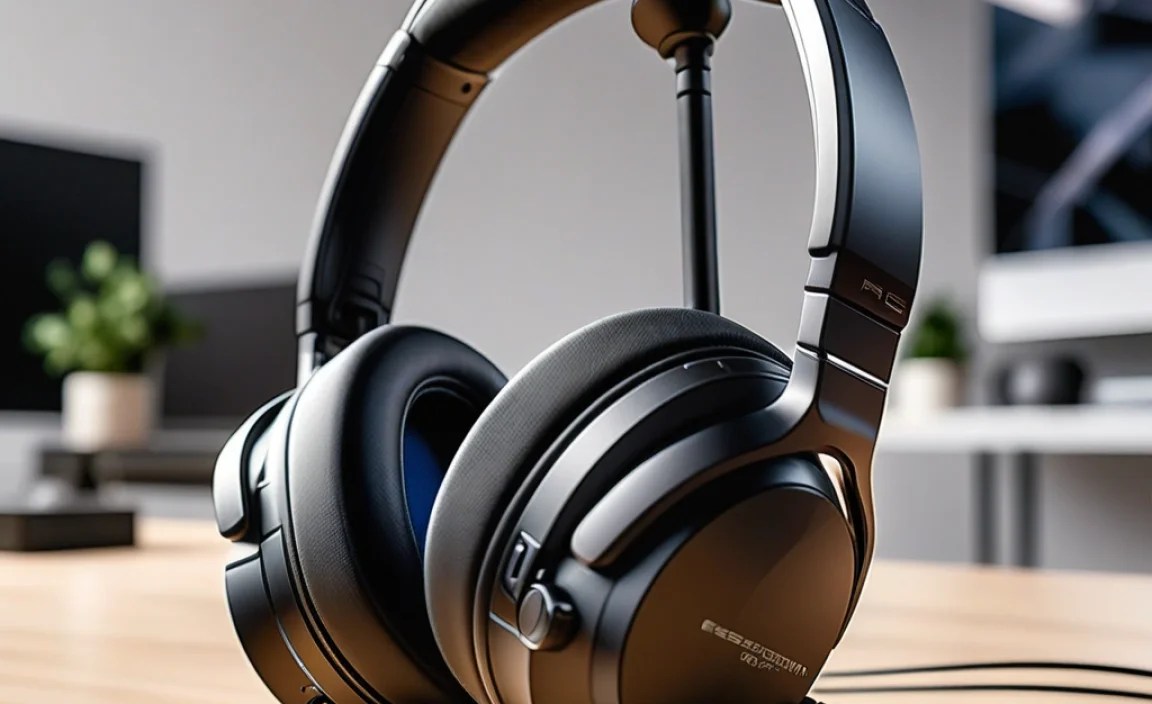
Active Noise Cancellation (ANC) is a sophisticated technology that uses microphones to detect unwanted sounds from your environment. The headset then generates an opposite sound wave (an anti-noise) that effectively cancels out the incoming noise. This is different from passive noise isolation, which simply uses the headset’s physical design (like dense earcups) to block sound. While passive isolation is useful, ANC is far more effective at eliminating low-frequency, constant noises like airplane engines, refrigerator hums, or general background chatter.
There are generally two main types of ANC:
- Feedforward ANC: Microphones are placed on the outside of the earcup. This is good at cancelling a wide range of frequencies but can sometimes be susceptible to wind noise.
- Feedback ANC: Microphones are placed on the inside of the earcup, near the speaker. This type is very effective at cancelling specific frequencies and is generally less prone to wind noise, but it can sometimes create a slight “hiss” in very quiet environments.
- Hybrid ANC: This combines both feedforward and feedback ANC for the most comprehensive noise elimination.
The effectiveness of ANC can vary significantly between headphones. For gaming, you’ll want ANC that can tackle common household noises and even some external sounds from open windows. For more in-depth information on how sound cancellation works, you can explore resources from organizations like the Acoustical Society of America, which provides scientific insights into acoustics and noise control.
Top Noise Cancelling Headphones for PS5 Gaming (Recommendations)

Finding the “best” is subjective, as it depends on your budget, specific needs, and preferences. However, here are some top contenders in the noise-cancelling headphone space that are excellent for PS5 gaming, covering a range of features and price points.
Category 1: Premium Wireless Gaming Headsets with ANC
These headsets are designed from the ground up for gaming, often featuring low-latency wireless, excellent microphones, and robust ANC.
Sony WH-1000XM5
While not strictly a “gaming” headset, the Sony WH-1000XM5 are arguably the king of noise cancellation and offer superb audio quality. They connect wirelessly via Bluetooth, which typically has some latency. However, for single-player experiences or games where latency isn’t critical, they are phenomenal. They can also connect via USB-C with a cable for zero latency. The ANC is industry-leading, the comfort is excellent for long sessions, and the sound profile is rich and detailed. They also boast fantastic microphone quality for calls.
| Feature | Details |
|---|---|
| Noise Cancellation | Industry-leading, adaptive ANC |
| Audio Quality | Rich bass, clear mids/highs, excellent detail |
| Comfort | Plush earcups, lightweight design |
| Connectivity | Bluetooth (for other devices), USB-C (wired to PS5) |
| Microphone | Excellent clarity for calls |
Bose QuietComfort Ultra Headphones
Another powerhouse in ANC, the Bose QuietComfort Ultra headphones provide exceptional noise cancellation and immersive audio. Like the Sonys, they connect via Bluetooth. For PS5 gaming, using a wired 3.5mm connection (if your PS5 controller has one, or via a USB adapter) is recommended to avoid latency. The comfort is top-notch, and the sound is balanced and engaging, making them great for all types of games.
| Feature | Details |
|---|---|
| Noise Cancellation | Superior ANC with customizable modes |
| Audio Quality | Balanced, immersive sound with strong bass |
| Comfort | Luxurious, comfortable earcups for extended wear |
| Connectivity | Bluetooth, 3.5mm jack (wired via adapter) |
| Microphone | Clear voice pickup |
Category 2: Dedicated PS5 Gaming Headsets with ANC
These often prioritize low-latency wireless or wired connections and gaming-specific features like companion apps for PS5.
SteelSeries Arctis Nova Pro Wireless
This headset is a top-tier choice for PS5 gamers looking for both excellent ANC and gaming-specific features. It offers a dual-wireless system (2.4GHz for gaming, Bluetooth for other devices) and a hot-swappable battery system for endless playtime. The noise cancellation is very effective, and the audio is tuned for gaming, providing great positional awareness. The retractable mic is also excellent.
| Feature | Details |
|---|---|
| Noise Cancellation | Effective multi-directional ANC |
| Audio Quality | Clear, competitive gaming sound with good spatial awareness |
| Comfort | Comfortable design with breathable materials |
| Connectivity | Dual-wireless (2.4GHz + Bluetooth), Hot-swappable batteries |
| Microphone | Clear retractable boom mic |
HyperX Cloud Alpha Wireless
While the Cloud Alpha line is traditionally known for exceptional wired audio and comfort, the wireless versions, including the Cloud Alpha Wireless, offer impressive battery life and solid overall performance. Though its ANC might not be as aggressive as Sony or Bose, it provides good passive isolation and decent active cancellation. The focus here is on long-lasting, clear, and comfortable gaming audio.
| Feature | Details |
|---|---|
| Noise Cancellation | Good ANC for its class, combined with strong passive isolation |
| Audio Quality | Rich, detailed sound tuned for gaming |
| Comfort | Iconic HyperX comfort with plush earcups |
| Connectivity | 2.4GHz Wireless Dongle |
| Microphone | Detachable, clear mic |
Category 3: Budget-Friendly Options with Effective ANC
You don’t always need to break the bank to get good noise cancellation. These options offer great value.
Anker Soundcore Life Q35
Anker’s Soundcore line is known for delivering impressive performance at aggressive price points. The Life Q35 headphones offer strong ANC, support for Hi-Res Audio, and excellent battery life. They connect via Bluetooth and can also be used wired. While the microphone quality and ANC might not match the absolute premium tier, they offer a fantastic bang for your buck for PS5 gamers looking to dip their toes into noise-cancelling without a huge investment.
| Feature | Details |
|---|---|
| Noise Cancellation | Multi-mode ANC (transport, indoor, outdoor) |
| Audio Quality | Good overall sound with punchy bass |
| Comfort | Lightweight and comfortable |
| Connectivity | Bluetooth, 3.5mm jack (wired) |
| Microphone | Decent for calls |
When choosing, remember to consider your primary use case. If competitive gaming is your life, prioritize low-latency wireless and clear mic communication. For immersive single-player story games, top-tier ANC and audio fidelity might take precedence. For a comprehensive overview of audio technology and its history, the ITU’s work on immersive experiences highlights trends in interactive audio.
Setting Up Your Noise Cancelling Headphones for PS5
Connecting your new noise-cancelling headphones to your PS5 is usually straightforward, but there are small nuances depending on whether you’re going wired or wireless.
Connecting via USB Dongle (Low-Latency Wireless)
- Plug the USB wireless dongle into one of the PS5’s USB ports (front or back).
- Turn on your headset. It should automatically pair with the dongle.
- On your PS5, go to Settings.
- Navigate to Sound and Screen, then select Audio Output.
- Under Output Device, select the name of your headset (it might appear as its model number or “USB Headset”).
- For the microphone, under Microphone Input Device, select your headset.
- Adjust the Volume Control (Headphones) to your liking.
Connecting via 3.5mm Audio Jack (Wired)
This method is the most straightforward and guaranteed to have zero latency. You’ll need a headset with a 3.5mm jack and a PS5 controller with a headphone port (all standard DualSense controllers have this).
- Ensure your headset has a 3.5mm audio cable.
- Plug one end of the cable into the headphone jack on your PS5 controller.
- Plug the other end into the headphone port on your headset (if it’s a detachable cable).
- Once plugged in, the PS5 should automatically detect the headset. You might get a prompt asking to confirm the device.
- Audio will automatically route to your headphones. You can still adjust volume via the button on your controller or through the PS5’s quick menu (press the PS button. Sound and Screen > Audio Output > Volume Control (Controller Headphones)).
Connecting via Bluetooth
While convenient for other devices, direct Bluetooth connection to the PS5 for gaming is often not ideal due to potential latency. If your headset supports it and you have no other option, here’s how:
- Put your headset into Bluetooth pairing mode (check your headset’s manual for instructions).
- On your PS5, go to Settings.
- Navigate to Accessories, then select Bluetooth Devices.
- Select Register Bluetooth Device.
- The PS5 will search for nearby devices. Select your headset when it appears.
- Once paired, you’ll need to go back to Settings > Sound and Screen > Audio Output and set your Output Device to your Bluetooth headset.
Note: For the best gaming experience, low-latency wireless (USB dongle) or wired 3.5mm connections are highly recommended over standard Bluetooth due to potential audio delay.
Maximizing Your Noise Cancelling Experience
Once you have your headphones connected, there are a few tips to get the most out of them:
- Experiment with ANC Levels: If your headphones have adjustable ANC, play around with different settings. Sometimes, the absolute highest setting can feel a bit pressurized, or less effective than a slightly lower, more balanced mode.
- Utilize Companion Apps: Many premium headphones come with apps that allow you to fine-tune EQ settings, mic monitoring, and ANC. Tailor these to your liking for the perfect game audio.
- Check for Firmware Updates: Always ensure your headset’s firmware is up-to-date. Manufacturers often release updates to improve ANC performance, audio quality, and connectivity.
- Understand Pass-Through/Ambient Sound Modes: These modes use external microphones to let you hear your surroundings without taking off your headphones. This is useful for hearing announcements or if someone calls your name.
- Proper Fit is Important: Make sure your earcups create a good seal around your ears. This passive isolation
