
Quick Summary: Looking for the best non-gaming headphones? This guide helps you find perfect audio companions for music, calls, and everyday listening. We break down essential features like comfort, sound quality, and connectivity, making it easy for beginners to choose reliable headphones that enhance your daily life without the complexity of gaming tech.
Best Non Gaming Headphones: Truly Essential Audio
Hello there, audio adventurers! Edward Cavitt here from Headphone Horizon. In today’s bustling world, our headphones are more than just accessories; they’re our portals to immersive music, crystal-clear conversations, and peaceful moments of focus. While the gaming world often hogs the headphone spotlight, there’s a universe of incredible audio gear designed for everyone else. Whether you’re a music aficionado, a busy professional, or simply someone who appreciates good sound, finding the “best non gaming headphones” can feel a bit overwhelming. But don’t worry! My goal is to demystify the process, helping you discover audio companions that fit your life perfectly, offering stellar sound and comfort without unnecessary gaming bells and whistles.
Why Choose Headphones Specifically for Non-Gaming Use?

You might be wondering, “Can’t I just use any headphones?” While that’s true to an extent, opting for headphones designed for everyday, non-gaming use often means a better fit for your specific needs. Gaming headphones are engineered with features like ultra-low latency for split-second reactions, specialized surround sound for in-game positional audio, and often a more aggressive aesthetic. For general listening, calls, or productivity, these features can be overkill or even detract from the experience. Non-gaming headphones tend to prioritize:
- Balanced Sound Signatures: Crucial for enjoying music across various genres.
- Comfort for Extended Wear: Essential for long workdays or commutes.
- Call Clarity: Built-in microphones optimized for voice.
- Portability and Design: Sleeker looks and easier to carry.
- Battery Life: Often optimized for continuous playback throughout the day.
Essentially, you’re looking for headphones that do a fantastic job at the core tasks of high-quality audio reproduction and comfortable listening, rather than focusing on niche gaming performance.
Key Features to Consider in Non Gaming Headphones

When you’re not focused on in-game audio cues, what should be at the top of your list? Let’s break down the most important factors:
1. Sound Quality: The Heart of the Experience
This is arguably the most critical aspect. For non-gaming headphones, you’re likely seeking a sound profile that’s pleasing for music, podcasts, and voice calls. This generally means:
- Balanced Sound: You want to hear all frequencies – lows (bass), mids (vocals, instruments), and highs (cymbals, detail) – clearly and evenly. Overly bass-heavy headphones can muddy the sound, while too much treble can sound harsh.
- Clarity and Detail: The ability to hear subtle nuances in music or spoken word.
- Soundstage: This refers to how “wide” or “immersive” the sound feels. A good soundstage can make music feel more lifelike.
2. Comfort: Your Long-Term Companion
If you plan to wear your headphones for hours, comfort is paramount. Consider these points:
- Earcup Material: Plush, breathable materials like velour or high-quality synthetic leather are comfortable. Avoid materials that make your ears too hot.
- Clamping Force: The headphones should grip your head firmly enough to stay put, but not so tightly that they cause headaches or jaw discomfort.
- Weight: Lighter headphones are generally more comfortable for extended listening sessions.
- Headband Padding: A well-padded headband distributes weight evenly.
3. Type of Headphones: Over-Ear, On-Ear, or In-Ear?
Each type offers different benefits:
- Over-Ear (Circumaural): These fully enclose your ears. They often provide the best comfort, passive noise isolation, and sound quality, making them excellent for long listening sessions at home or in a quiet office.
- On-Ear (Supra-aural): These rest on your ears. They can be more compact than over-ears but might press uncomfortably on your ears over time and offer less noise isolation.
- In-Ear (Earbuds/IEMs): These fit directly into your ear canal. They are highly portable, offer great noise isolation (especially with a good seal), and are ideal for on-the-go use, exercise, or when you want a discreet option.
4. Connectivity: Wired vs. Wireless
This is a significant decision impacting convenience and how you use your headphones:
- Wireless (Bluetooth): Offers freedom of movement. Look for reliable Bluetooth versions (like 5.0 or higher) for stable connections and good battery life. Consider support for advanced codecs like aptX or LDAC for potentially better audio quality if your devices support them.
- Wired: Offers the most reliable connection, no battery charging needed for the headphones themselves, and often superior audio quality at a given price point. Essential for audiophiles and those who need a guaranteed, latency-free connection.
5. Microphone Quality: For Calls and Communication
If you take frequent calls, attend virtual meetings, or use voice commands, a good microphone is vital. Look for headphones that advertise clear voice pickup, ideally with some form of noise reduction to ensure the person on the other end can hear you well, even in slightly noisy environments.
6. Noise Cancellation: Peace and Quiet
Active Noise Cancellation (ANC) is a game-changer for noisy environments. It uses microphones to detect ambient sound and then generates an opposing sound wave to cancel it out. This is fantastic for commutes, airplanes, or busy offices. However, ANC can sometimes subtly alter the sound profile and uses battery power.
7. Durability and Build Quality
Headphones that feel flimsy are more likely to break. Look for robust materials like metal hinges, good quality plastics, and solid construction. Reviews often highlight long-term durability.
Top Picks: Best Non Gaming Headphones by Category

Let’s explore some excellent options that stand out for their non-gaming prowess. These are suggestions based on consistently high ratings and performance for everyday audio needs.
Best All-Around Wireless: Sony WH-1000XM5
These legendary headphones continue to impress. While they excel at ANC, their sound quality is simply superb for music and calls. They offer incredible comfort for long listening sessions and a feature set that’s hard to beat for daily use.
- Pros: Industry-leading noise cancellation, fantastic sound quality, excellent comfort, long battery life, great for calls.
- Cons: Premium price point, not ideal for very active workouts.
Best Budget Wireless: Anker Soundcore Life Q30
For an incredibly wallet-friendly price, the Soundcore Life Q30 delivers a surprisingly rich listening experience with effective ANC. They are comfortable and offer impressive battery life, making them a standout choice for budget-conscious buyers.
- Pros: Affordable, good ANC for the price, long battery life, comfortable.
- Cons: Sound quality not as refined as premium options, ANC can be less effective in very loud environments.
Best True Wireless Earbuds: Apple AirPods Pro (2nd Generation) / Sony WF-1000XM5
For ultimate portability and convenience, these earbuds are top-tier:
- Apple AirPods Pro (2nd Gen): If you’re in the Apple ecosystem, these offer seamless integration, excellent ANC, and good sound. Transparency mode is also fantastic for hearing your surroundings.
- Pros: Seamless Apple integration, effective ANC, good transparency mode, comfortable fit.
- Cons: Best for Apple users, battery life is good but not class-leading.
- Sony WF-1000XM5: For Android users or those prioritizing the very best in compact ANC and sound, these are the ones. They pack exceptional audio and noise cancellation into a tiny package.
- Pros: Outstanding ANC and sound quality for their size, excellent call quality, comfortable fit for most.
- Cons: Premium price, can be a tight fit for some ears.
Best Wired Option for Audiophiles: Sennheiser HD 660S2
For those who appreciate the purest audio experience and don’t mind a wire, the HD 660S2 offers exceptional clarity, detail, and an open, natural soundstage perfect for critical listening and enjoying music as the artist intended. These are open-back headphones, meaning sound leaks in and out, making them best for quiet environments.
- Pros: Superb, detailed sound reproduction, comfortable for long sessions, open and natural soundstage.
- Cons: Open-back design means no isolation and sound leakage, requires a decent audio source/amplifier for best performance.
Best for Calls and Productivity: Bose QuietComfort Ultra Headphones
Bose has always been a leader in combining comfort with effective noise cancellation, and their microphones are generally excellent for call clarity. These are perfect for long work sessions, travel, and anyone who prioritizes clear communication alongside great audio.
- Pros: Excellent comfort, superb ANC, very clear microphone for calls, balanced sound.
- Cons: Can be on the pricier side, sound signature might be slightly less exciting for pure music enjoyment than some rivals.
Step-by-Step Guide: Finding Your Perfect Pair
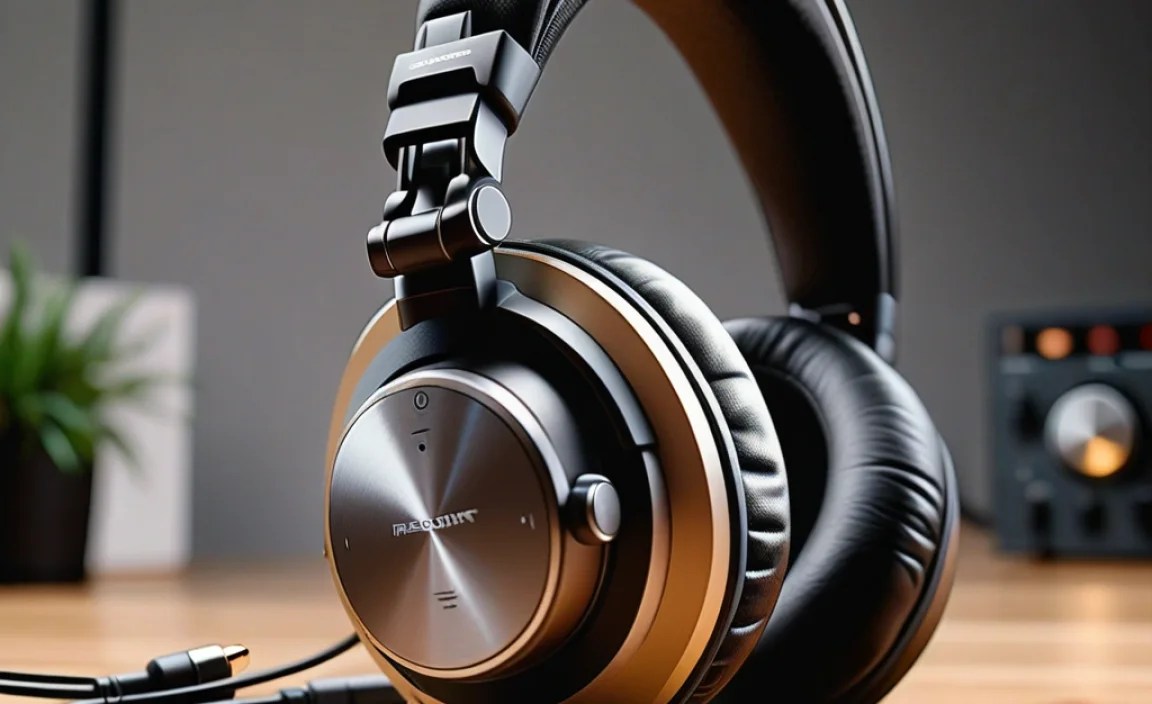
Ready to dive in? Let’s walk through the process of selecting your ideal non-gaming headphones.
Step 1: Define Your Primary Use Case
Where and how will you use your headphones most often? This is the most crucial question.
- At Home/Office (Quiet Environment): Over-ear headphones, wired or wireless, with a focus on comfort and sound quality. Open-back options are great here.
- Commuting/Travel (Noisy Environment): Over-ear with Active Noise Cancellation (ANC) or high-quality in-ear earbuds with good passive isolation or ANC.
- On-the-Go/Exercise: True wireless earbuds are ideal for freedom of movement. Look for a secure fit and sweat resistance.
- Work Calls/Meetings: Over-ear or on-ear with a focus on microphone quality and comfort for long wear.
- General Listening/Relaxation: This is broad! Consider what matters most: budget, portability, sound preference.
Step 2: Set Your Budget
Headphones span a vast price range. Decide how much you’re willing to spend:
- Budget-friendly ($50 – $100): You can find decent entry-level options, especially from brands like Anker Soundcore or occasional sales on older models.
- Mid-range ($100 – $250): This is often the sweet spot, offering excellent value with good sound, comfort, and features like ANC.
- Premium ($250+): Top-tier sound, industry-leading ANC, premium materials, and advanced features are found here.
Step 3: Prioritize Key Features
Based on your use case and budget, which features are non-negotiable?
Consider creating a quick checklist:
| Feature | Importance (High/Medium/Low) | Notes |
|---|---|---|
| Sound Quality | High | Balanced, clear audio for music/calls |
| Comfort | High | For prolonged wear |
| Noise Cancellation (ANC) | Medium/High | Essential for noisy environments |
| Microphone Quality | Medium/High | If frequent calls are a must |
| Wireless Connectivity | High/Medium | For convenience |
| Battery Life | Medium | Needs to last your typical listening session |
| Portability | Medium | For commuting or travel |
Step 4: Read Reviews and Watch Comparisons
Once you have a few models in mind, dive into reviews from trusted sources. Look for:
- Professional Reviews: Sites like Rtings.com, CNET, TechRadar, and What Hi-Fi? provide in-depth technical analysis and comparisons.
- User Reviews: Amazon, Best Buy, and other retail sites offer insights from everyday users. Pay attention to recurring comments about comfort, battery life, and any build quality issues.
- Video Comparisons: YouTube channels specializing in audio can offer visual and audible comparisons that help.
Step 5: Consider Fit and Try If Possible
This is the trickiest part with online shopping. If possible:
- Visit a Store: If you’re considering over-ear or on-ear headphones, try them on in a physical store. See how they feel on your head and around your ears.
- Check Return Policies: Many online retailers offer generous return windows (e.g., 30 days). This allows you to test headphones at home in your environment and return them if they aren’t comfortable or don’t meet your sound expectations. For earbuds, look for brands that offer hygiene seals on packaging, indicating they are unused.
Maintaining Your Headphones for Longevity
Getting the right headphones is one thing; keeping them in top shape is another. Simple maintenance makes a huge difference!
Cleaning Your Headphones
Regular cleaning keeps them hygienic and sounding their best.
- Earpads (Over-ear/On-ear):
- Wipe gently with a slightly damp, soft cloth. Avoid harsh chemicals.
- For removable earpads, follow manufacturer instructions; some can be hand-washed with mild soap and water, but ensure they are completely dry before reattaching.
- Check out resources on how to clean headphone earpads for more detailed guidance.
- Earbud Tips:
- Remove them from the earbuds and gently wash with mild soap and water.
- Ensure they are fully dry before reattaching.
- For in-ear monitors (IEMs), you may need to use a small brush (like a dry toothbrush) to clear debris from the nozzle.
- Exterior: Wipe down the headband and earcups with a dry or very slightly damp microfiber cloth.
- Charging Ports: Use a wooden toothpick or a dry microfiber cloth to gently clean debris from charging ports. Avoid metal objects that could cause damage.
Storage and Handling
Proper storage prevents physical damage:
- Use Carrying Cases: Most good headphones come with a case. Use it! It protects against bumps, scratches, and dust.
- Avoid Extreme Temperatures: Don’t leave your headphones in a hot car or direct sunlight.
- Tangle-Free Storage (Wired): Gently loop wired headphones without tightly wrapping the cable. Tightly coiling cables can damage internal wires over time.
Battery Care (Wireless Headphones)
Extend the life of your wireless headphones’ battery:
- Avoid Deep Discharges: Try not to let the battery drain to 0% regularly.
- Don’t Overcharge Constantly: While modern lithium-ion batteries have safeguards, leaving them plugged in at 100% for extended periods isn’t ideal.
- Charge in Moderate Temperatures: Extreme heat or cold can degrade battery health.
Troubleshooting Common Headphone Issues
Encountering a glitch? Many common problems have simple fixes.
Issue: No Sound from One Earbud/Side
Solution:
- Check if the connection is loose (for wired).
- Clean the earbud tip and the headphone driver housing. A small piece of debris can block sound.
- Try pairing/connecting again.
- Reset your headphones (check your manual for instructions).
- Test with a different audio source or device to rule out a source issue.
Issue: Bluetooth Connection is Unstable or Drops
Solution:
- Ensure your headphones and the source device are close to each other, ideally within 10-15 feet(link to a reputable Bluetooth guide, e.g. on a .gov or .edu site if possible, or Wikipedia’s Bluetooth page with a note to check sub-links for
