
Quick Summary: Discover the top-rated Bluetooth wireless headphones that offer a fantastic listening experience without the tangle. This guide explains what to look for, breaks down key features, and helps you find the perfect pair for your lifestyle, ensuring clear sound and reliable connection.
Best Rated Bluetooth Wireless Headphones: Your Essential Guide

Hello, headphone enthusiasts and welcome back to Headphone Horizon! Edward Cavitt here, your friendly guide to all things audio. Today, we’re diving headfirst into the exciting world of Bluetooth wireless headphones. Gone are the days of tangled cords holding you back!
Whether you’re a music lover on the go, a student needing focus, or a professional always on a call, the right pair of wireless headphones can truly elevate your everyday. But with so many options out there, how do you pick the ‘best rated’ ones? Fear not! This guide is designed to cut through the noise, demystify the tech, and help you find a pair that not only sounds amazing but also fits your life perfectly. Let’s get started on this cord-free adventure!
Why Go Wireless? The Bluetooth Advantage
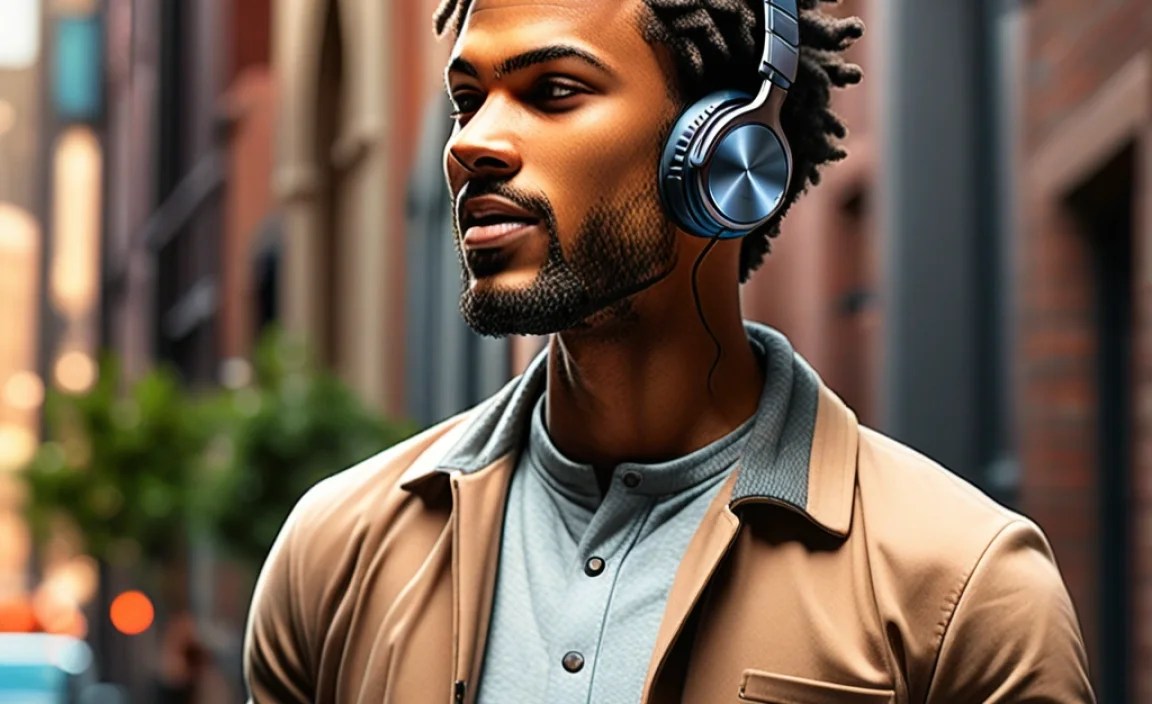
Before we jump into “best rated,” let’s quickly touch on why wireless headphones have become so popular. The most obvious benefit is freedom! No more untangling knots from your pocket or bag. You can move around, exercise, or even switch rooms without your audio cutting out. Plus, modern Bluetooth technology has significantly improved sound quality and battery life, making them a viable option for serious listeners.
Beyond convenience, Bluetooth headphones offer:
- Mobility: Move freely without being tethered to your device.
- Versatility: Easily switch between your phone, tablet, and computer.
- Ergonomics: Many models are designed for comfort during long listening sessions or workouts.
- Sleek Design: A cleaner look with fewer wires.
Understanding Key Features: What Makes a Headphone “Best Rated”?

When we talk about “best rated,” it’s not just about a single score. It’s a combination of factors that create an exceptional user experience. Here’s what you should consider:
1. Sound Quality
This is paramount. For wireless headphones, sound quality is judged on clarity, bass response, mid-range detail, and treble precision. Look for headphones that offer a balanced sound profile, suitable for various music genres. Some high-end models might even support advanced audio codecs like aptX or LDAC for higher fidelity wireless audio, especially if you have a compatible device.
2. Comfort and Fit
You’ll be wearing these, so comfort is crucial. Consider the weight, the padding on the earcups (if they’re over-ear) or eartips (if they’re in-ear), and how secure they feel, especially if you plan to use them for sports. Adjustable headbands and multiple eartip sizes are great features.
3. Battery Life and Charging
Wireless means relying on a battery. Check the advertised battery life on a single charge – typically ranging from 4 hours for some earbuds to 30+ hours for over-ear models. Also, consider charging speed and charging case capabilities (for earbuds). Many modern headphones support fast charging, giving you hours of playback from just a few minutes of charging.
4. Connectivity and Reliability
Bluetooth version matters. Version 5.0 and above generally offers better range, stability, and power efficiency. Multi-point connectivity, allowing you to connect to two devices simultaneously, is a huge plus for productivity. Reliable connectivity ensures your music doesn’t skip or drop out.
5. Noise Cancellation (ANC) and Transparency Mode
Active Noise Cancellation (ANC): This technology uses microphones to detect external noise and then creates an opposite soundwave to cancel it out. It’s fantastic for commuting, flying, or noisy environments. The effectiveness of ANC can vary greatly between models.
Transparency Mode (Ambient Sound): This feature does the opposite. It uses external microphones to let in ambient sound, so you can hear announcements, conversations, or traffic without taking off your headphones. It’s great for situational awareness.
6. Microphone Quality
If you plan to use your headphones for calls, the microphone quality is important. Look for models with clear voice pickup and noise reduction to ensure the person on the other end can hear you well, even in noisy surroundings.
7. Durability and Water Resistance
Especially for workout headphones, water and sweat resistance (rated by IPX or IP ratings) is a must. For everyday use, durable materials can ensure your investment lasts longer. You can learn more about IP ratings from resources like the International Electrotechnical Commission (IEC).
Types of Bluetooth Wireless Headphones

The “best rated” can also depend on the form factor you prefer. Here are the main types you’ll encounter:
1. True Wireless Earbuds
These are small, individual earbuds that have no wires connecting them at all. They come with a charging case that also stores power. They are incredibly convenient and discreet.
- Pros: Ultra-portable, no wires whatsoever, great for workouts.
- Cons: Small batteries mean shorter playback per charge (though the case helps), easier to lose, fit is critical for sound and comfort.
2. Neckband Wireless Earbuds
These earbuds are connected by a flexible band worn around the neck. The band often houses the battery and controls. They offer a good balance of convenience and security.
- Pros: Less likely to be lost than true wireless, can have longer battery life, often more secure during activity.
- Cons: The neckband can be noticeable and sometimes clunky.
3. On-Ear Bluetooth Headphones
These fit over your ears but don’t completely cover them. They are generally more compact than over-ear models.
- Pros: More portable than over-ear, can let in some ambient sound (which can be a pro or con), often lighter.
- Cons: Can press on the ears, potentially causing discomfort during long sessions; sound isolation is usually less effective than over-ear.
4. Over-Ear Bluetooth Headphones
These cups completely surround your ears, offering excellent comfort and superior passive noise isolation. They are often the champions in sound quality and ANC performance.
- Pros: Best comfort for long wear, excellent sound quality, superior noise isolation and ANC.
- Cons: Bulky, can be warm during extended use.
How to Choose the Best Rated Headphones for You: A Step-by-Step Approach

Let’s walk through the process of selecting your perfect pair:
Step 1: Define Your Primary Use Case
What will you be doing most with your headphones?
- Commuting/Travel: Prioritize ANC, comfort for long periods, and good battery life. Over-ear with ANC is often ideal here.
- Workouts/Sports: Look for secure fit, water/sweat resistance (IPX rating), and ease of control. True wireless earbuds are popular choices.
- Office/Study: Comfort, ANC for focus, and good microphone quality for calls are key. Both over-ear and some in-ear options work well.
- Casual Listening: Comfort and sound quality will be your main focus. This is where personal preference plays a huge role.
Step 2: Set Your Budget
Bluetooth headphones range from budget-friendly options to premium luxury products. Generally, you’ll find better sound quality, more advanced features (like superior ANC or better codecs), and superior build quality at higher price points.
Here’s a general price-to-feature breakdown:
| Price Range | Typical Features | Best For |
|---|---|---|
| Under $50 | Basic Bluetooth, decent sound, standard battery life. | Occasional use, budget-conscious beginners. |
| $50 – $150 | Improved sound, better battery, some ANC capabilities, more comfort options. | Everyday listeners, commuters, students. |
| $150 – $250 | Excellent sound quality, strong ANC, premium materials, advanced codecs, robust connectivity, better mic quality. | Audiophiles, frequent travelers, professionals seeking top performance. |
| $250+ | Industry-leading ANC, superior audio fidelity, premium build, advanced smart features, extensive app support. | Enthusiasts, those who demand the absolute best in all categories. |
Step 3: Research Top-Rated Models
Once you know your use case and budget, it’s time to look at specific models. “Best rated” often comes from a combination of professional reviews and user feedback. Reputable tech publications and audiophile sites are great resources. Look for recurring names and models that consistently receive high marks for your priorities.
Step 4: Consider Essential Features vs. Nice-to-Haves
Make a list of what you absolutely need (e.g., ANC, water resistance) and what would be nice to have (e.g., multi-point connection, voice assistant integration).
Here’s a prioritized checklist:
- Must-Haves:
- Comfortable fit
- Reliable Bluetooth connection (version 5.0+)
- Adequate battery life for your daily needs
- Sound quality that satisfies your listening preferences
- Important for Specific Uses:
- Active Noise Cancellation (ANC) – for noisy environments
- Water/Sweat Resistance (IPX rating) – for workouts
- Good Microphone – for frequent calls
- Secure Fit – for active use
- Nice-to-Haves:
- Multi-point Bluetooth connection
- Companion App for EQ and settings
- Fast Charging
- Voice Assistant Integration
- Support for high-fidelity audio codecs (aptX, LDAC)
Step 5: Don’t Forget the Specs
While reviews are great, sometimes the technical specifications tell their own story. Features like frequency response, driver size (for speakers), and Bluetooth codec support can indicate sound potential. However, for beginners, focusing on user reviews and expert opinions is often more practical than deciphering complex specs.
Step 6: Read User Reviews (with a grain of salt)
Look for patterns in user reviews. Do many people complain about battery issues? Is the comfort generally praised? Be aware that individual experiences can vary, but consistent feedback is a strong indicator.
Step 7: Try Before You Buy (If Possible)
The best way to know if headphones are right for you is to try them on. If you can, visit a store and see how they feel. Pay attention to the clamping force (for over-ear), the seal of the earbuds, and general comfort.
Top-Rated Bluetooth Wireless Headphone Categories to Watch
While specific models change frequently with new releases, here are some consistently highly-rated brands and categories that often appear at the top of “best rated” lists:
For Active Noise Cancellation (ANC)
When you need to block out the world, these are your best bet. The leaders in ANC often offer premium sound, comfort, and features to match the price.
- Brands often praised: Sony, Bose, Apple, Sennheiser.
- Key features to look for: High effectiveness of ANC (measured in dB reduction), adaptive ANC that adjusts to your environment, comfortable fit for long flights or commutes.
For Everyday Versatility and Commuting
These headphones aim for a great all-around experience, balancing sound, comfort, connectivity, and battery life.
- Brands often praised: Sennheiser, Jabra, Sony, Beats.
- Key features to look for: Good balance of sound signature, comfortable for extended wear, reliable multi-point connection, decent battery life, effective microphones for calls.
For Workouts and Sports
Durability, a secure fit, and sweat resistance are paramount here. Battery life is also important for those long training sessions.
- Brands often praised: Jabra, Jaybird, Beats, Anker Soundcore.
- Key features to look for: IPX4 or higher rating for water/sweat resistance, secure ear hooks or wingtips, intuitive controls that can be used with sweaty hands.
For Audiophiles & Immersive Sound
If sound quality is your absolute top priority, you’ll want to look for headphones that support high-resolution audio codecs and have a reputation for excellent audio reproduction.
- Brands often praised: Sony, Sennheiser, Bowers & Wilkins, Master & Dynamic.
- Key features to look for: Support for LDAC, aptX HD, or aptX Adaptive codecs, large driver sizes, custom tuning, and a neutral or well-designed sound profile.
For Budget-Conscious Listeners
You don’t always need to break the bank to get a great listening experience. Many brands are offering excellent value.
- Brands often praised: Anker Soundcore, Skullcandy, JLab, Edifier.
- Key features to look for: Solid battery life, clear sound for the price, good build quality, comfortable basics.
Maintaining Your Bluetooth Headphones for Longevity
Once you’ve found your perfect pair, a little care goes a long way to ensure they keep performing at their best and last for years. Here are some simple maintenance tips:
Cleaning Your Headphones
Earcups and Headband:
- Use a slightly damp, soft microfiber cloth.
- For stubborn marks, a tiny amount of mild soap diluted in water can be used, but ensure the cloth is only slightly damp, never wet.
- Wipe dry with a separate, clean microfiber cloth.
- Avoid using harsh chemicals, solvents, or abrasive materials.
Earbud Tips:
- If they are removable silicone or foam tips, detach them.
- Wash them gently with mild soap and water.
- Ensure they are completely dry before reattaching to prevent moisture damage to the earbuds themselves.
- For true wireless earbuds, gently clean the charging contacts on both the earbuds and inside the case with a dry cotton swab or a soft, dry brush.
Proper Charging Practices
- Avoid frequently draining the battery completely, as this can stress the battery over time.
- Don’t leave them charging for excessively long periods after they’re full (modern electronics have overcharge protection, but it’s still a good habit).
- Use the included charging cable or a reputable, compatible alternative.
Storage
When not in use, store your headphones in their protective case or in a clean, dry place away from direct sunlight, extreme temperatures, and moisture.
Software Updates
Many modern headphones come with companion apps that offer firmware updates. These updates can improve performance, fix bugs, and even add new features. Check the app regularly for updates.
Troubleshooting Common Bluetooth Headphone Issues
Even the best headphones can sometimes act up. Here are solutions to common problems:
Issue 1: Headphones won’t connect or pair.
Solutions:
- Ensure your headphones are charged and in pairing mode (check your manual – usually involves holding a button).
- On your device, turn Bluetooth off and then back on again.
- “Forget” the headphones in your device’s Bluetooth settings and try pairing them again from scratch.
- Restart both your headphones and your device.
Issue 2: Audio keeps cutting out or skipping.
Solutions:
- Check the distance between your headphones and your device. Obstacles like walls can interfere.
- Minimize interference from other wireless devices (e.g., microwaves, other Bluetooth devices).
- Turn off any unnecessary Bluetooth connections on your device.
- Ensure your headphones’ firmware is up to date.
Issue 3: One earbud isn’t working.
Solutions:
- For true wireless earbuds, ensure both earbuds are properly seated in the charging case for a few seconds to reset.
- Check that the correct earbud is paired and recognized.
- Clean the charging contacts on the
