
Quick Summary: Discover the best rated gaming headphones that enhance immersion and communication. This guide breaks down key features like sound quality, comfort, microphone clarity, and connectivity, helping you find the perfect headset for your gaming setup without the tech jargon. Make an informed choice to elevate your gameplay.
Best Rated Gaming Headphones: Essential Gear for Ultimate Immersion
Hello and welcome to Headphone Horizon! As a gamer, you know that the right gear can transform your experience from casual fun to truly immersive adventure. While powerful consoles, lightning-fast PCs, and high-definition displays grab the spotlight, there’s another crucial component often overlooked: your headphones. The “best rated gaming headphones” aren’t just for listening; they’re your ears on the battlefield, your lifeline to your teammates, and your portal into richly detailed game worlds. They enhance every explosion, whisper every dialogue cue, and pinpoint enemy footsteps with incredible accuracy. But with so many options out there, finding the perfect pair can feel like navigating a maze. Don’t worry, that’s where I come in! I’m here to demystify the world of gaming audio and guide you through selecting a headset that ticks all the boxes for comfort, performance, and value. Let’s dive in and find the audio companion that will elevate your gaming sessions to the next level!
Why Invest in a Good Gaming Headset?

You might be thinking, “Can’t I just use any old headphones?” While you can, a dedicated gaming headset brings advantages that significantly enhance your play. It’s not just about loud noises; it’s about understanding the nuances of sound that can give you a competitive edge and make your gaming experiences richer.
- Immersive Audio: High-quality gaming headsets deliver rich, detailed sound. You’ll hear the subtle rustle of leaves, the distant roar of an engine, or the distinct footsteps of an approaching enemy, making virtual worlds feel more alive and real.
- Positional Accuracy: Many gaming headsets are designed to provide a wider soundstage and clearer stereo or surround sound imaging. This means you can better determine the direction and distance of in-game sounds, a critical advantage in fast-paced games.
- Clear Communication: If you play multiplayer games, a good microphone is non-negotiable. A clear, noise-canceling microphone ensures your teammates can hear your callouts and strategies without static or background interference.
- Comfort for Long Sessions: Gaming can take hours. A comfortable headset with plush earcups and an adjustable headband prevents fatigue and discomfort, allowing you to stay focused and enjoy your game for longer.
- Enhanced Game Storytelling: Beyond gameplay, these headsets can reproduce the score and dialogue with incredible fidelity, drawing you deeper into the narrative and emotional impact of your favorite games.
Key Features to Look for in Gaming Headphones

When you’re browsing for “best rated gaming headphones,” certain technical terms and features pop up. Let’s break down what they mean and why they matter for your gaming experience.
1. Sound Quality (Drivers & Frequency Response)
This is the heart of any audio gear. For gaming, you want a balanced sound profile that excels in clarity and offers good bass for explosions and impactful moments, without muddying other frequencies. Good drivers are essential for this.
- Drivers: These are the small speakers inside your earcups. Larger drivers (like 50mm) generally produce more powerful sound and better bass, but driver size isn’t the only factor; the quality of the materials and tuning is crucial.
- Frequency Response: This refers to the range of sound frequencies a headset can produce, measured in Hertz (Hz). A wider range (e.g., 20Hz to 20kHz, which is the typical human hearing range) means the headset can reproduce both deep bass and high treble frequencies more accurately. For gaming, a headset tuned to highlight mid-range frequencies can be beneficial for hearing voices and footsteps clearly.
2. Comfort and Design
You’ll be wearing these for extended periods, so comfort is paramount. A poorly designed headset can lead to headaches, ear fatigue, and general distraction.
- Earcups: Look for plush, breathable materials like memory foam or velour. Over-ear designs (circumaural) enclose your ears completely, offering better noise isolation and comfort than on-ear (supra-aural) models.
- Headband: It should be padded and easily adjustable to fit your head size without applying too much pressure.
- Weight: Lighter headsets are generally more comfortable for long gaming sessions.
- Build Quality: A sturdy construction means your investment will last longer. Metal components in the adjustable band or hinges are a good sign.
3. Microphone Quality
For multiplayer, your voice is your command. A clear, crisp microphone ensures your teammates hear you loud and clear, preventing miscommunications that can cost you the win.
- Detachable vs. Fixed: Some mics are permanently attached, while others can be detached, which is handy if you only use them for single-player games or listening to music.
- Flip-to-Mute: A convenient feature that allows you to quickly mute your microphone by flipping it up.
- Noise Cancellation: This technology filters out background noise (like fan hum or keyboard clicks) so only your voice is transmitted clearly.
- Flexibility: A flexible boom mic allows you to position it perfectly in front of your mouth for optimal voice pickup.
4. Connectivity Options
How you connect your headphones to your gaming device matters for compatibility and ease of use.
- Wired (3.5mm jack, USB):
- 3.5mm: The universal standard, compatible with most consoles (PS4, PS5, Xbox One, Xbox Series X/S with a compatible controller port), PCs, and mobile devices. Offers zero latency.
- USB: Often provides higher quality audio and can power features like RGB lighting or advanced EQ settings directly through your PC. Also latency-free.
- Wireless (2.4GHz Dongle, Bluetooth):
- 2.4GHz Wireless: Uses a USB dongle and offers a robust, low-latency connection, ideal for gaming where lag is unacceptable. Usually requires charging.
- Bluetooth: Offers the utmost convenience for wireless connectivity, especially with mobile devices and some PCs. However, Bluetooth can introduce noticeable latency, making it less ideal for competitive gaming unless it supports low-latency codecs.
- Multi-Platform Compatibility: Ensure the headset works with all the platforms you play on.
5. Surround Sound Technologies
Virtual surround sound can significantly enhance your awareness of in-game events, helping you pinpoint enemy locations. Most gaming headsets either offer this through proprietary software or support common virtual surround standards.
- DTS Headphone:X and Dolby Atmos for Headphones: These are popular virtual surround sound technologies that can be activated on compatible platforms (like PC and Xbox). They create a more immersive 3D audio experience. You can learn more about spatial audio and its benefits for gaming here.
- 7.1 Surround Sound: This technically refers to replicating seven audio channels and one low-frequency channel. Many headsets market “virtual 7.1,” which simulates this effect through advanced processing.
6. Noise Isolation
This refers to how well the headset physically blocks out external sounds. Over-ear designs and a snug fit generally provide good passive noise isolation. Active Noise Cancellation (ANC), typically found in higher-end consumer headphones, is less common in gaming headsets but can be a plus if you game in a noisy environment.
Top-Rated Gaming Headsets Categories & Examples
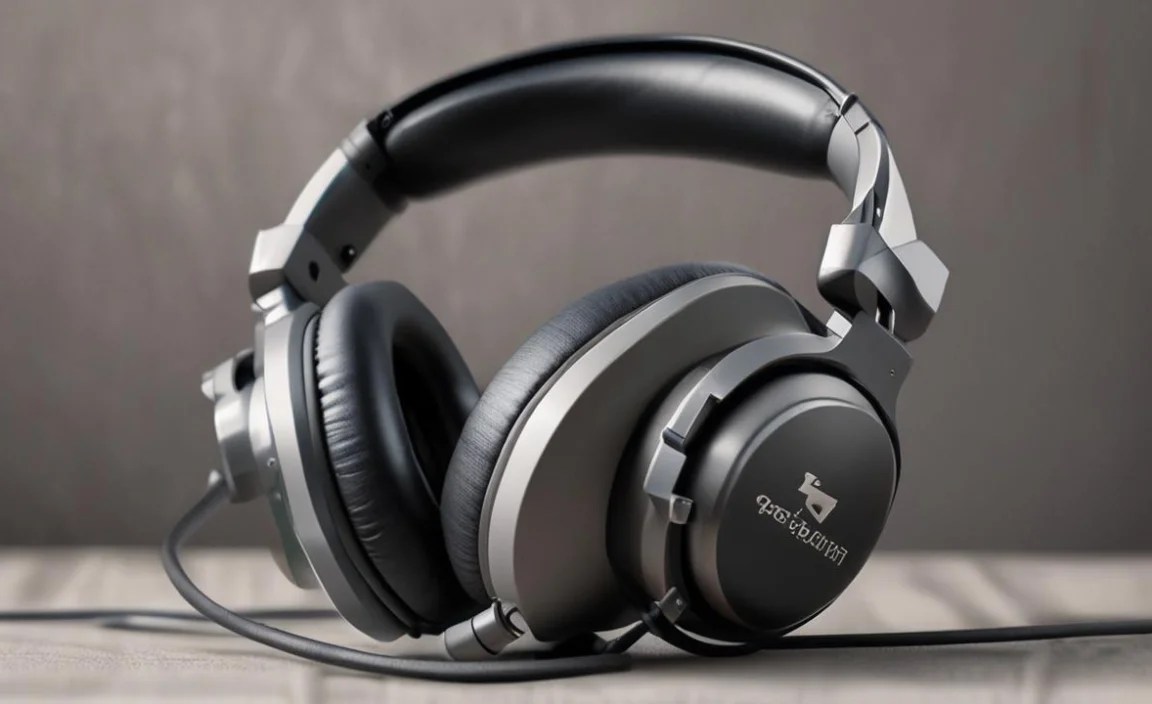
The “best rated gaming headphones” landscape is diverse, catering to different needs and budgets. Here are some categories and well-regarded examples. Keep in mind that specific models are frequently updated, so always check for the latest iterations.
Mid-Range All-Rounders (Excellent Value)
These headsets offer a fantastic balance of features, performance, and comfort without breaking the bank. They are perfect for gamers who want a significant upgrade from basic audio gear and need a reliable headset for multiple platforms.
Example: HyperX Cloud II / Cloud Alpha series
These are perennial favorites for a reason. They boast excellent sound reproduction, supreme comfort with plush memory foam earcups, and a sturdy build. The microphone is clear, and they are incredibly versatile, often coming with both USB and 3.5mm connectivity options.
| Feature | HyperX Cloud II / Alpha Pro |
|---|---|
| Sound Quality | Balanced, clear sound with good bass. |
| Comfort | Exceptional, with memory foam earcups and a comfortable headband. |
| Microphone | Detachable, noise-canceling, and clear. |
| Connectivity | USB and 3.5mm audio jack. |
| Platform Compatibility | PC, PS4, PS5, Xbox One, Xbox Series X/S, Switch, Mobile. |
| Build Quality | Durable metal frame. |
High-End Wireless Gaming (Freedom & Performance)
For those who crave wireless freedom without compromising on audio quality or latency, these headsets are the way to go. They often feature advanced wireless tech and premium build materials.
Example: SteelSeries Arctis Nova Pro Wireless
This headset is a powerhouse. It offers dual wireless systems (2.4GHz lossless and Bluetooth), active noise cancellation, a swappable battery system for
uninterrupted play, and exceptional audio. The retractable microphone is also top-notch, and the companion app allows for extensive customization.
| Feature | SteelSeries Arctis Nova Pro Wireless |
|---|---|
| Sound Quality | High-fidelity audio with customizable EQ. |
| Comfort | Lightweight, breathable earcups, ski-goggle headband. |
| Microphone | Retractable, bidirectional noise-canceling mic. |
| Connectivity | Dual-system wireless (2.4GHz + Bluetooth), USB-C. |
| Platform Compatibility | PC, PS5, PS4, Switch, Mobile. |
| Battery Life | Swappable battery system for continuous play. |
| Special Features | Active Noise Cancellation (ANC), Transparent Mode. |
Budget-Friendly Champions (Great Performance for the Price)
Don’t have a large budget? Many excellent gaming headsets deliver solid performance without costing a fortune. These are great starting points for new gamers or anyone looking for a functional, reliable headset.
Example: Logitech G432 / G332
Logitech consistently delivers great value. The G432, for instance, offers 7.1 virtual surround sound on PC, comfortable earcups, and a decent microphone at a very attractive price point. Its versatility with 3.5mm jack connectivity makes it compatible with most platforms.
| Feature | Logitech G432 / G332 |
|---|---|
| Sound Quality | Clear audio with decent channel separation. |
| Comfort | Lightweight with rotating earcups; often includes faux leather padding. |
| Microphone | Boom mic that flips up to mute. |
| Connectivity | 3.5mm jack; USB adapter included for PC features. |
| Platform Compatibility | PC, PS4, Xbox One, Switch, Mobile. |
| Price Point | Very affordable. |
Platform-Specific Headsets (Optimized for Your Console)
Some manufacturers create headsets specifically designed for a particular console, often featuring seamless integration and optimized audio profiles. For example, PlayStation’s official headsets are built to leverage the console’s 3D audio technology.
Example: PlayStation Pulse 3D Wireless Headset
Designed from the ground up for the PlayStation 5, this headset utilizes the PS5’s Tempest 3D AudioTech engine to deliver incredibly precise positional audio for games that support it. It’s wireless, comfortable, and stylish, matching the PS5’s aesthetic.
| Feature | PlayStation Pulse 3D Wireless Headset |
|---|---|
| Sound Quality | Optimized for PS5’s Tempest 3D AudioTech. |
| Comfort | Integrated head strap and soft earcups. |
| Microphone | Dual noise-canceling microphones. |
| Connectivity | Wireless USB dongle, wired 3.5mm jack. |
| Platform Compatibility | PS5, PS4. (Can also work with PC/Switch via wired connection). |
| Special Features | Full PS5 integration for 3D Audio. |
Similarly, Xbox has its own officially licensed headsets that often integrate well with the Xbox Wireless Protocol for a direct, low-latency connection. Always check for official licensing when considering platform-specific gear.
Setting Up Your New Gaming Headphones

Once you’ve chosen your “best rated gaming headphones,” getting them set up is usually straightforward. Here’s a general guide:
1. Wired Setup (3.5mm Jack)
- Connect the Cable: Plug the 3.5mm audio cable into the headphone jack on your controller, PC, or console.
- Check Audio Settings: On your console or PC, go to the audio settings and ensure your headset is selected as the primary input and output device. For PC, you might need to install drivers that come with the headset.
- Volume Control: Adjust the volume using the in-line controls on the cable or the volume dial on your controller/keyboard.
2. Wired Setup (USB)
- Connect the USB Cable: Plug the USB cable into an available USB port on your PC or console.
- Driver Installation: Your PC will likely detect the headset and install drivers automatically. If not, use the included software or drivers from the manufacturer’s website.
- Select as Default Device: In your PC’s sound settings, select the USB headset as the default playback and recording device.
- Console Compatibility: USB headsets may function differently on consoles; some are plug-and-play, while others might require a compatible USB port.
3. Wireless Setup (2.4GHz Dongle)
- Plug in the Dongle: Insert the USB wireless dongle into an available USB port on your PC or console.
- Power On: Turn on your headset. The headset and dongle should pair automatically.
- Select as Default: As with USB headsets, ensure it’s set as the default audio device in your system settings.
- Charging: Remember to charge your headset according to the manufacturer’s instructions.
4. Wireless Setup (Bluetooth)
- Put Headset in Pairing Mode: Follow your headset’s manual to activate Bluetooth pairing mode.
- Scan for Devices: On your PC, smartphone, or console (if it supports Bluetooth audio), go to Bluetooth settings and scan for new devices.
- Connect: Select your headset from the list of found devices.
- Latency Awareness: Be mindful of potential latency with Bluetooth; it’s best suited for casual gaming or other media. Some modern Bluetooth codecs are reducing this significantly.
Maintaining Your Gaming Headphones for Longevity

To ensure your “best rated gaming headphones” continue to perform at their peak, a little regular maintenance goes a long way.
- Cleaning Earcups: Gently wipe down earcups with a slightly damp (not wet!) microfiber cloth. For removable earcups, you can often wash them by hand with mild soap and water, ensuring they are completely dry before reattaching. Check with the manufacturer’s guide first.
