
Quick Summary: Discover the best Razer headphones for gaming and everyday listening. This guide helps beginners choose from top-rated models, focusing on sound, comfort, and features. Find your perfect audio companion with clear, easy-to-understand advice for every budget and need.
Best Razer Headphones: Your Essential Guide
Hey everyone, Edward Cavitt here from Headphone Horizon! Picking new headphones can feel a bit overwhelming, especially with so many cool options out there. If you’re diving into the world of Razer, known for its awesome gaming gear, you’re in for a treat. Whether you’re a serious gamer looking for that competitive edge, a music lover wanting immersive sound, or just need a reliable pair for calls, Razer has something for you. This guide is designed to make choosing your next pair of Razer headphones simple, fun, and stress-free. We’ll break down what makes a Razer headphone great and help you find the perfect fit for your ears and your lifestyle.
Why Choose Razer Headphones?

Razer has built a strong reputation in the gaming community for a reason. Their headphones are often praised for their:
- Immersive Audio: Designed to put you right in the middle of the action, with clear highs, deep bass, and precise spatial audio.
- Comfort and Durability: Ranging from plush earcups to robust build quality, Razer headphones are made for long listening sessions.
- Cutting-Edge Features: Think Chroma RGB lighting, advanced noise cancellation, and seamless connectivity options.
- Gaming Focus: A lot of their lineup is tailor-made for gaming, with features like retractable microphones and low-latency wireless.
But it’s not just about gaming. Many Razer headphones offer fantastic sound quality for music and everyday use, making them versatile choices for a wide audience.
Understanding Key Features in Razer Headphones

Before we jump into specific models, let’s quickly cover some terms you’ll often see:
- Drivers: These are the small speakers inside your headphones that produce sound. Larger drivers generally mean more powerful bass and a fuller sound.
- Frequency Response: This tells you the range of sounds a headphone can reproduce, measured in Hertz (Hz). A wider range (e.g., 20 Hz to 20 kHz) is ideal for capturing all the nuances in music and games.
- Impedance: Measured in Ohms (Ω), this indicates how much power is needed to drive the headphones. Higher impedance headphones might require an amplifier for optimal sound, but most Razer headphones are designed to work well with standard devices.
- Connectivity: This can be wired (3.5mm jack, USB) or wireless (Bluetooth, 2.4 GHz USB dongle). Wireless offers freedom, while wired often provides a more stable connection and potentially better sound quality.
- Surround Sound: Technologies like Razer’s own THX Spatial Audio create a 3D soundscape, helping you pinpoint in-game sounds and making media more immersive.
- Microphone Quality: Crucial for gaming and calls. Look for clear voice pickup and features like noise suppression.
- Active Noise Cancellation (ANC): This technology electronically blocks out ambient noise, letting you focus on your audio.
Top Razer Headphones for Different Needs

Razer offers a diverse range of headphones. Here’s a breakdown of some of the best, categorized to help you find your perfect match:
Best Overall: Razer BlackShark V2 Pro
This headset is often hailed as one of the best wireless gaming headsets on the market, and for good reason. It offers a fantastic balance of comfort, performance, and features.
Pros:
- Superb sound quality with well-defined highs, mids, and punchy bass.
- Excellent THX Spatial Audio for pinpoint accuracy in games.
- Lightweight and incredibly comfortable for long sessions.
- Reliable HyperSpeed Wireless for low-latency gaming.
- Detachable, noise-canceling microphone for clear communication.
- Long battery life.
Cons:
- Can be a bit pricier than other options.
- The design is more gamer-focused, which might not appeal to everyone.
The BlackShark V2 Pro is a top-tier choice for serious gamers who demand the best in wireless audio performance and comfort. The soundstage is incredibly immersive, making it easy to track enemy footsteps or enjoy cinematic game audio.
Best Budget-Friendly: Razer Kraken X
If you’re looking for a solid gaming headset without breaking the bank, the Razer Kraken X is an outstanding option. It delivers much of the Razer experience at a more accessible price point.
Pros:
- Very lightweight and comfortable design.
- Good audio quality for its price range, with decent bass.
- Features like voice clarity from the cardioid microphone are impressive for the cost.
- USB or 3.5mm jack connectivity options available.
- Often available in USB or analog versions.
Cons:
- Build quality is good for the price but not as premium as higher-end models.
- Surround sound is simulated and not as advanced as pricier options.
The Kraken X proves that you don’t need to spend a fortune to get a great gaming headset. It’s perfect for beginners or those on a tighter budget who still want a reliable and comfortable audio experience.
Best for Immersive Sound (and Style): Razer Nari Ultimate
For those who want to feel every explosion and rumble of the game or movie, the Razer Nari Ultimate introduces an extra layer of immersion with its HyperSense haptic feedback technology.
Pros:
- HyperSense haptics add a tactile dimension to audio.
- Comfortable, cooling gel-infused ear cushions.
- THX Spatial Audio for incredible sound positioning.
- Chroma RGB lighting for customizable aesthetics.
- Strong wireless performance.
Cons:
- The haptics can be a bit much for some users and drain the battery quicker.
- It’s a heavier headset compared to others on this list.
- Higher price point.
The Nari Ultimate is for the enthusiast who wants an all-out, sensory experience. It’s an excellent choice for unwinding with blockbuster movies or deeply engaging in story-driven games.
Best for Casual Listening & Productivity: Razer Barracuda X
The Barracuda X is a versatile headset that bridges the gap between gaming and everyday audio. Its sleek design and multi-platform compatibility make it a standout.
Pros:
- Extremely lightweight and comfortable for all-day wear.
- Versatile connectivity with a 2.4 GHz dongle (for low latency) and Bluetooth.
- Great sound quality for both gaming and music.
- Detachable microphone for a cleaner look when not in use.
- Stylish, understated design that fits in anywhere.
Cons:
- The microphone quality is good but not detachable on all versions.
- ANC is not included.
If you need one headset that can transition seamlessly from your PC gaming setup to your commute or a video call, the Barracuda X is a phenomenal choice. It offers excellent value and flexibility.
Best Wireless Earbuds: Razer Hammerhead Pro HyperSpeed
For those who prefer earbuds, the new Hammerhead Pro HyperSpeed offers a wireless gaming experience in a compact form factor, alongside everyday use.
Pros:
- Hybrid ANC for immersive listening.
- Low-latency wireless connectivity via USB-C dongle.
- Good sound quality for both gaming and music.
- Comfortable fit with multiple ear tip options.
- Decent battery life with charging case.
Cons:
- As with most earbuds, the bass might not be as impactful as over-ear headphones.
- Can be expensive for earbuds.
These are the go-to for gamers who want true wireless freedom or anyone who finds over-ear headphones too bulky. They’re a great all-around audio solution for those on the move.
Comparison Table: Key Razer Headphone Models
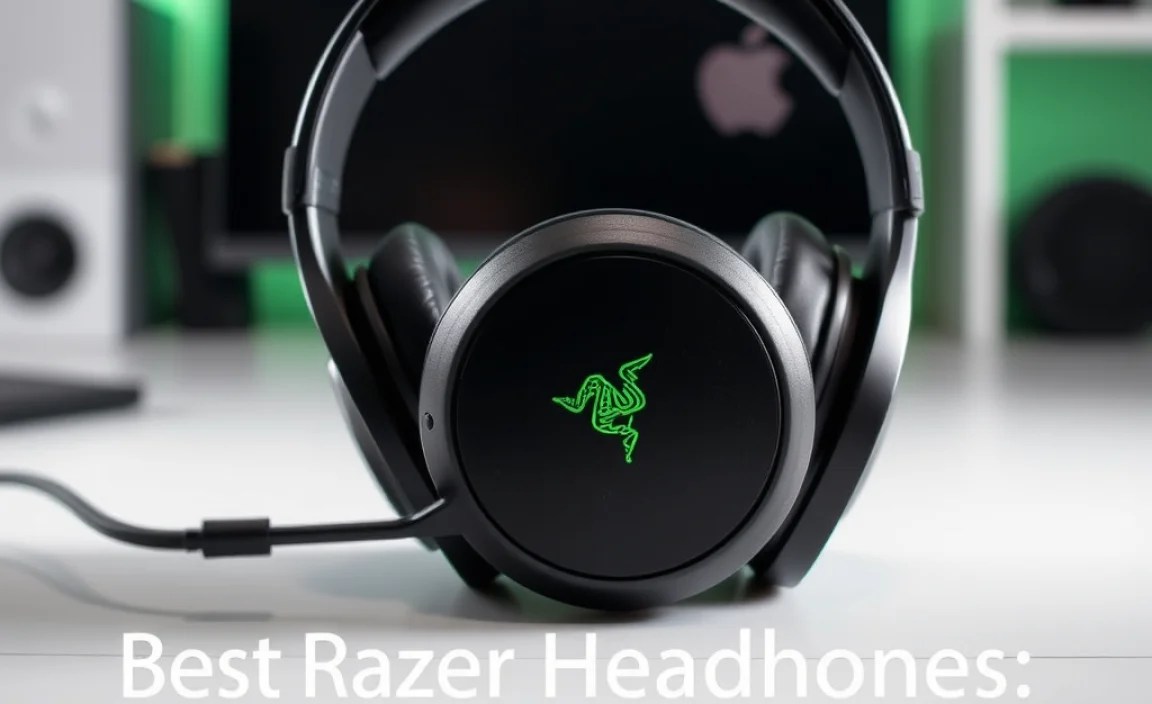
Here’s a quick look at how these top picks stack up:
| Model | Best For | Connectivity | Key Feature | Price Range (Approx.) |
|---|---|---|---|---|
| Razer BlackShark V2 Pro | Overall Gaming Performance | Wireless (2.4 GHz HyperSpeed) | THX Spatial Audio, Comfort | $$$ |
| Razer Kraken X | Budget Gaming | Wired (3.5mm/USB) | Lightweight, Value | $ |
| Razer Nari Ultimate | Immersive Experience, Style | Wireless (2.4 GHz) | HyperSense Haptics, RGB | $$$$ |
| Razer Barracuda X | Versatile Use (Gaming/Daily) | Wireless (2.4 GHz) + Bluetooth | Lightweight, Multi-Platform | $$ |
| Razer Hammerhead Pro HyperSpeed | True Wireless Gaming/Mobile | Wireless (2.4 GHz) + Bluetooth | Compact, Low-Latency Earbuds | $$$ |
Price Range: $ (Under $50), $$ ($50-$100), $$$ ($100-$150), $$$$ (Over $150). Prices can vary significantly based on sales and regions.
How to Choose the Right Razer Headphone for You

Let’s walk through some questions to help you narrow down your choice:
- What is your primary use?
- Gaming: Prioritize low-latency wireless, good audio positioning (surround sound), and a quality microphone.
- Music: Focus on sound quality, frequency response, and comfort for long listening sessions.
- Work/Calls: A clear microphone and comfortable fit are key. Noise cancellation can be a bonus.
- All-Around: Look for versatility in connectivity and a balanced sound profile.
- What’s your budget? Razer offers options at various price points. Identify what you’re comfortable spending.
- Wired or Wireless?
- Wireless: Offers freedom of movement, great for gaming and on-the-go. Ensure good battery life and stable connectivity.
- Wired: Generally more affordable, no battery worries, and can offer pure, uncompressed audio.
- Comfort is Key: If you plan to wear them for hours, look at materials, weight, and earcup design. Memory foam or cooling gel can make a big difference.
- Extra Features: Do you want RGB lighting? ANC? Haptic feedback? These features add to the cost but enhance the experience.
Caring for Your Razer Headphones
To keep your new Razer headphones sounding great and lasting long, follow these simple care tips:
Regular Cleaning
- Earcups: Gently wipe them with a slightly damp cloth. For fabric earcups, a mild soap solution (diluted) can be used, but ensure they are completely dry before use. Remove them if possible for a more thorough clean.
- Headband: Wipe it down with a dry or slightly damp cloth.
- Drivers/Grills: Use a soft, dry brush (like a clean makeup brush or paintbrush) to gently remove dust and debris. Never use liquids directly on the drivers.
- Microphone: Gently brush away any dust.
Storage
- When not in use, store your headphones in a cool, dry place.
- If you have a carrying case, use it, especially for travel, to protect them from dust and physical damage.
- Avoid wrapping the cable too tightly if you have a wired headset, as this can damage internal wires over time.
Battery Care (for Wireless models)
- Avoid fully draining the battery regularly. Try to charge them before they hit critically low levels.
- Don’t leave them plugged in for extended periods after they’ve reached 100% charge, although modern batteries have some protection for this.
- Store them with some charge if you won’t be using them for a long time.
For more in-depth troubleshooting or maintenance advice, you can always refer to Razer’s official support pages. For instance, understanding battery health is crucial, and resources like those from the U.S. Department of Energy on battery longevity offer general principles that apply.
Frequently Asked Questions (FAQ)
Q1: Are Razer headphones only for gaming?
While Razer is famous for its gaming gear, many of its headphones are incredibly versatile. They offer excellent audio quality that’s great for music, movies, podcasts, and general productivity like video calls.
Q2: What does “THX Spatial Audio” mean?
“THX Spatial Audio” is Razer’s proprietary technology that simulates sound coming from all directions around you. It creates a more immersive 3D soundscape, helping you pinpoint the direction of sounds in games or enjoy movies more thoroughly.
Q3: How do I connect my Razer wireless headphones?
Most wireless Razer headphones connect in one of two ways: via a USB dongle (for low-latency, plug-and-play use, typically paired with your device) or via Bluetooth (for broader compatibility with phones, tablets, and other devices). Simply turn on your headphones, put them in pairing mode, and select them from your device’s Bluetooth or hardware list.
Q4: Can I use Razer gaming headphones for my phone?
Yes, many Razer gaming headphones can be used with smartphones. Wired models typically use a 3.5mm audio jack. Wireless models often connect via Bluetooth, or some may come with a USB-C dongle that can also be used with compatible phones.
Q5: How important is microphone quality in a gaming headset?
Microphone quality is very important for online gaming. A clear microphone ensures your teammates can hear your callouts and strategies without static or distortion. Many Razer headsets feature noise-canceling microphones to further improve voice clarity.
Q6: My Razer headphones aren’t working. What should I do?
First, check your connections and volume levels. For wireless models, ensure they are charged and paired correctly. Try restarting both your headphones and your device. If the issue persists, consult Razer’s official support website or user manual for specific troubleshooting steps for your model. You might also find helpful user guides and forums online.
Q7: Are Razer headphones comfortable for long wear?
Comfort is a priority for Razer, especially in their gaming-focused headsets. Models like the BlackShark V2 Pro and Barracuda X are known for their lightweight designs and plush, breathable earcups, making them excellent for extended use. However, comfort can be subjective, so reading reviews or trying them on if possible is recommended.
Conclusion
Choosing the best Razer headphones is an exciting journey, and with this guide, you’re well-equipped to make a confident decision. Whether you’re drawn to the immersive battlefield audio of the BlackShark V2 Pro, the budget-friendly reliability of the Kraken X, the sensory depth of the Nari Ultimate, or the flexible versatility of the Barracuda X, Razer offers an audio solution designed to elevate your experience. Remember to consider your primary use, budget, and preferred connectivity to find the perfect match. And with a little care, your chosen Razer headphones will provide you with exceptional sound and enjoyment for years to come. Happy listening, and happy gaming!
