
Quick Summary: Discover the best Skullcandy over-ear headphones for your needs. This guide breaks down top models, features, and buying tips, making it easy to find your perfect audio companion for immersive sound, comfort, and style.
Hey there, fellow music lovers! Edward Cavitt here from Headphone Horizon. If you’re on the hunt for a new pair of headphones, especially some comfy and stylish over-ear ones from Skullcandy, you’ve landed in the right spot. Skullcandy has carved out a great niche by offering headphones that not only sound good but also look great and come at a price that won’t break the bank. But with so many options out there, how do you choose the right ones? Don’t worry; I’m here to simplify things. We’ll dive into what makes Skullcandy headphones tick and help you pinpoint the best Skullcandy over-ear headphones for your unique listening adventures.
Why Choose Skullcandy Over-Ear Headphones?

Skullcandy has built a reputation for being a brand that understands its audience. They’re not just about raw audio fidelity aimed at audiophiles; they focus on delivering a balanced experience that’s accessible and enjoyable for everyday listeners. When you look at Skullcandy over-ear headphones, you’re generally getting a few key things:
- Bold Style: Skullcandy is known for its distinctive designs, often featuring vibrant colors and unique graphics. If you want your headphones to be a statement piece, they’ve got you covered.
- Comfortable Fit: Over-ear headphones, by design, cup your ears, providing a more immersive listening experience and good passive noise isolation. Skullcandy puts a good emphasis on plush earcups and adjustable headbands for extended wear.
- Balanced Sound: While some brands chase pure accuracy, Skullcandy often tunes its headphones for a more engaging sound profile, which often means a bit of a boost in the bass, making music sound more impactful and fun. They aim for a sound that’s pleasing for a wide range of genres.
- Affordability: Compared to many high-end audio brands, Skullcandy offers excellent value. You can get a fantastic pair of headphones with great features without emptying your wallet.
- Features: Many Skullcandy over-ear models come packed with useful tech, from active noise cancellation (ANC) to built-in microphones for calls and voice assistants.
What to Look for in the Best Skullcandy Over-Ear Headphones

Picking out the perfect pair is all about matching features to your needs. Here’s a breakdown of what to consider:
Sound Quality
This is, of course, paramount. Skullcandy often aims for a sound signature that’s lively and energetic. If you love hip-hop, electronic music, or anything with a strong beat, you’ll likely appreciate their tuning. For the most discerning ears, they also offer models with more refined sound profiles. Pay attention to driver size (larger drivers generally mean more powerful sound) and frequency response if you want to dive deeper, but for most, listening to them is the best test.
Comfort and Fit
Over-ear headphones should feel good even after hours of use. Look for:
- Plush Earcups: Soft materials like memory foam or leatherette that mold to your ears without causing pressure.
- Adjustable Headband: A secure yet comfortable grip that distributes weight evenly.
- Lightweight Design: Heavy headphones can cause fatigue over longer listening sessions.
Connectivity
Most modern Skullcandy over-ear headphones are wireless, using Bluetooth. Consider the Bluetooth version (newer versions offer better stability and efficiency) and battery life. If you also need to use them with non-Bluetooth devices, check if they come with an optional audio cable.
Durability and Build Quality
While many Skullcandy headphones are built with everyday use in mind, some materials might feel more premium than others. If you plan to be rough with them or use them on the go frequently, look for models with sturdy construction and good reviews on longevity.
Noise Isolation vs. Noise Cancellation
- Passive Noise Isolation: This is achieved through the physical seal of the earcups around your ears. It’s great for blocking out moderate background noise.
- Active Noise cancellation (ANC): This technology uses microphones to detect and cancel out ambient sounds. It’s far more effective for blocking out consistent low-frequency noises like airplane engines or office hum. If you commute heavily or work in a noisy environment, ANC is a game-changer.
Extra Features
Think about what else you might need:
- Built-in Microphone: Essential for making calls or using voice assistants.
- On-Ear Controls: Buttons or touch panels for adjusting volume, skipping tracks, and answering calls without reaching for your device.
- App Support: Some Skullcandy headphones connect to companion apps, allowing for EQ customization and firmware updates.
- Fast Charging: A lifesaver when you need a quick power boost.
Top Skullcandy Over-Ear Headphones Recommendations

Let’s dive into some of the standout Skullcandy over-ear models that consistently get praise. Keep in mind that product lines evolve, so always check the latest iterations.
1. Skullcandy Crusher Evo
The Crusher series is arguably Skullcandy’s flagship for an immersive, sensory experience. The Evo model refines this further.
Key Features:
- Sensory Bass: This is the star of the show. It’s an adjustable feature that lets you physically feel the bass, adding a tactile dimension to your music.
- Supreme Sound Technology: Skullcandy’s audio tuning promises a balanced sound profile with clear highs, mids, and punchy lows.
- Comfortable Design: Plush earcups and an ergonomic build make them great for long listening sessions.
- Long Battery Life: Expect up to 40 hours of playback on a single charge.
- Rapid Charge: Get several hours of playback from just a few minutes of charging.
- Built-in Microphone and Controls: Easy management of music and calls.
Pros:
- Unmatched bass experience for bass lovers.
- Excellent comfort for extended use.
- Great battery life.
- Intuitive controls.
Cons:
- The Sensory Bass might be too much for those who prefer a neutral sound.
- Not ideal for critical listening or pure audio accuracy.
2. Skullcandy Hesh ANC
If you’re looking for effective active noise cancellation without a sky-high price tag, the Hesh ANC is a strong contender.
Key Features:
- Active Noise Cancellation: Significantly reduces ambient noise for a more focused listening experience.
- Clear Sound: Offers a well-rounded sound quality suitable for a variety of music genres.
- Comfort Padded Earcups: Designed for long-wearing comfort.
- Foldable Design: Makes them portable and easy to store.
- Long Battery Life: Typically around 22 hours with ANC on.
- Built-in Microphone: For calls on the go.
Pros:
- Affordable ANC performance.
- Comfortable for extended periods.
- Good battery life.
- Decent sound for the price point.
Cons:
- ANC isn’t as powerful as premium competitors.
- Bass can sometimes overpower other frequencies for purists.
3. Skullcandy Push Active
While technically not “over-ear” in the traditional sense, the Push Active have an over-ear-like fit with their secure ear hooks. They’re fantastic for active lifestyles.
Key Features:
- Secure Fit Technology: Ear hooks keep them firmly in place during strenuous activity.
- IP55 Sweat and Water Resistance: Built to withstand workouts and outdoor conditions.
- Ambient Aware Mode: Lets you hear your surroundings when needed for safety.
- Long Battery Life: Up to 44 hours with the charging case.
- Clear Voice Microphones: For better call quality.
- Built-in Assistant Access: Quick access to Google Assistant or Siri.
Pros:
- Extremely secure fit for sports and active use.
- Great battery life with the case.
- Durable and weather-resistant.
- Comfortable for active wear.
Cons:
- Not a traditional over-ear design; might not appeal to everyone seeking full ear coverage.
- Sound quality is good but not audiophile-grade.
4. Skullcandy Riff Wireless
For those seeking a budget-friendly, no-frills wireless over-ear experience, the Riff Wireless is a solid entry-level choice.
Key Features:
- Lightweight and Foldable: Easy to carry and store.
- Good Battery Life: Around 12 hours of playback.
- On-Ear Controls: Conveniently manage music and calls.
- Decent Sound: Offers clear audio for everyday listening.
- Built-in Mic: For hands-free communication.
Pros:
- Very affordable.
- Lightweight and portable.
- Easy to use.
- Decent sound for casual listening.
Cons:
- Build quality is commensurate with the price.
- Sound signature is basic, lacking the depth of higher-end models.
- Battery life is good but not exceptional.
Skullcandy Over-Ear Models at a Glance
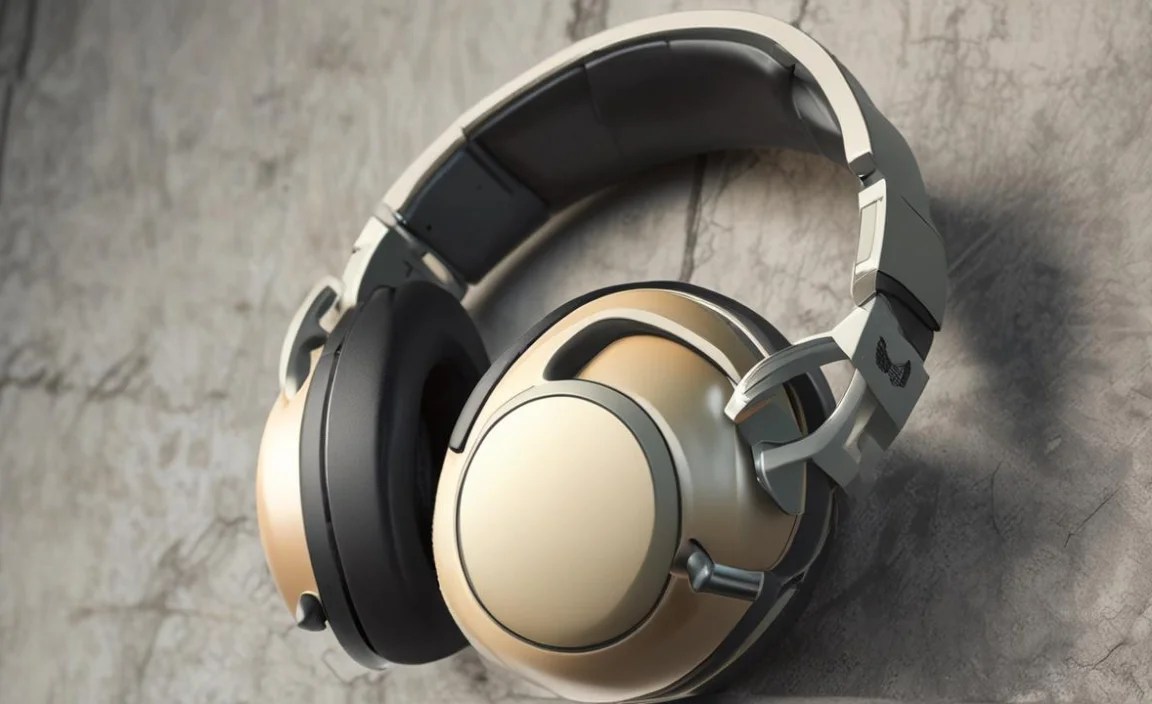
Here’s a quick comparison table to help you visualize the differences between some popular Skullcandy over-ear models. Note: Specifications can vary slightly by region and revision.
| Model | Key Feature(s) | ANC | Battery Life (approx.) | Price Range (USD) | Best For |
|---|---|---|---|---|---|
| Crusher Evo | Sensory Bass, Supreme Sound | No | 40 hours | $$ – $$$ | Bass lovers, immersive experience, all-around use |
| Hesh ANC | Active Noise Cancellation | Yes | 22 hours (with ANC) | $$ | Commuters, students, noise reduction on a budget |
| Riff Wireless | Lightweight, Foldable, Budget | No | 12 hours | $ | Beginners, everyday casual listening, budget-conscious |
| (Example) Crusher Wireless | Sensory Bass (older gen), Wireless | No | 40 hours | $$ | Bass enthusiasts looking for a wireless option |
Price ranges are approximate: $ = Under $50, $$ = $50-$100, $$$ = $100+
How to Get the Best Sound from Your Skullcandy Headphones

Once you’ve got your Skullcandy headphones, here are a few tips to enhance your listening experience:
- Ensure a Good Fit: For over-ear headphones, make sure the earcups fully seal around your ears. A good seal is crucial for both sound quality (especially bass) and passive noise isolation. Adjust the headband for a snug but comfortable fit.
- Experiment with EQ Settings: Many modern headphones, including some Skullcandy models, work with companion apps that offer EQ (Equalizer) customization. Play around with these settings to tailor the sound to your preferences. For instance, if you want more clarity in vocals, you might boost the mid-range frequencies slightly. Skullcandy’s own Skullcandy app allows for custom EQ profiles.
- Proper Pairing with Devices: Make sure your headphones are paired with your device using the latest Bluetooth version if applicable. For wired connections, use a good quality cable and ensure it’s fully plugged in.
- Keep Them Clean: Dust and earwax buildup can subtly affect sound. Regularly clean your earcups and drivers (gently!) to maintain optimal performance. More on this later!
- Understand Noise Cancellation (If Applicable): For ANC headphones, make sure the microphones are not obstructed. For best results, ensure the earcups create a good seal, as ANC works best to complement passive isolation.
Simple Maintenance for Your Skullcandy Headphones
Keeping your headphones in good condition is key to their longevity and performance. Here’s how to do it without any fuss:
Cleaning the Earcups
Over time, earcups can accumulate sweat, oils, and dust. This is not only unhygienic but can also affect comfort and sound.
- Materials Needed:
- Soft, lint-free cloths (microfiber is ideal)
- Mild soap (like dish soap or baby soap)
- Water
- Cotton swabs
- Steps:
- Detach Earcups (if possible): Some Skullcandy models allow you to gently detach the earcups for easier cleaning. Check your user manual.
- Wipe with Damp Cloth: Lightly dampen a cloth with water and a tiny bit of mild soap. Wring it out thoroughly so it’s barely damp. Gently wipe down the earcups. For leatherette or soft-touch materials, avoid harsh scrubbing.
- Clean Deeper Crevices: Use a lightly dampened cotton swab to clean around the seams and any small crevices where dirt might have accumulated.
- Wipe Dry: Use a separate dry, lint-free cloth to gently dry the earcups.
- Air Dry Completely: If you removed the earcups, let them air dry completely before reattaching them. Never use heat, as it can damage the materials.
Cleaning the Headband and Exterior
The headband and the rest of the headphone casing can also be wiped down.
- Use a slightly damp cloth to wipe the headband and plastic parts.
- For stubborn marks, a cotton swab with a tiny bit of isopropyl alcohol can be used sparingly on non-fabric parts, but test in an inconspicuous area first.
- Ensure all parts are dry before use.
Cleaning the Drivers (Handle with Extreme Care!)
Cleaning the actual speaker drivers requires utmost care. You absolutely do not want to push anything into the mesh or damage the delicate components.
- Never Spray Liquids Directly: Do not spray any cleaning solution onto the drivers.
- Use a Dry Brush: A very soft, dry brush (like a clean makeup brush or a dedicated electronics brush) can be used to gently sweep away loose dust from the driver mesh. Brush from the center outwards.
- Avoid Moisture: Even a slightly damp cloth is too much for the delicate driver surface.
Storing Your Headphones
When not in use, store your headphones in a safe place to prevent damage:
- Use the Provided Pouch or Case: Many Skullcandy headphones come with a carrying pouch or case. Use it!
- Avoid Extreme Temperatures: Don’t leave them in direct sunlight or a hot car, as extreme heat can damage the battery and materials.
- Protect from Dust: Store them away from dusty environments.
Troubleshooting Common Skullcandy Headphone Issues
Even the best headphones can encounter occasional hiccups. Here are some simple fixes for common problems:
Problem: Headphones won’t turn on or won’t charge.
Possible Solutions:
- Check the Charge: Ensure the headphones are fully charged. The charging indicator light should show a full charge. Try charging with a different USB cable and power adapter.
- Clean Charging Port: Look for any debris or lint in the charging port. Gently clean it with a dry cotton swab or compressed air.
- Reset the Headphones: Some Skullcandy models have a reset function, often involving holding down specific buttons for an extended period. Consult your user manual for model-specific instructions.
Problem: No sound or sound only from one earbud.
Possible Solutions:
- Check Volume Levels: Ensure the volume on both your headphones and your connected device is turned up.
- Check Bluetooth Connection: Disconnect and re-pair the headphones with your device. Turn off Bluetooth on other nearby devices that might be trying to connect.
- Test with Another Device: Try connecting to a
