
Quick Summary: Discovering the best Sony Bluetooth headphones for your needs is simpler than you think. This guide breaks down top models, focusing on sound quality, comfort, and features perfect for everyday listening, travel, and work. We make choosing your next great audio companion easy and stress-free.
Best Sony Bluetooth Headphones: Proven Sound for Every Ear

Hello, audio adventurers! Edward Cavitt here from headphonehorizon. Choosing the right headphones can feel like navigating a maze, especially with so many fantastic options out there. But when it comes to reliable, high-quality sound that just works, Sony consistently hits the mark. Whether you’re commuting, focusing at your desk, or just soaking in your favorite tunes, Sony’s Bluetooth headphone lineup offers something truly special. Let’s dive into what makes them stand out and how to find the perfect pair for you. We’ll cut through the jargon and focus on what matters most: proven, enjoyable sound!
Why Choose Sony for Your Bluetooth Headphones?
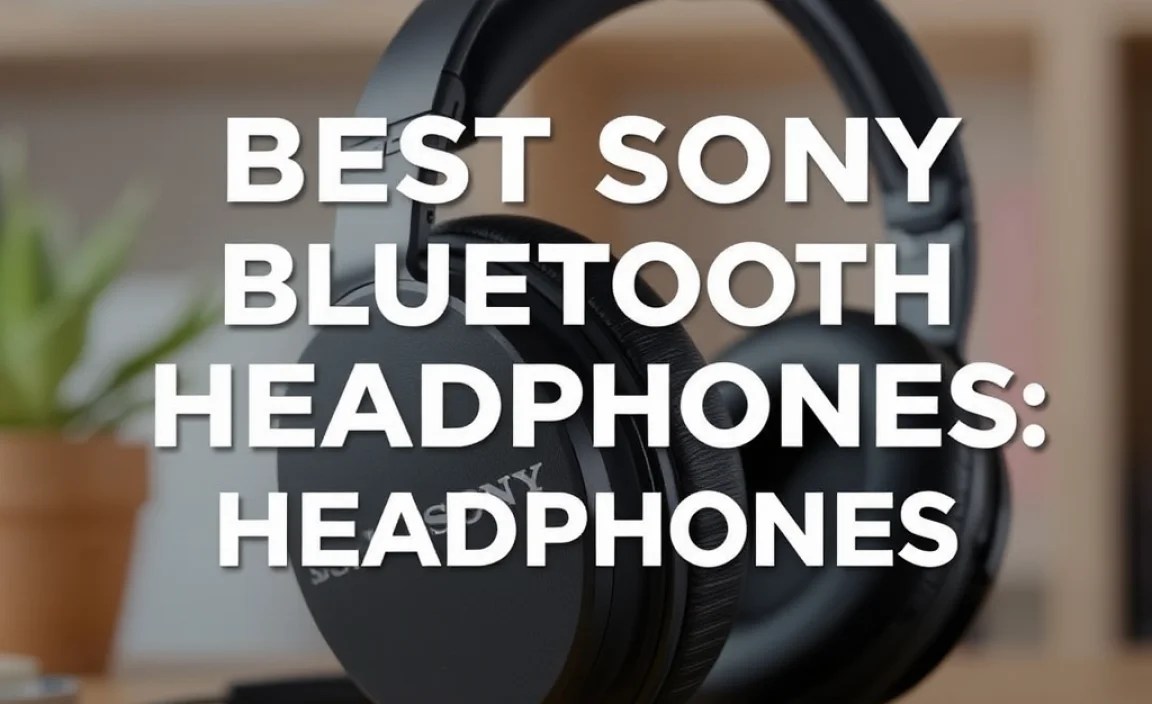
Sony isn’t just a big name in electronics; they’re pioneers in audio innovation. For years, they’ve been at the forefront of developing technologies that push the boundaries of what portable sound can be. Their commitment to quality is evident across their entire range of Bluetooth headphones, from entry-level models to their premium, industry-leading noise-canceling options.
- Sound Quality: Sony headphones are renowned for their balanced, clear, and often powerful sound profiles. They excel at delivering rich bass, detailed mids, and crisp highs, making music and podcasts a joy to listen to.
- Noise Cancellation: When it comes to Active Noise Cancellation (ANC), Sony is often considered the gold standard. Their QN1 processors and HD Noise-Canceling Processor create an almost magical silence, letting you hear your audio without distractions.
- Comfort and Design: Sony pays attention to ergonomics. Their headphones are designed for long-wearing comfort, using plush earcups, adjustable headbands, and lightweight materials.
- Smart Features: From adaptive sound control that adjusts to your environment to Speak-to-Chat that pauses music when you talk, Sony integrates smart, user-friendly features that enhance the listening experience.
- Durability and Build: Constructed with quality materials, Sony headphones are built to last, providing reliable performance day after day.
Top Sony Bluetooth Headphone Picks for Various Needs

Sony offers a diverse range of Bluetooth headphones, each catering to different preferences and budgets. Here’s a look at some of the best, categorized to help you pinpoint your ideal match.
Best Overall: Sony WH-1000XM5
The undisputed champion for many, the WH-1000XM5 builds on the legacy of its predecessors with even more refined sound and industry-leading noise cancellation. If you want the absolute best in wireless audio immersion, this is it.
- Sound: Exceptional clarity, balanced profile with deep, controlled bass.
- Noise Cancellation: Superb, with advanced processing that adapts to your surroundings.
- Comfort: Lightweight design with soft earcups for extended listening.
- Battery Life: Up to 30 hours with ANC on, 40 hours with ANC off.
- Features: Speak-to-Chat, Adaptive Sound Control, multipoint Bluetooth connection.
- Ideal For: Frequent flyers, commuters, office workers, audiophiles seeking premium sound and silence.
Best Value Noise-Canceling: Sony WH-CH720N
Sony proves you don’t need to break the bank for excellent noise cancellation and sound. The WH-CH720N offers a compelling package of performance and price, making it a fantastic choice for budget-conscious users.
- Sound: Clear and pleasant audio with a good punchy bass.
- Noise Cancellation: Effective ANC that significantly reduces ambient noise for the price point.
- Comfort: Very lightweight and comfortable for prolonged wear.
- Battery Life: Up to 35 hours with ANC on, 50 hours with ANC off.
- Features: Integrated Processor V1 for improved ANC, multipoint connection.
- Ideal For: Students, daily commuters, those looking for effective ANC without the premium price tag.
Best for Sport & Fitness: Sony WF-1000XM5 (Earbuds)
While primarily known for its over-ear headphones, Sony’s flagship true wireless earbuds, the WF-1000XM5, also offer incredible sound and noise cancellation in a compact, sport-friendly package. They are water-resistant and designed to stay put.
- Sound: Dynamic and detailed audio with improved bass response over previous models.
- Noise Cancellation: Among the best for earbuds, effectively blocking out distractions.
- Comfort & Fit: Smaller, lighter design with noise-isolating earbud tips for a secure fit.
- Battery Life: Up to 8 hours on earbuds (24 hours with charging case).
- Features: IPX4 water resistance, advanced ANC, bone conduction technology for clear calls.
- Ideal For: Active individuals, gym-goers, commuters who prefer earbuds, and anyone wanting top-tier ANC in a portable format.
For more on fitting earbuds correctly for both comfort and sound quality, check out resources on proper ear anatomy and ear tip selection. A good seal is crucial for ANC and bass performance.
Best Budget Pick: Sony WH-1000XM4 (If still available and on sale)
While the WH-1000XM5 is the latest and greatest, the previous generation WH-1000XM4 often remains a fantastic buy, especially if you can find it at a discounted price. They still offer superb noise cancellation and excellent sound.
- Sound: Rich, detailed sound with impressive bass.
- Noise Cancellation: Excellent, nearly on par with the XM5.
- Comfort: Plush padding and a comfortable fit for hours.
- Battery Life: Up to 30 hours with ANC on.
- Features: Speak-to-Chat, Adaptive Sound Control, multipoint pairing.
- Ideal For: Anyone looking for near-flagship performance at a potentially lower cost.
You can often find great deals on the WH-1000XM4 now that the XM5 is out, making them a prime example of smart shopping for premium audio. Always compare prices from reputable retailers!
Understanding Key Features of Sony Bluetooth Headphones

When you’re looking at Sony’s offerings, a few key technologies and features pop up repeatedly. Understanding them will make your decision much clearer.
Active Noise Cancellation (ANC)
Sony’s ANC is a standout feature. It uses microphones to detect ambient noise and then generates an opposing sound wave to cancel it out. This is incredibly effective for reducing the hum of airplane engines, train stations, or office chatter. The effectiveness can vary slightly between models, with the WH-1000XM series typically leading the pack.
Sound Quality Technologies
- LDAC: This is a high-quality audio codec developed by Sony. When used with a compatible device (like many Android smartphones), LDAC allows for the transmission of much more data than standard Bluetooth, resulting in audio closer to high-resolution.
- DSEE Extreme: This technology upscales compressed digital music files in real time, restoring high-range sound lost in compression and providing a richer, more vibrant listening experience.
- 360 Reality Audio: For compatible music services, this allows for a more immersive, three-dimensional listening experience, making it sound like the music is all around you.
Comfort and Ergonomics
Beyond the tech, how a headphone feels is paramount. Sony designs most of its over-ear models with:
- Soft, high-quality protein leather or synthetic leather earcups.
- A padded, adjustable headband.
- A relatively lightweight construction to prevent neck strain.
- Earcups that swivel and fold for easier portability.
Battery Life and Charging
Most Sony Bluetooth headphones boast impressive battery life, often exceeding 20-30 hours with ANC enabled. They typically charge via USB-C, and many support quick charging, giving you several hours of playback from a short charge.
Smart Features
- Speak-to-Chat: Automatically pauses your music and lets in ambient sound when you start talking.
- Adaptive Sound Control: Learns your common locations (e.g., office, home, traveling) and adjusts ambient sound settings accordingly.
- Multipoint Connection: Allows the headphones to be connected to two Bluetooth devices simultaneously, easily switching between your phone and laptop, for example.
How to Choose the Best Sony Bluetooth Headphones for You
To make the best decision, consider these questions:
1. What’s Your Primary Use Case?
- Commuting/Travel: Look for top-tier ANC (WH-1000XM series).
- Work/Office: Excellent ANC and microphone quality for calls are key (WH-1000XM series, or even earbuds like WF-1000XM5).
- Sports/Fitness: Sweat resistance and a secure fit are vital (WF-SP series or WF-1000XM5 with secure ear tips).
- Everyday Listening at Home: Comfort and sound quality (any of the over-ear models).
2. What’s Your Budget?
- Premium: WH-1000XM5, WF-1000XM5.
- Mid-Range/Value: WH-CH720N.
- Bargain Hunter: Look for deals on the WH-1000XM4 or older models.
3. Do You Prefer Over-Ear, On-Ear, or In-Ear (Earbuds)?
- Over-Ear: Generally offer the best comfort for long sessions and the most immersive sound and ANC.
- On-Ear: A compromise between portability and over-ear comfort, though can press on the ears.
- In-Ear (True Wireless Earbuds): Most portable, convenient for active use, but fit can be more critical for sound and ANC seal.
4. What Sound Profile Do You Enjoy?
While Sony generally provides balanced sound, some models might emphasize bass more than others. Read reviews or, if possible, try them on to get a feel for the acoustics and how they handle your favorite genres.
Comparing Popular Sony Bluetooth Headphone Models
Here’s a quick comparison table to highlight key differences. Keep in mind that exact specifications and features can evolve with firmware updates.
| Model | Type | ANC Quality | Sound Profile | Comfort | Typical Price Range | Key Differentiator |
|---|---|---|---|---|---|---|
| WH-1000XM5 | Over-Ear | Industry Leading | Balanced, detailed, refined | Excellent, lightweight | $$$-$$$$ | Ultimate ANC & sound immersion |
| WH-CH720N | Over-Ear | Very Good | Clear, pleasant bass | Very Good, lightweight | $$ | Best value ANC |
| WF-1000XM5 | True Wireless Earbuds | Exceptional (for earbuds) | Dynamic, improved bass | Good, secure fit with right tips | $$$-$$$$ | Top-tier ANC in an earbud |
| WH-1000XM4 | Over-Ear | Excellent | Rich, balanced | Excellent | $$ – $$$ (if on sale) | Great predecessor, potential value |
Caring for Your Sony Bluetooth Headphones
To get the most out of your investment and ensure they sound great for years, follow these simple maintenance tips:
Daily Care
- Wipe Down: After use, gently wipe the earcups and headband with a clean, dry microfiber cloth. This removes sweat and oils.
- Storage: When not in use, store your headphones in their protective case. This shields them from dust, accidental bumps, and potential damage.
Weekly/Monthly Cleaning
- Earcups: For over-ear headphones, you can often remove the earcups. Gently clean them with a slightly damp cloth (water only, or a very mild, diluted soap if absolutely necessary) and allow them to air dry completely before reattaching. Do NOT saturate them.
- Headband (Over-ear): Wipe with a dry or very slightly damp cloth.
- Earbuds (WF series):
- Remove the ear tips.
- Gently clean the ear tips with a damp cloth.
- Use a dry cotton swab to carefully clean the mesh of the earbuds, ensuring no debris enters the speaker opening.
- Make sure everything is completely dry before reassembling and placing them back in the charging case.
- Charging Ports: Use a dry cotton swab to gently clean the USB-C port on any of your headphones or their charging cases. This prevents charging issues.
Battery Maintenance
- Avoid Extreme Temperatures: Batteries degrade faster in very hot or very cold conditions.
- Partial Charges are Fine: Unlike older battery technologies, modern lithium-ion batteries in your Sony headphones don’t “suffer” from partial charges. You don’t need to drain them completely.
- Charge Them Up: If you won’t be using them for an extended period (months), charge them to around 50-70% before storing.
For more detailed cleaning instructions specific to your model, always refer to the official Sony support pages or your user manual. A clean headphone is a happy headphone!
Troubleshooting Common Issues
Even the best tech can sometimes have a hiccup. Here are solutions to common problems:
- Headphones Won’t Connect via Bluetooth:
- Ensure Bluetooth is enabled on your device.
- Turn both your headphones and device off and on again.
- Reset your headphones. This process varies by model, but often involves holding down one or more buttons for a set time. Check your manual or Sony’s support site for specific instructions.
- Unpair and re-pair the headphones from your device’s Bluetooth settings.
- Ensure the headphones are charged.
- Sound is Distorted or Low Quality:
- Check the volume levels on both your headphones and the source device.
- Ensure your device is using a high-quality audio codec (like LDAC if supported by both devices) or that DSEE Extreme is enabled for compressed files.
- Check for physical obstructions or damage to the earcups/speaker grilles.
- Try a different audio source or app to rule out an app-specific issue.
- One Earbud Not Working (for WF series):
- Ensure both earbuds are charged.
- Place both earbuds back into the charging case, close the lid, wait a few seconds, and then take them out.
- Clean the charging contacts on the earbuds and inside the case with a dry cotton swab.
- Reset the earbuds according to your model’s instructions.
- ANC Not Performing Well:
- Ensure the earcups are creating a good seal around your ears.
- Check for any dirt or earwax buildup on the ANC microphones (usually small holes on the outside of the earcups or buds).
- Restart your headphones.
- Make sure you are not in “Ambient Sound Mode” by accident – check your headphone controls or the Sony Headphones Connect app.
- Problems with the Sony Headphones Connect App:
- Ensure you have the latest version of the app installed.
- Restart your smartphone and the app.
- Try clearing the app’s cache (on Android) or reinstalling it.
For more in-depth troubleshooting, Sony has extensive support resources on their website, including user manuals and FAQs for each product. For example, their guide on how to connect Bluetooth headphones is a great starting point.
