
Quick Summary: Discover the best sound-cancelling Bluetooth headphones for ultimate peace and focus. This guide breaks down key features, offers top recommendations, and provides simple advice to help you find your perfect audio escape, even if you’re new to the tech.
Best Sound Cancelling Bluetooth Headphones: Your Essential Guide to Serenity
Hey audio explorers, Edward Cavitt here from headphonehorizon! Ever feel like the world’s noise is just a little too much? Whether you’re trying to focus on work, lose yourself in music, or just crave a moment of quiet on a busy commute, top-notch sound-cancelling Bluetooth headphones can be a game-changer. These aren’t just for audiophiles; they’re for anyone who values peace and a superior listening experience. Forget the jargon – we’re going to walk through what makes these headphones “essential” and how you can pick the perfect pair without feeling overwhelmed. Ready to dive into a world of clarity and calm?
Why Are Sound Cancelling Bluetooth Headphones Essential?

In today’s bustling world, noise is everywhere – from chattering colleagues and roaring traffic to airplane engines and noisy neighbors. Active Noise Cancellation (ANC) technology is designed to combat this by creating an “anti-noise” sound wave that effectively neutralizes ambient sounds. This is particularly beneficial for:
- Improved Focus and Productivity: By minimizing distractions, ANC headphones help create a personal quiet zone, ideal for deep work, studying, or concentration.
- Enhanced Audio Experience: Without background noise competing for your attention, you can enjoy your music, podcasts, or audiobooks with greater clarity and detail. Every note, every word, becomes more prominent.
- Stress Reduction and Relaxation: Constantly being exposed to noise can be draining. ANC can provide a much-needed respite, helping you relax and de-stress, especially during travel or in loud environments.
- Better Sleep and Travel Comfort: Long flights or train rides can be significantly more peaceful with ANC. It can help you sleep better and arrive at your destination feeling more refreshed.
- Protecting Your Hearing: By reducing the need to turn up the volume to overcome external noise, ANC headphones can help protect your hearing from potential damage, as recommended by organizations like the National Institute on Deafness and Other Communication Disorders (NIDCD).
Understanding Key Features: What to Look For
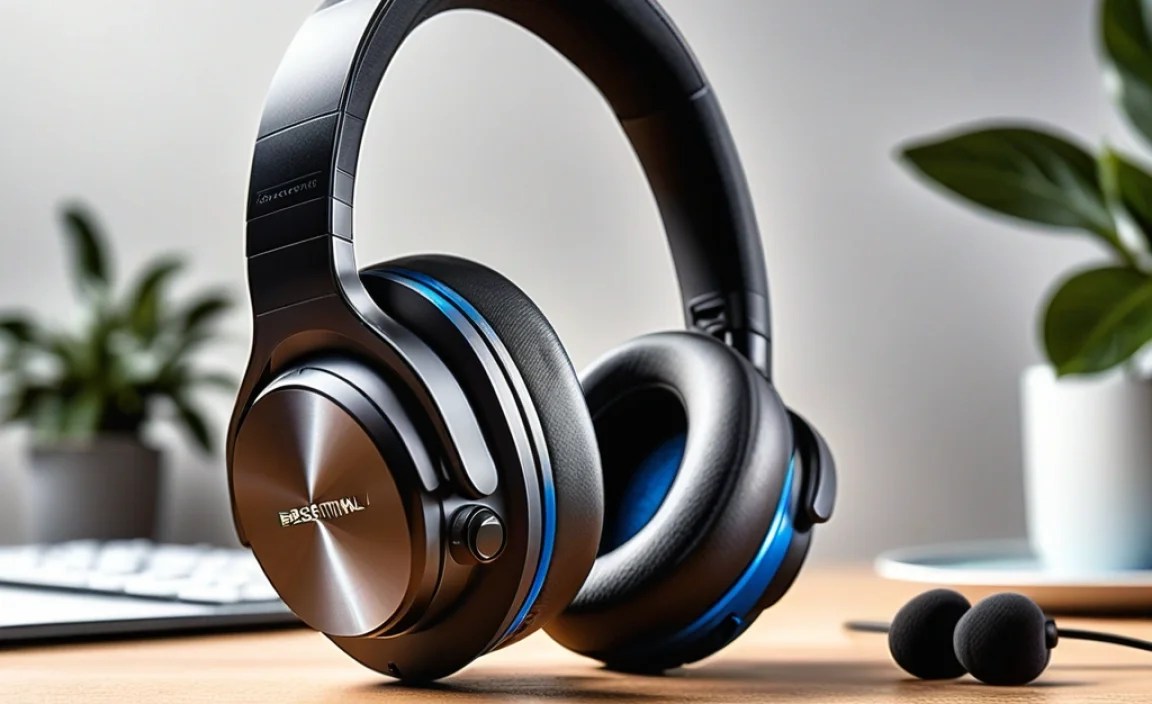
When you start shopping, you’ll see a lot of technical terms. Let’s break down the most important ones in simple terms:
1. Active Noise Cancellation (ANC) Quality
This is the star of the show. ANC isn’t created equal. Some headphones offer basic noise reduction, while others provide an almost eerie silence. Consider how effective the ANC is at blocking different types of noise:
- Low-frequency noises: Engine hums, air conditioning, traffic rumble. Most ANC headphones excel here.
- Mid-frequency noises: Voices, office chatter. This is where ANC quality varies more significantly.
- High-frequency noises: Sharp sounds, sudden noises. ANC is generally less effective against these, but good headphones minimize them.
2. Sound Quality
Noise cancellation is great, but what about the actual sound? Look for headphones that offer:
- Balanced Audio Profile: Clear highs, well-defined mids, and punchy but not overpowering bass.
- Customization Options: Many headphones come with companion apps that allow you to tweak the EQ to your liking.
- Codec Support: For Bluetooth, codecs like aptX HD or LDAC can offer near-CD quality audio, though these are often found on higher-end models. For general listening, SBC and AAC are perfectly fine.
3. Comfort and Fit
You’ll likely be wearing these for extended periods, so comfort is paramount. Consider:
- Earcup Material: Plush leatherette or soft fabric can make a big difference.
- Clamping Force: Not too tight, not too loose.
- Weight: Lighter headphones are generally more comfortable for long wear.
- Over-ear vs. On-ear: Over-ear (circumaural) headphones cup your entire ear and are generally considered more comfortable and better at passive noise isolation. On-ear headphones sit on your ears and can sometimes cause pressure.
4. Battery Life and Charging
Long battery life is crucial for travel and busy days. Most ANC headphones offer anywhere from 20 to 40 hours of playback with ANC on. Also, check for:
- Fast Charging: A quick 10-15 minute charge can often provide hours of playback.
- USB-C: The modern standard, making charging convenient.
5. Connectivity and Bluetooth Version
Look for Bluetooth 5.0 or higher for a stable connection, better range, and more power efficiency. Features like multi-point pairing (connecting to two devices simultaneously) are incredibly useful, especially for professionals switching between a laptop and phone.
6. Additional Features
These can enhance your experience:
- Transparency Mode (Ambient Sound): Lets in external sounds so you can hear your surroundings without removing your headphones (e.g., for announcements or conversations).
- Voice Assistant Integration: Quick access to Siri, Google Assistant, or Alexa.
- App Support: For firmware updates, EQ adjustments, and ANC customization.
- Wear Detection: Automatically pauses music when you take them off.
- Voice Call Quality: Look for microphones designed to pick up your voice clearly even in noisy environments.
The Top Sound Cancelling Bluetooth Headphones for Every Need

Choosing the “best” is subjective and depends on your priorities and budget. Here are a few top contenders that consistently receive high marks:
1. For the Ultimate All-Rounder: Sony WH-1000XM5
Often hailed as the king of ANC, Sony’s latest flagship offers industry-leading noise cancellation that’s incredibly effective across all frequencies. The sound quality is superb, with a rich, detailed profile that can be tweaked via Sony’s app. They are also exceptionally comfortable for long listening sessions. Battery life is excellent, easily lasting through long flights.
Pros:
- Best-in-class Active Noise Cancellation
- Exceptional sound quality with customizable EQ
- Superb comfort and premium design
- Long battery life (up to 30 hours with ANC)
- Excellent call quality
Cons:
- Premium price point
- No 3.5mm audio jack (requires an adapter if you want wired listening)
2. For the Apple Ecosystem Enthusiast: Apple AirPods Max
If you’re deeply integrated into the Apple ecosystem, the AirPods Max offer a seamless experience. They boast impressive ANC and Transparency modes, spatial audio for immersive sound, and a premium stainless steel and aluminum build. The sound signature is balanced and pleasant for most listeners.
Pros:
- Excellent ANC and Transparency modes
- Fantastic spatial audio experience
- Premium, durable build quality
- Easy integration with Apple devices
Cons:
- Very expensive
- Heavy due to premium materials
- Smart Case offers minimal protection and battery life
- No physical power button; relies on the case to power down
3. For Travelers and Business Professionals: Bose QuietComfort Ultra Headphones
Bose has long been synonymous with comfort and effective noise cancellation, and the QuietComfort Ultra continues this legacy. These headphones are incredibly lightweight and comfortable for extended wear, making them ideal for long journeys. Their ANC is top-tier, silencing the drone of engines and general chatter with ease. The sound is clear and detailed.
Pros:
- Extremely comfortable for long-term wear
- Superb Active Noise Cancellation
- Clear, balanced sound
- Intuitive controls and reliable connectivity
Cons:
- ANC might be slightly less effective than Sony’s XM5 in certain frequencies
- Can be pricey
- App features are good but not as extensive as some competitors
4. For Value Seekers: Sennheiser ACCENTUM Wireless
Sennheiser is known for incredible audio fidelity, and the ACCENTUM Wireless brings that quality to a more accessible price point without compromising too much on ANC. They offer a comfortable fit, impressive battery life, and rich, dynamic sound. The ANC is good for the price, effectively reducing everyday distractions.
Pros:
- Excellent sound quality for the price
- Impressive battery life (up to 50 hours)
- Comfortable design
- Good value proposition
Cons:
- ANC is good but not as powerful as premium rivals
- Build quality is good but not as premium as top-tier options
How to Get the Most Out of Your Sound Cancelling Headphones

Once you’ve picked out your perfect pair, here’s how to ensure you’re using them to their full potential:
Step 1: Proper Pairing and Connection
This sounds basic, but a solid connection is the foundation of a great listening experience.
- Enable Bluetooth: On your device (phone, laptop, tablet), go to Settings > Bluetooth and turn it on.
- Put Headphones in Pairing Mode: This usually involves pressing and holding a power or Bluetooth button on the headphones until an indicator light flashes or you hear an audio cue. Consult your headphone’s manual for specific instructions.
- Select Your Headphones: Your device will scan for nearby Bluetooth devices. Select your headphones from the list.
- Confirm Pairing: You might need to confirm a PIN or simply tap “Pair.”
Pro Tip: If you have multi-point pairing, pair your headphones with your most-used devices first. You can typically connect to two devices simultaneously without needing to re-pair when switching.
Step 2: Understanding Your ANC Settings
Most ANC headphones allow you to adjust the level of noise cancellation or switch to Transparency Mode.
- Maximum ANC: Use this when you need the deepest quiet – on a plane, in a noisy café, or for intense focus.
- Adaptive ANC: Some headphones automatically adjust the ANC level based on your environment.
- Transparency Mode: Essential for situational awareness. Use it when you need to hear announcements at the airport, talk to a barista, or be aware of traffic while walking.
Experiment: Play around with these settings in different environments to see what works best for you. Many headphones offer this control via buttons on the earcups or a companion app.
Step 3: Optimizing Sound with EQ
Don’t be afraid to customize! Most modern ANC headphones come with a smartphone app that allows you to adjust the equalizer (EQ) settings.
- Download the App: Search for your headphone brand’s app in your device’s app store.
- Connect and Explore: Open the app and connect it to your headphones.
- Adjust EQ Presets: Try the pre-configured EQ settings (e.g., “Bass Boost,” “Vocal Clarity,” “Flat”).
- Manual Tuning: If you’re feeling adventurous, create your own EQ profile by adjusting the sliders for different frequency bands. For example, if you find the bass overpowering, reduce the lower frequencies. If vocals sound muffled, boost the mid-range slightly.
Beginner Tip: Start with presets. If something doesn’t sound quite right to your ears for your favorite music genre, make small, incremental adjustments rather than drastic changes.
Step 4: Maximizing Battery Life
While ANC headphones have good battery life, here are some tips to extend it:
- Turn ANC Off When Not Needed: If you’re in a quiet environment, switching ANC off can significantly conserve power.
- Lower Volume: Listening at lower volumes uses less battery.
- Utilize Music Streaming Services Wisely: Some services allow you to download music for offline playback, which can save battery compared to constant streaming over cellular data.
- Store Appropriately: If your headphones have a case, use it. This protects them and often helps prevent accidental power-ons.
Step 5: Keeping Them Clean
A little maintenance goes a long way for longevity and hygiene.
- Earpads: Gently wipe with a slightly damp, soft cloth. Avoid harsh chemicals. If they’re removable, some can be hand-washed with mild soap and water, but ensure they are completely dry before reattaching.
- Headband and Plastic Parts: Wipe with a dry or slightly damp microfiber cloth.
- Charging Port: Use a dry cotton swab or a can of compressed air to gently clean out any dust or debris from the USB-C port.
- Drivers/Grilles: Be extremely gentle. Use a dry, soft brush (like a clean makeup brush) to lightly dust them. Never poke anything into the grilles.
Important: Always check your headphone’s specific care instructions in the user manual.
Troubleshooting Common Issues
Even the best headphones can sometimes be a bit finicky. Here are some common issues and simple fixes:
| Problem | Possible Solutions |
|---|---|
| Bluetooth connection is unstable or dropping. |
|
| ANC isn’t working effectively. |
|
| Sound is distorted or muffled. |
|
| One ear cup has no sound. |
|
| Battery not charging. |
|
Frequently Asked Questions (FAQ)
Here are some common questions beginners have about sound-cancelling Bluetooth headphones:
Q1: Do I really need noise-cancelling headphones?
It depends on your lifestyle! If you frequently travel, commute on public transport, work in a noisy office, or simply want to enjoy your audio without distractions in any environment, then yes, they can be incredibly beneficial. They’re not essential for everyone, but they offer a significant upgrade in peace and audio quality for many.
Q2: How does Active Noise Cancellation work?
Active Noise Cancellation uses small microphones on the headphones to detect ambient sound. A processor then creates an “anti-noise” soundwave that is the opposite of the incoming sound. When these waves meet, they cancel each other out, reducing the noise you hear. Think of it like waves in the ocean cancelling each other out.
Q3: Does ANC affect sound quality?
In the past, some ANC technology could slightly alter sound quality. However, modern headphones have excellent ANC implementations that have minimal impact on the audio you want to hear. Many also offer EQ settings to fine-tune the sound to your preference.
