
Quick Summary
Discovering the best sound quality headphones offers a gateway to truly immersive audio. This guide breaks down what makes headphones sound great, key features to look for, and how to choose a pair that fits your budget and listening style, ensuring you enjoy every note.
Hello audio adventurers! Edward Cavitt here from Headphone Horizon. Are you ready to unlock a whole new world of sound? Sometimes, it feels like music is just background noise, right? But with the right gear, it can become a breathtaking experience. Choosing the “best sound quality” headphones might sound daunting with all the tech talk out there. However, it’s simpler than you think. We’re going to cut through the jargon and explore what truly makes headphones sing. Whether you’re rediscovering your favorite album or diving into a new podcast, high-quality audio makes all the difference. Let’s get started on your journey to sonic bliss!
What Exactly is “Best Sound Quality” in Headphones?

Ah, the million-dollar question! When we talk about “best sound quality headphones,” we’re not just talking about loud. We’re talking about clarity, detail, and accuracy. Think of it like seeing a stunning landscape versus a blurry photo – the difference is profound. High-quality sound means headphones can reproduce music or audio as the creator intended, with all the nuances, texture, and emotion intact. This involves a few key aspects:
1. Frequency Response: The Full Spectrum of Sound
Imagine sound as a rainbow. The “frequency response” of headphones tells you how well they can reproduce the entire visible spectrum of sound – from the deep rumble of a bass drum (low frequencies or bass) to the crisp shimmer of cymbals (high frequencies or treble), and everything in between (mid-frequencies like vocals and guitars). A good frequency response graph is relatively flat, meaning the headphones don’t overly emphasize or suppress certain sounds. If it dips, you might miss some detail; if it spikes, certain sounds can be overwhelming or unnatural.
2. Distortion: The Unwanted Noise
Distortion is like static or fuzz on a radio signal. High-quality headphones should have very low total harmonic distortion (THD). This means they reproduce the original sound signal without adding unpleasant, artificial alterations. Low distortion ensures the audio remains pure and clear, even at higher volumes.
3. Soundstage and Imaging: The “Where” and “How” of Sound
- Soundstage: This refers to how “wide” or “spacious” the sound feels. Do the headphones make it sound like the music is playing just inside your head, or can you perceive an artificial sense of space, as if the band is performing in front of you? A good soundstage creates a more natural and immersive listening experience.
- Imaging: This is about the precision of where individual instruments or sounds are placed within that soundstage. Can you clearly pinpoint the location of the lead singer, the drummer, or a background vocalist? Excellent imaging makes for a highly engaging and realistic audio picture.
4. Dynamic Range: The Contrast in Sound
Dynamic range is the difference between the quietest and loudest sounds a headphone can reproduce. A wide dynamic range means headphones can handle both soft whispers and explosive crescendons without sounding compressed or losing detail in either extreme. This adds impact and realism to music and movies.
Key Features to Look for in High-Quality Headphones

Now that we understand what great sound entails, let’s look at the tech and design elements that contribute to it:
1. Driver Type: The Heart of the Sound
The driver is the component inside the headphone that actually produces sound. Different types have different strengths:
- Dynamic Drivers: These are the most common. They use a magnetic coil and a diaphragm to create sound. They’re versatile and can produce good bass, making them popular for everyday listening.
- Balanced Armature Drivers: Often found in earbuds and in-ear monitors (IEMs), these are smaller and more precise. They excel at detailed treble and mid-range frequencies, offering excellent clarity.
- Planar Magnetic Drivers: These use a large, flat diaphragm suspended between magnets. They are known for incredible detail, speed, and a very flat frequency response, but they often require more power to drive.
- Electrostatic Drivers: The most specialized, these use an electrically charged diaphragm. They offer unparalleled detail, speed, and clarity, but are typically very expensive and require dedicated amplifiers.
2. Impedance and Sensitivity: Matching Headphones to Your Source
These two specs are crucial for getting the best volume and sound quality out of your headphones, especially if you’re using a device like a smartphone or portable music player.
- Impedance (measured in Ohms, Ω): This is the measure of electrical resistance. Lower impedance headphones (under 50Ω) are easier to drive and work well with most portable devices. Higher impedance headphones (over 100Ω) often sound better when paired with a dedicated headphone amplifier, which can provide more power for optimal performance.
- Sensitivity (measured in dB/mW or dB/V): This tells you how loud the headphones will get with a given amount of power. Higher sensitivity means they’ll be louder with less power, making them a good choice for portable devices.
For beginners, looking for headphones with lower impedance (e.g., 16-32Ω) and higher sensitivity will generally ensure they sound good straight out of your phone or laptop.
3. Open-Back vs. Closed-Back Design: Sound Leakage and Immersion
This is a significant factor affecting both sound quality and your listening environment.
- Closed-Back Headphones: These have earcups that are sealed. This design is great at blocking out external noise (good for noisy environments like offices or commutes) and prevents sound from leaking out (so others won’t hear your music). They often provide a more powerful bass response.
- Open-Back Headphones: These have earcups with vents or grilles that allow air and sound to pass through. They offer a more natural, spacious soundstage and better “breathability” for your ears, making them ideal for quiet environments like your home. However, they leak sound both in and out, so they’re not suitable for public use.
4. Comfort and Fit: Enjoying Audio for Longer
Even the best-sounding headphones won’t be enjoyed if they’re uncomfortable. Look for:
- Padded earcups and headband: Soft, plush materials make a big difference.
- Adjustable headband: For a secure, custom fit.
- Earcup shape and size: Over-ear (circumaural) headphones cover the entire ear and are often more comfortable for long sessions, while on-ear (supra-aural) sit directly on the ear.
- Weight: Lighter headphones are generally more comfortable for extended wear.
Choosing the Best Sound Quality Headphones for Your Needs

With so many options, how do you pick? Consider these categories:
1. Wired vs. Wireless: Convenience Meets Fidelity
This is a big decision. Both have come a long way:
- Wired Headphones: Generally offer the purest audio signal without compression. They don’t need to be charged and are often more affordable for the same level of sound quality. However, they can be tethered and less convenient.
- Wireless Headphones (Bluetooth): Offer freedom of movement. Modern Bluetooth codecs like LDAC and aptX HD can deliver near-lossless audio quality, bridging the gap significantly. Battery life and the need for charging are the main considerations.
2. Over-Ear, On-Ear, or In-Ear?
- Over-Ear (Circumaural): Enclose your ears. Typically offer the best comfort, soundstage, and noise isolation (especially closed-back). Great for critical listening and long sessions.
- On-Ear (Supra-aural): Rest on your ears. Can be more compact than over-ear but may cause discomfort after a while and offer less isolation.
- In-Ear Monitors (IEMs) / Earbuds: Fit directly into the ear canal. Offer excellent isolation and portability. Modern IEMs can rival over-ear headphones in sound quality and are perfect for active lifestyles or travel.
3. Budget: Finding Your Sweet Spot
Sound quality often correlates with price, but there are fantastic options at every level.
- Entry-Level (Under $100): You can find surprisingly good sound here, often with dynamic drivers. Look for reputable brands and read reviews. Great for everyday listening.
- Mid-Range ($100 – $300): This is where premium audio often becomes accessible. You’ll find better build quality, more sophisticated driver technology (like planar magnetic drivers in some models), and improved comfort. This bracket offers the best value for many.
- High-End ($300+): Prepare for audiophile-grade reproduction. This is where exotic driver types, premium materials, and meticulous tuning come into play. For serious music lovers and professionals seeking the absolute best.
Recommendations by Listening Style
To make things even easier, here are some general recommendations based on what you’ll be doing:
For Critical Listening at Home
If you have a quiet space and want to hear music as the artist intended, open-back over-ear headphones are usually the top choice. Their natural soundstage and detail allow for an incredibly immersive experience. Look for flat frequency responses and excellent imaging.
For Commuting and Travel
Noise cancellation is key here. Look for closed-back wireless headphones with active noise cancellation (ANC) that also boast good sound quality. This combination allows you to enjoy your audio without the distraction of external noise.
For Working Out and Active Lifestyles
Look for in-ear monitors (IEMs) or true wireless earbuds that offer a secure fit, sweat resistance (IPX rating), and good sound. Wireless is almost a must for freedom of movement. While some sacrifice a bit of ultimate fidelity for convenience, many now offer excellent audio for their form factor.
For Gaming and Movies
These situations benefit greatly from a wide soundstage and precise imaging. Open-back headphones can excel here, providing a sense of immersion. For gaming, a good microphone is also essential, often found on dedicated gaming headsets, though many audiophile headphones can be used with attachable boom mics.
Beginner’s Guide to Choosing Your First Pair
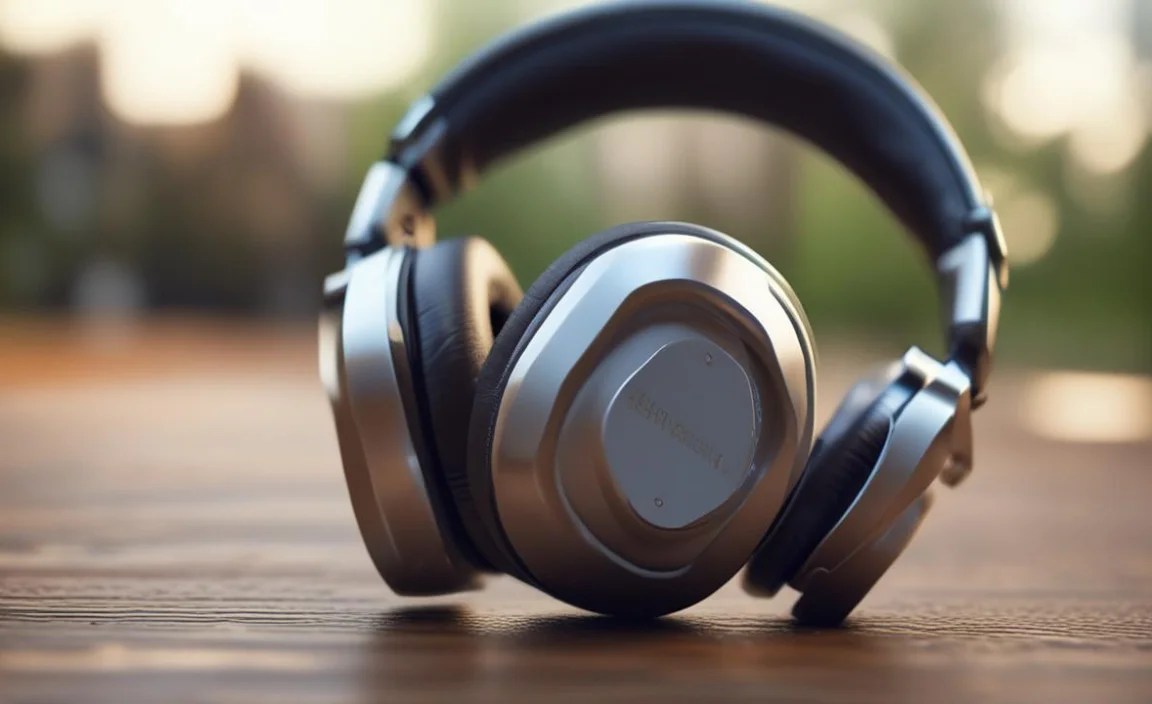
Feeling a bit overwhelmed? Don’t be! Here’s a simple, step-by-step process to help you land your first great-sounding pair:
- Determine Your Primary Use: Where will you use them most? (Home, office, commute, gym?) This is the most important factor.
- Decide on Form Factor: Over-ear, on-ear, or in-ear? Consider comfort and portability.
- Set a Realistic Budget: Knowing your spending limit will narrow down choices significantly.
- Prioritize Features: Do you need noise cancellation? Wireless? A boom mic?
- Read Reviews (from trusted sources!): Look for reviews that focus on sound quality and mention the aspects we’ve discussed (bass, mids, treble, clarity, soundstage). Websites like Rtings.com or Headfonics.com offer detailed, objective reviews.
- Consider Brand Reputation: Brands like Audio-Technica, Sennheiser, Sony, Beyerdynamic, Bose, and Audioengine have strong track records for delivering great sound at various price points.
- Check Return Policies: If possible, buy from retailers with good return policies. This allows you to try them out in your own environment.
Essential Resources for Understanding Audio
The world of audio is deep and rewarding. For those who want to dive a bit deeper, here are some excellent resources:
- Audio Engineering Society (AES): A professional organization that publishes research and standards related to audio. Their resources can be technical but are authoritative. (External Link: www.aes.org)
- National Hearing Conservation Association: While focused on hearing protection, understanding acoustics and sound levels is vital for safe and enjoyable listening. (External Link: www.hearingconservation.org)
- Glossary of Audiophile Terms: Many audio review sites offer glossaries to help demystyify technical terms. Knowing what “timbre” or “transparency” means can enhance your critical listening.
When Specs Tell the Story: A Comparison Table

Let’s look at a simplified comparison of common headphone types, highlighting their typical strengths for sound quality.
| Headphone Type | Typical Driver(s) | Key Sound Qualities | Best For | Common Drawbacks |
|---|---|---|---|---|
| Closed-Back Over-Ear | Dynamic | Good bass, isolation, immersive | Commuting, general listening, noisy environments | Can feel less natural/spacious than open-back |
| Open-Back Over-Over | Dynamic, Planar Magnetic, Electrostatic | Widest soundstage, natural sound, high detail | Critical listening, home use, studio monitoring | Poor isolation, sound leakage |
| In-Ear Monitors (IEMs) | Dynamic, Balanced Armature, Hybrid | Compact, excellent isolation, detailed | On-the-go, sports, travel, detailed listening | Can be less comfortable for some, smaller soundstage than over-ears |
| Wireless Over-Ear (ANC) | Dynamic | Convenient, noise cancellation, decent audio | Travel, commuting, busy offices | Sound quality can be compromised by codec/ANC, battery dependent |
Understanding Your Audio Source
It’s also important to remember that your headphones are only as good as the audio source they’re plugged into! A high-resolution audio file will sound better on great headphones than a heavily compressed MP3. Similarly, your phone or computer’s internal audio hardware (DAC/amp) plays a role. While most built-in solutions are adequate for standard listening, audiophiles often invest in external Digital-to-Analog Converters (DACs) and headphone amplifiers to unlock the full potential of high-end headphones and lossless audio files.
Frequently Asked Questions (FAQ)
Here are some common questions beginners have about sound quality headphones:
Q1: Do I really need expensive headphones for good sound quality?
Not necessarily! While premium headphones offer superior performance, you can find excellent sound quality in mid-range options (around $100-$300). For many everyday listeners, this range provides the best balance of performance and value. It’s more about matching the right features and tuning to your preferences.
Q2: What’s the difference between earbuds and in-ear monitors (IEMs)?
The terms are often used interchangeably, but IEMs generally refer to higher-fidelity in-ear earphones designed for detailed sound reproduction, often with multiple drivers and a custom-like fit to achieve excellent isolation. Standard earbuds (like those that originally came with many phones) rest more loosely in the outer ear and offer less isolation and fidelity.
Q3: Is Active Noise Cancellation (ANC) bad for sound quality?
Modern ANC technology has improved dramatically. While some very high-end audiophiles might argue there’s a slight impact on pure audio fidelity compared to passive isolation or non-ANC headphones, the benefits for travel and commuting are immense. For most listeners, the convenience and ability to enjoy music at lower volumes in noisy environments far outweigh any subtle sonic differences.
Q4: How important is the “driver type” when choosing headphones?
The driver type is fundamental to how sound is produced. Dynamic drivers are versatile and common. Balanced armatures excel in detail. Planar magnetic drivers offer exceptional clarity and speed. While it’s good to be aware of them, don’t get too bogged down if you’re just starting. Instead, focus on reading reliable reviews that describe the sound signature in terms you understand (e.g., “clear vocals,” “punchy bass”).
Q5: Wired or Wireless: Which is better for sound quality?
Traditionally, wired connections offered superior sound quality because they didn’t rely on audio compression. However, newer Bluetooth codecs like LDAC and aptX HD can deliver high-resolution audio wirelessly that’s virtually indistinguishable from wired for most listeners. For ultimate, uncompromised fidelity, wired still has a slight edge, but wireless is incredibly convenient and sounds fantastic now.
Q6: My headphones sound muffled. What could be wrong?
This could be due to several reasons: 1) The headphones themselves might be tuned with a recessed treble. 2) Your audio source or the audio file quality might be low. 3) You might have a poor seal if they are in-ear or over-ear headphones. Try repositioning them firmly on your ears or in your ears to ensure a good seal. If they are in-ear, check if you have the correct ear tip size. Also, ensure
