
Quick Summary: Discover the best TV Bluetooth headphones to enjoy crystal-clear audio without disrupting others. This guide simplifies choosing headphones based on sound quality, comfort, battery life, and connectivity, ensuring you find the perfect pair for your home entertainment needs.
Best TV Bluetooth Headphones: Your Essential Guide to Immersive, Disturbance-Free Viewing
Ever found yourself wishing you could crank up the volume on your favorite show or movie without disturbing your family or housemates? Or perhaps you’re dealing with hearing challenges that make catching every line of dialogue a struggle? If so, you’re in the right place! TV Bluetooth headphones are a fantastic solution, offering a personal audio oasis that lets you dive deep into your entertainment. But with so many options out there, how do you pick the best TV Bluetooth headphones for your needs? Don’t worry; this guide is designed to make it easy. We’ll break down everything you need to know, from understanding key features to making a confident buying decision, ensuring you get the most out of your viewing and listening experience.
Why Consider Bluetooth Headphones for Your TV?

The allure of Bluetooth headphones for television viewing is strong, and for good reason. They offer a freedom and convenience that wired connections simply can’t match. Let’s explore the primary benefits:
- Freedom of Movement: Ditch the tangled wires! Bluetooth allows you to move around your living space, grab a snack from the kitchen, or even step out onto the patio without missing a beat.
- Enhanced Audio Clarity: Many Bluetooth headphones are designed to deliver superior sound quality, making dialogue clearer and sound effects more immersive. This is particularly beneficial for those with mild hearing loss.
- Personalized Volume: Enjoy your content at your preferred volume level without impacting anyone else in the room. Perfect for late-night viewing or when others are trying to sleep or concentrate.
- Reduced Latency: While historically a concern, modern Bluetooth technology offers very low latency, meaning the audio syncs almost perfectly with the video, eliminating that annoying lip-sync issue.
- Comfort and Convenience: Over-ear designs can offer exceptional comfort for long viewing sessions, and the wireless nature simplifies setup and reduces cable clutter.
Key Features to Look for in TV Bluetooth Headphones

Navigating the world of headphones can feel overwhelming, but focusing on a few key features will help you narrow down your choices for the best TV Bluetooth headphones. Edward Cavitt of Headphone Horizon breaks it down:
1. Bluetooth Version and Codecs
This is the technical backbone of your wireless connection. Newer Bluetooth versions tend to be more stable and efficient. Look for:
- Bluetooth 5.0 or Higher: Offers improved range, faster speeds, and better power efficiency compared to older versions.
- Supported Codecs: Codecs like aptX, aptX HD, and LDAC are designed to transmit higher-quality audio wirelessly. For TV watching, aptX Low Latency (aptX LL) is a game-changer, minimizing audio delay. If your TV also supports aptX LL, you’ll get an excellent, synchronized experience.
2. Battery Life and Charging
For uninterrupted viewing, battery life is crucial. Consider:
- Headphone Battery: Aim for at least 15-20 hours per charge. Many high-end models offer 30+ hours.
- Charging Time: Quicker charging is always a plus. Some headphones offer a few hours of playback from just a 10-15 minute charge.
- Charging Method: Most use USB-C, which is standard and convenient. Some come with charging stands or docks for easy placement.
- Transmitter Battery (if included): If your headphones come with a dedicated Bluetooth transmitter, check its battery life and charging method as well.
3. Comfort and Design
You’ll be wearing these for extended periods, so comfort is paramount. Think about:
- Earcup Material: Look for plush memory foam or soft protein leather for comfort.
- Headband Pressure: It should be secure but not too tight.
- Weight: Lighter headphones are generally more comfortable for long wear.
- Over-Ear vs. On-Ear: Over-ear headphones tend to offer better sound isolation and comfort, sealing around your ears. On-ear can be lighter but may press directly on your ears.
- Adjustability: Ensure the earcups and headband are adjustable to fit your head shape.
4. Sound Quality and Features
This is what it’s all about! What makes for good TV audio?
- Clarity: Especially for dialogue. Headphones with a balanced sound profile often excel here.
- Soundstage: A wider soundstage can make your viewing experience more immersive.
- Active Noise Cancellation (ANC): While great for music, ANC isn’t always necessary for TV and can sometimes alter the original sound mix. Consider if ambient noise is a significant issue for you.
- Transparency Mode: Allows you to hear your surroundings without removing the headphones – useful for occasionally hearing someone call or for safety.
- Volume Control: Easy-to-reach physical buttons or touch controls are a must.
5. Connectivity and Compatibility
How will your headphones connect to your TV?
- Direct Bluetooth: Many modern Smart TVs have built-in Bluetooth. Check your TV’s manual or settings.
- Bluetooth Transmitter/Dongle: If your TV doesn’t have Bluetooth, you’ll need a transmitter that plugs into your TV’s audio output (usually a 3.5mm headphone jack, optical port, or RCA). These transmitters act as a bridge, broadcasting the audio signal wirelessly to your headphones. The best transmitters often support aptX LL. Resources like the official Bluetooth website can provide insight into how this technology works.
- Multi-point Connectivity: Allows headphones to connect to two devices simultaneously (e.g., your TV and your phone).
Types of TV Bluetooth Headphone Setups

There are a few common ways to get your Bluetooth audio from your TV to your ears:
Scenario 1: Smart TV with Built-in Bluetooth
This is the simplest and often most cost-effective setup. Many newer televisions come with integrated Bluetooth capabilities. If yours does, you can pair your Bluetooth headphones directly with the TV, much like you would with a smartphone.
Steps to Connect Directly to Your Smart TV:
- Enable Bluetooth on Your Headphones: Put your headphones into pairing mode. This usually involves pressing and holding a power or Bluetooth button until an indicator light flashes or you hear an audible prompt.
- Access Your TV’s Bluetooth Settings: Navigate to your television’s settings menu. Look for options related to “Sound,” “Audio Output,” “Connections,” or “Bluetooth.”
- Scan for Devices: Select the option to “Scan for Bluetooth Devices” or “Add Device.”
- Select Your Headphones: Your TV should list available Bluetooth devices. Find your headphones’ name in the list and select it.
- Pair Your Headphones: Confirm the pairing if prompted. Once connected, you should hear the TV’s audio through your headphones.
Pros: No extra hardware needed, simple setup, often the most affordable option.
Cons: Compatibility can vary between TV brands and headphone models; some TVs may not support all audio codecs, potentially leading to latency.
Scenario 2: TV Without Bluetooth + Dedicated Bluetooth Transmitter
If your TV is older or lacks built-in Bluetooth, a dedicated Bluetooth transmitter is your best friend. These small devices plug into your TV’s audio output (e.g., 3.5mm headphone jack, optical audio out, or RCA out) and broadcast the audio signal via Bluetooth to your headphones. Many transmitters also support aptX Low Latency, which is crucial for minimizing audio delay.
Steps to Connect Using a Bluetooth Transmitter:
- Connect the Transmitter to Your TV: Plug the transmitter into your TV’s audio output port using the appropriate cable (usually included). Common ports are the 3.5mm headphone jack, optical audio (Toslink), or RCA (red and white).
- Power the Transmitter: Most transmitters are powered via USB. You can connect them to a USB port on your TV or use a separate USB wall adapter.
- Put the Transmitter into Pairing Mode: Follow the transmitter’s instructions to put it into pairing mode. This is usually done by pressing a button.
- Put Your Headphones into Pairing Mode: Ensure your headphones are also in pairing mode, as described in Scenario 1.
- Pair the Transmitter and Headphones: Bring the headphones close to the transmitter. They should automatically detect and pair with each other. Look for indicator lights to confirm a successful connection.
- Configure Your TV’s Audio Output: Go into your TV’s audio settings and select the correct audio output source that the transmitter is connected to (e.g., “Headphone,” “Optical,” or “External Speakers”). You may also need to select “Bluetooth” or a specific codec if your TV offers that option.
Tip: For seamless lip-sync, ensure both your TV’s audio output, your transmitter, and your headphones support the aptX Low Latency (aptX LL) codec. Resources like aptX’s official page explain the benefits of this specific technology.
Pros: Works with almost any TV, often provides superior low-latency performance with aptX LL transmitters, can sometimes support multiple headphones simultaneously.
Cons: Requires an additional purchase, requires a bit more setup.
Scenario 3: Headphones with Included Transmitter
Some manufacturers offer headphone and transmitter bundles specifically designed for TV use. These are often pre-paired and optimized for each other, offering a straightforward, hassle-free experience, especially for beginners.
Steps for Bundled Systems:
- Connect the Transmitter to Your TV: Similar to Scenario 2, connect the included transmitter to your TV’s audio output and power it via USB.
- Turn On Headphones and Transmitter: Power on both the headphones and the transmitter.
- Confirm Connection: In most cases, these systems are pre-paired and will connect automatically once powered on and within range. Check indicator lights to confirm.
- Configure TV Audio Output: Adjust your TV’s audio settings to use the selected output port for sound.
Pros: Designed to work together for optimal performance (especially low latency), simple plug-and-play setup, often tailored for TV viewing with features like adjustable tone controls or balance. Many users find this the easiest way to find the best TV Bluetooth headphones.
Cons: Less flexibility; you’re tied to the specific transmitter supplied.
Top Picks for Best TV Bluetooth Headphones (Editor’s Recommendations)

While “best” is subjective and depends on individual needs, here are some highly regarded options that frequently appear on “best of” lists for TV use, considering a range of budgets and features. These are often praised for their clarity, comfort, and reliable connectivity.
| Model/Brand | Key Features | Best For |
|---|---|---|
| Avantree Audition Pro / NSX-6200 | Class 1 Bluetooth 5.0, aptX HD, aptX LL support, 40-hour battery, comfort, long range, optional transmitter. | Overall excellent value; users needing both headphones and a low-latency transmitter. |
| Sennheiser RS 5000 Digital Wireless TV Headphones | Dedicated base station/charger, excellent clarity, great range, comfortable, boom mic for clear dialogue. (Note: Not strictly Bluetooth, but offers similar wireless benefits for TV) | Users prioritizing crystal-clear dialogue and a simple, dedicated system. |
| Bose QuietComfort 45 | World-class ANC, superior comfort, excellent sound quality, multi-point Bluetooth. | Home theater enthusiasts wanting to block out all ambient noise and enjoy premium audio, provided TV has Bluetooth or a suitable transmitter is used. |
| Sony WH-1000XM5 | Industry-leading ANC, exceptional sound, long battery life, advanced Bluetooth features, comfortable design. | Audiophiles and frequent travelers who want top-tier noise cancellation and sound, and have a TV with Bluetooth. |
| Anker Soundcore Life Q30 | Good ANC, 40-hour battery, comfortable, customizable EQ via app, affordable. | Budget-conscious buyers looking for solid all-around performance without breaking the bank. (Requires TV Bluetooth or a separate transmitter). |
Disclaimer: Product availability and features can change. Always check the latest specifications before purchasing.
Considering Audio Latency: The Key to Sync
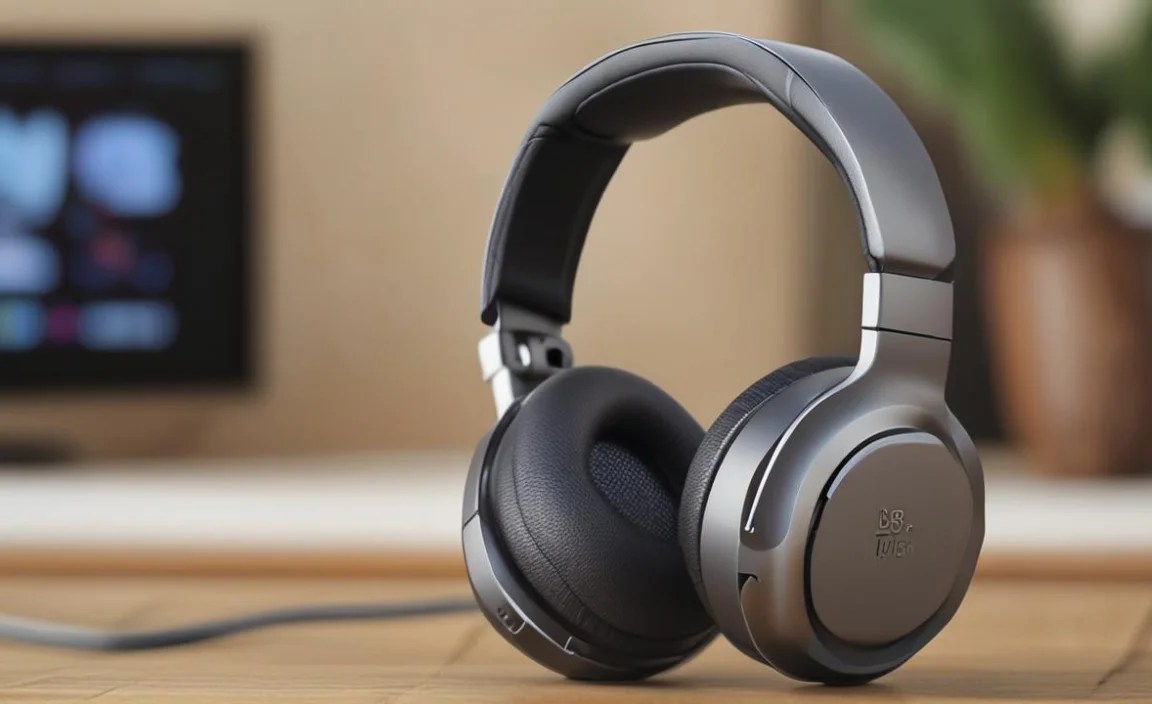
One of the biggest frustrations with early wireless audio was the delay between what you saw on screen and what you heard. This audio latency is caused by the time it takes for the audio signal to be processed, transmitted, and decoded. For best TV Bluetooth headphones, minimizing this is crucial.
What is audio latency?
Audio latency, often called lip-sync delay, is the time lag between the video and audio signals. When watching TV, this delay can be quite noticeable and jarring, pulling you out of the viewing experience. Different Bluetooth codecs and devices introduce varying levels of latency.
How to Minimize Latency:
- aptX Low Latency (aptX LL): This is the gold standard for minimizing Bluetooth audio latency. It significantly reduces the delay to around 30-40 milliseconds, which is generally imperceptible to human hearing.
- Compatibility is Key: For aptX LL to work, both your transmitter (or TV’s Bluetooth) and your headphones must support it. If one end doesn’t, you’ll likely fall back to a standard Bluetooth codec with higher latency.
- Wired Connection (as a fallback): If latency remains an issue with all Bluetooth options, remember that many Bluetooth headphones can also be used with a wire. If your TV has a headphone jack, a 3.5mm audio cable offers zero latency.
When choosing, actively look for headphones or transmitter kits that explicitly state support for aptX Low Latency. This feature is a significant differentiator for TV and movie watching.
Troubleshooting Common TV Bluetooth Headphone Issues
Even with the best TV Bluetooth headphones, you might occasionally run into hiccups. Here are some common problems and how to fix them:
Issue 1: Cannot Pair Headphones to TV/Transmitter
- Check Pairing Modes: Ensure both your headphones and your TV/transmitter are in discoverable/pairing mode. Your headphones might need to be reset to factory settings if they’re stuck on another connection.
- Proximity: Keep the devices close together (within a few feet) during the initial pairing process.
- Interference: Other wireless devices (microwaves, Wi-Fi routers, other Bluetooth devices) can interfere. Try moving away from potential sources of interference.
- Device Limits: Some older TVs may only support a limited number of Bluetooth devices. Unpair any old devices if necessary.
- Restart Everything: A simple power cycle (turning off and then on again) for both your TV/transmitter and headphones can resolve many temporary glitches.
Issue 2: Audio Cutting Out or Stuttering
- Distance: Move closer to the TV or Bluetooth transmitter. Obstructions like walls or furniture can also degrade the signal.
- Battery Levels: Low battery on either the headphones or transmitter can cause unstable connections. Charge them up!
- Bluetooth Interference: As mentioned above, other wireless signals can interfere.
- Software Updates: Ensure your TV’s firmware is up to date. Sometimes, manufacturers release updates that improve Bluetooth performance.
Issue 3: Significant Audio Delay (Lip-Sync Issues)
- Codec Mismatch: Verify that both your TV/transmitter and headphones support aptX Low Latency (aptX LL) and are indeed using it. If not, you’ll likely experience delay.
- Check TV Audio Settings: Some TVs allow you to manually adjust A/V sync or audio delay. Look for this setting and try to compensate for the delay.
- Use a Wired Connection: If all else fails, consider using a 3.5mm audio cable directly from the TV’s headphone jack to your headphones if they support wired input. This provides a zero-latency solution.
