
Quick Summary: Discover the best TV headphones for hearing loss for a clearer, more immersive viewing experience. This guide simplifies features like adjustable volume, voice clarity, and wireless connectivity, helping you choose headphones that suit your needs and budget, so you can enjoy your favorite shows without strain.
Best TV Headphones For Hard Of Hearing: Essential Guide

Welcome to Headphone Horizon! If you’re finding it harder to catch every word on your favorite TV shows or movies, you’re not alone. Many people experience changes in their hearing, and enjoying your TV shouldn’t be a struggle. The good news is that specialized TV headphones can make a world of difference! These aren’t your average headphones; they’re designed with features specifically to help individuals with hearing loss enjoy their entertainment more clearly and comfortably. Forget about blasting the TV volume and disturbing others. In this guide, we’ll explore what makes certain headphones ideal for hearing impairment and walk you through how to find the perfect pair for your needs.
Why Use Specific TV Headphones for Hearing Loss?

Traditional headphones or even just raising the TV volume can be a temporary fix, but they often come with drawbacks. Blasting the TV volume can be uncomfortable for others in the room, and regular headphones might not fully address the specific challenges associated with hearing loss. TV headphones for the hard of hearing are engineered to solve these problems. They often provide:
- Enhanced Clarity: Many models focus on making dialogue more distinct and easier to understand.
- Independent Volume Control: You can set the volume to your perfect level without affecting the TV speakers or other viewers.
- Reduced Background Noise: Some designs actively minimize distracting ambient sounds.
- Comfort and Fit: Designed for extended wear, ensuring they’re comfortable for long viewing sessions.
- Easy Setup: Most are designed for straightforward connection to your TV.
According to the National Institute on Deafness and Other Communication Disorders (NIDCD), hearing loss can affect millions of Americans. Fortunately, assistive listening devices, including specialized headphones, can significantly improve the TV-watching experience. You can learn more about hearing loss statistics on the NIDCD website.
Key Features to Look For in TV Headphones for Hearing Loss

When you’re shopping for the best TV headphones for your hearing needs, a few key features will make the biggest impact on your viewing experience. Let’s break them down:
1. Clear Dialogue Enhancement
This is arguably the most crucial feature. Many TV headphones for hearing loss are designed to boost the frequencies where human speech primarily exists. This means you can hear the actors’ voices much more clearly, even during loud action sequences or when there’s background music.
2. Adjustable Volume Control
Look for headphones that offer independent volume control directly on the headset or a conveniently located remote. This allows you to fine-tune the sound to your optimal listening level without affecting the TV’s main volume. Some models even have a “boost” or “super volume” feature for those with significant hearing impairment.
3. Sound Quality and Tone Adjustment
Beyond just volume, some headphones allow you to adjust the tone. This means you can tweak the treble and bass to further enhance clarity. If you find certain sounds tinny or muffled, tone controls can help achieve a more balanced and understandable audio profile.
4. Wireless vs. Wired Connectivity
Wireless: The most popular choice for convenience. These connect to your TV via a base station that plugs into the TV’s audio output. They offer freedom of movement. Look for:
- RF (Radio Frequency) Wireless: Generally offers a longer range and can penetrate walls.
- Bluetooth Wireless: Offers simpler pairing but might have a slightly shorter range and potential for a small delay (latency), though newer Bluetooth versions have improved this. For TV, latency can be noticeable if dialogue isn’t perfectly synchronized with the video.
- Battery Life: Important if you plan for long viewing sessions. Rechargeable batteries are standard.
Wired: A simpler, often more affordable option. These plug directly into your TV’s headphone jack. They don’t require batteries and usually have zero audio lag. However, they limit your movement around the room.
5. Comfort and Fit
You’ll be wearing these for extended periods, so comfort is paramount. Consider:
- Earcup Style: Over-ear headphones typically offer better sound isolation and comfort for sensitive ears than on-ear or in-ear models.
- Weight: Lighter headphones are less likely to cause fatigue.
- Cushioning: Soft, breathable earcups provide a much better experience.
- Adjustable Headband: Ensures a secure yet comfortable fit for different head sizes.
6. Ease of Setup and Use
For a beginner-friendly experience, the setup process should be simple. Most wireless systems come with a base station that connects easily to your TV using provided cables (optical, RCA, or 3.5mm headphone jack). Volume controls should be intuitive and easy to find.
7. Range (for Wireless)
If you opt for wireless headphones, consider the range. A typical RF system can offer 50-100 feet of range, allowing you to move around your home while still hearing the TV. Bluetooth range is usually around 30 feet.
Types of TV Headphones for the Hard of Hearing

The market offers a few distinct types of headphones designed to cater to different needs and preferences. Understanding these differences can help you narrow down your search.
1. Dedicated Wireless TV Listening Systems
These are purpose-built systems that include a pair of headphones and a wireless transmitter/base station. The base station connects directly to your TV. They are often the best option for comprehensive features.
Pros:
- Excellent sound clarity and often voice enhancement features.
- Longer wireless range (especially RF models).
- Simple setup, designed to work together.
- Independent volume control is standard.
Cons:
- Can be more expensive than other options.
- Requires a base station, which takes up a port/space.
2. Bluetooth TV Adapters with Headphones
You can connect a Bluetooth transmitter (adapter) to your TV’s audio output, and then pair that adapter with any standard Bluetooth headphones or earbuds. This gives you flexibility if you already own Bluetooth headphones or want to choose your own.
Pros:
- Flexibility to choose your own headphones.
- Can use same headphones for multiple devices (phone, tablet).
- Often more affordable than dedicated systems.
Cons:
- Potential for audio lag (latency) with some Bluetooth versions/transmitters.
- Range might be limited.
- Setup can involve pairing two devices together.
- May lack specific voice enhancement features found in dedicated systems.
3. Soundbars with Headphone Jack or Wireless Connectivity
While not strictly headphones, some soundbars offer features that benefit those with hearing loss. Some have a dedicated headphone jack for private listening. Others offer Bluetooth connectivity, allowing you to pair them with wireless headphones. Some high-end soundbars might even have app-based volume and EQ controls.
Pros:
- Improves overall TV sound for everyone, not just the wearer.
- Can offer enhanced dialogue and adjustable settings via their own interface.
Cons:
- Less personalized volume control compared to dedicated headphones.
- Can’t always isolate sound for just one person without using a headphone jack.
- More of a room-wide solution.
4. Hearing Aids with Direct TV Streaming
If you wear hearing aids, many modern devices offer direct connectivity to TVs via Bluetooth or a separate streaming device. This channels TV audio directly into your hearing aids, often with excellent clarity and volume control through an app.
Pros:
- Integrates with your existing hearing devices.
- Extremely clear and personalized sound.
- Often controlled via a smartphone app for convenience.
Cons:
- Only an option if you have compatible hearing aids.
- Can be expensive if you don’t already have these aids.
- May require additional accessories for TV streaming.
Top Features Breakdown Table
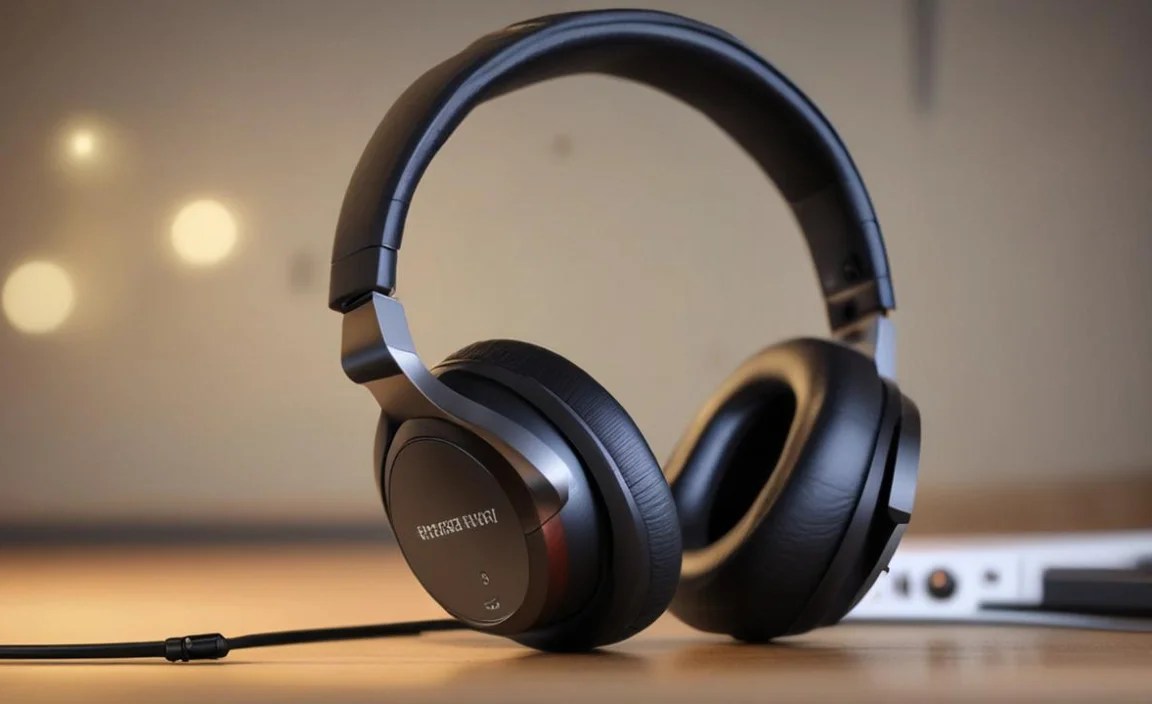
To help you compare, here’s a look at some key features and what they mean for you:
| Feature | What It Does | Benefit for Hard of Hearing | Considerations |
|---|---|---|---|
| Voice Clarity / Dialogue Boost | Amplifies speech frequencies within the audio | Makes spoken words easier to understand, especially amidst background sounds | Look for adjustable levels if possible |
| Independent Volume Control | Allows user to set volume separate from TV speakers | Watch at your perfect volume without disturbing others | Easily accessible controls are best (on earcup or remote) |
| RF Wireless Technology | Uses radio waves for transmission from base station | Longer range, can often reach further rooms and penetrate walls | Base station needs power and connection to TV |
| Bluetooth Wireless Technology | Uses Bluetooth for pairing with TV or adapter | No extra base station needed if TV has Bluetooth; can use existing headphones | Potential for latency (audio delay); shorter range than RF typically |
| Comfortable Over-Ear Design | Earcups fully enclose the ear | Good sound isolation, comfortable for long wear, doesn’t press on the ears | Can get warm; choose breathable materials |
| Long Battery Life / Quick Recharge | Hours of playback on a single charge; fast charging capability | Allows for extended viewing sessions without interruption | Check stated battery life (e.g., 10+ hours) |
| Optical Audio Input Support | Base station/adapter can receive audio via optical cable | Often provides higher quality audio signal than analog (RCA/3.5mm) | Ensure your TV has an optical output if this is a priority |
How to Choose the Right Headphones: A Step-by-Step Guide
Ready to find your perfect pair? Follow these steps to make an informed decision.
Step 1: Assess Your Hearing Needs
Be honest about your level of hearing loss and what you struggle with most. Do you miss dialogue? Do sounds seem muffled? Do you need a very high volume? Understanding this will help you prioritize features like voice enhancement, super volume, or tone controls. If you’re unsure, consulting with an audiologist can provide valuable insights. Organizations like the American Speech-Language-Hearing Association (ASHA) offer resources for finding professionals. You can find an audiologist through ASHA’s resource finder.
Step 2: Consider Your Living Space and Habits
Think about how you watch TV and where you sit.
- Wireless Coverage: If you like to move around your house, or your favorite chair is far from the TV, robust wireless (RF) is likely best.
- Audio Lag: If you’re sensitive to lip-sync issues, wired options or Bluetooth with aptX Low Latency technology (supported by both the transmitter and headphones) are preferred.
- Roommates/Family: If you need to keep the TV volume low for others, independent volume is essential.
Step 3: Determine Your Budget
TV headphones for hearing loss can range from under $100 to over $300. Dedicated wireless systems tend to be at the higher end due to their specialized technology. Bluetooth adapters and standard wireless headphones can be more budget-friendly.
Step 4: Prioritize Connectivity Options
Check your TV’s available audio outputs:
- 3.5mm Headphone Jack: Very common, simple connection for wired headphones or wireless adapters.
- RCA Audio Out (Red and White ports): Also common, often requires an adapter cable for some wireless systems.
- Optical Audio Out (Toslink): Found on most modern TVs, provides a high-quality digital signal. Many wireless systems include an optical input.
- HDMI ARC/eARC: Some advanced systems can use this, but it’s less common for basic TV headphones.
Make sure the headphones or wireless system you choose has the right connection options for your TV.
Step 5: Read Reviews and Compare Models
Once you’ve identified a few potential contenders, dive into reviews from reputable audio sites and user feedback. Look for comments specifically from users with hearing loss. Pay attention to:
- Ease of setup and use.
- Reliability of the wireless connection.
- Comfort during long listening sessions.
- Real-world performance of voice clarity features.
Step 6: Look for Key Features
Based on your assessment, ensure the headphones have the features you identified as important in Step 1. Don’t get bogged down by too many features you don’t need, but don’t compromise on the ones that will truly help you.
Recommended Brands and Models (Examples)
While specific models can change, here are some brands consistently known for producing quality TV listening solutions for those with hearing loss. Always check the latest models and reviews.
For Dedicated Wireless Systems:
- Sennheiser: Often lauded for excellent sound quality and reliable RF technology (e.g., RS 5000, RS 175 often have features that can help).
- Audio-Technica: Another strong contender with consistent performance and comfort (e.g., ATH-G1WL is a gaming headset, but their home listening systems can be adapted). Look for their dedicated wireless TV models.
- Pyle: Offers more budget-friendly options that still pack in useful features for TV watching.
For Bluetooth Adapters:
- Avantree: Known for reliable Bluetooth transmitters and receivers, many with aptX Low Latency support for minimal delay.
- Anker: A popular brand for various audio accessories, including Bluetooth transmitters.
For In-Ear or Over-Ear Headphones with Amplification:
- Clarity Alo: Specializes in amplified listening devices, including TV headphones.
- Jasco (GE Brand): Often has accessible, reliable wireless headphone systems.
Important Note: Always check the specifications for “voice clarity,” “dialogue enhancement,” “super hearing mode,” or similar features when looking at TV-specific models. These are the technologies most beneficial for hearing loss.
Tips for Getting the Best Sound Experience
Once you’ve got your new headphones, a few adjustments can make a big difference:
- Test All Audio Outputs: If your TV has multiple audio outputs (optical, 3.5mm, RCA), try each one with your wireless system or adapter to see which provides the best sound quality. Optical is often preferred for digital clarity.
- Adjust TV Settings: Sometimes, setting your TV’s audio output to “PCM” (if you have a choice between PCM and Bitstream/Dolby Digital) can improve compatibility with some headphones or adapters. Also, try turning off any “enhancement” features on your TV’s audio settings, as they might interfere with your headphones’ built-in enhancements.
- Experiment with Tone Controls: If your headphones have tone or EQ adjustments, play around with them. Boosting frequencies in the 1-4 kHz range (where speech intelligibility is key) can often help make dialogue clearer.
- Position the Wireless Transmitter Correctly: For RF systems, ensure the base station has a clear line of sight to the headphones (unless it’s designed for wall penetration). Avoid placing it near other electronics that might cause interference.
- Ensure a Secure Fit: Make sure the earcups are sealing properly around your ears. A good seal improves bass response and helps block out ambient noise, making the TV audio stand out more.
Frequently Asked Questions (FAQ)
Q1: How do I connect wireless TV headphones if my TV doesn’t have a headphone jack?
Many TVs have other audio outputs like RCA (red and white jacks) or an Optical (Toslink) port. Dedicated wireless systems usually come with cables for these connections, or you can buy adapters. For
