
Quick Summary: A USB-C headphone adapter is a small, crucial gadget letting you plug your favorite 3.5mm wired headphones into newer devices lacking a traditional headphone jack. This guide demystifies these adapters, helping you choose, use, and get the most audio enjoyment from yours with ease.
Hello headphone fans, Edward Cavitt here from Headphone Horizon! If you’ve recently upgraded to a sleek new smartphone or tablet, you might have noticed something missing: the familiar little round hole for your trusty headphones. Don’t worry, it’s not a conspiracy to make you go wireless!
It’s just a shift in technology. For many of us, our go-to wired headphones are still the best for sound quality and convenience. That’s where the humble, yet mighty, USB-C headphone adapter comes in. This little lifesaver bridges the gap, ensuring your beloved headphones can still connect with your modern devices. In this guide, we’ll explore everything you need to know to choose and use the perfect USB-C headphone adapter, so you can get back to enjoying your music, podcasts, or calls without missing a beat.
Why You Might Need a USB-C Headphone Adapter

The headphone jack has been a staple of audio devices for decades, but with the rise of USB-C, many manufacturers have decided to ditch it. USB-C is a versatile port that can handle charging, data transfer, and audio output. While this streamlines device design, it leaves users with older headphones in a bit of a bind. This is precisely why USB-C headphone adapters have become such essential accessories. They offer a simple, effective solution:
- Connect Older Headphones: The most obvious reason is to use your existing 3.5mm wired headphones with devices that only have a USB-C port.
- Maintain Audio Quality: Many wired headphones offer superior sound quality and comfort compared to their wireless counterparts, especially at a similar price point. An adapter lets you preserve this.
- Convenience and Reliability: Wired connections don’t require charging, pairing, or suffer from Bluetooth dropouts. For critical listening or busy professionals, this reliability is invaluable.
- Cost-Effective Solution: Instead of buying a new pair of USB-C compatible headphones, an adapter is a much cheaper investment to keep using your current gear.
- Backup Option: Even if you primarily use wireless headphones, an adapter provides a reliable backup in case your wireless set runs out of battery or malfunctions.
Understanding How USB-C Audio Adapters Work
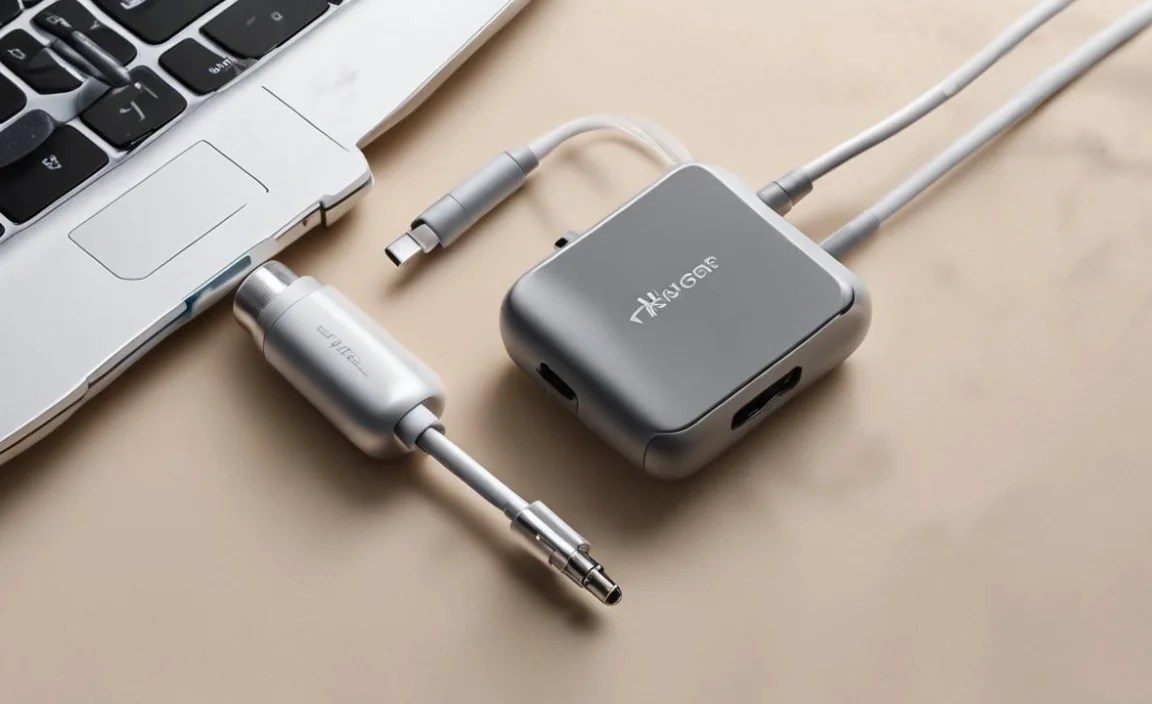
It might seem like magic, but the USB-C headphone adapter is a clever piece of technology. Inside this small dongle, there’s a miniaturized Digital-to-Analog Converter (DAC) and often an amplifier. When you plug your headphones into the adapter, and the adapter into your USB-C device, here’s what happens:
- Digital Signal Transmission: Your smartphone, tablet, or laptop sends the digital audio signal through the USB-C port to the adapter.
- Digital-to-Analog Conversion: The DAC within the adapter takes this digital signal and converts it into an analog signal that your headphones can understand and reproduce as sound.
- Amplification (Optional but Common): Many adapters also include a small amplifier to boost the analog signal, ensuring your headphones have enough power for a pleasing listening volume.
- Analog Output: Finally, the analog signal is sent through the 3.5mm jack, powering your headphones.
This process is often referred to as USB Audio Class. Most modern USB-C devices with audio capabilities are designed to support this standard, meaning a compatible adapter should work out of the box. However, there are nuances. Some adapters, known as “passive” adapters, rely on your device to provide the analog output signal through specific pins on the USB-C port. These are less common now and might not be compatible with all devices. “Active” adapters, which contain their own DAC and amplifier, are much more prevalent and generally offer better compatibility and sound quality. Always look for an “active” adapter if possible, especially if your device doesn’t explicitly mention support for passive adapters.
Types of USB-C Headphone Adapters

When you start shopping, you’ll find a few variations of these adapters. Understanding the differences can help you pick the one that best suits your needs:
1. Standard USB-C to 3.5mm Adapter
This is the most common type. It features a USB-C connector on one end and a single 3.5mm female jack on the other. They are designed solely for audio output.
2. USB-C to 3.5mm Adapter with Charging Passthrough
These are a fantastic option for devices with only one USB-C port. They have a 3.5mm headphone jack and a USB-C port where you can plug in your charger. This allows you to listen to music and charge your device simultaneously – a lifesaver for long commutes or study sessions.
3. USB-C Hubs with Audio Jacks
For users who need more connectivity options, a USB-C hub might be the answer. Many hubs include a 3.5mm audio jack in addition to ports like USB-A, HDMI, and SD card readers. This is a versatile solution if you need to connect multiple peripherals, including your headphones.
Key Features to Look For in a USB-C Headphone Adapter

Not all adapters are created equal! To ensure you get the best audio experience and compatibility, here are the crucial features to consider:
- DAC Chipset: The quality of the DAC inside the adapter significantly impacts sound. Look for adapters that mention their DAC, perhaps from reputable brands or those supporting higher sampling rates (e.g., 24-bit/192kHz). A good DAC can bring out more detail and clarity in your music than your device’s built-in audio might.
- Build Quality and Durability: These adapters can be small and prone to bending or fraying. Opt for adapters with braided cables, reinforced connectors, and sturdy housing. Metal connectors are often a good sign of durability.
- Compatibility: While most USB-C audio adapters follow the USB Audio Class standard, some devices can be picky. Check reviews and product descriptions for confirmed compatibility with your specific device model (e.g., Samsung Galaxy, Google Pixel, iPad Pro). Some adapters might require specific drivers or software, though this is rare for simple audio adapters.
- Sound Quality: Some adapters are designed for basic functionality, while others aim to enhance your audio. Look for descriptions that mention high-fidelity audio, support for high-resolution audio codecs (like LDAC or aptX if your headphones support them, though this is less common in simple adapters), or low noise floor.
- Power Output: For less sensitive headphones, a bit more amplification can make a difference. However, most basic adapters are sufficient for earbuds and typical on-ear/over-ear headphones.
- Microphone Support: If you use your headphones for calls or gaming, ensure the adapter supports microphone input from your headset’s inline microphone. Most adapters designed for headphones with mics will work, but it’s worth double-checking.
Choosing the Best USB C Headphone Adapter: Our Recommendations

Navigating the sea of options can be daunting. Based on general performance, build quality, and user feedback, here are a few highly regarded types of USB-C headphone adapters you might consider. Remember to always check for compatibility with your specific device!
| Adapter Type | Pros | Cons | Best For |
|---|---|---|---|
| Brand-Specific Adapter (e.g., Google Pixel USB-C Earbud Adapter) | Guaranteed compatibility, often optimized for the device. | Can be more expensive, limited functionality. | Users who want plug-and-play simplicity and guaranteed performance with their specific device brand. |
| High-Fidelity DAC Adapter (e.g., FiiO, iBasso dongles) | Superior sound quality, support for high-resolution audio, robust build. | Generally more expensive, may be bulkier. | Audiophiles seeking the best possible sound from their USB-C device and wired headphones. |
| Budget-Friendly Universal Adapter (e.g., Anker, UGREEN) | Affordable, widely available, good performance for the price. | Sound quality might be basic, build quality varies. | Everyday users looking for a cost-effective way to connect standard 3.5mm headphones without breaking the bank. |
| Adapter with Charging Port | Allows simultaneous charging and listening. | Can be slightly bulkier, might add a small latency for some devices. | Users who frequently run out of battery or need to power their device while listening for extended periods. |
How to Use Your USB-C Headphone Adapter: Step-by-Step
Using a USB-C headphone adapter is incredibly straightforward. It’s designed to be as simple as plugging in your headphones used to be!
- Locate the Ports: Identify the USB-C port on your device (smartphone, tablet, laptop, etc.) and the 3.5mm headphone jack on your headphones.
- Connect Your Headphones: Plug the audio cable from your headphones firmly into the 3.5mm jack on the USB-C adapter. Ensure it’s fully seated.
- Connect the Adapter to Your Device: Take the USB-C end of the adapter and plug it securely into the USB-C port on your device. For many devices, you might feel a slight click as it connects.
- Audio Output Should Switch Automatically: For most modern devices, the operating system will automatically detect the adapter and switch the audio output from the device’s internal speakers (or previous output) to the adapter. You should hear a change or a chime indicating audio is now routed to your headphones.
- Check Device Settings (If Necessary): If the audio doesn’t switch automatically, navigate to your device’s sound or audio settings. You should see an option to select the USB audio device as the playback output. This is uncommon but can happen with older or less standard devices.
- If Your Adapter Has Charging Passthrough: If you have an adapter with a secondary USB-C port for charging, you can plug your charging cable into this port and connect it to a power source. This will allow both charging and audio playback simultaneously.
And that’s it! Your headphones should now be playing sound from your USB-C device. Enjoy your audio!
Troubleshooting Common USB-C Adapter Issues
While generally plug-and-play, you might occasionally run into problems. Here are some common issues and simple fixes:
- No Sound:
- Ensure both the headphone cable and USB-C adapter are securely plugged in.
- Try unplugging and replugging the adapter and headphones.
- Check your device’s volume and mute settings.
- Go into your device’s audio settings and manually select the adapter as the audio output.
- Test your headphones with another device or your adapter with another set of headphones to see if the issue is with the headphones, adapter, or device.
- Some devices might need a restart to properly recognize the new audio hardware.
- Sound Only From One Earbud/Headphone:
- Check the connection of the headphone cable to the adapter.
- Ensure your headphones are not damaged. Try them on another device.
- If your headphones have a separate cable, ensure it’s fully plugged in at both ends.
- Microphone Not Working:
- Ensure the adapter explicitly supports microphone input (most do if your headphones have an inline mic).
- In your device’s audio or call settings, check if the microphone input is set to the USB adapter.
- Make sure the microphone on your headset isn’t muted.
- Intermittent Audio or Static:
- This can sometimes be a sign of a poor connection or a faulty adapter. Wiggle the connection gently to see if it improves.
- Ensure there isn’t excessive strain on the adapter or cable.
- Try a different USB-C port on your device, if available.
- A driver issue on Windows or macOS can also cause this. Ensure your operating system is up to date. For more information on audio drivers, you can consult resources like the Microsoft Driver Download page for essential updates.
- Adapter Not Recognized at All:
- This is often a compatibility issue or a faulty adapter.
- Check your device’s manual or manufacturer website to confirm it supports USB-C audio output. Some devices (especially very budget-oriented ones or specific industrial models) may not have this capability enabled.
- Try the adapter on a different USB-C device to see if it works elsewhere.
- If it doesn’t work on any device, the adapter is likely defective and may need to be replaced.
Maintaining Your USB-C Headphone Adapter
These adapters are small but durable if treated with a little care. Here’s how to keep yours in good working order:
- Avoid Extreme Temperatures: Don’t leave your adapter in a hot car or exposed to freezing conditions.
- Keep it Clean: Gently wipe the connectors with a dry, lint-free cloth. Avoid using liquids or abrasive materials. Dust can accumulate in the USB-C port of your device, so consider getting a small set of USB port dust plugs.
- Store it Properly: When not in use, store the adapter in a small pouch or a separate compartment in your bag to prevent it from getting tangled with keys or other sharp objects that could damage the cable or connectors.
- Don’t Force Connections: If a connection feels stiff, don’t force it. Check for any debris or misalignments. Forcing a connection can damage either the adapter or your device’s port.
- Manage Cable Strain: Avoid excessive bending or pulling on the cable where it meets the connectors. This is a common failure point.
The Future of USB-C Audio
The trend towards USB-C audio, including the phasing out of the 3.5mm jack, is likely to continue. This shift is driven by the desire for thinner devices, faster data transfer, and more integrated functionality. While Bluetooth audio has made significant strides in quality and convenience, wired audio still holds a special place for many due to its reliability, zero latency, and often superior sound fidelity, especially for critical listening or specific professional applications. USB-C adapters are, therefore, set to remain essential tools for bridging the old and new audio worlds. You can find research on the future of digital audio interfaces from organizations like the International Telecommunication Union (ITU) which sets standards for telecommunications and digital technologies.
For those who appreciate the tangible connection and consistent performance of wired headphones, these adapters ensure that precious audio gear doesn’t become obsolete overnight. They represent a practical step in adapting to new technologies without sacrificing personal preferences or existing investments in quality audio equipment.
Frequently Asked Questions (FAQ)
Here are some common questions beginners have about USB-C headphone adapters:
What exactly is a USB-C headphone adapter?
A USB-C headphone adapter is a small device that allows you to plug your traditional 3.5mm wired headphones into a USB-C port on a newer smartphone, tablet, or laptop. It converts the digital audio signal from your device into an analog signal your headphones can play.
Will any USB-C headphone adapter work with my phone/device?
Most modern USB-C devices support the USB Audio Class standard, meaning most adapters should work. However, compatibility can vary. It’s best to check your device’s specifications or look for adapters that explicitly mention compatibility with your device model. Some older or very budget devices might not support USB audio at all.
Can I charge my phone and listen to music with the adapter at the same time?
Only if you use a special adapter that has a “charging passthrough” port. These adapters have both a 3.5mm headphone jack and an additional USB-C port where you can plug in your charger. Standard adapters will only allow you to use either charging or headphones, but not both simultaneously.
