
Ready to ditch the dongle? This guide explores the best USB-C headphones, offering crystal-clear audio and seamless connectivity with modern devices. Learn what to look for, discover top picks for various needs, and understand why USB-C is the future of headphone audio.
Hey everyone, Edward Cavitt here from Headphone Horizon! You know, as our gadgets get sleeker and more powerful, the ports they use keep evolving. For a while, the humble headphone jack was a constant, but it’s slowly fading away on many new smartphones and laptops.
Enter the USB-C headphone: a simple, yet brilliant, upgrade that offers fantastic audio quality and a wonderfully straightforward connection. If you’ve been wondering about making the switch or are just curious about what makes these headphones special, you’ve come to the right place. Let’s dive into the world of USB-C audio and find the perfect pair that will truly elevate your listening experience!
Why Go USB-C for Your Headphones?

The move from the traditional 3.5mm headphone jack to USB-C might seem like just another change, but it brings some significant advantages for your audio. Think of it as a digital evolution for your ears!
Digital Clarity: The Sound Difference
Unlike analog audio passed through a headphone jack, USB-C headphones transmit audio digitally. This means the digital-to-analog converter (DAC) and amplifier are built directly into the headphones themselves. This can lead to several benefits:
- Cleaner Signal: Digital signals are less prone to interference and noise compared to analog signals.
- Consistent Quality: The audio processing isn’t reliant on your device’s internal DAC, offering a more predictable and often higher quality sound. Some high-end USB-C headphones even feature incredibly capable DACs and amps.
- No More “Fuzzy” Sounds: You’re less likely to experience the annoying static or hum that can sometimes plague analog connections, especially with cheaper cables or devices.
Universal Compatibility (Almost!)
USB-C is becoming the standard for a vast array of modern devices. From the latest smartphones (like many Google Pixel and Samsung Galaxy models) to laptops, tablets, and even some gaming consoles, a USB-C port is often readily available. This means:
- One Port, Many Devices: Your USB-C headphones can likely work across multiple devices without needing different adapters.
- Future-Proofing: As more devices ditch the headphone jack, USB-C is the most likely successor. Investing now means you’re ready for what’s next.
While most USB-C ports are designed to carry audio, there are a few exceptions, particularly on some older or specific-use laptops. Always check your device’s specifications if you’re unsure. You can often find this information on the manufacturer’s website or in your device’s manual. For a general overview of USB-C capabilities, the USB Implementers Forum (USB-IF) provides comprehensive details.
Power and Features
The USB-C connection can also supply power to the headphones, allowing for features like:
- Active Noise Cancellation (ANC): Many USB-C headphones include ANC, which is powered through the USB-C cable.
- Advanced Controls: Integrated buttons for playback control, volume adjustment, and microphone use are common.
- Companion Apps: Some headphones offer apps for EQ customization, firmware updates, and feature adjustments, all managed via the USB-C connection.
What to Look for in the Best USB-C Headphones

Navigating the world of headphones can feel overwhelming, but with USB-C, we can focus on a few key areas that really matter for your listening pleasure. Here’s a breakdown of what to consider:
1. Sound Quality: The Heart of the Matter
This is subjective, but there are general characteristics to aim for. Since USB-C offers a digital signal, pay attention to:
- Frequency Response: A balanced frequency response (typically around 20Hz to 20kHz) means you’ll hear a good range of bass, mids, and treble without any frequency being overpoweringly dominant.
- Driver Size: Larger drivers (the part that makes sound) can often produce richer bass and a more dynamic soundstage.
- Codec Support: While less of a concern than with Bluetooth, some higher-end USB-C headphones might mention support for specific audio codecs that can improve fidelity, like LDAC or aptX Adaptive (though these are much more common in Bluetooth). For wired USB-C, look for descriptions that emphasize clarity, detail, and balance.
2. Comfort and Fit: For Long Listening Sessions
Headphones are something you wear, so comfort is paramount. Consider:
- Earbud Style vs. Over-Ear: Earbuds are portable and discreet, while over-ear headphones often provide better seal for passive noise isolation and a more immersive soundstage.
- Eartip Material (for earbuds): Silicone is common, but memory foam eartips can offer a more comfortable and secure fit for many.
- Weight and Clamp Force (for over-ear): Over-ear headphones should be light enough for long wear, and the clamping force shouldn’t feel like it’s crushing your head.
- Build Quality: Look for durable materials like metal alloys and robust plastics that feel like they’ll last.
3. Features: What Else Do You Need?
Beyond just sound, think about how you’ll use your headphones:
- Active Noise Cancellation (ANC): Essential for commuters, frequent flyers, or anyone working in a noisy environment.
- Microphone Quality: If you plan on taking calls or gaming, a clear microphone is a must. Look for reviews that specifically mention microphone performance.
- In-line Controls: Buttons for play/pause, volume, and track skipping offer convenience without needing to pull out your device.
- Water Resistance (IP Rating): Important if you plan to use them for workouts or in potentially wet conditions. An IPX4 rating is generally good for sweat and light splashes.
4. Price: Finding Your Sweet Spot
USB-C headphones range from very affordable to quite premium. Set a budget and try to find the best balance of the features important to you within that range. You don’t always need to spend a fortune to get great sound.
Top USB-C Headphone Recommendations
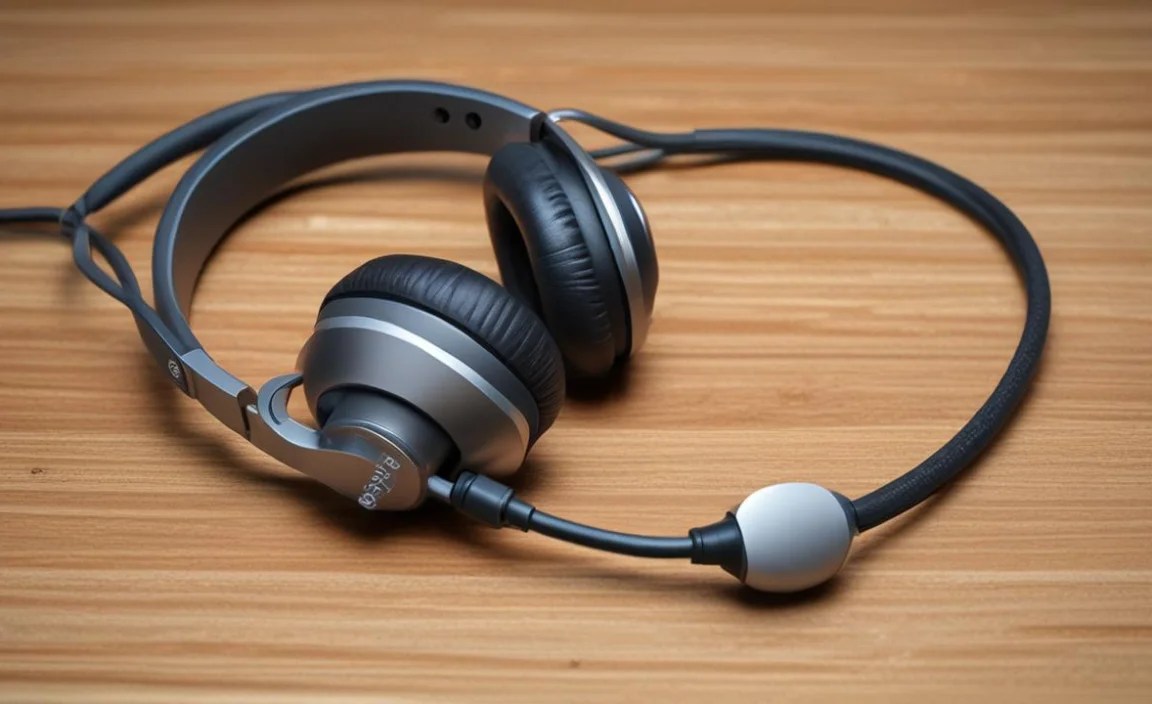
Finding the “best” can depend on your personal needs and budget. Here are a few highly-regarded USB-C headphones that cover different use cases. These are based on general market popularity, expert reviews, and user feedback.
Best for Overall Quality & Features:
When you want a fantastic all-around experience with great sound, comfort, and effective noise cancellation, look for models that are well-established in the premium audio space.
| Headphone Model | Type | Key Features | Pros | Cons | Ideal For |
|---|---|---|---|---|---|
| Sony MDR-Z7M2 (with optional USB-C DAC cable) / Specific High-End DAC/Amp Combos | Over-Ear | Exceptional audio fidelity, comfortable, premium build. Requires specific USB-C to USB-C DAC cable or separate USB-C DAC/Amp. | Superb sound, very luxurious feel. | Expensive, requires extra purchase for USB-C connection if not bundled. | Audiophiles prioritizing pure sound quality. |
| Bose QuietComfort Series (with USB-C support) | Over-Ear / Earbud | Industry-leading Active Noise Cancellation, balanced sound, excellent comfort. Many models now support USB-C audio input or charging. | Superb ANC, comfortable for long periods, good for travel. | Can be pricey, sound might be considered “consumer-friendly” rather than strictly neutral by audiophiles. | Frequent travelers, commuters, office workers needing peace. |
Best Budget-Friendly USB-C Earbuds:
For those on a tighter budget, you can still find excellent USB-C earbuds that deliver surprisingly good sound and reliable performance without breaking the bank.
| Headphone Model | Type | Key Features | Pros | Cons | Ideal For |
|---|---|---|---|---|---|
| Google Pixel Buds A-Series (can work with USB-C devices for audio) or other OEM earbuds | True Wireless Earbuds | Decent sound, comfortable fit, integrated Google Assistant (on some models). While primarily Bluetooth, many Pixel phones can output audio via USB-C to these. Note: Direct USB-C wired audio output to these specific buds may vary by phone model and firmware. | Affordable, good integration with Android, decent sound. | ANC is not present, battery life is average. | Everyday listening, casual users, Android users. |
| Anker Soundcore (various USB-C models) | Earbuds / Neckband | Good value for money, often feature decent sound and build quality for the price. Look for specific models advertised with USB-C audio. | Excellent price-point, reliable performance. | Sound might not be as refined as premium options. | Students, budget-conscious users, general daily use. |
Best for Laptop & Desktop Use:
If you spend a lot of time at your computer, you’ll want comfort and clear communication.
| Headphone Model | Type | Key Features | Pros | Cons | Ideal For |
|---|---|---|---|---|---|
| HyperX Cloud II (USB-C variant) | Over-Ear | Excellent comfort, clear microphone, good for gaming and general use, often includes USB-C connectivity. | Very comfortable, good mic quality, durable. | Sound profile might be bass-emphasized, not always the most “audiophile” tuning. | Gamers, remote workers, anyone on long computer sessions. |
| Logitech G PRO X (or similar gaming headsets with USB-C options) | Over-Ear | Focus on communication and comfort, durable construction, often have detachable microphones. | Clear voice capture, robust build. | Can be pricier, sound signature is often tuned for gaming. | Serious gamers, streamers, podcast creators. |
Important Note on USB-C Audio Implementation:
Not all USB-C ports on devices are created equal when it comes to audio output. Some manufacturers have made USB-C audio a priority, while others have not. Always check your device’s specifications or look for reviews that specifically mention USB-C audio functionality. For instance, studies on the prevalence of USB-C audio support in mobile devices are ongoing as the standard matures. Many reputable tech review sites provide detailed testing of audio output over USB-C.
How to Connect and Use Your USB-C Headphones

Connecting USB-C headphones is usually as simple as plugging them in. However, there are a few things to keep in mind to ensure a smooth experience.
Step 1: Check Compatibility
Before you even buy, make sure your device supports audio over its USB-C port. Most modern smartphones (Android and some newer iPhones) and laptops do. If you’re unsure, consult your device’s manual or the manufacturer’s website. For example, iPhone 15 models and later feature USB-C and support audio output.
Step 2: Plug Them In
Simply insert the USB-C connector into the corresponding port on your device. You should hear a click confirming it’s securely in place.
Step 3: Select as Audio Output (if necessary)
On most devices, the USB-C headphones will automatically be selected as the default audio output. If you don’t hear any sound, or if sound is still coming from your device’s speakers, you may need to manually select them in your device’s audio settings.
- On Android: Go to Settings > Sound & vibration > Advanced > Output & volume (this path can vary slightly by manufacturer). You should see your USB-C headphones listed.
- On Laptops (Windows): Right-click the speaker icon in the taskbar, select “Sound settings,” and under “Output device,” choose your USB-C headphones.
- On Laptops (macOS): Go to System Settings > Sound > Output, and select your USB-C headphones.
- On iPhones (iPhone 15 and later): Your USB-C headphones should be automatically recognized and selected as the audio output.
Step 4: Adjust Volume and Controls
Use the in-line controls on your headphones (if they have them) or your device’s volume controls to set your preferred listening level. The play/pause, track skip, and call answer/end buttons should also work seamlessly.
Step 5: Explore Additional Features (Optional)
If your headphones come with a companion app (often for features like EQ or ANC customization), download it from your device’s app store. Connect your headphones and follow the app’s instructions to unlock all their capabilities.
Troubleshooting Common USB-C Headphone Issues
Even the best gadgets can sometimes throw a curveball. Here are a few common issues and how to resolve them:
Issue 1: No Sound from Headphones
- Check the Connection: Ensure the USB-C plug is fully inserted into the port. Try unplugging and re-plugging.
- Check Device Settings: Manually select the headphones as the audio output source (see Step 3 above).
- Clean the Port: Dust or debris in the USB-C port on your device or the headphone’s connector can cause issues. Carefully clean both with a dry, soft brush or a can of compressed air. Avoid using metal objects.
- Restart Your Device: Sometimes a simple reboot can resolve temporary software glitches.
- Test on Another Device: If possible, try your headphones on a different USB-C device. If they work there, the issue is likely with your original device.
Issue 2: Poor Sound Quality (Static, Distortion, Low Volume)
- Check for Music Source Quality: Ensure the audio file or streaming service you’re using is of good quality. Low-bitrate files can sound poor on any speaker.
- Clean the USB-C Port and Connector: As mentioned above, debris can degrade signal quality.
- Update Device Software: Ensure your device’s operating system and firmware are up-to-date. Manufacturers often release updates to improve audio driver performance.
- Check Headphone Settings: If you have an app for your headphones, check if any EQ settings are causing distortion or if the volume is unusually low.
Issue 3: Microphone Not Working
- Check Device Permissions: Ensure that apps requiring microphone access have been granted permission in your device’s settings.
- Select as Input: In your device’s audio settings, make sure the USB-C headphones are selected as the microphone input device.
- Test in Different Apps: Try using the microphone in a voice recording app or a video call app to see if the issue is app-specific.
Issue 4: Headphones Not Charging (if applicable)
Some advanced USB-C headphones might draw a minimal amount of power for features like ANC. If you find they aren’t charging or are draining your device excessively:
- Verify USB-C Port Capability: Ensure your device’s USB-C port is capable of audio output and potentially power delivery if the headphones require it. Some ports are data-only or have limited power capabilities.
- Check Manufacturer Specs: Consult the headphone’s manual for specific power requirements.
If you encounter persistent issues, it might be worth contacting the headphone manufacturer’s customer support or your device manufacturer for further assistance. For more in-depth troubleshooting guides, resources like Rtings.com offer detailed technical reviews and sometimes troubleshooting tips.
The Future is USB-C: Embracing the Upgrade
The shift towards USB-C for headphone connectivity isn’t just a trend; it’s a logical progression towards higher quality audio and more seamless integration with our increasingly digital lives. By offering a clean digital signal, universal
