
Quick Summary: Find the perfect USB headphones with a mic for clear calls and immersive audio. Our guide breaks down essential features, offers top picks, and explains why USB is a great choice for reliability and quality. Get crystal-clear communication and sound without fuss.
Best USB Headphones with Mic: Essential Picks for Clear Communication and Sound
Hello there! Edward Cavitt, your friendly guide from headphonehorizon, here. Are you tired of crackly calls or struggling to hear your colleagues on video meetings? You’re not alone! The right headphones can transform your communication and listening experience. Today, we’re diving into the world of USB headphones with microphones. They’re a fantastic choice for their plug-and-play simplicity, consistent audio quality, and reliable connectivity. Whether you’re a student needing to attend online classes, a remote worker logging in for important meetings, or just someone who enjoys clear audio for everything, this guide is designed to help you find the perfect pair without any tech headaches.
Why Choose USB Headphones with a Mic?

In a world filled with Bluetooth and wireless options, USB headphones might seem a little old-school. But for many, they offer distinct advantages that make them a top choice, especially when a microphone is essential. Let’s break down why they stand out:
Plug-and-Play Simplicity
This is perhaps the biggest win for USB headphones. Most of them are truly plug-and-play. You connect them to a USB port on your computer or console, and they’re usually ready to go instantly. No pairing, no Bluetooth hiccups, no software updates to wrestle with. This reliability is a lifesaver when you’re on a tight schedule or just want to get things done without a fuss.
Consistent Audio Quality
USB transmits digital audio directly from your source device to your headphones. This bypasses some of the potential signal degradation that can sometimes happen with analog connections or even wireless. For both listening and microphone input, you’ll often find a cleaner, more stable audio signal, leading to clearer conversations and a more enjoyable listening experience.
Dedicated Microphone Performance
Many USB headphones are designed with communication as a primary feature. This often means the included microphone is optimized for voice clarity, featuring noise-cancellation technology to filter out background distractions. This is crucial for professional calls, online gaming, or any situation where clear speech is paramount.
Lower Latency
Latency is the delay between when sound is produced and when you hear it. For activities like gaming or video editing, low latency is critical. USB connections generally offer much lower latency compared to Bluetooth, ensuring that your audio is in sync with what’s happening on your screen.
Power Through USB
USB headphones draw power directly from the USB port. This means you don’t have to worry about charging them separately, making them always ready for action. For long work sessions or extended gaming marathons, this is a huge convenience.
What to Look for in the Best USB Headphones with Mic

Navigating the options can feel a bit overwhelming, but focusing on a few key features will help you make an informed decision. Here’s what Edward Cavitt recommends keeping an eye on:
Microphone Quality
This is non-negotiable for headphones with a mic! Look for:
- Noise Cancellation: Essential for filtering out background noise so your voice comes through clearly.
- Adjustable Boom Mic: A mic you can position close to your mouth often provides the best voice pickup.
- Mute Functionality: A physical mute button on the headphones or cable is incredibly convenient.
Comfort and Fit
You’ll be wearing these for extended periods, so comfort is paramount. Consider:
- Earcup Material: Soft leatherette or breathable fabric can prevent ear fatigue.
- Headband Padding: Ample padding on the headband distributes weight evenly.
- Adjustability: Ensure the headphones fit snugly but not too tightly on your head.
- Weight: Lighter headphones are generally more comfortable for long wear.
Audio Fidelity
While mic quality is key, you still want great sound for music, videos, and even just the clarity of voices on calls. Look for:
- Balanced Sound Profile: Avoid headphones that excessively boost bass or treble, which can distort voices. A neutral or balanced sound is usually best for calls.
- Driver Size: Larger drivers (e.g., 40mm or 50mm) can often produce a fuller sound, though design is more important than just size.
Durability and Build Quality
You want headphones that will last. Check for:
- Sturdy Materials: Look for robust plastics, metal reinforcement, and well-constructed hinges.
- Cable Quality: A braided or thicker cable is less likely to break or tangle.
Connectivity and Compatibility
Most USB headphones connect via standard USB-A. Ensure your device has a free port. Some might come with USB-C adapters, which is a nice bonus for newer devices.
- USB Type: Confirm if it’s USB-A or USB-C, and if adapters are included.
- Platform Compatibility: Check if they work with your operating system (Windows, macOS, Linux) and devices (PC, Mac, PlayStation, Nintendo Switch).
Extra Features
Depending on your needs, you might appreciate:
- Inline Controls: Volume adjustment and mute buttons directly on the cable or earcup.
- Surround Sound: For gaming or immersive media, virtual surround sound can be a plus, though often adds cost.
- Detachable Mic: Some mics can be detached when not needed, offering more versatility.
Our Top Picks: The Best USB Headphones with Mic

After extensive research and considering the needs of our readers, here are some of the best USB headphones with a mic that offer a fantastic blend of performance, comfort, and value. These picks cater to different needs and budgets, ensuring there’s a great option for almost everyone.
For the Professional: Logitech H390
The Logitech H390 is a perennial favorite for a reason. It’s built for clear communication, boasting a solid microphone and comfortable design that’s perfect for long workdays or study sessions. It’s incredibly easy to use, making it ideal for those who want a no-fuss solution.
Key Features:
- Excellent noise-canceling microphone
- Rotating boom mic
- Comfortable, adjustable headband and earcups
- Inline controls for volume and mute
- Plug-and-play USB connectivity
- Works with PCs and Macs
Why we love it: It strikes a near-perfect balance between audio quality for calls, comfort, and affordability, making it a go-to for professionals and students alike. The microphone clarity is genuinely impressive for its price point.
For Gamers & Immersive Audio: HyperX Cloud Stinger Core USB
While the wireless version gets a lot of love, the USB variant of the HyperX Cloud Stinger Core offers gamers and enthusiasts a reliable, low-latency option for both in-game chat and audio. It’s lightweight and comfortable, designed for extended gaming marathons.
Key Features:
- Clear, voice-optimized microphone
- Mute-by-flipping-up-boom design
- Lightweight construction with comfortable earcups
- 50mm directional drivers for good audio
- USB connectivity for PC and consoles
Why we love it: It delivers a solid gaming audio experience with clear comms, and the flip-to-mute mic is incredibly intuitive. It’s a great value for its performance in the gaming headset category.
For Superior Comfort & Sound: Sennheiser SC 165
Sennheiser is known for its audio expertise, and the SC 165 delivers that quality in a headset designed for business and everyday use. It offers a highly comfortable fit and excellent audio reproduction, making it suitable for both work calls and enjoying music.
Key Features:
- High-quality microphone with noise filtering
- Ergonomic design with plush ear pads
- Sennheiser’s renowned audio quality
- In-line controls for ease of use
- USB connectivity for PC, Mac, and sometimes VoIP phones
Why we love it: If you prioritize sound quality and comfort for all-day wear, this is a fantastic option. The microphone is clear, and the listening experience is rich and detailed.
For Budget-Friendly Clarity: Microsoft LifeChat LX-4000
Microsoft’s entry into the headset market offers a no-frills, reliable experience. The LX-4000 focuses on clear voice transmission, making it suitable for everyday online meetings, calls, and general computer use without breaking the bank.
Key Features:
- Noise-canceling microphone
- Flexible microphone boom
- Lightweight, comfortable design
- Simple USB plug-and-play
- Built for Windows but generally compatible elsewhere
Why we love it: It’s an exceptionally affordable way to get a competent USB headset with a good microphone. It’s perfect for those on a tight budget who still need reliable communication tools.
For Enhanced Collaboration: Jabra Evolve 20
The Jabra Evolve series is built with professional collaboration in mind. The Evolve 20 is a great starting point, offering excellent call clarity and comfort, along with features that help you focus in busy environments.
Key Features:
- Advanced noise-canceling microphone
- Designed for Unified Communications (UC)
- Comfortable earcups for all-day wear
- Easy-to-use in-line controls
- USB connectivity
Why we love it: For serious professionals who spend a lot of time on calls, the Evolve 20 provides a dedicated tool for clear communication and concentration. It’s very effective at isolating voice.
Comparing USB Headset Features
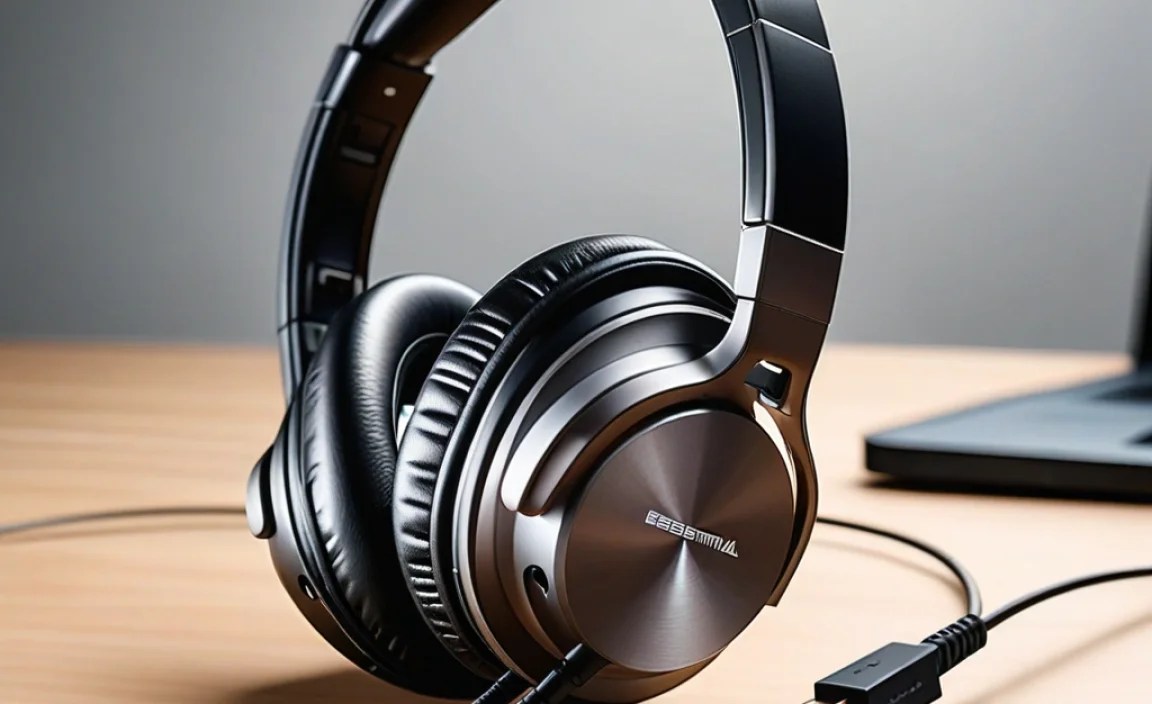
To help you visualize the differences and similarities, here’s a quick comparison table of our top picks. Remember, the “best” for you depends on your specific needs!
| Feature | Logitech H390 | HyperX Cloud Stinger Core USB | Sennheiser SC 165 | Microsoft LifeChat LX-4000 | Jabra Evolve 20 |
|---|---|---|---|---|---|
| Primary Use | General/Office/Student | Gaming/General | Professional/Office | Budget/General | Professional Calls/UC |
| Mic Noise Cancellation | Excellent | Good | High | Good | Excellent |
| Comfort | Very Good | Good | Excellent | Good | Excellent |
| Audio Quality (Listening) | Good | Good (Gaming Focus) | Excellent | Passable | Good |
| Durability | Good | Good | Very Good | Average | Very Good |
| Inline Controls | Yes | No (flip-to-mute) | Yes | Yes | Yes |
| Approx. Price Range | $$ | $$ | $$$ | $ | $$$ |
Price ranges are approximate: $ = Budget-friendly, $$ = Mid-range, $$$ = Premium.
How to Get the Most Out of Your USB Headphones

Once you’ve picked your perfect pair, there are a few simple steps to ensure you’re getting the best performance and experience. Edward Cavitt’s top tips:
1. Proper Connection and Driver Installation (if needed)
As mentioned, most USB headphones are plug-and-play. However, some professional headsets might benefit from or require companion software for advanced features (like EQ settings or advanced mic controls). Always check the manufacturer’s website for any recommended drivers or software for your operating system. A stable USB port is also key – try to use ports directly on your computer’s motherboard (usually on the back of desktops) rather than cheap USB hubs if you experience any issues.
2. Microphone Placement is Crucial
The difference a well-positioned microphone can make is astonishing. Generally, you want the mic:
- Close to your mouth: Aim for about one to two finger-widths away.
- Positioned slightly off-axis: Pointing directly into your mouth can sometimes cause plosive sounds (like “p” and “b”) to pop. Aim it towards the corner of your mouth.
- Adjustable: If you have a boom mic, ensure it’s close enough to pick up your voice clearly without being in your direct breathing path.
Experiment with different positions to find what sounds best to others. A quick test call with a friend or colleague can be invaluable!
3. Adjust Volume and Gain Settings
Your operating system (Windows or macOS) has audio settings that allow you to control the output volume (what you hear) and input levels (how loud your microphone is to others). For your microphone, you’ll want to set the gain (or input level) high enough so you’re heard clearly, but not so high that it becomes distorted or picks up too much background noise. Start around 80% and adjust based on feedback.
You can usually find these settings by right-clicking the speaker icon in your taskbar (Windows) or navigating to System Preferences > Sound (macOS).
4. Utilize Inline Controls
Take advantage of the volume and mute buttons. Muting your mic when you step away from your desk or have a side conversation is a professional courtesy. Volume controls allow for quick adjustments without fumbling with your computer’s settings.
5. Test Your Setup with a Call Software
Most communication apps like Zoom, Microsoft Teams, Discord, or even Skype allow you to perform audio tests. Use these features to:
- Verify your USB headset is selected as the default microphone and speaker.
- Listen to a playback of your own voice to gauge mic quality and clarity.
- Check your listening volume.
This step, often overlooked, can save you embarrassment during an important call.
6. Maintaining Your Headphones
Keeping your headphones clean and in good condition ensures they last longer and perform better.
- Earcup Cleaning: Gently wipe down earcup material with a slightly damp cloth. For leatherette, a cleaner designed for car upholstery can work. For fabric, a mild soap and water solution is usually safe. Always wring out the cloth well and avoid getting moisture into the headphone drivers.
- Headband Care: Wipe the headband with a similar damp cloth.
- Cable Management: Avoid tightly wrapping the cable. Coil it loosely to prevent internal wire damage.
- Storage: Store them safely in a protected place, away from direct sunlight, extreme temperatures, and moisture. A headset stand or a dedicated pouch is ideal.
Regular, gentle cleaning will keep them hygienic and extend their lifespan significantly.
Understanding USB Audio Standards
It’s helpful to know a little about the underlying technology. USB (Universal Serial Bus) is a standard that allows different devices to communicate and transfer data. For audio, USB offers a digital pathway, meaning the sound information is sent as binary data (1s and 0s).
This is fundamentally different from analog connections (like the old 3.5mm jack), which convert digital audio from your computer into an analog signal that is more susceptible to interference. The USB Implementers Forum outlines the various specifications, and simply put, newer USB versions (like USB 2.0, 3.0, 3.1, 3.2) generally offer faster data transfer speeds and more power, which can benefit audio quality and the performance of devices drawing power from the port.
For most modern USB headphones, USB 2.0 is perfectly sufficient for delivering high-quality audio for both listening and microphone use. The key advantage remains the direct digital connection, bypassing potential noise from analog pathways.
Frequently Asked Questions (FAQ)
Here are some common questions our readers ask about USB headphones with microphones:
Q1: Will any USB headset work with my Mac/PC?
