
Ready for crystal-clear phone calls? This guide helps you find the best wired headphones, ensuring your voice is heard loud and clear, making every conversation effortless and professional. Learn what to look for and discover top picks that offer superior microphone quality and comfortable wear, transforming your communication experience.
The Best Wired Headphones For Phone Calls: Your Essential Audio Clutch
Hello there! Edward Cavitt here from Headphone Horizon. In today’s busy world, a clear phone call isn’t just a convenience; it’s often a necessity. Whether you’re a remote worker juggling meetings, a student connecting with professors, or just someone who values uninterrupted conversations, the right headphones can be a game-changer. We’ve all been there: a garbled voice on the other end, static bursts, or a microphone that picks up every background noise. It’s frustrating and unprofessional. That’s why I’ve put together this guide to help you navigate the world of wired headphones specifically for phone calls. Forget the tangled mess of Bluetooth pairing or dead batteries; wired headphones offer a reliable, high-quality solution. Let’s dive in and find the perfect pair that makes your voice heard, loud and clear!
Why Wired Headphones Rule for Phone Calls

You might be wondering, in an age of wireless everything, why bother with wired headphones? The answer is simple: reliability and audio quality. Wired connections bypass the potential for Bluetooth interference and latency issues that can plague wireless audio. This means a more stable connection and, crucially for calls, a clearer transmission of your voice and a cleaner reception of the other person’s. For professionals and anyone who relies on clear communication, this consistency is invaluable. Plus, you never have to worry about battery life – just plug them in and go!
Here’s a quick rundown of the advantages:
- Unwavering Reliability: No dropped connections, no pairing issues.
- Superior Audio Quality: Typically offer better microphone clarity and sound reproduction than many budget wireless options.
- Zero Battery Anxiety: Powered by your device, so no charging needed.
- Lower Latency: Minimizes echo and ensures you can hear responses without delay.
- Cost-Effective: Often more budget-friendly than comparable wireless models.
Key Features to Look For in Call-Focused Wired Headphones

When shopping for the best wired headphones for phone calls, not all are created equal. We’re not just looking for good sound for music; we need excellent microphone performance and comfort for long conversations. Here’s what to prioritize:
1. Microphone Quality: The Star of the Show
This is paramount. A good microphone ensures your voice is captured clearly and minimizes background noise. Look for headphones with:
- Noise-Canceling Microphones: These actively reduce ambient sounds like keyboard clicks, traffic, or office chatter.
- Directional Microphones: These are designed to pick up sound from a specific direction (your voice) while ignoring others.
- Mute Buttons: A physical mute button on the cable or earcup is incredibly convenient for quick privacy.
Many product descriptions will highlight the microphone technology. Phrases like “clear voice capture” or “noise-rejecting microphone” are good indicators.
2. Comfort is King for Extended Calls
If you’re on calls for hours, discomfort can be a major distraction. Consider:
- Earcup Design: Over-ear headphones offer better immersion and comfort for many, while on-ear can be lighter. In-ear (earbuds) are the most portable.
- Earpad Material: Soft, breathable materials like velour or memory foam prevent ear fatigue.
- Adjustable Headband: A padded, adjustable headband ensures a secure yet comfortable fit.
- Weight: Lighter headphones are generally more comfortable for long wear.
3. Inline Controls: Convenience at Your Fingertips
These are small but mighty features that enhance usability:
- Volume Adjustment: Easily tweak the sound level without reaching for your phone.
- Playback Controls: Play, pause, skip tracks – useful if you switch between music and calls.
- Call Management: Answer and end calls directly from the headset.
4. Connector Type: Ensure Compatibility
Most modern wired headphones use a 3.5mm audio jack, but some devices like newer iPhones or some laptops might require an adapter or have USB-C audio ports. Always check your device’s ports to ensure compatibility or factor in the cost of an adapter.
5. Cable Management
A tangle-free cable or a decent cable length (around 1.5-2 meters) adds to the user experience, preventing knots and allowing freedom of movement.
Top Picks: The Best Wired Headphones for Phone Calls

Based on the features above, here are a few highly recommended wired headphone options that excel in phone call performance. These are chosen for their mic quality, comfort, and overall value.
1. Jabra Evolve 20 MS (Professional Grade)
For those who treat every call like a critical business meeting, the Jabra Evolve series is a standout. The Evolve 20 MS is designed specifically for concentration and communication. Its primary focus is on call quality, featuring noise-canceling microphones that significantly reduce background noise, allowing your voice to be heard with exceptional clarity. It’s incredibly comfortable for long wear, with plush earcups and a lightweight design. The inline call control unit is intuitive, making it easy to manage calls and mute yourself without fumbling.
Pros:
- Exceptional microphone clarity with noise cancellation.
- Designed for all-day comfort.
- Intuitive inline call controls and mute button.
- Durable build quality.
Cons:
- Audio for music might be considered average by audiophiles.
- A bit pricier than consumer-grade headphones.
2. Logitech H151 Stereo Headset (Budget-Friendly Workhorse)
If your budget is a primary concern, the Logitech H151 is hard to beat. This headset offers a surprisingly clear microphone for its price point, making it a reliable choice for everyday calls. It features a boom microphone that can be positioned precisely near your mouth and rotates out of the way when not in use. The headset is lightweight, and the earcups are comfortable enough for moderate call sessions. The inline controls allow for easy volume adjustment and microphone muting.
Pros:
- Excellent value for money.
- Clear, adjustable boom microphone.
- Lightweight and comfortable for its price.
- Simple plug-and-play setup with a 3.5mm jack.
Cons:
- Microphone noise cancellation is basic compared to premium options.
- Earcup material could be softer for extended wear.
3. Audio-Technica ATH-M20x (Music Lovers’ Versatile Choice)
While primarily known for their excellent sound quality for music production and listening, the Audio-Technica ATH-M20x also makes a surprisingly capable option for calls, especially if you want a pair that excels at both. It features a closed-back design for good passive noise isolation, helping you focus on your conversation. The microphone quality is robust enough for clear voice transmission, and the comfortable, durable build means you can wear them for hours. You’ll need to ensure your phone supports a direct 3.5mm connection or use an adapter.
Pros:
- Fantastic audio quality for music and calls.
- Comfortable for long listening and talking sessions.
- Durable construction.
- Good passive noise isolation.
Cons:
- No inline microphone controls or mute button.
- Microphone is not specifically designed for advanced noise cancellation.
- Requires a 3.5mm jack or adapter.
4. Sennheiser PC 7 USB (Plug-and-Play Simplicity)
For a no-fuss, plug-and-play experience, the Sennheiser PC 7 USB is a solid choice. It connects via USB, bypassing your device’s audio jack and often offering slightly better digital signal processing for both the mic and speaker. The microphone offers good clarity and features Sennheiser’s voice clarity amplification, ensuring your voice sounds natural and easy to understand. It’s a lightweight, comfortable headset with an adjustable headband designed for extended use. The inline volume and mute control are also very handy.
Pros:
- Excellent voice clarity through USB connection.
- Plug-and-play simplicity with USB.
- Comfortable and lightweight for long calls.
- Reliable brand known for audio quality.
Cons:
- Only usable through USB, so not compatible with devices solely using 3.5mm jacks without an adapter.
- Music audio quality is good but not exceptional compared to audiophile headphones.
How to Test Your Wired Headphones for Calls

Once you’ve chosen a pair, it’s essential to test them to ensure they meet your needs. Here’s a simple checklist:
- Connect Your Headphones: Plug them into your phone or computer. Ensure it’s recognized by your device.
- Make a Test Call: Call a friend, family member, or use a voicemail service.
- Assess Your Voice: Ask the person on the other end to describe how you sound. Are you clear? Is there any background noise they can hear? Is your voice distorted or muffled?
- Check Their Voice: How do they sound to you? Is the audio clear and at a comfortable volume?
- Test Controls: If your headset has inline controls, test the volume, answer/end call, and mute functions. Do they work as expected?
- Comfort Check: Wear the headphones for at least 15-30 minutes. Do you feel any pressure points, overheating, or other discomfort?
A simple online audio test can also be useful. Websites like Call of Duty support forums sometimes have links to audio testing tools or suggestions for recording your voice using specific microphone software.
Troubleshooting Common Issues
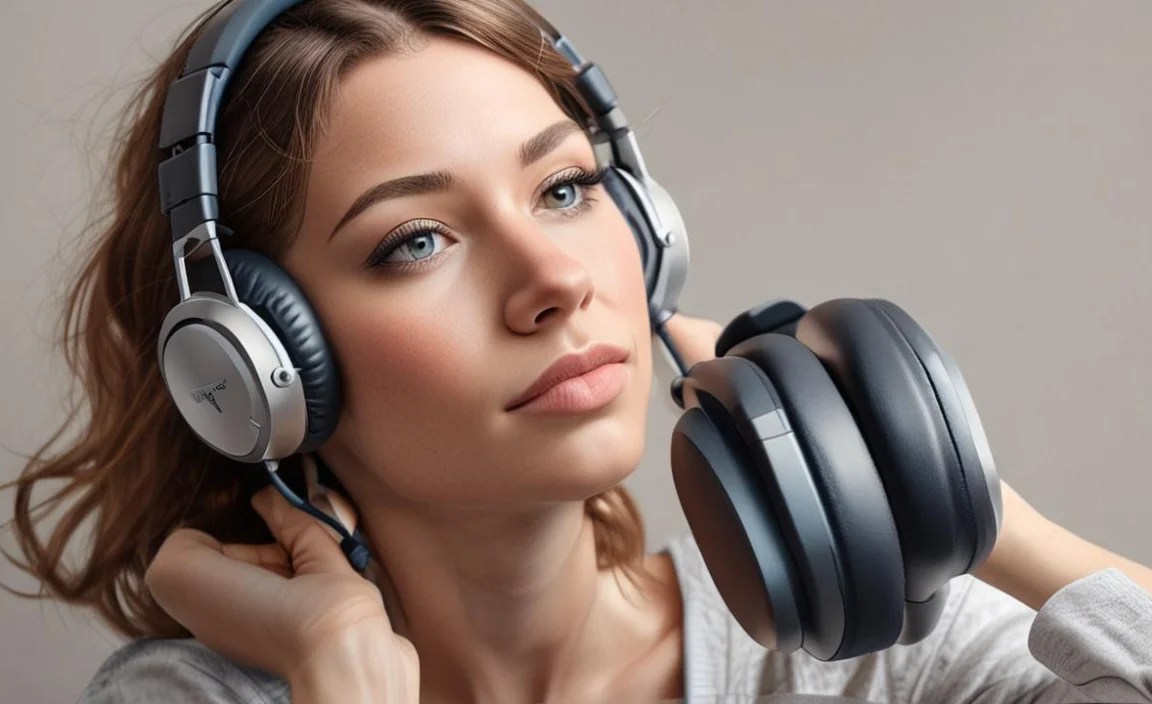
Even the best wired headphones can sometimes have hiccups. Here are a few common problems and how to fix them:
No Sound or Microphone Not Working
- Check Connections: Ensure the 3.5mm jack is fully plugged in, or the USB is securely connected. Try unplugging and replugging.
- Check Device Settings: On your phone or computer, go to audio settings and ensure the headphones are selected as the default input and output device.
- Restart Device: A simple restart can often resolve temporary glitches.
- Test on Another Device: If possible, try the headphones on a different phone or computer to rule out a device-specific issue.
Poor Microphone Quality (Static, Muffled, or Too Quiet)
- Clean the Microphone: Gently blow air or use a soft brush to clear any debris from the microphone port.
- Adjust Microphone Position: Ensure the boom mic is close enough to your mouth and pointed correctly.
- Check Software Levels: In your computer’s or phone’s audio settings, check the microphone input level. It might be set too low.
- Update Audio Drivers: On a computer, outdated audio drivers can cause issues. Visit the manufacturer’s support website for updates.
Audio is Distorted or Crackling
- Check Cable for Damage: Inspect the headphone cable for any kinks, cuts, or fraying. Damaged cables are a common cause of distortion.
- Lower Volume: Sometimes, high volume levels can cause distortion. Try lowering the volume on both your device and the headphones.
- Test on Another Device: Again, testing on another device can help determine if the issue is with the headphones or your source device.
For more in-depth troubleshooting, you might want to consult resources like those provided by the Federal Communications Commission (FCC). While they don’t directly troubleshoot headphones, understanding basic audio principles and regulations can sometimes shed light on performance issues, especially concerning signal interference.
Comparison Table: Wired Headphones for Phone Calls
To help you quickly compare some of the options mentioned and other popular choices:
| Headphone Model | Primary Strength | Microphone Quality | Comfort | Inline Controls | Connectivity | Price Range (Approx.) |
|---|---|---|---|---|---|---|
| Jabra Evolve 20 MS | Professional Call Clarity | Excellent (Noise-Canceling) | Very Good | Yes | 3.5mm Jack / USB (depending on model) | $$$ |
| Logitech H151 | Budget-Friendly Value | Good (Adjustable Boom) | Good | Yes | 3.5mm Jack (Dual Plug for Mic/Audio or Single Plug) | $ |
| Audio-Technica ATH-M20x | Music & Call Versatility | Good (Robust) | Very Good | No | 3.5mm Jack | $$ |
| Sennheiser PC 7 USB | USB Simplicity & Clarity | Very Good (Voice Clarity) | Good | Yes | USB | $$ |
| Bose QuietComfort 25 (with inline mic cable) | Noise Cancellation | Good | Excellent | Yes | 3.5mm Jack | $$$ |
Note: Price ranges are approximate and can vary based on retailer and region. ($ = under $50, $$ = $50-$150, $$$ = $150+). The Bose QC 25 might require a specific inline mic cable if it didn’t come with one.
Frequently Asked Questions (FAQ)
Here are answers to some common questions beginners have about wired headphones for phone calls:
Q1: Do I really need headphones specifically for phone calls, or can my music headphones work?
Your music headphones can work, but headphones designed with call quality in mind will generally offer a much better experience. They typically have microphones engineered for voice clarity and noise reduction, ensuring you sound more professional and are easier to understand. Plus, features like inline mute buttons are incredibly convenient.
Q2: What’s the difference between a 3.5mm jack and a USB connection?
A 3.5mm jack is a universal analog audio connector common on most phones, laptops, and audio devices. A USB connection is digital and can sometimes offer better audio processing and less interference, especially with dedicated USB headsets.
Q3: How do I know if my phone needs an adapter for wired headphones?
Many newer smartphones, particularly iPhones and some Android models, have removed the 3.5mm headphone jack. Check your phone’s charging/connection port. If it’s USB-C or Lightning and doesn’t have a separate circular headphone port, you’ll need a USB-C to 3.5mm adapter or a Lightning to 3.5mm adapter, respectively.
Q4: Can I use a gaming headset for phone calls?
Yes, you absolutely can! Gaming headsets often feature excellent microphones with noise cancellation designed for clear communication in loud environments. Many also offer comfortable designs for long sessions. Just ensure it has the correct connector (3.5mm or USB) for your device.
Q5: What does “noise-canceling microphone” actually do?
A noise-canceling microphone uses technology to reduce or eliminate background sounds. It’s designed to focus on capturing your voice clearly while filtering out distractions like fans, traffic, keyboards, or chatty colleagues around you. This is a highly desirable feature for professional calls.
Q6: How important is passive vs. active noise cancellation for call headphones?
For calls, passive noise isolation (how well the earcups physically block out sound) is often more important than active noise cancellation (ANC). Passive isolation helps you hear the caller better by reducing ambient distractions without affecting your microphone’s output. ANC is great for listening to music in noisy places but can sometimes interfere with microphone performance or introduce subtle sounds if not implemented well.
Q7: My microphone seems too quiet. What can I do?
First, check if your headphones have a physical mute switch that might be engaged. Then, on your computer or phone, go into audio settings and look for the microphone input level or volume. You can often boost this. Ensure the microphone is positioned correctly, close to your mouth. If it’s still too quiet, it
