
Quick Summary: Finding the best wireless around-ear headphones is easier with this guide. We’ll cover key features like sound quality, comfort, battery life, and noise cancellation to help you choose the perfect pair for music, calls, and everyday listening. Get ready to enjoy immersive sound without the wires!
Best Wireless Around Ear Headphones: Your Essential Guide
Hello, audio adventurers! Edward Cavitt here from Headphone Horizon, your go-to spot for all things sound. Today, we’re diving headfirst into the wonderful world of wireless around-ear headphones. These aren’t just accessories; they’re your personal concert halls, your quiet sanctuaries, and your constant companions. If you’ve ever felt tangled by wires or dreamed of rich, detailed sound that moves with you, you’re in the right place. This guide is designed to demystify the jargon and help you find that perfect pair, whether you’re a seasoned audiophile or just starting your journey into better sound. Let’s explore!
Why Choose Wireless Around Ear Headphones?

Wireless around-ear headphones, also known as over-ear or circumaural headphones, are celebrated for their comfort and impressive sound quality. Unlike their on-ear or in-ear counterparts, they fully enclose your ear, creating a passive seal that helps block out external noise. The “wireless” aspect adds unparalleled freedom, allowing you to move around without being tethered to your device. This makes them ideal for everything from focused work sessions and long commutes to casual listening at home.
Think of it this way: the larger drivers typically found in around-ear designs can produce a fuller, richer sound profile with deeper bass and crisper highs. Plus, the plush earcups are designed for extended wear, making them a favorite for those who spend hours with their headphones on.
Key Features to Consider When Buying
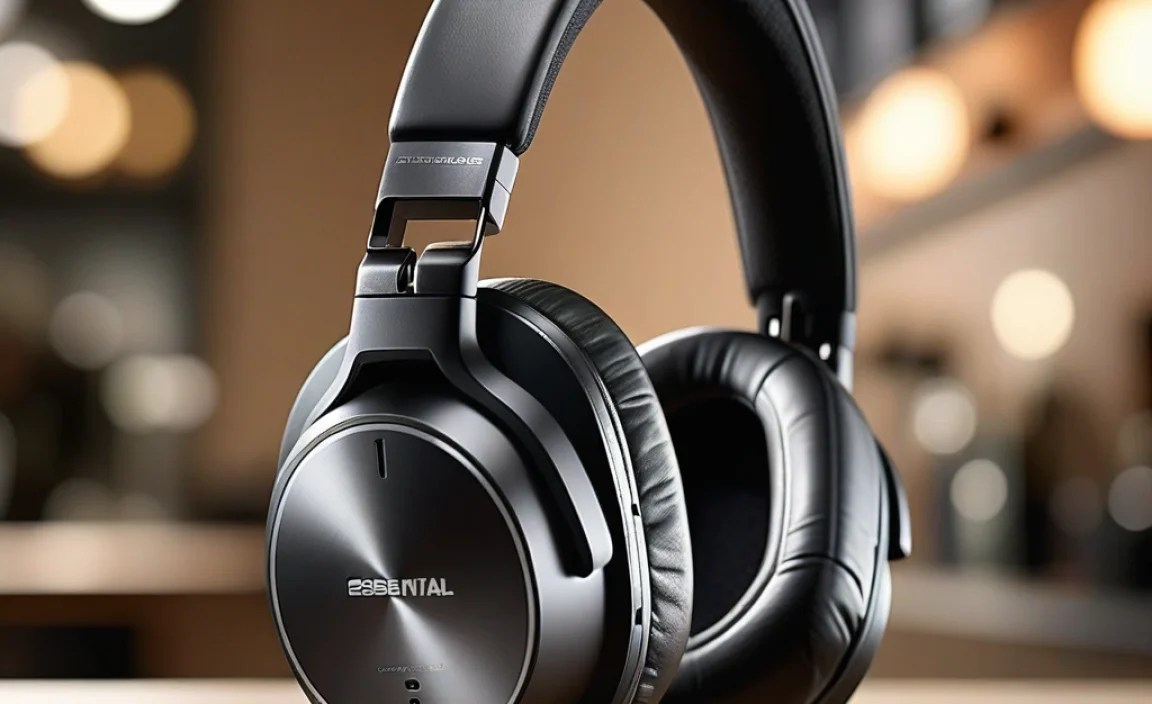
Navigating the options can feel a bit overwhelming, but focusing on a few key features will simplify your search. Here’s what truly matters:
1. Sound Quality
This is, arguably, the most crucial aspect for any headphone purchase. What makes headphones sound good? It’s a combination of factors, including driver size, tuning (how the frequencies are balanced), and codec support (the technology that transmits audio wirelessly). For a beginner, I’d recommend looking for headphones that offer a balanced sound profile, meaning they don’t excessively boost bass or treble at the expense of clarity. Many brands offer detailed sound with good separation, so you can hear individual instruments in your music.
- Drivers: Larger drivers generally mean more air movement and the potential for deeper bass and wider soundstage.
- Frequency Response: This indicates the range of sound frequencies the headphones can reproduce. A wider range (e.g., 20Hz – 20kHz) is standard, but how well they reproduce those frequencies matters most.
- Codec Support: For wireless headphones, codecs like AAC (good for Apple devices), aptX (common for Android), and LDAC (high-resolution audio codec) can significantly impact sound quality and latency.
2. Comfort and Fit
Since around-ear headphones surround your ears, comfort is paramount. Poorly designed cups can lead to listening fatigue or even pain during long sessions. Look for:
- Earcup Material: Soft memory foam or plush protein leather are common and comfortable choices.
- Clamping Force: The headphones should feel secure without squeezing your head too tightly.
- Weight and Balance: Lighter headphones are generally more comfortable for extended wear.
- Adjustability: A sturdy, adjustable headband ensures a good fit for different head sizes.
3. Battery Life
The freedom of wireless means relying on battery power. For around-ear headphones, you can expect:
- Talk Time: How long they last on a single charge, often ranging from 20 to 40+ hours.
- Quick Charge: Many headphones offer a quick charge feature, giving you several hours of playback from just a few minutes of charging.
- Charging Port: USB-C is the modern standard, offering faster charging and universal compatibility.
4. Active Noise Cancellation (ANC)
This is a game-changer for noisy environments. ANC uses microphones to detect ambient sound and generate an “anti-sound” wave to cancel it out. It’s incredibly effective for flights, busy offices, or commutes.
- Effectiveness: Some ANC is better at blocking low-frequency hums (like engines), while others tackle a broader range of sounds.
- Transparency Mode: This feature allows outside sound in, so you can hear announcements or have a conversation without taking off your headphones.
5. Connectivity and Features
Beyond just listening, consider how you’ll use your headphones:
- Bluetooth Version: Newer versions (like Bluetooth 5.0 and above) offer more stable connections and better power efficiency.
- Multipoint Pairing: This allows you to connect to two devices simultaneously (e.g., your phone and laptop), seamlessly switching between them.
- Built-in Microphone: If you plan to take calls, a clear microphone is essential. Look for headphones with noise-reducing mics for better call quality.
- Companion App: Many brands offer apps that let you customize EQ settings, update firmware, and adjust ANC levels.
Top Wireless Around Ear Headphones for Different Needs
Choosing the “best” is subjective and depends on your priorities. Here are a few categories and popular choices that consistently earn high marks:
For the Undisputed All-Around Champion
These headphones often strike a near-perfect balance of sound, comfort, features, and noise cancellation, making them fantastic for most users.
| Feature | Example Model (Illustrative) | Key Strengths |
|---|---|---|
| Sound Quality | Sony WH-1000XM5 | Exceptional detail, well-balanced, with immersive audio. |
| Comfort | Sony WH-1000XM5 | Lightweight design with plush earcups for long listening sessions. |
| ANC | Sony WH-1000XM5 | Industry-leading noise cancellation that effectively silences distractions. |
| Battery Life | Sony WH-1000XM5 | Up to 30 hours with ANC on. Quick charge functionality. |
| Connectivity | Sony WH-1000XM5 | Bluetooth 5.2, multipoint pairing, excellent app support. |
For the Audiophile on a Budget (or Simply Loving Value)
You don’t always need to break the bank for great sound. These options offer impressive audio performance and features without the premium price tag.
Anker Soundcore Q35
These headphones are a standout for their excellent value. They offer surprisingly good sound quality for the price, robust battery life, and effective ANC. The app also allows for EQ customization, letting you fine-tune the sound to your liking. They feel well-built and comfortable for extended wear, making them a fantastic entry point into premium wireless audio.
Pros:
- Excellent price-to-performance ratio.
- Good sound quality with customizable EQ.
- Long battery life (up to 40 hours with ANC).
- Comfortable for most users.
- LDAC support for higher-resolution audio.
Cons:
- ANC isn’t as powerful as top-tier competitors.
- Build materials might not feel as premium as more expensive options.
For more on audio codecs and how they impact sound, the Dolby Audio Codec page can offer insights (while specific to Dolby codecs, it explains the general concept of audio compression and transmission).
For the Traveler Who Needs Silence
When your primary goal is to shut out the world and immerse yourself in your audio, class-leading ANC is key.
Bose QuietComfort Ultra Headphones
Bose has built a legendary reputation for noise cancellation, and the QuietComfort Ultra continues that legacy. These headphones offer an immersive listening experience with their excellent ANC, designed to effectively mute airplane engines, train noise, and general office chatter. The sound is refined and balanced, and comfort is, as always with Bose, a top priority.
Pros:
- World-class active noise cancellation.
- Comfortable, lightweight design.
- Crisp, clear audio profile.
- Intuitive controls and app.
- Immersive audio feature (Bose Immersive Audio).
Cons:
- Premium price point.
- Battery life, while good, is not the absolute longest on the market.
Understanding the science behind noise cancellation can be fascinating. You can learn more about the principles of Active Noise Control from academic sources like ScienceDirect.
For the Fitness Enthusiast (Yes, Wireless Over-Ears!)
While many opt for earbuds during workouts, some prefer the immersive sound and comfort of over-ear headphones. Look for models with good seals and materials that can handle a bit of sweat (or are at least easy to clean).
JBL Tune 760NC
JBL offers a compelling balance of sound punch, decent ANC, and a robust build. The Tune 760NC provides their signature JBL sound, which often leans towards a more energetic bass, making it suitable for upbeat music genres. They fold compactly for portability and offer a solid battery life.
Pros:
- Powerful JBL sound signature.
- Effective ANC for the price.
- Lightweight and foldable design.
- Good battery life (up to 40 hours with ANC off).
Cons:
- Earcup materials might get warm during intense workouts.
- ANC is good, but not top-tier.
Setting Up Your New Wireless Headphones

Getting your new headphones ready to go is usually a breeze. Here’s a general step-by-step process:
- Charge Them Up: Before anything else, give your new headphones a full charge. Connect them to a power source using the included USB cable. The charging indicator light will usually change color or turn off when fully charged.
- Power On: Locate the power button (usually on one of the earcups) and press and hold it until you see or hear an indicator that they’re on.
- Enter Pairing Mode: This step is key. Most headphones have a dedicated Bluetooth pairing button, or you might need to press and hold the power button in a specific way. Check your headphone’s manual for the exact method. You’ll often see a flashing light indicating they are discoverable.
- Enable Bluetooth on Your Device:
- On Smartphones/Tablets: Go to your device’s Settings menu, then tap on “Bluetooth.” Ensure Bluetooth is turned on.
- On Computers: The process varies by operating system. On Windows, it’s usually Settings > Devices > Bluetooth & other devices. On macOS, Apple menu > System Preferences > Bluetooth.
- Select Your Headphones: Your device will begin scanning for available Bluetooth devices. Your new headphones should appear in the list. Tap on their name to initiate the pairing process.
- Confirm Pairing: You might be prompted to confirm a pairing code or simply tap “Pair.” Once connected, your device will usually indicate that your headphones are “Connected” or “Active.”
- (Optional) Install Companion App: If your headphones have a companion app, download it from your device’s app store. This is where you can often access features like EQ customization, ANC control, and firmware updates.
Maintaining Your Wireless Over-Ear Headphones

A little care goes a long way in keeping your headphones sounding great and comfortable:
Cleaning the Earcups
- For Protein Leather/PU Leather: Use a slightly damp, soft cloth. Avoid harsh chemicals or excessive moisture. For tougher spots, a very mild soap solution (like a tiny drop of dish soap mixed with water) can be used, but be sure to wipe it clean with a plain damp cloth afterward and allow it to air dry completely.
- For Fabric/Velour: These can often be cleaned with a soft brush to remove dust. For deeper cleaning, use a slightly damp cloth, being careful not to oversaturate.
Cleaning the Headband
Similar to earcups, a soft, damp cloth is usually sufficient. For fabric headbands, a gentle spot clean might be necessary.
Keeping the Drivers Clean
The speaker drivers themselves are delicate. Never poke anything directly into the speaker grilles. If dust accumulates, use a can of compressed air held at a distance or a very soft, dry brush.
Storage
When not in use, store your headphones in their protective case if one is provided. This shields them from dust, potential damage, and UV exposure, which can degrade materials over time. Avoid storing them in extreme temperatures.
Battery Care
- Avoid fully draining the battery regularly.
- Don’t leave them plugged in for excessively long periods after they are fully charged, though modern batteries have safeguards.
- Store them with a partial charge if you won’t be using them for many months.
For more in-depth information on battery health and care, resources like those found on Energizer’s battery care tips can be helpful, as the principles often apply broadly.
Frequently Asked Questions (FAQ)
Q1: How do I know if my wireless headphones are compatible with my phone?
Most modern wireless headphones use Bluetooth, which is standard on almost all smartphones released in the last decade. As long as both your phone and headphones support Bluetooth, they should be compatible. Check your phone’s specifications if you have a very old device.
Q2: Can I use my wireless headphones while they are charging?
Yes, most wireless headphones can be used while charging, especially if they have a detachable audio cable. However, using them wirelessly while charging might slightly increase charging time if the device’s power draw is high. It’s generally best to let them charge fully before using them wirelessly for the first time.
Q3: What does “latency” mean for wireless headphones, and is it a problem?
Latency refers to the delay between when an audio signal is sent and when it’s heard. With wireless headphones, latency can cause a noticeable lag, especially in videos or games, where audio might not sync perfectly with the visuals. Higher-quality Bluetooth codecs (like aptX Low Latency) and newer Bluetooth versions help minimize this. For music listening, it’s rarely an issue, but for media consumption, it can be.
Q4: Do I need to update the firmware on my headphones?
Firmware updates can improve performance, fix bugs, add new features, or enhance compatibility. It’s generally a good idea to install them when available, usually through the manufacturer’s companion app. Keep your headphones charged during the update process.
Q5: How can I reset my wireless headphones if they stop working correctly?
Most wireless headphones have a reset function. This often involves pressing a combination of buttons (like power and volume buttons) for a specific duration while the headphones are off or in pairing mode. Consult your headphone’s user manual, or search online for “[Your Headphone Model] reset procedure” for exact instructions. A reset will usually erase all paired devices, so you’ll need to re-pair them afterward.
Q6: My headphones won’t pair with my device. What should I do?
First, ensure both your headphones and device have sufficient battery. Make sure the headphones are in pairing mode and that Bluetooth is enabled on your device. Try turning Bluetooth off and on again on your device, or restart both devices. If you’ve previously paired them with other devices, try “forgetting” the headphones in your device’s Bluetooth settings and then re-pairing from scratch.
Conclusion
Choosing the best wireless around-ear headphones is a journey that balances your personal preferences with the incredible technology available today. Whether your priority is pristine audio fidelity, blissful silence thanks to advanced noise cancellation, or simply the unhindered freedom of going wireless, there’s a perfect pair out there waiting for you. By considering sound quality, comfort
