
Quick Summary: Discover the best wireless TV headphones to enjoy clear audio and freedom. This guide explains connection types, comfort features, sound quality, and latency to help you find the perfect pair for uninterrupted viewing and immersive sound, regardless of your TV’s setup.
The Best Wireless Headphones for TV: Your Essential Guide to Uninterrupted Entertainment

Tired of turning the TV volume up so loud it bothers the neighbors, or straining to hear dialogue over background noise? Wireless headphones for your TV can be a total game-changer, offering a private listening experience that’s crystal clear. But with so many options out there, choosing the right pair can feel a bit overwhelming. Don’t worry, I’m here to help! At Headphone Horizon, we love making audio tech simple. This guide will walk you through everything you need to know, from how they connect to what makes them sound great, so you can finally enjoy your favorite shows and movies without missing a single word or explosion.
Why Use Wireless Headphones with Your TV?

The benefits of using wireless headphones with your television are plentiful and can significantly enhance your viewing experience. For starters, they offer unparalleled freedom of movement. No more being tethered to your TV by a long cable, allowing you to get up to adjust your seating, grab a snack, or even move around your home while still clearly hearing the program. This is especially useful for those with hearing impairments, as it allows for personalized volume control without affecting others in the room. Furthermore, modern wireless headphones can deliver exceptional audio fidelity, often surpassing the built-in TV speakers, providing richer bass, clearer dialogue, and a more immersive soundstage for movies and games. For anyone sharing a living space, they offer the ultimate solution for late-night viewing or when different people have different entertainment preferences.
Understanding Wireless Connectivity for TV Headphones
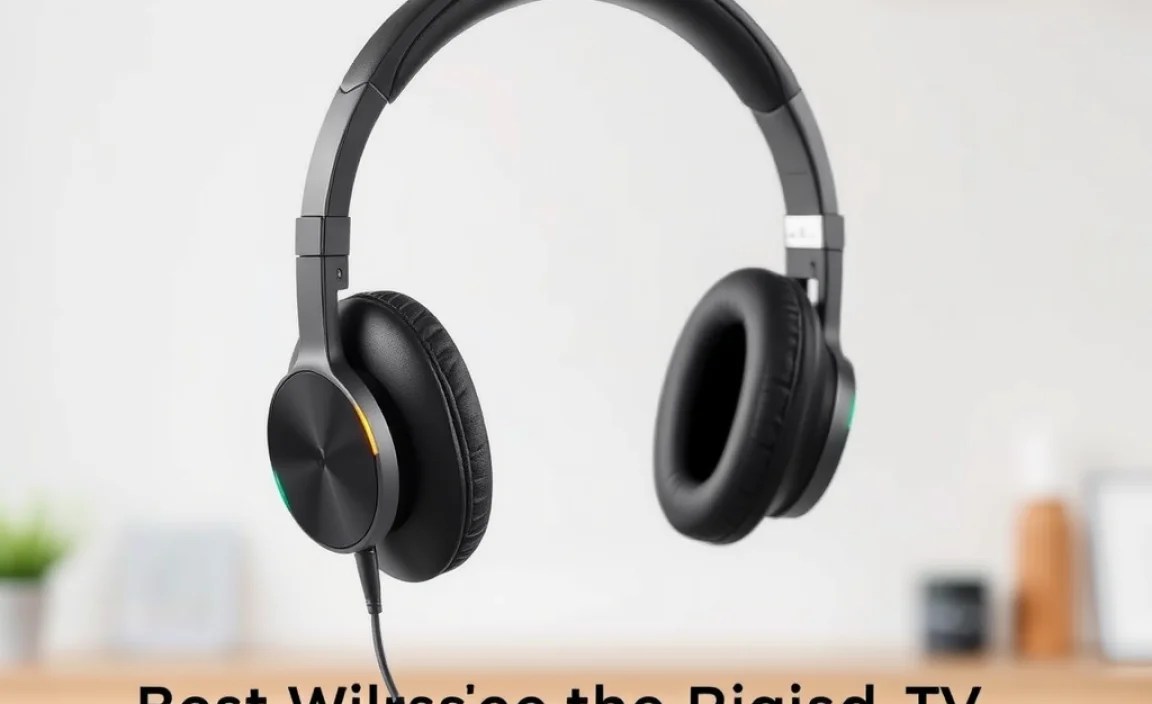
The way your wireless headphones connect to your TV is arguably the most crucial factor in selecting the right pair. Different technologies offer varying levels of convenience, sound quality, and compatibility. Let’s break down the primary methods:
Bluetooth Headphones
Bluetooth is the most common wireless technology found in consumer electronics today. Many newer smart TVs have built-in Bluetooth, making pairing straightforward.
How it Works
Bluetooth uses radio waves to create a short-range connection between devices. For TV use, you’ll typically pair your Bluetooth headphones directly with your TV if it supports Bluetooth audio output. If your TV doesn’t have built-in Bluetooth, you can use a Bluetooth transmitter (often called an adapter or dongle) that plugs into your TV’s audio output (like the headphone jack or optical port).
Pros of Bluetooth:
- Widely compatible with smart TVs and readily available Bluetooth transmitters.
- Easy to pair and use, especially with built-in TV Bluetooth.
- Versatile – can also be used with smartphones, tablets, and computers.
Cons of Bluetooth:
- Latency: This is the biggest drawback. Latency refers to the delay between the audio on screen and what you hear in your headphones. While newer Bluetooth versions (like aptX Low Latency) have significantly reduced this, some delay might still be noticeable, especially in fast-paced action scenes or games, which can be jarring. You can learn more about latency and audio synchronization at resources like the Stanford CCRMA website, which delves into the technical aspects of audio delay.
- Sound quality can vary, especially with standard Bluetooth codecs.
RF (Radio Frequency) Headphones
Radio Frequency headphones use a dedicated base station or transmitter that connects directly to your TV. They are a popular choice for TV viewing due to their excellent performance characteristics.
How it Works
The RF transmitter plugs into your TV’s audio output. This transmitter then broadcasts an audio signal wirelessly to the headphones. Because RF doesn’t rely on the same pairing protocol as Bluetooth, it often offers a more stable and lower-latency connection.
Pros of RF:
- Low Latency: RF headphones are renowned for their minimal audio delay, making them ideal for watching movies, TV shows, and especially playing video games where synchronization is critical.
- Range: Often provide a longer wireless range than Bluetooth, allowing you to move further from the TV.
- Stable Connection: Less prone to interference than some Bluetooth connections.
- Plug-and-Play: Generally very easy to set up – just connect the base station to your TV.
Cons of RF:
- Non-Bluetooth: They are not compatible with other Bluetooth devices like phones or tablets unless they have an additional Bluetooth feature.
- Dedicated System: Requires a base station, which can take up an extra port on your TV and might be perceived as less sleek than direct Bluetooth pairing.
- Sound Quality Limitations: While latency is good, the absolute fidelity might not always match high-end Bluetooth headphones using advanced codecs.
Infrared (IR) Headphones
Infrared headphones also use a transmitter connected to your TV but operate on infrared light signals. They are less common now but still have a niche.
How it Works
Similar to RF, an IR transmitter connects to your TV. However, the headphones must have a direct line of sight to the transmitter, much like a TV remote control. The infrared signals are then interpreted by the headphones.
Pros of IR:
- No Interference: Infrared is not affected by other wireless devices, providing a very clean signal.
- Privacy: The signal doesn’t travel through walls, meaning neighbors won’t accidentally pick up your audio signal.
Cons of IR:
- Line-of-Sight Required: This is the biggest limitation. If you move out of the direct line of sight of the transmitter (e.g., turn your head, or if there’s an obstruction), the signal can be interrupted.
- Limited Range: Typically have a shorter effective range than RF or Bluetooth.
- Not Common: Fewer models are available compared to Bluetooth and RF.
Choosing the Right Connection Type for You
The best connection type depends on your priorities:
- For Smart TV Owners with No Bluetooth: A good quality Bluetooth transmitter is an excellent and versatile option.
- For Gamers and Movie Buffs Who Hate Lag: RF headphones are generally the superior choice due to their low latency.
- For Maximum Versatility: Bluetooth headphones (especially those supporting aptX Low Latency) are great if you also want to use them with other devices.
- For Very Specific, Private Setups: IR could be an option, but its limitations make it less appealing for most users.
Always check your TV’s specifications to see what audio output ports it has (e.g., 3.5mm headphone jack, RCA audio out, optical/TOSLINK audio out). This will determine what kind of transmitter you might need.
Key Features to Look for in TV Wireless Headphones
Beyond connectivity, several features contribute to the overall quality and comfort of wireless TV headphones:
Comfort and Fit
You’ll likely be wearing these for extended periods, so comfort is paramount.
- Ear Cup Design: Over-ear headphones enclose your entire ear, offering better sound isolation and comfort for long sessions. On-ear headphones rest on your ears and can sometimes cause pressure.
- Cushioning: Look for plush, breathable ear pads made from materials like velour or memory foam.
- Adjustable Headband: A well-padded and adjustable headband ensures a snug but comfortable fit for various head sizes.
- Weight: Lighter headphones are generally more comfortable for prolonged use.
Sound Quality
While TV audio might not always be audiophile-grade, good headphones can elevate the experience.
- Clarity: For dialogue-heavy shows, clear mid-range frequencies are essential.
- Bass Response: For movies and action, a well-balanced bass adds impact without being overpowering.
- Soundstage: A wider soundstage can make the audio feel more immersive and spatial.
- Volume Control: Easy, accessible volume controls on the headphones or base station are a must for quick adjustments.
Battery Life and Charging
Nobody wants their viewing interrupted by a dead battery.
- Battery Life: Aim for headphones that offer at least 15-20 hours of playback on a single charge. Many high-end models can last much longer.
- Charging Method: Consider how they charge. Many come with USB charging cables, while some RF models have charging docks, which are very convenient.
- Quick Charge: Some headphones offer a quick charge feature, providing a few hours of playback after just 10-15 minutes of charging.
Range and Signal Strength
How far can you go before the signal cuts out?
- Acoustic Range: This refers to the maximum distance the headphones can maintain a connection with the transmitter. For most homes, 30-100 feet is usually more than adequate.
- Signal Stability: Look for technologies or reviews that mention good signal stability and resistance to interference from other devices like microwaves or Wi-Fi routers.
Ease of Setup
You want to start watching, not wrestling with complicated instructions.
- Plug-and-Play: Many RF systems are designed to be as simple as plugging the transmitter into the TV and powering on.
- Bluetooth Pairing: For Bluetooth, check if your TV supports it natively, or if you’ll need a transmitter. Pairing protocols are generally straightforward.
Top Wireless Headphone Options for Your TV
Based on connectivity, comfort, and performance, here are some highly recommended types of wireless headphones that excel for TV viewing. Prices and specific models vary, but these categories consistently offer great experiences:
Category 1: Dedicated RF Systems (Excellent for Low Latency)
These are specifically designed for home entertainment and prioritize a lag-free audio experience.
Example Brands/Models to Consider:
- Sennheiser RS Series: Often cited for exceptional sound quality and robust RF connection. The RS 5000 or RS 185 are popular choices.
- Avantree RF Focus/AS9S: Avantree offers a range of RF headphones known for ease of use and good performance.
- Bose QuietComfort 45 (with optional transmitter): While primarily Bluetooth, some users pair them with Bluetooth transmitters to reduce latency. However, true RF is generally better for pure lag-free TV.
Pros:
- Minimal to no perceptible audio delay.
- Often come with dedicated charging docks.
- Longer range than standard Bluetooth in many cases.
Cons:
- Not typically usable with other devices like phones.
- Requires a base station.
Category 2: Bluetooth Headphones with Low Latency Codecs
When paired with a compatible Bluetooth transmitter, these can offer a great balance of versatility and reduced lag.
Key Technology: aptX Low Latency (aptX LL)
This is a specific Bluetooth audio codec designed to minimize audio delay. For this to work, both your headphones and your TV or Bluetooth transmitter must support aptX LL. You can find more details on aptX’s official website.
Example Brands/Models to Consider:
- Avantree Audition Pro: Known for supporting aptX HD and aptX Low Latency.
- COWIN E7/E8: Often praised for good noise cancellation and solid Bluetooth performance, though aptX LL support should be verified for the specific model.
- Sony WH-1000XM5/XM4: Excellent noise-canceling and sound quality, and while they are primarily Bluetooth, they can be paired with aptX LL transmitters for TV use.
Pros:
- High versatility for use with multiple devices.
- Can offer excellent active noise cancellation.
- Many models offer superior overall sound quality and comfort.
Cons:
- Requires a transmitter supporting aptX LL for best results.
- Latency can still be slightly noticeable for some users even with aptX LL compared to dedicated RF.
- Higher price point for premium models.
Category 3: All-in-One Bluetooth Transmitter and Headphone Kits
These kits bundle a Bluetooth transmitter and headphones, often optimized to work together, and frequently feature aptX LL.
Example Brands/Models to Consider:
- Avantree Oasis Plus: A popular bundle including a transmitter and headphones (often sold separately but designed to be used together) with aptX LL.
- Mpow BH209A (or similar bundles): Mpow and other brands frequently offer transmitter-headphone combos.
Pros:
- Designed to work seamlessly together.
- Often a cost-effective solution compared to buying separate components.
- Easy setup compared to sourcing individual parts.
Cons:
- Headphone quality can vary significantly within these bundles; check reviews carefully.
- May not offer the absolute best comfort or sound quality compared to dedicated, premium headphones.
How to Connect Your Wireless TV Headphones: A Step-by-Step Guide
The connection process will differ slightly depending on the type of headphones and your TV. Here are the general steps:
Method 1: Connecting Bluetooth Headphones to a Smart TV
This is the most straightforward method if your TV has built-in Bluetooth.
- Enable Bluetooth on your TV: Navigate to your TV’s settings menu. Look for “Bluetooth,” “Sound,” “Connections,” or similar options. Turn Bluetooth on.
- Put Headphones in Pairing Mode: Turn on your Bluetooth headphones and put them into pairing mode. This usually involves pressing and holding a power or Bluetooth button until an indicator light flashes, or you hear an audible cue. Consult your headphone manual for exact instructions.
- Scan for Devices on your TV: Back on your TV, select the option to “Scan for Devices,” “Add Device,” or “Pair Device.”
- Select Your Headphones: Your TV should list available Bluetooth devices. Find the name of your headphones in the list and select them.
- Confirm Pairing: Your TV and headphones should now pair. You might be prompted to confirm a PIN code (usually 0000 or 1234, but check your manual). Once paired, you should see a confirmation message on your TV.
- Select Headphones as Audio Output: Ensure your TV is set to output audio through the newly connected headphones. This option is usually found in the same “Sound” or “Audio Output” settings menu.
Method 2: Using a Bluetooth Transmitter/Adapter
This is necessary if your TV does not have built-in Bluetooth or if you want to ensure aptX Low Latency support.
What You’ll Need:
- Bluetooth Transmitter (ensure it supports aptX Low Latency if your headphones do)
- Wireless Headphones (Bluetooth)
- Audio Cables (usually included with the transmitter, e.g., 3.5mm to 3.5mm or 3.5mm to RCA)
- Power source for the transmitter (often USB)
Steps:
- Connect the Transmitter to Your TV: Plug the transmitter into your TV’s audio output port. This could be the 3.5mm headphone jack, RCA ports (red and white), or an optical (TOSLINK) port. Use the appropriate cable. If using optical, you may need to enable “Optical Output” in your TV’s audio settings.
- Power the Transmitter: Connect the transmitter to a power source, usually via a USB cable plugged into a USB port on your TV or a separate USB power adapter.
- Put the Transmitter in Pairing Mode: Press and hold the pairing button on the transmitter until its indicator light flashes, signaling it’s ready to pair.
- Put Your Headphones in Pairing Mode: Follow the instructions for your headphones to enter pairing mode.
- Pair Transmitter and Headphones: Bring the headphones close to the transmitter. They should automatically detect and pair with each other. Check the indicator lights on the transmitter to confirm a successful connection (often a solid light or a specific color).
- Set TV Audio Output: Ensure your TV’s audio output is set to the correct port you used for the transmitter (e.g., “Headphone,” “Audio Out,” or “Optical”).
- Adjust Volume: You may need to adjust the volume on both the TV (if applicable) and the headphones. Some transmitters have volume controls.
