
Quick Guide to Over-Ear Wireless Headphones: Finding the best over-ear wireless headphones is easier than you think! This guide breaks down essential features like comfort, battery life, and sound quality, helping you choose the perfect pair for music, calls, or just a moment of peace. Get ready to upgrade your listening experience with confidence!
The Genius Guide to the Best Over-Ear Wireless Headphones
Hey there, audio adventurers! Edward Cavitt here, your friendly guide from Headphone Horizon. If you’re anything like me, you love getting lost in your music, podcasts, or simply enjoying some quiet time. Over-ear wireless headphones are fantastic for this, offering a cozy embrace for your ears and an immersive sound experience without the tangle of wires. But with so many options out there, how do you pick the best pair? Don’t sweat it! This guide is designed to be your trusty companion, demystifying the jargon and helping you find headphones that fit your needs and your budget perfectly. Let’s dive in and discover your next favorite audio companion!
Why Choose Over-Ear Wireless Headphones?

Over-ear headphones, also known as circumaural headphones, wrap completely around your ears. This design offers several fantastic benefits, especially when you go wireless:
- Superior Comfort: The earcups distribute pressure evenly, making them ideal for long listening sessions.
- Excellent Noise Isolation: The passive seal created by the earcups naturally blocks out a good amount of ambient noise.
- Rich Audio Quality: The larger drivers often found in over-ear designs can produce a more expansive and detailed soundstage.
- Freedom of Movement: The wireless connection means no more snagged cords, whether you’re commuting, working out, or just lounging at home.
Key Features to Consider When Buying
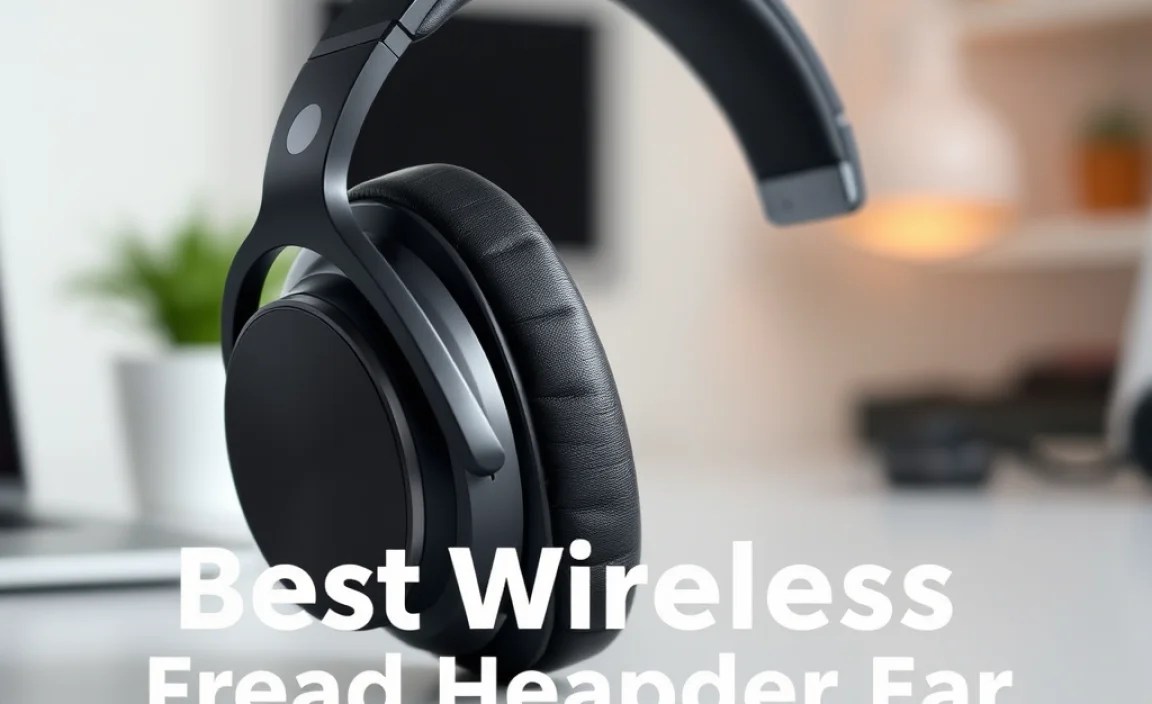
Navigating the headphone market can feel like a maze. Here are the crucial features to keep an eye on:
1. Sound Quality
This is often the most important factor for music lovers. Look for headphones that offer a balanced sound profile. Some prefer a bass-heavy experience, while others lean towards clearer highs and mids. Reading reviews that describe the sound signature can be very helpful.
2. Comfort and Fit
Since these headphones sit over your ears, comfort is paramount. Consider the padding on the earcups and headband. Are they plush and breathable? Do the earcups fit snugly without feeling too tight? Adjustable headbands are also a must for a personalized fit.
3. Battery Life
Wireless headphones run on batteries, so understanding their endurance is key. Most good over-ear wireless headphones offer anywhere from 20 to 50 hours of playback on a single charge. Some even offer quick charging, giving you several hours of listening time from just a few minutes plugged in. This is incredibly useful for busy lifestyles.
4. Noise Cancellation (ANC)
Active Noise Cancellation (ANC) uses microphones to detect ambient sound and then generate opposing sound waves to cancel it out. This is a game-changer for noisy environments like airplanes, trains, or busy offices. Not all ANC is created equal, so look for reviews that specifically address its effectiveness.
5. Connectivity
Most wireless headphones use Bluetooth. Pay attention to the Bluetooth version (newer versions like 5.0 or 5.1 offer better stability and power efficiency) and the supported codecs (like aptX or LDAC, which can improve audio quality if your device also supports them).
6. Durability and Build Quality
Look for headphones made with sturdy materials. Metal components in the headband or hinges often indicate better durability than all-plastic constructions. Check reviews for any reports of premature wear and tear.
7. Microphone Quality for Calls
If you plan to use your headphones for calls, the microphone quality is important. Some headphones have multiple microphones and noise-reduction technology to ensure your voice comes through clearly, even in a noisy environment.
Top Contenders: Best Over-Ear Wireless Headphones Recommendations

While “best” is subjective and depends on your priorities, here are some consistently top-rated over-ear wireless headphones that offer an excellent balance of features for different needs. We’ll look at categories that are important for beginners:
The All-Rounder Champion
For those seeking a fantastic blend of superb sound, comfortable design, effective noise cancellation, and robust battery life, this category is for you.
Sony WH-1000XM5
Often hailed as the king of ANC, the Sony WH-1000XM5 offers class-leading noise cancellation, exceptional audio quality with support for high-resolution audio codecs, and a comfortable, lightweight design. Its battery life is also impressive, easily lasting through long flights or workdays.
- Pros: Industry-leading ANC, superb sound clarity, comfortable for long wear, excellent battery life, great for calls.
- Cons: Premium price point, not particularly rugged.
The Budget-Friendly Pro
You don’t always need to break the bank to get great sound. These options focus on delivering value without significant compromises.
Sennheiser HD 350BT
Sennheiser is known for its audio prowess, and the HD 350BT brings that quality to a more accessible price. They offer a balanced and detailed sound, good battery life, and reliable Bluetooth connectivity for everyday listening.
- Pros: Excellent sound quality for the price, good battery life, solid build.
- Cons: ANC is not as effective as premium models, no multipoint Bluetooth connection.
The Sporty & Durable Choice
If you need headphones that can withstand a bit more ruggedness or are prone to sweating, these are built for the challenge.
Jabra Elite 85h
The Jabra Elite 85h are known for their durable build, water resistance (IP52 rating), and good sound quality. They also feature effective ANC and impressive battery life, making them a solid choice for active users or those who are tough on their gear.
- Pros: Very durable, water and dust resistant, good ANC, long battery life, comfortable.
- Cons: Sound might be a bit bass-heavy for some purists, slightly bulkier design.
The Ultimate Comfort Seeker
For those who prioritize plush earcups and a lightweight feel for extended, uninterrupted listening sessions.
Bose QuietComfort 45
Bose has built its reputation on comfort and stellar noise cancellation, and the QC45 continues this legacy. They are incredibly lightweight and feature plush earcups that feel like clouds. The ANC is top-notch, creating a serene listening environment.
- Pros: Exceptionally comfortable, excellent ANC, clear sound, easy to use.
- Cons: Sound profile is a bit less exciting than some competitors, no ANC customization.
How to Pair Your Wireless Headphones

Pairing your new wireless headphones is usually a straightforward process. Here’s a general guide:
- Charge Your Headphones: Ensure your headphones have enough battery life.
- Put Them in Pairing Mode: This typically involves holding down the power button for a few seconds until an indicator light flashes (often blue or white) or you hear an audio cue. Check your headphone’s manual for the exact procedure.
- Enable Bluetooth on Your Device: On your smartphone, tablet, or computer, go to the Bluetooth settings.
- Scan for Devices: Your device will start searching for available Bluetooth devices.
- Select Your Headphones: You should see the name of your headphones in the list. Tap or click on it to connect.
- Confirmation: Once connected, you’ll usually hear a sound or see a notification confirming the pairing.
For a deeper dive into Bluetooth technology and its benefits, you can explore resources from the Bluetooth SIG.
Maintaining Your Over-Ear Headphones for Longevity
To keep your beloved headphones sounding great and feeling comfortable for years to come, a little regular maintenance goes a long way. Here are some simple tips:
Cleaning the Earcups and Headband
Gently wipe down the earcups and headband with a soft, slightly damp cloth. For stubborn grime, you can use a mild soap solution, but be sure to wring out the cloth thoroughly to avoid excess moisture. Avoid harsh chemicals or abrasive materials, as these can damage the materials. If your earcups are removable, you might be able to clean them more thoroughly – check your manual!
Keeping the Charging Port Clean
Dust and debris can accumulate in the charging port, potentially affecting charging speed or reliability. Use a dry, soft brush (like a clean toothbrush or a small paintbrush) or a can of compressed air to gently clear out any obstructions. Never insert sharp objects into the port.
Storing Your Headphones Properly
When not in use, store your headphones in a cool, dry place. Many headphones come with a carrying case; use it! This protects them from dust, accidental drops, and preventing the earcups from being crushed.
Software Updates
Some advanced wireless headphones receive firmware updates that can improve performance, fix bugs, or add new features. Check the manufacturer’s app or website periodically for any available updates and follow their instructions carefully.
Troubleshooting Common Wireless Headphone Issues
Even the best tech can sometimes be a bit finicky. Here are solutions to common problems:
- Headphones Won’t Connect:
- Ensure Bluetooth is ON on your device and headphones.
- Make sure headphones are charged and in pairing mode.
- Restart both your device and headphones.
- “Forget” the headphones in your device’s Bluetooth settings and try pairing again.
- Audio Stuttering or Dropping:
- Check for interference from other wireless devices.
- Move closer to your audio source.
- Update your device’s and headphones’ firmware.
- Ensure your device’s operating system is up to date.
- One Side Not Working:
- Check if the audio balance setting on your device is centered.
- Try connecting to a different device to isolate the issue.
- Clean the headphone contacts if they are detachable.
- If it persists, it might be a hardware issue.
- Poor Microphone Quality:
- Ensure the microphone isn’t obstructed.
- Check microphone permissions in your device’s settings.
- Try using the headphones without ANC (if applicable) to see if that improves clarity.
For more in-depth troubleshooting guides, the Federal Communications Commission (FCC) offers information on radio frequency safety which can sometimes be relevant to wireless device interference.
Frequently Asked Questions (FAQ)
Q1: What is the difference between noise-canceling and noise-isolating headphones?
Noise-isolating headphones create a physical seal around your ears to block out sound passively. Noise-canceling headphones (Active Noise Cancellation or ANC) use microphones and electronics to actively reduce ambient noise, particularly effective for low-frequency sounds like engine hums.
Q2: How long should my wireless headphones’ battery last?
Good quality over-ear wireless headphones typically offer between 20 to 40 hours of playback on a single charge with ANC on. Some premium models can push 50 hours or more. Always check the manufacturer’s specifications for the most accurate information.
Q3: Can I use my wireless headphones while charging?
Most headphones allow you to use them while charging via a USB cable. However, some manufacturers advise against it, especially for the initial charge, to ensure optimal battery health. It’s best to check your specific model’s manual.
Q4: What is Bluetooth Multipoint?
Multipoint connectivity allows your headphones to be connected to two devices simultaneously. For example, you can be listening to music on your laptop and then seamlessly switch to take a call on your smartphone without re-pairing.
Q5: Are over-ear headphones good for exercise?
Generally, over-ear headphones can be a bit warm and bulky for intense workouts, and sweat can be an issue. However, some models are designed with sportier materials and better sweat resistance. For many, they are perfectly fine for light to moderate activity where comfort and sound quality are priorities.
Q6: Do I need to use the manufacturer’s app?
Many manufacturers offer companion apps that unlock additional features like EQ customization, ANC level adjustment, firmware updates, and find-my-headphone features. While not always essential for basic operation, the app can significantly enhance your user experience.
Conclusion
Choosing the best over-ear wireless headphones doesn’t have to be a daunting task. By understanding the key features—like sound quality, comfort, battery life, and noise cancellation—and considering your personal needs, you can confidently select a pair that will bring you hours of listening pleasure. Whether you’re a seasoned audiophile or just looking for a great way to enjoy your favorite tunes without wires, there’s a perfect set out there for you. Happy listening, and enjoy the freedom and immersive sound that over-ear wireless headphones offer!
