
Quick Summary: Find the perfect wireless headphones for your iPad with this beginner-friendly guide. We break down key features like comfort, sound quality, battery life, and connectivity to help you choose headphones that enhance your iPad experience for music, movies, and calls. Enjoy rich audio and freedom without wires!
Best Wireless Headphones for iPad: Your Essential Guide
Hey there, audio adventurers! Edward Cavitt here, your friendly guide from Headphone Horizon. If you’ve just upgraded to a shiny new iPad, or perhaps you’re looking to finally ditch those tangled wires, you’ve come to the right place. Connecting wireless headphones to your iPad is a fantastic way to immerse yourself in music, movies, podcasts, or even take crystal-clear calls. But with so many options out there, how do you pick the best wireless headphones for your iPad? Don’t worry, it’s simpler than you think! We’ll walk through everything you need to know, from understanding basic features to finding a pair that feels like an extension of your iPad. Let’s dive in and find your perfect audio match!
Why Go Wireless with Your iPad?
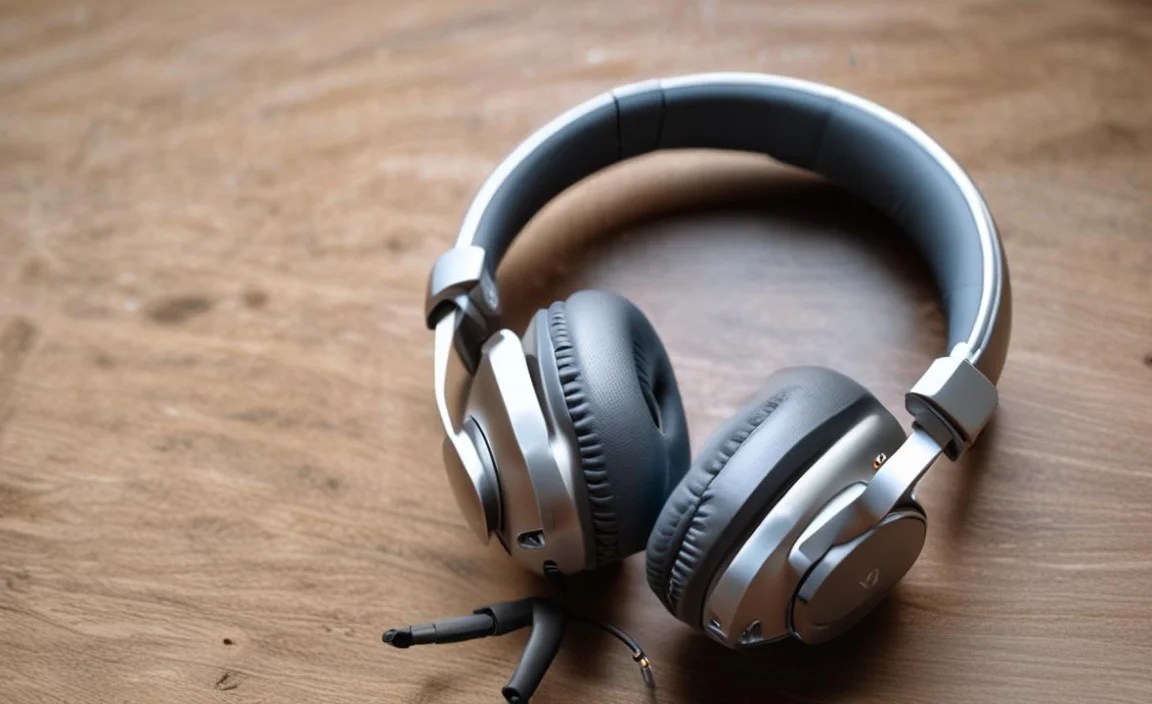
The convenience of wireless headphones is a game-changer, especially when paired with a versatile device like the iPad. No more fumbling with cables while you’re trying to follow a recipe in the kitchen, or the cord snagging when you’re lounging on the couch. Wireless connectivity offers a liberating experience that truly complements the iPad’s portability and functionality. Whether you’re a student taking notes in class, a professional in a video conference, or simply enjoying your favorite tunes on the go, the freedom from wires enhances every interaction.
Beyond freedom, modern wireless headphones often come packed with features like active noise cancellation (ANC) to block out distractions, impressive battery life to keep you powered all day, and built-in microphones for seamless communication. They offer a cleaner aesthetic and a more comfortable listening experience, especially during long sessions. The integration with Bluetooth technology means pairing with your iPad is usually a breeze, making the setup process quick and effortless for everyone.
Key Features to Consider When Buying

Choosing the right wireless headphones involves looking at a few crucial aspects. Think of these as your checklist to ensure you get the most bang for your buck and the best audio experience for your iPad.
1. Sound Quality: What You’ll Hear
This is often the most important factor for many! Sound quality refers to how clear, balanced, and rich the audio is. For your iPad, you might want headphones that excel in:
- Clarity: Can you hear every detail? Are vocals distinct?
- Bass: Do the low notes sound full and impactful, or muddy?
- Mids and Highs: Do instruments and voices sound natural and crisp?
- Soundstage: Does the music feel spacious, or confined?
For audiophiles, look for specifications like frequency response (wider is generally better, e.g., 20Hz – 20kHz) and support for high-quality Bluetooth codecs (like AAC, which Apple devices use efficiently, or aptX for Android users, though AAC is our focus for iPad). For everyday listening, most well-regarded brands will offer a pleasing sound profile.
2. Comfort and Fit: Wear Them All Day
If your headphones aren’t comfortable, you won’t wear them for long, no matter how good they sound. Consider:
- Weight: Lighter is usually better for extended wear.
- Ear Cup Material: Soft leatherette or plush fabric can make a big difference.
- Clamping Force: How tightly do they grip your head? Too tight is uncomfortable.
- Earcup Size: Do they fit over your ears completely (over-ear) or rest on them (on-ear)?
- Adjustability: Can the headband be easily adjusted?
For over-ear headphones (circumaural), the earcups should comfortably enclose your entire ear. On-ear headphones (supra-aural) rest on your ears and can sometimes cause discomfort over time. In-ear or earbuds (intra-aural) fit inside your ear canal and come with different ear tip sizes for a secure fit.
3. Battery Life: Powering Your Listening
Nothing kills the wireless vibe faster than a dead battery. Check the manufacturer’s claims for:
- Playback Time: How many hours of listening can you get on a single charge?
- Charging Time: How long does it take to fully recharge?
- Quick Charge: Does a short charge (e.g., 15 minutes) give you several hours of playback?
- Charging Method: Most use USB-C now, which is convenient. Some might still use Micro-USB, but it’s less common for premium models.
Most modern wireless headphones offer at least 20-30 hours of playback, with some going well over 50. For an iPad, which can last many hours on its own, having headphones that can keep up is essential for long flights or study sessions.
4. Connectivity: Staying Paired
Bluetooth is the standard. For your iPad, look for:
- Bluetooth Version: Bluetooth 5.0 or newer generally offers better range, stability, and power efficiency compared to older versions.
- Multi-point Pairing: This allows the headphones to connect to two devices simultaneously (e.g., your iPad and your iPhone). Switch seamlessly between them!
- Ease of Pairing: How simple is the initial setup? Apple’s H1 or H2 chips (found in AirPods and some Beats) offer super-easy, one-tap pairing with Apple devices.
While AAC is the most efficient codec for Apple devices, many headphones support other codecs as well. For general use with an iPad, robust Bluetooth 5.0+ is the key for a stable connection.
5. Active Noise Cancellation (ANC): Your Personal Quiet Zone
If you often listen in noisy environments—like airplanes, busy cafes, or open-plan offices—ANC is a feature worth investing in. ANC uses microphones to detect ambient noise and then generates an opposing sound wave to cancel it out.
- Effectiveness of ANC: Some ANC is better at blocking low-frequency hums (like engine noise), while others handle mid-range sounds more effectively.
- Transparency Mode: This allows outside sounds in without taking off your headphones, which is useful for conversations or hearing announcements.
Not all ANC is created equal, so reading reviews that specifically test ANC performance is helpful.
6. Microphone Quality: For Calls and Commands
If you plan to use your headphones for phone calls, video conferences on your iPad, or even voice commands with Siri, the microphone quality is important. Look for headphones that advertise clear voice pickup or noise reduction for the microphone. Some earbuds have beamforming microphones that focus on your voice.
7. Durability and Build Quality: Lasting Investments
Consider how you’ll be using your headphones. If they’re for daily commutes or travel, durability is key. Look for robust materials and solid construction. Over-ear headphones might have metal headbands or sturdy hinges. Earbuds should feel well-built and come with a protective charging case.
Top Wireless Headphone Categories for iPad Users

To help narrow down your choices, let’s look at some popular categories of wireless headphones that pair beautifully with an iPad.
Over-Ear Wireless Headphones
These tend to offer the most immersive sound experience and superior comfort for long listening sessions. They completely enclose your ears, providing a natural level of passive noise isolation.
- Pros: Excellent sound quality, superior comfort, often best ANC, great for immersive listening.
- Cons: Can be bulky, less portable than earbuds, may get warm during long use.
Consider these for::
- Long movie marathons on your iPad.
- Immersive music listening at home or in quiet environments.
- Students needing to focus in dorms or libraries.
On-Ear Wireless Headphones
These sit directly on your ears. They’re a compromise between over-ear comfort and the portability of earbuds.
- Pros: More portable than over-ears, can offer a good balance of sound and comfort.
- Cons: Can press on ears and become uncomfortable over time, less passive noise isolation than over-ears, sound leakage can be an issue.
Consider these for::
- Shorter listening sessions where portability is key.
- Users who find over-ear headphones too hot or bulky.
True Wireless Earbuds
These are completely wire-free, with each earbud being a separate unit. They come with a charging case, which is essential for keeping them powered.
- Pros: Extremely portable, very discreet, no wires at all, convenient charging case.
- Cons: Battery life per charge can be shorter than over-ear models, can be easier to lose, sound quality might not match high-end over-ear options.
Consider these for::
- Commuting and travel.
- Workout sessions (look for sweat-resistance).
- Anyone prioritizing ultimate portability and a minimalist look.
Recommended Wireless Headphones for Your iPad (by Category)

While the “best” is subjective and depends on your budget and needs, here are some highly-rated options that consistently perform well and are excellent companions for your iPad.
Premium Over-Ear: For the Ultimate Experience
- Sony WH-1000XM5: Often lauded as the king of ANC, these headphones offer phenomenal noise cancellation, superb sound quality, and excellent comfort. They support AAC, making them ideal for iPad users. Battery life is also exceptional.
- Bose QuietComfort Ultra Headphones: Bose is renowned for comfort and effective noise cancellation. The Ultra model offers a refined listening experience with immersive audio features and reliable Bluetooth connectivity.
- Apple AirPods Max: If you’re deeply embedded in the Apple ecosystem and prioritize seamless integration, the AirPods Max are a luxurious option. They boast excellent sound, adaptive EQ, Transparency mode, and Spatial Audio for an immersive cinema-like experience on your iPad.
Mid-Range Over-Ear: Great Value, Great Sound
- Sennheiser Momentum 4 Wireless: These offer a fantastic blend of premium sound, strong ANC, and incredibly long battery life (up to 60 hours!). They provide a rich, detailed listening experience perfect for music lovers.
- Anker Soundcore Space Q45: For a more budget-friendly option, the Q45s punch well above their weight, offering good ANC, clear sound, and impressive battery life. They provide a solid user experience without breaking the bank.
Premium True Wireless Earbuds: Compact Powerhouses
- Apple AirPods Pro (2nd generation): The go-to for most iPad users. They offer superb ANC, Transparency mode, rich spatial audio integration with your iPad, and a comfortable, secure fit. Apple’s H2 chip ensures seamless pairing and connectivity.
- Sony WF-1000XM5: These earbuds compete directly with AirPods Pro, offering arguably better ANC and very detailed sound. They support multiple codecs and are a top choice for those prioritizing audio fidelity in a truly wireless form factor.
Mid-Range True Wireless Earbuds: Feature-Packed Without the Premium Price
- Anker Soundcore Liberty 4 NC: A standout in the budget category, these earbuds offer strong ANC, good sound, wireless charging, and a companion app for customization, all at a very attractive price point.
- Jabra Elite 4 Active: Known for their secure fit and durability, these are great for active users. They offer good sound, effective ANC, and a reliable connection, making them a solid choice for everyday use.
How to Connect Wireless Headphones to Your iPad

Connecting your new wireless headphones to your iPad is usually a straightforward process thanks to Bluetooth technology. Here’s how to do it:
Step 1: Put Your Headphones in Pairing Mode
This is the crucial first step. How you do this varies by brand and model:
- Powering On: Often, simply turning on your headphones will put them in pairing mode if no device is already connected.
- Dedicated Pairing Button: Many headphones have a specific button you need to press and hold (usually for 3-5 seconds) until an indicator light flashes (often blue or white) or you hear an audio cue like “pairing.”
- Through an App: Some headphones require you to use a companion app to initiate pairing.
Tip: Always check your headphone’s manual for the exact instructions on how to enter pairing mode. It’s your definitive guide!
Step 2: Open Bluetooth Settings on Your iPad
Navigate to the settings on your iPad:
- Tap on the Settings app icon (it looks like a gear).
- In the left-hand menu, tap on Bluetooth.
- Make sure the Bluetooth toggle at the top is switched to On (it will be green).
Step 3: Find and Select Your Headphones
Your iPad will start scanning for nearby Bluetooth devices. Your headphones should appear in the list under “Other Devices” or “New Devices.”
- Look for the name of your headphones in the list. For example, “Sony WH-1000XM5” or “AirPods Pro.”
- Tap on the name of your headphones.
Step 4: Confirm Pairing
Your iPad will attempt to connect to your headphones. You might:
- See a “Connecting” status that then changes to “Connected.”
- Hear an audio confirmation from your headphones (e.g., “Connected”).
- For Apple devices like AirPods, a pop-up will appear on your iPad screen asking you to connect. Tap “Connect.”
Once connected, your headphones will appear under the “My Devices” list in your iPad’s Bluetooth settings, and the status will show “Connected.”
Special Note for Apple AirPods and Beats:
If you’re using Apple AirPods or select Beats headphones, the process is even simpler:
- Ensure your AirPods/Beats are in their charging case (if applicable) and near your unlocked iPad.
- Open the lid of the case (or unpause if they’re already out).
- A setup animation should appear on your iPad’s screen.
- Tap “Connect.”
These devices use Apple’s W1 or H1/H2 chips for near-instantaneous pairing and automatic switching between your Apple devices signed into the same iCloud account. For more information on Bluetooth and its security, you can refer to the official Bluetooth website.
Maintaining Your Wireless Headphones
To get the most out of your new wireless headphones and ensure they last, a little care goes a long way. Here are some simple maintenance tips:
1. Cleaning: Keeping Them Fresh
Regular cleaning prevents buildup and keeps your headphones sounding and feeling their best.
- Earcups (Over-ear/On-ear): Wipe the exterior with a slightly damp, soft cloth. For the ear pads, use a dry microfiber cloth. If they’re removable, you can gently clean them with a very mild soap and water solution, ensuring they are completely dry before reattaching. Avoid harsh chemicals.
- Earbuds: Use a dry cotton swab or a soft, dry brush to gently clean the mesh. For stubborn grime, a cotton swab lightly dampened with isopropyl alcohol (rubbing alcohol) can be effective on the plastic parts, but be careful not to let liquid seep into any openings. Ensure the ear tips are clean and free of earwax.
- Charging Case: Wipe the exterior and interior (around the charging contacts) with a dry microfiber cloth. A dry cotton swab can also work for tight spots.
2. Battery Care: Maximizing Lifespan
Lithium-ion batteries, common in wireless headphones, benefit from smart charging habits:
- Avoid Extreme Temperatures: Don’t leave your headphones in a hot car or direct sunlight, as extreme heat can degrade battery health. Similarly, extreme cold can temporarily affect performance.
- Don’t Constantly Keep Them at 0% or 100%: While modern devices have overcharge protection, it’s generally best for battery longevity to avoid keeping them plugged in at 100% for extended periods. Letting them discharge to around 20-30% before charging often helps. Many manufacturers have apps that allow you to limit maximum charge to 80-90% for long-term storage.
