
Quick Summary: Discover the best wireless headphones for studio use. This beginner’s guide explains key features like sound accuracy, battery life, and comfort, helping you choose models perfect for recording, mixing, or casual listening with professional-grade clarity.
Best Wireless Headphones for Studio: Your Essential Beginner’s Guide
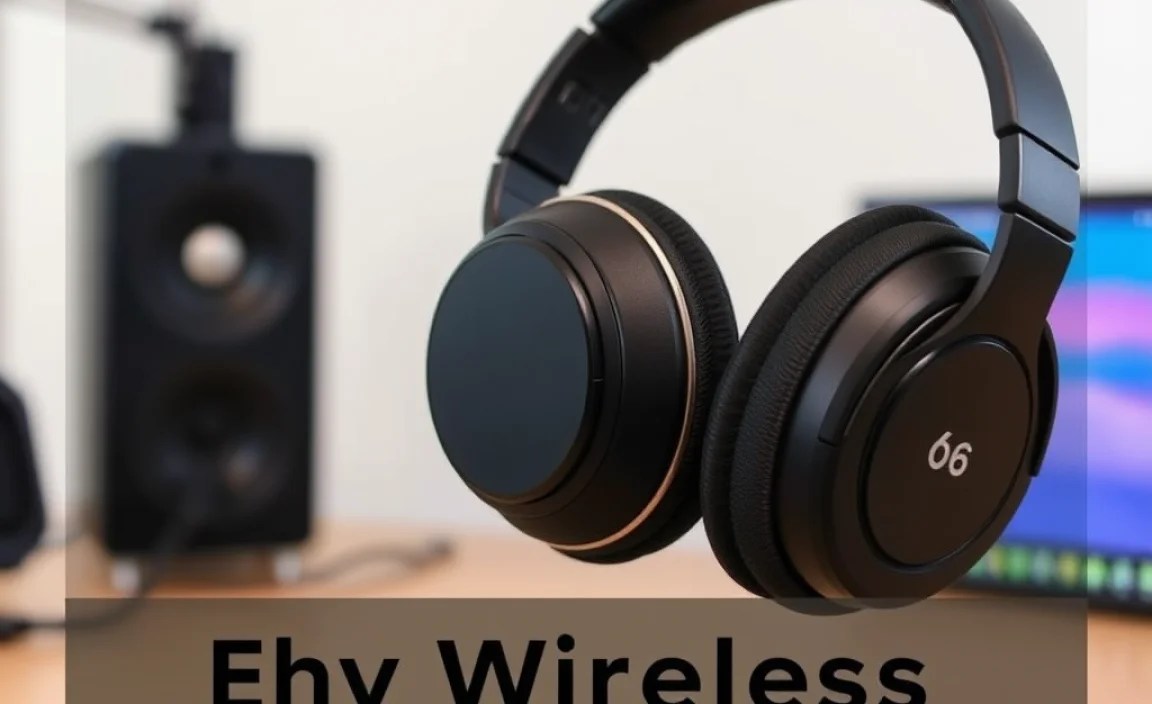
Hello music makers and sound lovers! Edward Cavitt here from Headphone Horizon. Navigating the world of audio gear can feel a bit like deciphering a secret code, but it doesn’t have to be. Today, we’re diving into a topic that’s becoming increasingly popular: the best wireless headphones studio setups. Whether you’re a budding producer, a podcaster, or simply someone who appreciates pristine audio quality without the tangled mess of wires, this guide is for you. We’ll break down what makes a wireless headphone “studio-grade,” what features to look for, and how to pick the perfect pair to elevate your sound experience without getting overwhelmed.
Why Wireless for Studio Work?

For years, wired headphones were the undisputed champions of studio environments. They offered the most reliable, uncompressed audio signal. However, technology has made incredible strides. Wireless headphones now offer robust connectivity, impressive audio fidelity, and the freedom to move around your workspace unhindered. This freedom is invaluable when tracking instruments, fine-tuning mixes, or simply enjoying your music without being tethered to your equipment. The key is finding wireless headphones that don’t compromise on the sound accuracy studios demand.
What Makes Headphones “Studio-Grade”?

Before we jump into specific recommendations, let’s clarify what “studio-grade” actually means in the context of headphones. It’s not about flashy features or extreme bass. It’s about:
- Sound Accuracy (Flat Frequency Response): This is paramount. Studio headphones aim to reproduce sound as faithfully as possible, without adding artificial color or boost to certain frequencies (like bass or treble). This allows engineers and musicians to hear every detail and make informed mixing decisions.
- Durability and Comfort: Studio sessions can be long. Headphones need to be built to last and comfortable enough to wear for hours on end.
- Good Isolation: For recording, headphones need to prevent sound from bleeding into microphones. For critical listening, they should effectively block out external noise.
- Reliable Connectivity: For wireless, this means a stable connection with minimal latency (delay between audio and action) and high-quality audio codecs.
Key Features to Look for in Wireless Studio Headphones
When you’re shopping for the best wireless headphones studio application, keep an eye on these crucial features. Don’t let unfamiliar terms scare you; we’ll keep it simple!
1. Sound Quality & Codecs
This is where the magic happens. For wireless, the audio codec is crucial. It’s the technology that compresses and transmits audio over Bluetooth. Better codecs mean better sound quality.
- SBC (Subband Coding): The most basic Bluetooth codec. It’s universally compatible but offers the lowest audio quality.
- AAC (Advanced Audio Coding): Used primarily by Apple devices (iPhone, iPad). Offers better quality than SBC, especially for streaming music.
- aptX, aptX HD, aptX Adaptive: Qualcomm’s codecs, common on Android devices. aptX HD provides near CD-quality audio, and aptX Adaptive offers a lower latency option that adjusts automatically to signal strength.
- LDAC: Sony’s high-resolution audio codec. It can transmit much more data than other codecs, offering the best possible wireless audio quality, but requires compatible devices.
For Studio Work: Aim for headphones supporting aptX HD, LDAC, or proprietary lossless codecs if available. While true losslessness is still a challenge wirelessly, these offer the closest experience to wired purity.
2. Latency
Latency is the delay between when a sound is produced and when you hear it. In studio work, especially recording instruments or editing video, low latency is critical. High latency can make it impossible to play in time with a click track or hear subtle audio cues accurately.
- Bluetooth LE Audio (Low Energy Audio) with LC3 Codec: This is the latest standard and promises significantly lower latency compared to older Bluetooth versions.
- Gaming Modes/Low Latency Modes: Some headphones have specific modes designed to minimize latency, which can be beneficial for studio tasks.
For Studio Work: If latency is a top priority for you, research specific models known for their low-latency performance. Some studio-grade wireless headphones also offer the option to connect via a cable for zero latency when needed.
3. Comfort and Design
You’ll likely be wearing these for extended periods. Prioritize comfort:
- Earcup Material: Plush memory foam or breathable velour is often preferred for long sessions.
- Clamping Force: How tightly the headphones grip your head. Too tight can cause discomfort; too loose and they might slide off.
- Weight: Lighter headphones are generally more comfortable.
- Over-Ear vs. On-Ear: Over-ear headphones (circumaural) cup your entire ear, offering better isolation and comfort for most. On-ear headphones (supra-aural) rest on your ears and can sometimes cause pressure.
4. Battery Life and Charging
No one wants their headphones dying mid-session. Check the battery life:
- Playback Time: Most good wireless headphones offer 20-40 hours on a single charge. For studio use, aim for at least 25-30 hours.
- Fast Charging: A quick top-up can be a lifesaver. For example, 10-15 minutes of charging might give you a few hours of playback.
- USB-C Charging: The modern standard, offering faster charging and wider compatibility with chargers.
For Studio Work: Consider headphones with excellent battery life and fast charging. Also, ensure they can be used while charging, or have a dedicated audio cable option for unlimited power.
5. Noise Isolation and Active Noise Cancellation (ANC)
There are two main ways headphones block out external noise:
Passive Noise Isolation: This is achieved through the physical design of the headphones – a good seal from the earcups. It’s excellent for preventing sound leakage out of the headphones and blocking some external noise.
Active Noise Cancellation (ANC): This technology uses microphones to detect ambient noise and then generates an opposing sound wave to cancel it out. While great for commutes, ANC can sometimes subtly alter the sound profile, making it less ideal for critical studio mixing. However, for tracking or general listening in noisy environments, it can be a lifesaver.
For Studio Work: Prioritize excellent passive isolation. If ANC is offered, ensure it can be turned off or doesn’t negatively impact the sound quality you need for analysis. Some ANC microphones are also designed to be less intrusive than others.
6. Durability and Build Quality
Studio gear gets used, moved, and sometimes put through its paces. Look for robust materials like metal in the headband and high-quality plastics for the earcups. Hinges and adjustment points should feel solid.
Step-by-Step Guide: Choosing Your Best Wireless Studio Headphones
Ready to find your perfect pair? Follow these steps:
Step 1: Define Your Primary Use
What will you be doing most often?
- Critical Mixing & Mastering: Prioritize absolute sound accuracy, neutral frequency response, and low latency. Wired might still be preferred here, but high-end wireless with aptX HD/LDAC and minimal latency options can work.
- Music Production & Recording: Low latency is crucial for playing instruments or overdubbing. Comfort for long sessions is also key.
- Podcast Editing & Voiceover: Sound accuracy for clarity and comfort are important. Latency might be less critical than for music.
- High-Quality Casual Listening: Here, you might have a bit more flexibility. Features like ANC and overall comfort might weigh more heavily, alongside good sound quality.
Step 2: Set Your Budget
Wireless studio headphones range from around $100 to well over $500. Having a budget in mind will help narrow down your options significantly. Remember to factor in potential accessories like a high-quality charging cable or a protective case.
Step 3: Research Top Contenders
Based on your primary use and budget, start looking at well-regarded models. Here are some categories and brands often praised for their wireless studio-capable offerings:
Popular Brands & Series to Consider
- Sennheiser: Known for their excellent audio quality and comfort. Their higher-end models often support premium codecs.
- Sony: A leader in audio tech, especially with their LDAC codec and impressive ANC (though remember ANC’s potential studio impact).
- Bose: Primarily known for comfort and ANC, but their higher-end models can offer good sound reproduction.
- Audio-Technica: A stalwart in the professional audio world, they offer wireless options that aim for studio fidelity.
- Shure: Renowned for professional microphones and headphones, their wireless offerings often focus on robust build and clear sound.
Step 4: Check Technical Specifications
Once you have a few models in mind, dive into the specs:
- Supported Bluetooth Codecs: (See our earlier breakdown)
- Frequency Response: Look for a wide range, typically 20Hz – 20kHz, but pay attention to how “flat” the response is described.
- Driver Size: Larger drivers (e.g., 40mm or 50mm) can sometimes offer better bass response and overall sound pressure.
- Battery Life: Ensure it meets your needs.
- Charging Time & Method: Fast charging? USB-C?
- Connectivity Options: Does it support multi-point pairing (connecting to two devices at once)? Is there a 3.5mm jack for wired use?
Step 5: Read Reviews and Watch/Listen to Expert Opinions
Don’t rely solely on marketing. Look for reviews from reputable audio publications and YouTube channels that focus on technical details and real-world testing. Pay attention to comments about sound signature (e.g., “neutral,” “even,” “punchy,” “scooped”), comfort over long periods, and connection stability.
For instance, resources like Rtings.com offer in-depth, objective testing and comparisons of headphones, which can be incredibly valuable for specific measurements like frequency response and latency.
Step 6: Try Them Out If Possible
This is the ideal scenario. If you can, visit your local electronics store or a specialist audio shop. Even a few minutes wearing the headphones and listening to familiar music can tell you a lot about comfort and overall sound impression. Pay attention to how they feel, how secure they are, and whether the earcups create a good seal.
Top Wireless Headphones Studio Picks (Examples)
While the “best” is subjective and changes with new releases, here are a few types of headphones that often come up when discussing high-quality wireless audio for studio-adjacent tasks. These are examples and not exhaustive endorsements; always do your research!
| Headphone Model Type | Key Strengths for Studio Use | Potential Considerations |
|---|---|---|
| High-Fidelity Wireless (e.g., Sony WH-1000XM5, Sennheiser Momentum 4) | Excellent sound quality, often with LDAC/aptX HD support. Great comfort, long battery life, effective ANC (can be turned off). Usually offer a wired option. | ANC can sometimes slightly alter sound profile for critical listening. Latency might be higher than purpose-built low-latency models unless using specific features. |
| Pro Audio Wireless (e.g., Shure AONIC 50, Audio-Technica ATH-M50xBT2) | Designed with audio professionals in mind. Focus on accurate sound reproduction, robust build, and good isolation. Often support aptX HD. | May lack some of the advanced ANC features of consumer models. Battery life can vary. |
| Low Latency Focused Wireless (often gaming-oriented but applicable) | Specifically engineered for minimal delay, crucial for real-time audio work. | Sound quality might be slightly compromised for latency. Build quality can vary greatly. |
Maintaining Your Wireless Studio Headphones
To ensure your investment performs at its best for years to come, proper care is essential:
Regular Cleaning
- Earpads: Wipe gently with a slightly damp (not wet!) microfiber cloth. For tougher grime, use a mild soap solution and immediately wipe with a clean, damp cloth, then dry thoroughly. Avoid harsh chemicals.
- Headband: Similar to earpads, a gentle wipe is usually sufficient.
- Drivers/Grilles: Use a dry, soft brush or compressed air (from a distance) to remove dust. Never poke anything into the driver unit.
- Exterior Casing: A microfiber cloth is usually all you need.
Proper Storage
- Use the case: Most good headphones come with a protective carrying case. Use it! This prevents scratches, dust, and accidental damage.
- Avoid extreme temperatures: Don’t leave them in a hot car or freezing environments.
- Store with cables neatly: If using a wired connection, coil the cable loosely to prevent kinks and wire damage.
Battery Care
Modern lithium-ion batteries don’t suffer from the “memory effect” of older batteries. However, it’s generally good practice to:
- Avoid deep discharges: Try to charge them before they hit critically low levels if possible.
- Don’t overcharge constantly: While most headphones have overcharge protection, leaving them plugged in 24/7 isn’t ideal for long-term battery health.
- Charge with appropriate equipment: Use the provided charger or a reputable USB-C charger.
For more detailed information on battery health, you can check out resources from organizations like the U.S. Department of Energy on battery technologies (though this is broader, the principles of care apply).
Troubleshooting Common Issues
Even the best gear can sometimes act up. Here are a few common issues and simple fixes:
- Bluetooth Connection Dropping:
- Re-pair the headphones: Turn off Bluetooth on your device, “forget” the headphones in your Bluetooth settings, then turn Bluetooth back on and re-pair.
- Check for interference: Other wireless devices (microwaves, other Bluetooth devices) can interfere. Try moving away from potential sources.
- Update firmware: Check the manufacturer’s app for any firmware updates for your headphones.
- Check distance: Ensure you’re within the Bluetooth range (usually around 30-50 feet/10-15 meters).
- No Sound / One Ear Not Working:
- Check volume levels: On both the headphones and the source device.
- Check balance: Ensure the audio balance isn’t skewed to one side in your device’s settings.
- Try wired connection: If they support it, connect with a cable. If sound works wired, the issue is likely Bluetooth related.
- Reset headphones: Many headphones have a reset function (check your manual). Consult the official Google support page for Bluetooth troubleshooting which has general steps applicable to many devices.
- Sound Quality Issues (Muffled, Distorted):
- Check connected codec: Ensure your device and headphones are using the best available codec (e.g., aptX HD, LDAC).
- Clean the headphones: Earwax or debris can affect sound.
- Try a different audio source: Is the issue with the headphones or the music file/streaming service?
