
Finding the best work headphones with a mic is crucial for clear communication. This guide helps beginners choose comfortable, reliable headphones with excellent microphones, noise cancellation, and connectivity for seamless professional calls and focused work.
Best Work Headphones With Mic: Essential Gear for Crystal-Clear Calls

Hey there! Edward Cavitt here from headphonehorizon. In today’s hybrid work world, a good pair of headphones with a quality microphone isn’t just a nice-to-have; it’s essential gear. Whether you’re on back-to-back video calls, trying to focus in a noisy open office, or collaborating with your team remotely, clear audio is key to productivity and professionalism.
But with so many options out there, picking the right ones can feel a bit overwhelming. Don’t worry! This guide is designed specifically for you – to break down what makes a great work headphone with a mic, what features truly matter, and how to find a pair that fits your needs and budget. Let’s dive in and ensure your voice is heard loud and clear!
Why a Quality Mic is Non-Negotiable for Work

Think about it: how many times have you struggled to hear someone on a call, or worse, had them strain to understand you? It’s frustrating for everyone involved. Poor audio quality can lead to misunderstandings, wasted time, and a less-than-professional impression. For work, this means potential dropped deals, confused colleagues, and a dip in overall efficiency. A good work headphone with a mic ensures:
- Clear Communication: Your voice comes through crisp and distinct, minimizing the need for repetition.
- Reduced Distractions: Many work headphones offer noise cancellation, allowing you to focus and preventing background noise from disrupting your calls.
- Professionalism: Sounding clear and confident projects a professional image, whether you’re talking to clients or your internal team.
- Comfort for Long Hours: You’ll be wearing these for extended periods, so comfort is paramount for sustained productivity.
Key Features to Look For in Work Headphones

When you’re hunting for the “best work headphones with mic,” keep these crucial features in mind. They are the building blocks of a great work audio experience:
Microphone Quality
This is, hands down, the most important feature. Look for microphones that are:
- Noise-Cancelling: Essential for filtering out background chatter, keyboard clicks, or traffic noise. This technology helps isolate your voice.
- Positioning: A boom mic that extends closer to your mouth often provides superior voice pickup compared to an in-line mic. However, many modern designs integrate high-quality mics discreetly.
- Frequency Response: While a bit technical, a microphone with a good frequency response (especially in the mid-range where human voices sit) will make you sound more natural.
For more on how microphones work and what makes them good, the International Telecommunication Union (ITU) provides standards and recommendations for telecommunication acoustics, which gives a good technical background.
Comfort and Fit
You’ll likely be wearing these for hours on end. Prioritize:
- Earcup Material: Plush, breathable materials like memory foam with soft leatherette or velour feel great and prevent overheating.
- Headband Padding: A well-padded headband distributes weight evenly, reducing pressure points.
- Adjustability: Ensure the headband and earcup position can be adjusted for a secure yet comfortable fit for various head sizes.
- Weight: Lighter headphones are generally more comfortable for long-term wear.
Active Noise Cancellation (ANC)
ANC is a game-changer for focus. It uses microphones to detect ambient noise and then generates an opposing sound wave to cancel it out. This is invaluable in busy environments.
Connectivity Options
Consider how you’ll connect your headphones:
- Bluetooth: Offers wireless freedom. Look for stable connections and multi-point pairing (connecting to two devices simultaneously, like your laptop and phone). Bluetooth 5.0 or higher is recommended for better range and stability.
- USB Dongle: Provides a dedicated, often more stable wireless connection than Bluetooth, with lower latency (delay).
- Wired (3.5mm or USB): A reliable option if you don’t need wireless, or as a backup.
Battery Life
If you opt for wireless, battery life is vital. Aim for headphones that offer at least 20-30 hours of playback on a single charge. Many also support fast charging, giving you hours of use from just a few minutes plugged in.
Durability and Build Quality
Your work headphones should be able to withstand daily use. Look for sturdy materials and solid construction.
Sound Quality for Music and Calls
While the mic is key, you also want the headphones to sound good for personal use (music, podcasts). Look for balanced audio profiles rather than overwhelmingly bass-heavy ones, which can sometimes mask vocal clarity.
Top Considerations Based on Your Work Environment
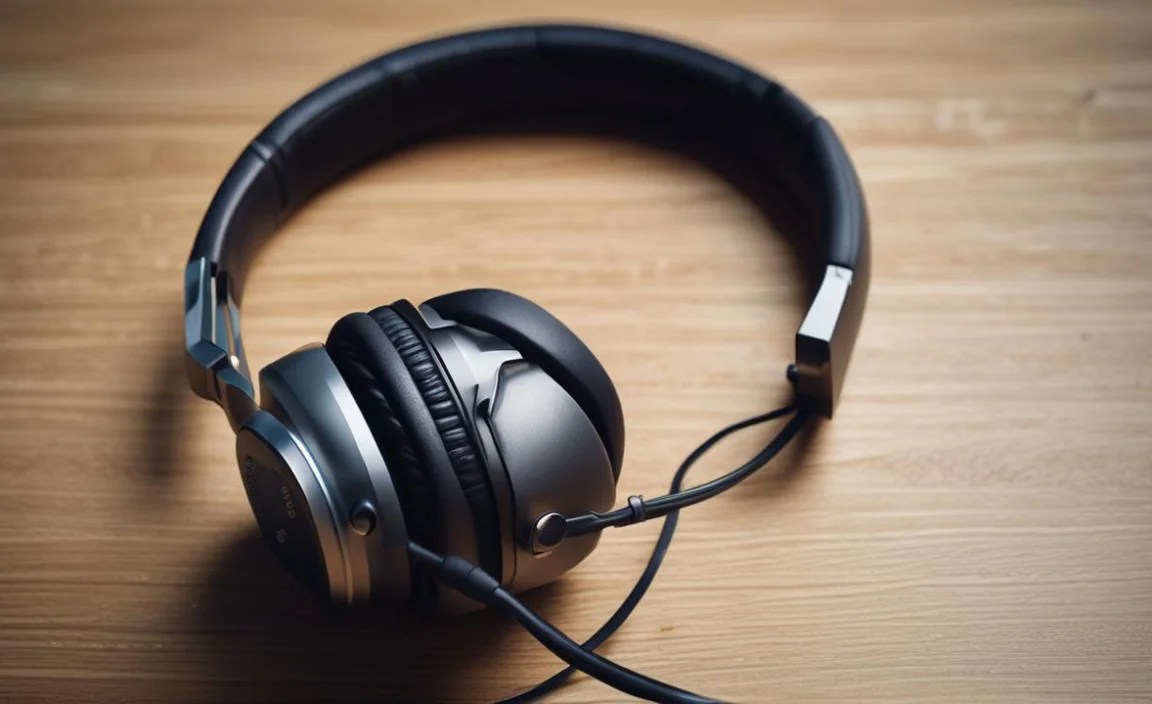
The “best” work headphones with a mic can vary depending on where you do most of your work. Let’s break it down:
For the Open Office / Shared Workspace Warrior
This environment is all about drowning out distractions and ensuring your voice isn’t lost in the shuffle. You need robust noise cancellation and a superior microphone.
- Priorities: Excellent ANC, clear boom mic or highly effective beamforming mics, comfort for all-day wear, reliable connectivity.
- Features: Look for over-ear designs with thick padding and advanced ANC. Multi-device Bluetooth is a must if you switch between a laptop and a phone frequently.
For the Remote Worker / Home Office Pro
Your home might be quieter, but background noises like barking dogs, family members, or even the washing machine can creep in. You still need clear communication and comfort.
- Priorities: Good mic quality (with some noise isolation), comfort, stable connectivity, potentially a lighter design if you move around a lot.
- Features: Both on-ear and over-ear can work. Look for features like sidetone (hearing yourself in the mic) which helps regulate your speaking volume.
For the Frequent Business Traveler
Noise cancellation is your best friend here, from airplane engines to busy airport terminals. You also need portability and long battery life.
- Priorities: Top-tier ANC, compact design for travel, long battery life, robust build, clear mic.
- Features: Over-ear, foldable designs with carrying cases are ideal. USB-C charging for convenience is a plus.
Types of Work Headphones With a Mic

Headphones come in various form factors, each with its pros and cons for work use:
Over-Ear Headphones
These completely enclose your ears. They generally offer the best comfort, sound isolation, and often the most advanced features like ANC and the best microphone performance.
- Pros: Excellent sound isolation, superior comfort for long sessions, often best for ANC and mic quality.
- Cons: Can be bulky, may cause ears to get warm after prolonged use.
On-Ear Headphones
These rest against your ears. They are typically lighter and more compact than over-ear models.
- Pros: More portable than over-ear, less ear heat, can still offer good sound.
- Cons: Less effective passive noise isolation, can press on ears uncomfortably for some users over very long periods.
In-Ear Earbuds (with Microphone)
These fit inside your ear canal. They are the most portable but mic quality can vary significantly.
- Pros: Extremely portable, discreet, good for active use or travel.
- Cons: Mic quality is often a compromise, can be less comfortable for some, less effective noise isolation unless they have ANC.
Recommended Features for a Seamless Experience
Beyond the core features, some additional elements can elevate your work headphone experience:
- Multi-Point Connectivity: Allows you to connect to two devices at once (e.g., your laptop for calls and your phone for music). This is incredibly convenient for task switching.
- Sidetone/Mic Monitoring: Lets you hear your own voice in your headset during calls. This helps you avoid speaking too loudly or too softly.
- Intuitive Controls: Easy-to-access buttons or touch controls for volume, mute, and call management without fumbling.
- Companion App: Many modern headphones come with apps that allow you to customize EQ settings, adjust ANC levels, update firmware, and manage connections.
- Voice Assistant Integration: For quick access to Siri, Google Assistant, or Alexa, which can be helpful for hands-free tasks.
A Quick Look at Connectivity Standards
Understanding how your headphones connect will ensure smooth operation. Here’s a brief rundown:
| Connection Type | Pros | Cons | Best For |
|---|---|---|---|
| Bluetooth | Wireless freedom, widely compatible. | Potential for interference, slight latency possible. | General wireless use, mobile calls. |
| USB Dongle (Wireless) | Stable, low-latency connection, often dedicated pairing. | Requires a USB port, less universal than Bluetooth. | Gaming, demanding audio calls, stable laptop connection. |
| Wired (3.5mm Jack) | Universal compatibility, no battery needed, no latency. | Cable can be restrictive, requires device with a headphone jack. | Wired connections, older devices, backup. |
| Wired (USB-A/USB-C) | Digital audio, can power headphones, no latency. | Requires USB port, less mobile flexibility. | Computer use, charging and audio simultaneously. |
For robust audio standards, you can explore resources like the Dolby Audio website, which often touches on the technical aspects of sound transmission and quality for various devices.
How to Test the Microphone When You Buy
Before you commit, or as soon as you get your new headphones, test that microphone! Here’s how:
- Record a Voice Memo: Most smartphones and computers have a built-in voice recorder app. Record yourself speaking clearly, then play it back.
- Make a Test Call: Call a friend, family member, or even yourself using a voicemail service. Ask them for honest feedback on your audio quality.
- Listen for Background Noise: Record yourself in a typical background environment (e.g., with a TV on low, or in a moderately noisy room). Play it back and see if the background noise is overbearing.
- Check for Clarity and Volume: Does your voice sound clear and natural? Is it loud enough without sounding distorted?
- Test Mute Functionality: If your headphones have a mute button, ensure it works correctly and your colleagues can’t hear you when you’re muted.
Popular Work Headphone Models (Brief Overview)
While the “best” is subjective and changes with new releases, here are some categories and popular brands known for good work headphones with mics. Always check latest reviews for specific models!
- Premium Noise-Cancelling Sets (e.g., Bose QuietComfort series, Sony WH-1000XM series): Known for industry-leading ANC and excellent audio. Mics are generally very good, though sometimes not their absolute strongest suit compared to dedicated communication headsets.
- Business-Focused Headsets (e.g., Jabra Evolve series, Poly Voyager series): These are purpose-built for work with exceptional microphones, often with boom arms and advanced noise reduction for voice. ANC might be less potent than consumer audio brands.
- Comfort & Clarity Hybrids (e.g., Logitech Zone Wireless, Plantronics Work headphones): These often strike a good balance between all-day comfort, decent ANC, and very clear microphones tailored for voice.
- Gaming Headsets (with good mics): Many gaming headsets offer excellent microphones (for voice chat) and great comfort. Brands like SteelSeries, Corsair, and HyperX can be surprisingly good for work if they offer Bluetooth or a USB dongle.
Tips for Maintaining Your Work Headphones
Taking good care of your headphones will extend their lifespan and ensure they always perform their best.
- Cleaning: Gently wipe down earcups and the headband with a slightly damp, soft cloth. For more stubborn grime, use mild soap and water, but ensure no liquid gets into the speakers or ports.
- Storage: When not in use, store your headphones in their case or a safe place away from direct sunlight, harsh temperatures, and potential damage.
- Cable Care (for wired): Avoid tightly coiling or yanking cables. If they are detachable, unplug them gently by the connector.
- Battery Health (for wireless): Avoid exposing them to extreme temperatures. Charging them to around 80% for long-term storage can be beneficial.
- Firmware Updates: Keep your firmware updated via the companion app. Manufacturers often release updates to improve performance, including microphone quality and connectivity.
Frequently Asked Questions (FAQ)
Q1: How important is Active Noise Cancellation (ANC) for work headphones?
ANC is extremely important if you work in a noisy environment like an open office, coffee shop, or have a busy home. It significantly reduces background distractions, allowing you to focus and ensuring callers can hear you clearly without picking up disruptive ambient sounds.
Q2: What’s the difference between a boom mic and an in-line mic? Which is better for work?
A boom mic is a directional microphone arm that extends close to your mouth, typically capturing your voice more clearly and isolating it from background noise. In-line mics are integrated into the headphone cable or earcup. For most professional communication, a good boom mic is generally superior, but many advancements in beamforming technology have made excellent in-line mics quite effective too.
Q3: Can I use my gaming headset for work calls?
Yes, often you can! Many gaming headsets feature high-quality microphones designed for voice chat and are very comfortable for long wear. If the headset supports Bluetooth or has a USB dongle connection, it’s likely a viable option for work calls.
Q4: How do I ensure my headphones are compatible with my computer or phone?
Most modern headphones use Bluetooth, which is widely compatible with PCs, Macs, smartphones, and tablets. For wired headphones, check if your device has a 3.5mm audio jack or USB-A/USB-C ports. USB dongles usually plug into standard USB ports.
Q5: What is “sidetone” and do I need it?
Sidetone, also known as mic monitoring, allows you to hear your own voice through the headphones as you speak. It helps you gauge your speaking volume and prevents you from shouting unintentionally. It’s not essential but can be very useful for comfort and control during calls.
Q6: How much should I expect to spend on good work headphones with a mic?
You can find decent options starting from around $50-$100. However, for premium features like excellent ANC, superior microphone quality, and robust build materials, expect to invest in the range of $150-$300 or sometimes more for top-tier professional headsets.
Q7: My headphones sound muffled on calls. What could be the problem?
This could be due to a few things: a dirty microphone grille, the mic not being positioned correctly, interference with the Bluetooth connection, or the microphone settings on your computer or phone might be too low. Try cleaning the mic, ensuring it’s close enough to your mouth, moving the Bluetooth receiver closer, or checking your device’s audio settings.
Conclusion: Hear and Be Heard, Effortlessly
Selecting the best work headphones with a mic is an investment in your productivity, professionalism, and overall well-being during the workday. By understanding the key features like microphone quality, comfort, noise cancellation, and connectivity, you can confidently navigate the options available.
Whether you’re in a bustling office or a quiet home setting, the right pair of headphones will ensure your voice is always clear, and your focus remains sharp. Don’t let poor audio hinder your communication. With this guide, you’re equipped to find a reliable and comfortable solution that lets you hear and be heard, effortlessly. Happy listening and calling!
