
Transforming your favorite wired headphones into wireless wonders is simple with a Bluetooth adapter. This easy upgrade offers freedom from cables, convenient connectivity to modern devices, and a significant audio experience boost without needing to buy new headphones. Explore how this small gadget can be a game-changer for your listening enjoyment.
Hey there, audio adventurers! Edward Cavitt here from headphonehorizon. Do you love the sound quality of your trusty wired headphones but find yourself constantly fumbling with tangled cords? Or maybe your new smartphone ditched the headphone jack, leaving your beloved cans behind?
You’re not alone! The good news is, there’s an incredibly simple and affordable way to bridge that gap: a Bluetooth adapter for wired headphones. Think of it as a superpower for your existing audio gear, granting you wireless freedom without sacrificing the sound you’ve come to love. Let’s dive into how this essential upgrade can revolutionize your listening experience.
Why Upgrade Your Wired Headphones with Bluetooth?

In a world increasingly dominated by wireless technology, your beloved wired headphones might feel like a relic. However, their superior sound quality, comfort, and lasting durability often make them a preferred choice for many. A Bluetooth adapter is the perfect bridge between the analog world of wired audio and the convenience of modern wireless connectivity.
It allows you to keep using the headphones you already own and cherish, unlocking new levels of freedom and versatility. It’s an economical and eco-friendly way to enjoy cutting-edge features without the hefty price tag of a new pair of wireless headphones.
The Freedom of Wireless
The most obvious benefit is the liberation from cables. No more untangling knots from your pocket or bag. No more accidentally yanking your headphones out because the wire got caught on something. You can move around freely while staying connected to your music, podcasts, or calls. This is especially useful for:
- Commuting: Listen to music on the bus or train without your phone tethered to your pocket.
- Working Out: Enjoy your workout playlist without the leash of a wire restricting your movements.
- Multitasking: Wander around your home or office while on a call or listening to audiobooks.
Compatibility with Modern Devices
Many newer smartphones, tablets, and even some laptops have removed the traditional 3.5mm headphone jack. While adapters exist for this specific issue, a Bluetooth adapter for headphones solves the problem more elegantly by offering a wireless connection. This means you can connect your quality wired headphones to any device with Bluetooth capabilities, ensuring your favorite audio gear remains relevant and usable.
Preserving Sound Quality
The beauty of using a Bluetooth adapter with your existing wired headphones is that you retain the sonic signature you’ve come to appreciate. Entry-level Bluetooth headphones can sometimes compromise on audio fidelity. With an adapter, your sound quality is dictated by your headphones, not the built-in Bluetooth chip of a potentially less-refined pair of wireless earbuds. You’re essentially adding a wireless convenience layer to excellent existing hardware.
Cost-Effectiveness
High-quality wireless headphones can be expensive. By investing in a Bluetooth adapter, which often costs a fraction of the price of a new pair of premium wireless headphones, you get a significant upgrade for your current setup. It’s a smart financial decision that enhances your audio experience without breaking the bank.
Understanding How Bluetooth Adapters Work
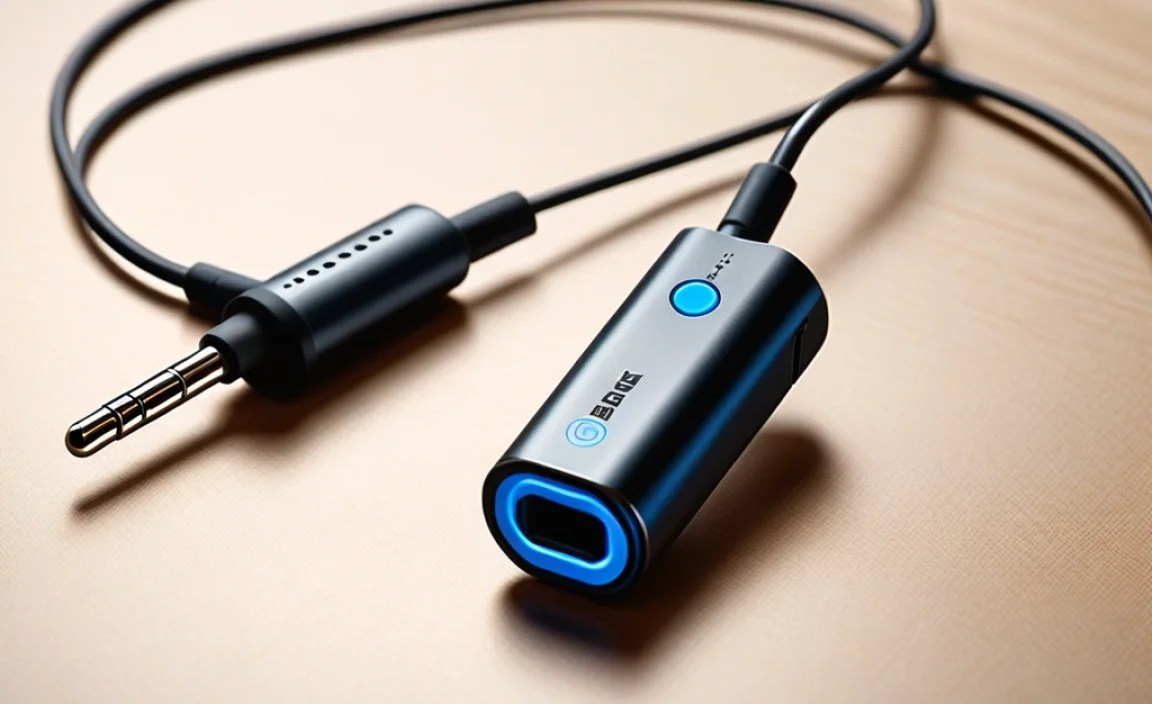
At its core, a Bluetooth adapter acts as a translator. Your wired headphones have a 3.5mm (or sometimes a 6.35mm) audio jack designed to receive an analog audio signal directly from a source device. A Bluetooth adapter takes that same analog audio signal, converts it into a digital format, and then transmits it wirelessly via Bluetooth to a receiver (like your phone or computer). Conversely, it can also receive a digital audio signal from your source device, convert it back to analog, and send it to your headphones. The magic lies in this conversion and transmission process.
Key Components of a Bluetooth Adapter
Most Bluetooth adapters designed for headphones are compact devices that typically include:
- Bluetooth Transmitter/Receiver: The central chip that handles wireless communication.
- Audio Input/Output Jacks: Usually a 3.5mm female jack to plug your headphones into, and sometimes a male plug or cable to connect to a source if it’s a more complex adapter.
- Battery: Most portable adapters are rechargeable, providing power for hours of listening.
- Controls: Buttons for power, pairing, volume adjustment, and playback control (play/pause, skip tracks).
- Microphone: Many adapters include a built-in microphone for hands-free calls.
The Bluetooth Pairing Process
Pairing your Bluetooth adapter to your source device is usually a straightforward process. Here’s a general guide:
- Charge the Adapter: Ensure your Bluetooth adapter is sufficiently charged.
- Turn on the Adapter: Press and hold the power button until an indicator light flashes (often blue and red, indicating pairing mode).
- Enable Bluetooth on Your Source Device: Go to the Bluetooth settings on your smartphone, tablet, or computer.
- Scan for Devices: Your device will begin searching for nearby Bluetooth devices.
- Select the Adapter: Choose your Bluetooth adapter from the list of available devices. It might be listed by its brand name or a generic identifier.
- Confirm Pairing: Some devices may require a PIN. If prompted, enter ‘0000’ or ‘1234’ (check your adapter’s manual).
- Connected: Once paired, the indicator light on the adapter will usually turn solid blue, and your device will show it as connected.
It’s important to note that once paired, most adapters will automatically reconnect to the last-paired device when turned on, saving you the hassle of re-pairing each time.
Types of Bluetooth Adapters for Wired Headphones

The market offers a variety of Bluetooth adapters, each suited for different needs and use cases. Understanding these types will help you choose the best one for your setup.
1. Compact Bluetooth Receivers (Dongles)
These are the most common and perhaps the simplest type. They are small, often resembling a USB stick or slightly larger, and typically feature a 3.5mm female audio jack. You plug your headphones into the adapter, and the adapter itself connects wirelessly to your audio source. They are usually powered by a built-in rechargeable battery.
Best for: Smartphones without headphone jacks, tablets, laptops, and generally mobile use.
2. Bluetooth Transmitters/Receivers (2-in-1)
These versatile devices can function as both a transmitter and a receiver. In receiver mode, they work like the compact receivers described above, taking a Bluetooth signal and outputting it to wired headphones. In transmitter mode, they can take an analog audio output (like from a TV or older stereo system) and broadcast it wirelessly via Bluetooth to Bluetooth headphones or speakers.
Best for: Users who want a single device to make their wired headphones wireless and also to make non-Bluetooth audio sources Bluetooth-enabled.
3. Clip-on or Wearable Adapters
Some adapters come with a clip to attach to clothing or have a sleek, minimalist design you can wear. They often have shorter cables or direct connections to the headphone jack, minimizing bulk. Some even integrate controls directly into a wearable module.
Best for: Those who prioritize extreme portability and a discreet setup, especially during activities like running or cycling.
4. Adapters with Advanced Features
These might include:
- High-Resolution Audio Codec Support: Look for support for codecs like aptX HD, LDAC, or AAC, which offer superior sound quality over standard SBC Bluetooth.
- Multi-Point Connectivity: Allows the adapter to connect to two devices simultaneously (e.g., your phone and laptop).
- Noise Cancellation: Some higher-end adapters might offer active noise cancellation.
- Long Battery Life: Essential for extended listening sessions.
Choosing the Right Bluetooth Adapter: Key Features to Consider

With so many options, how do you pick the “right” one? Here are the essential features to keep in mind to ensure you get an adapter that meets your needs and provides a great listening experience.
1. Bluetooth Version
Higher Bluetooth versions (like 5.0, 5.1, 5.2, 5.3, and newer) offer improved stability, faster pairing, better power efficiency, and a longer range compared to older versions (like Bluetooth 4.0 or 3.0). Ideally, aim for an adapter with Bluetooth 5.0 or later for the best performance. You can learn more about the evolution of Bluetooth technologies from the official Bluetooth Technology website.
2. Supported Audio Codecs
Bluetooth transmits audio data wirelessly. Codecs are the languages used for this transmission. Different codecs offer varying levels of quality and efficiency:
- SBC (Subband Coding): The mandatory, default codec for all Bluetooth audio devices. It’s universally compatible but offers the lowest audio quality.
- AAC (Advanced Audio Coding): Commonly used by Apple devices, offering better quality than SBC.
- aptX: A Qualcomm technology that provides improved audio quality over SBC. It comes in several variants like aptX Low Latency (ideal for video) and aptX HD (for higher-fidelity audio).
- LDAC: Developed by Sony, this codec can transmit much higher audio data rates than other codecs, offering near-high-resolution audio quality over Bluetooth.
For the best sound quality, look for adapters supporting AAC, aptX, aptX HD, or LDAC, and ensure your source device also supports these codecs. If your source device doesn’t support advanced codecs, the adapter will typically fall back to SBC or AAC.
3. Battery Life
If you’re using your adapter on the go, battery life is crucial. Check the manufacturer’s specifications for continuous playback time. Aim for at least 8-10 hours, with many modern adapters offering 15-30+ hours on a single charge.
4. Range
Bluetooth range can vary. While the theoretical maximum is often around 10 meters (33 feet), real-world performance depends on environmental factors and the quality of the Bluetooth chips in both the adapter and the source device. Look for adapters advertising an extended range or stable connection, especially if you need movement freedom.
5. Microphone Quality
If you plan to use the adapter for calls, check reviews for microphone quality. Some adapters have decent microphones, while others might struggle in noisy environments.
6. Ease of Use and Controls
Consider how many buttons and functions you need. Simple power and pairing buttons are standard. Advanced controls for volume, track skipping, and play/pause can be very convenient. A clear LED indicator also helps in understanding the adapter’s status.
How to Set Up and Use Your Bluetooth Adapter
Getting your wired headphones connected wirelessly is a simple, step-by-step process. Here’s how you do it:
Step 1: Prepare Your Gear
- Charge Your Adapter: Before first use, fully charge your Bluetooth adapter. Most come with a USB charging cable.
- Plug in Your Headphones: Connect your wired headphones to the 3.5mm audio jack on the Bluetooth adapter. Make sure they are plugged in securely.
Step 2: Pair the Adapter with Your Device
- Turn on the Adapter: Press and hold the power button until the indicator light starts flashing, signaling it’s in pairing mode.
- Enable Bluetooth on Your Source Device: Go to your smartphone, tablet, or computer’s Bluetooth settings and turn it on.
- Search for Devices: Instruct your source device to scan for new Bluetooth devices.
- Select Your Adapter: Find the name of your Bluetooth adapter in the list and select it to initiate pairing.
- Confirm Pairing (if necessary): If prompted for a PIN, enter ‘0000’ or ‘1234’.
- Wait for Connection: The indicator light on the adapter should change (e.g., solid blue) once successfully connected.
Step 3: Play Your Audio
Once paired and connected, simply play any audio from your source device. The sound will now be wirelessly transmitted to the adapter and then sent through your wired headphones.
Step 4: Control Your Playback
Use the controls on your Bluetooth adapter (if available) to manage playback: play/pause music, adjust volume, skip tracks, answer/end calls, or activate your voice assistant. If your adapter lacks these controls, you’ll use the controls on your source device.
Step 5: For Subsequent Uses
Turn on your Bluetooth adapter and ensure Bluetooth is enabled on your source device. They should automatically reconnect. If not, select the adapter from your device’s Bluetooth menu.
Troubleshooting Common Issues
While generally reliable, like any electronic gadget, Bluetooth adapters can sometimes present minor issues. Here’s how to tackle them:
Issue 1: Adapter Not Pairing
- Ensure Pairing Mode: Double-check that the adapter is indeed in pairing mode (flashing lights).
- Distance: Bring the adapter and source device closer together during pairing.
- Restart Devices: Turn off both the adapter and your source device, then turn them back on and try pairing again.
- Clear Paired List: If the adapter has been paired with many devices, try resetting it (check manual for instructions) or clear its paired list. On your source device, “forget” the adapter and try pairing anew.
- Check Compatibility: Ensure your source device’s Bluetooth version is compatible.
Issue 2: Audio Cutting Out or Stuttering
- Interference: Other wireless devices (Wi-Fi routers, microwaves, other Bluetooth devices) can interfere. Move away from potential sources of interference.
- Distance: Ensure you are within the recommended Bluetooth range.
- Low Battery: A low battery on either the adapter or the source device can sometimes affect performance.
- Codec Fallback: If your device is using a high-quality codec but the connection is weak, it might be dropping to a lower-quality, more stable codec. Ensure both devices support a common, stable codec like aptX if available.
Issue 3: No Sound
- Volume Levels: Check the volume on both the source device and the adapter (if it has independent volume controls).
- Correct Audio Output: On your source device, ensure that the Bluetooth adapter is selected as the audio output device, not the internal speakers or another output.
- Headphone Connection: Make sure your headphones are firmly plugged into the adapter.
- Adapter Performance: Test the adapter with different headphones and a different source device to isolate the problem.
Issue 4: Poor Microphone Quality for Calls
- Microphone Placement: Ensure the adapter’s microphone (if not on your headphone cable itself) is not obstructed and is positioned close to your mouth.
- Background Noise: High levels of background noise can significantly impact microphone performance. Try a quieter environment.
- Software Issues: Sometimes, the app you’re using for calls can be the culprit. Try a different communication app.
A Comparative Look: Bluetooth Adapters vs. New Wireless Headphones
Deciding whether to get a Bluetooth adapter for your current headphones or invest in a new pair of wireless ones can be a tough choice. Here’s a quick comparison to help you weigh the pros and cons:
| Feature | Bluetooth Adapter for Wired Headphones | New Wireless Headphones |
|---|---|---|
| Cost | Generally much lower ($20 – $100+) | Can be significantly higher ($50 – $500+) |
| Sound Quality Preservation | High (depends on your existing headphones) | Variable (depends heavily on the headphone’s built-in components and codecs) |
| Convenience | Adds wireless to existing favorite headphones | All-in-one wireless solution |
| Compatibility | Works with any wired headphones; connects to any Bluetooth-enabled source | Connects to any Bluetooth-enabled source |
| Versatility | Can be used with multiple pairs of wired headphones; some 2-in-1 units can also transmit | Dedicated to one pair of headphones |
| Battery Management | Requires separate charging for adapter and potentially headphones (if they have mics/controls) | Single battery to manage (for the headphones) |
| Ecosystem Lock-in | Minimal; use with any wired cans | Some brands |
