
Bluetooth amplifier for headphones: A genius essential for unlocking richer, wire-free sound. Easily boost your listening experience, achieve clearer audio, and enjoy the freedom of wireless connectivity without sacrificing quality. Perfect for upgrading your everyday audio.
Bluetooth Amplifier For Headphones: Genius Essential Sound

Hey audio adventurers! Edward Cavitt here from headphonehorizon, your friendly guide to all things sound. Ever felt like your favorite music or podcasts could sound just a little bit better? Maybe you love the freedom of wireless headphones but wish the audio was just a tad more vibrant, or perhaps you have a fantastic pair of wired headphones you’d love to connect wirelessly without hassle.
Enter the Bluetooth amplifier for headphones – a truly genius little gadget that’s quickly becoming an essential for anyone who appreciates great audio. It’s not as complicated as it sounds, and I promise, it’s the key to unlocking a richer, more immersive, and utterly wire-free listening experience. Let’s dive into how this amazing device can elevate your everyday sound.
What Exactly is a Bluetooth Amplifier for Headphones?

Think of a Bluetooth amplifier for headphones as a smart translator and a power-up station all in one. Its main job is to take the audio signal from your device (like your phone or laptop) wirelessly via Bluetooth, convert it from a digital signal to an analog one, and then amplify it to send to your headphones. This amplification means your headphones receive a stronger, cleaner signal than they might directly from your phone. For wired headphones, it’s a bridge to wireless freedom. For existing wireless headphones, it can often provide a superior audio experience compared to their built-in systems.
Why is this important? Well, most smartphones and laptops have to make compromises to keep their size and battery life in check. This often means their built-in audio components (the digital-to-analog converter, or DAC, and the amplifier) are pretty basic. A dedicated Bluetooth headphone amplifier, even a small portable one, usually boasts much better quality components. This translates to:
- Clearer Sound: Reduced background noise and distortion.
- Richer Detail: Hear nuances in music you might have missed before.
- Better Bass: More punch and impact.
- Improved Volume Control: More headroom for louder listening without strain.
- Wireless Convenience: Connect your favorite wired or wireless headphones without being tethered to your device.
Why You Need a Bluetooth Amplifier: The Benefits Unpacked

Let’s break down why adding a Bluetooth amplifier to your audio setup is such a smart move. It’s not just about volume; it’s about the entire quality of your listening experience. Whether you’re a serious audiophile or just someone who enjoys their music on the go, the advantages are substantial.
1. Superior Audio Quality
This is the big one. As mentioned, your phone or laptop’s internal audio hardware is generally designed for general use. A dedicated Bluetooth amplifier is built with audio in mind. It typically features a higher-quality DAC (Digital-to-Analog Converter) and a more robust amplifier. The DAC is crucial for converting the digital audio files from your device into an analog signal that headphones can understand. A better DAC means a more accurate representation of the original recording. The amplifier then boosts this signal, providing more power and clarity to your headphones. This can make a noticeable difference, especially with higher-end headphones that are designed to reveal the intricacies of good audio.
According to the Dolby website, advancements in audio processing and hardware play a significant role in immersive sound experiences. While Dolby focuses on surround sound, the principle applies: better hardware leads to better audio reproduction. A Bluetooth amplifier is a prime example of this principle applied to personal audio.
2. Wireless Freedom for Wired Headphones
Do you have a beloved pair of wired headphones that you just can’t part with? Maybe they offer incredible comfort and sound quality. A Bluetooth amplifier allows you to untether them! You can connect your wired headphones to the amplifier via a standard 3.5mm audio jack, and then pair the amplifier itself to your phone or other source device via Bluetooth. This gives you the best of both worlds: the premium sound of your preferred wired headphones and the convenience of wireless listening. No more tangled cables getting caught on desks or gym equipment.
3. Enhancing Your Existing Wireless Headphones
While many wireless headphones have Bluetooth built-in, their internal DAC and amplifier components can still be a bottleneck. If you’re using wireless headphones with your phone and find the sound a bit flat or lacking punch, a Bluetooth amplifier can still help. You would connect your wireless headphones to the amplifier and then pair the amplifier to your source device.
This bypasses your phone’s audio circuitry entirely and uses the superior components within the amplifier for a cleaner, more powerful signal sent over Bluetooth to your wireless headphones. It’s a surefire way to extract more performance from what you already own.
4. Portability and Convenience
Many Bluetooth amplifiers for headphones are compact and lightweight, easily fitting into a pocket or small bag. This makes them perfect for commuters, travelers, or anyone who likes to enjoy high-quality audio on the go. They usually have their own rechargeable batteries, meaning they won’t drain your phone’s battery as quickly as a direct headphone connection might, especially if your phone’s internal amplifier is struggling to drive your headphones properly. The ease of pairing and disconnect also makes them incredibly user-friendly.
5. Drive Demanding Headphones
Some headphones, particularly high-fidelity, over-ear models, are known as “high-impedance” headphones. These types of headphones require more power to perform at their best. Most smartphones and standard audio jacks simply don’t provide enough amplification to drive them effectively. This results in low volume, weak bass, and a generally underwhelming sound. A Bluetooth amplifier, especially one designed with more powerful amplification, can provide the necessary juice to make these demanding headphones sing, revealing their full sonic potential.
Types of Bluetooth Amplifiers for Headphones

When you start looking, you’ll notice a few different styles of Bluetooth amplifiers. Understanding these can help you pick the one that best fits your needs.
Portable Bluetooth Amplifiers
These are the most common type. They are small, battery-powered devices that you can easily carry around. They typically feature Bluetooth connectivity, a headphone output jack (usually 3.5mm, but sometimes balanced outputs like 2.5mm or 4.4mm for higher-end headphones), and a charging port. Some might also have physical buttons for volume control, track skipping, and play/pause. They are the go-to for wireless listening on the move.
Desktop Bluetooth Amplifiers
These are larger, usually mains-powered units designed to sit on your desk. They often offer more powerful amplification, a wider range of connectivity options (including USB input from your computer, optical, or coaxial digital inputs), and sometimes even speaker outputs in addition to headphone jacks. While not as portable, they provide a substantial upgrade for a home or office listening station.
Bluetooth Receivers with Amplification
Sometimes, you’ll see devices marketed as “Bluetooth receivers.” Many of these also include a built-in amplifier. These are designed to add Bluetooth capability and amplification to existing audio systems, like home stereo receivers or soundbars, and can also be used for headphones. They might have a more traditional stereo RCA output as well as a headphone jack.
Key Features to Look For
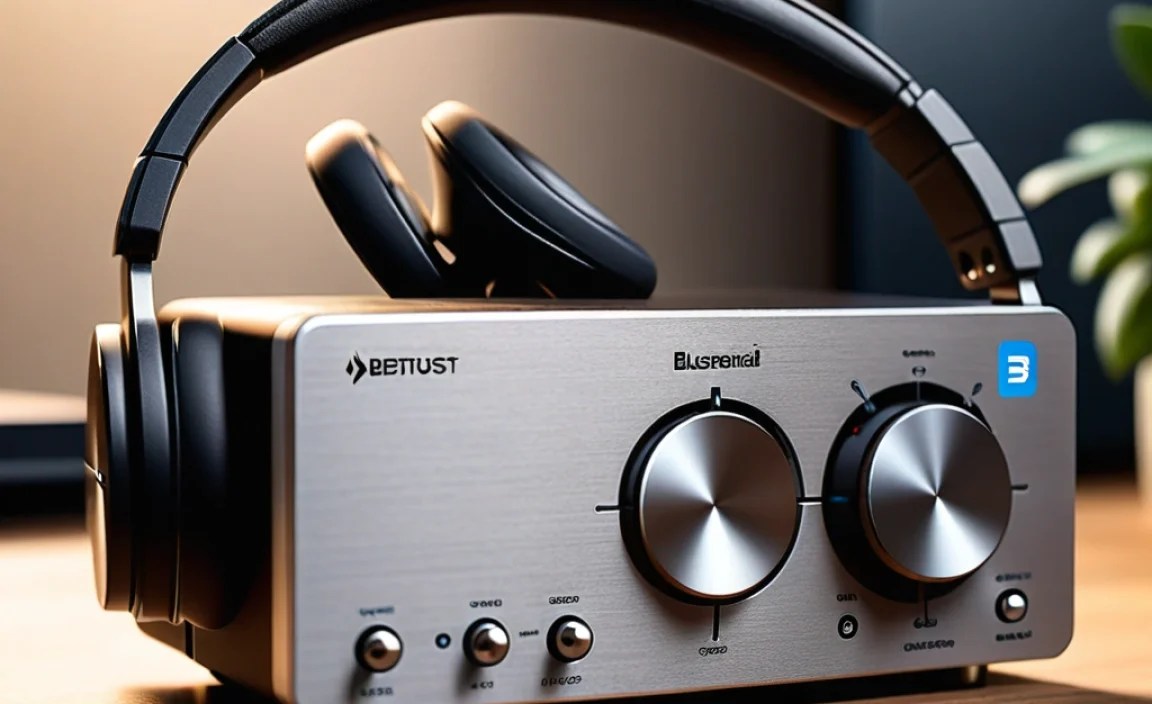
Navigating the world of Bluetooth amplifiers can seem daunting with all the technical specs thrown around. But don’t worry, we’ll break down the most important features to consider:
Bluetooth Version and Codecs
Bluetooth Version: Newer versions like Bluetooth 5.0, 5.1, 5.2, and 5.3 offer better range, faster speeds, and more stable connections than older versions (like 4.2 or earlier). Look for at least Bluetooth 4.2, but aim for 5.0 or higher for the best experience.
Bluetooth Codecs: These are the “languages” Bluetooth uses to transmit audio. Not all codecs are equal:
- SBC (Subband Coding): The most basic and universally supported codec. It’s often the fallback if a better one isn’t available. Quality is decent but can be limiting.
- AAC (Advanced Audio Coding): Commonly used by Apple devices (iPhone, iPad) and popular in streaming services. Offers better quality than SBC.
- aptX, aptX HD, aptX Adaptive: Developed by Qualcomm, these codecs offer significantly better audio quality and lower latency (delay) than SBC and AAC. aptX HD provides near CD-quality audio, and aptX Adaptive dynamically adjusts to optimize for sound quality or low latency based on your environment. These are often found on Android phones and a variety of headphones and amplifiers.
- LDAC: Developed by Sony, this is one of the highest-quality Bluetooth audio codecs available, capable of transmitting audio at up to 990 kbps, often surpassing CD quality. It’s found on many Sony devices and some other high-end audio gear.
Recommendation: Aim for an amplifier that supports at least AAC and ideally one of the aptX variants (aptX, aptX HD, or aptX Adaptive) or LDAC if your source device also supports it. This ensures you’re getting the best possible sound quality over Bluetooth.
Battery Life
If you’re opting for a portable unit, battery life is crucial. Most portable Bluetooth amplifiers offer anywhere from 5 to 20+ hours of playback on a single charge. Consider how and where you’ll be using it. For daily commutes, 8-10 hours might be sufficient, but for long flights or road trips, you’ll want something that lasts longer.
Power Output (Amplifier Sufficiency)
This is often measured in milliwatts (mW) and indicated by impedance (Ohms). For example, an amplifier might be rated at “80mW into 32 Ohms.” This tells you how much power it can deliver to headphones of a certain resistance. If you have sensitive, easy-to-drive headphones (like most earbuds or typical on-ear/over-ear headphones), you won’t need a massive amount of power. However, if you plan to drive high-impedance headphones, look for specifications that indicate higher power output at corresponding impedance levels.
Connectivity Options
Beyond Bluetooth, some amplifiers offer additional inputs, such as a USB input for direct digital connection to a computer (bypassing the computer’s sound card entirely) or a 3.5mm auxiliary input for connecting non-Bluetooth sources. For output, while most have a standard 3.5mm jack, some higher-end models offer balanced outputs (2.5mm or 4.4mm), which can provide even better sound quality and power for compatible headphones.
Build Quality and Design
Consider the materials used, the sturdiness of the buttons, and the overall aesthetic. For a portable device, durability is important. For a desktop unit, a sleek design that complements your workspace might be a priority. Some units might feel more premium than others.
User Interface and Controls
How easy is it to control volume, play/pause, and skip tracks? Some amplifiers have physical knobs for precise volume control, while others use buttons. Some might even have a companion app for more advanced settings. Choose what feels most intuitive for you.
How to Connect and Use Your Bluetooth Amplifier
Getting your Bluetooth amplifier set up is generally straightforward. Here’s a step-by-step guide:
Step 1: Charge the Amplifier
Before you do anything else, ensure your Bluetooth amplifier is fully charged. Connect it to a power source using the provided USB cable or its dedicated charger. Most devices will have an indicator light to show charging status.
Step 2: Turn On the Amplifier and Put it in Pairing Mode
Locate the power button (often a dedicated button or sometimes integrated with the volume dial). Press and hold it until the device powers on. To make it discoverable by your source device (phone, tablet, computer), you’ll need to put it into pairing mode. This usually involves pressing and holding another button, often a dedicated Bluetooth or pairing button, or a specific combination of button presses. The amplifier will typically have an LED indicator that flashes a certain color (often blue or red/blue) to signal it’s in pairing mode.
Step 3: Enable Bluetooth on Your Source Device
On your smartphone, tablet, or computer, go to your Bluetooth settings. Make sure Bluetooth is turned on. Your device will begin searching for available Bluetooth devices nearby.
Step 4: Select the Amplifier from Your Device’s Bluetooth List
In the list of available devices on your source device, you should see the name of your Bluetooth amplifier (e.g., “Fiio BTR5,” “Shanling UP2,” or a generic model number). Tap or click on its name to initiate the pairing process. Some devices might ask you to confirm a pairing code (usually “0000” or “1234” if prompted, though most modern devices do not require this).
Step 5: Connection Confirmation
Once successfully paired, the indicator light on the Bluetooth amplifier usually changes from a flashing pattern to a solid color (often blue). You might also hear an audio cue or a voice prompt confirming the connection. Your source device’s Bluetooth menu should also indicate that the amplifier is “Connected.”
Step 6: Connect Your Headphones
Now, plug your headphones into the headphone output jack on the Bluetooth amplifier. If you are using wired headphones, ensure they are securely plugged into the 3.5mm (or other) jack.
Step 7: Play Your Audio
Open your music player, podcast app, or any audio-playing application on your source device. Start playing your content. The audio should now be routed wirelessly via Bluetooth to the amplifier and then wired to your headphones. You can control the volume using the volume controls on the Bluetooth amplifier itself for the most nuanced control.
Table: Common Bluetooth Codecs Explained
Understanding codecs can seem complex, but here’s a simple breakdown to show how they impact your listening:
| Codec | Quality Potential | Latency (Delay) | Compatibility | Typical Use |
|---|---|---|---|---|
| SBC | Basic | Moderate | Universal (All Bluetooth devices) | Fallback, general use |
| AAC | Good | Moderate | Apple devices, some Android, Windows | Streaming, general listening |
| aptX | Very Good | Low | Many Android phones, PC/Macs, various devices | Music playback, casual video |
| aptX HD | Excellent (Near CD Quality) | Low | Higher-end Android phones, some accessories | Audiophile-grade streaming |
| aptX Adaptive | Dynamic (Excellent to Good) | Very Low (Adaptive) | Newer high-end Android devices, accessories | Gaming, video, music (optimizes for situation) |
| LDAC | High-Res (Often better than CD) | Moderate | Sony devices, some Android phones, custom ROMs | High-fidelity music playback |
Table: Bluetooth Amplifier vs. Direct Connection (Smartphone)
Here’s a quick comparison to highlight the advantages of using a dedicated Bluetooth amplifier:
| Feature | Direct Smartphone Connection | Bluetooth Amplifier for Headphones |
|---|---|---|
| Audio Quality | Basic to moderate, limited by phone’s internal DAC/Amp | Significantly enhanced, superior DAC and Amplifier components |
| Power Output | Limited; may struggle with high-impedance headphones | Much higher power output, capable of driving demanding headphones |
| Connectivity | Wired (if headphone jack exists) or basic Bluetooth | High-quality Bluetooth codecs, optional wired input/output |
| Wireless Convenience | N/A (for wired) or standard Bluetooth | Reliable, improved wireless audio with better range and stability |
| Battery Drain (Phone) | Can drain phone battery if driving headphones hard | Minimal drain on source device; has its own battery |
| Flexibility | Limited to phone’s capabilities | Can be used with various Bluetooth-enabled devices (phones, laptops, tablets) |
Tips for Getting the Best Sound
- Use High-Quality Audio Files: Your amplifier can only enhance the audio signal it receives. If you’re listening to low-bitrate MP3s, even the best amplifier will sound mediocre. Opt for lossless formats like FLAC or ALAC,
