
A Bluetooth audio adapter unlocks wireless freedom for your wired headphones. This guide explains what they are, how they work, and how to choose the best one for your needs, transforming your listening experience without needing new headphones. It’s a simple, effective upgrade for anyone seeking convenience and portability.
Bluetooth Audio Adapter for Headphones: Your Essential Choice for Wireless Freedom

Hey everyone, Edward Cavitt here from headphonehorizon! Ever found yourself tangled in headphone wires, wishing for the freedom to move around while still enjoying your favorite tunes or podcasts? What if I told you you don’t need to ditch your beloved wired headphones to go wireless?
Enter the Bluetooth audio adapter for headphones – a small, versatile gadget that can be a total game-changer for your listening experience.
It’s an incredibly accessible and affordable way to breathe new life into your existing audio gear, making them compatible with the latest smartphones and devices that might be lacking a headphone jack. Let’s dive into how these little wonders work and why they might just be the essential choice for your audio setup.
What Exactly is a Bluetooth Audio Adapter for Headphones?

At its core, a Bluetooth audio adapter for headphones is a device that bridges the gap between your wired headphones and your wireless world. Think of it as a translator. Your headphones speak the language of wires, and your phone, tablet, or computer speaks the language of Bluetooth.
The adapter takes the audio signal from your source device (like your smartphone) via Bluetooth and then transmits it to your headphones, usually through a standard 3.5mm headphone jack or sometimes a USB-C connection. This allows you to listen to audio wirelessly, giving you the freedom to move without being tethered.
These adapters come in various forms. Some are small, clip-on devices that plug directly into your headphones, turning them into wireless units. Others are larger, like a small box, that connects to a sound source (like a home stereo or TV) and transmits that audio via Bluetooth to your headphones.
For the purpose of this guide, we’ll focus primarily on the adapters that turn your existing wired headphones into wireless ones, as this is the most common ‘essential choice’ for headphone users.
Why You Might Need a Bluetooth Audio Adapter
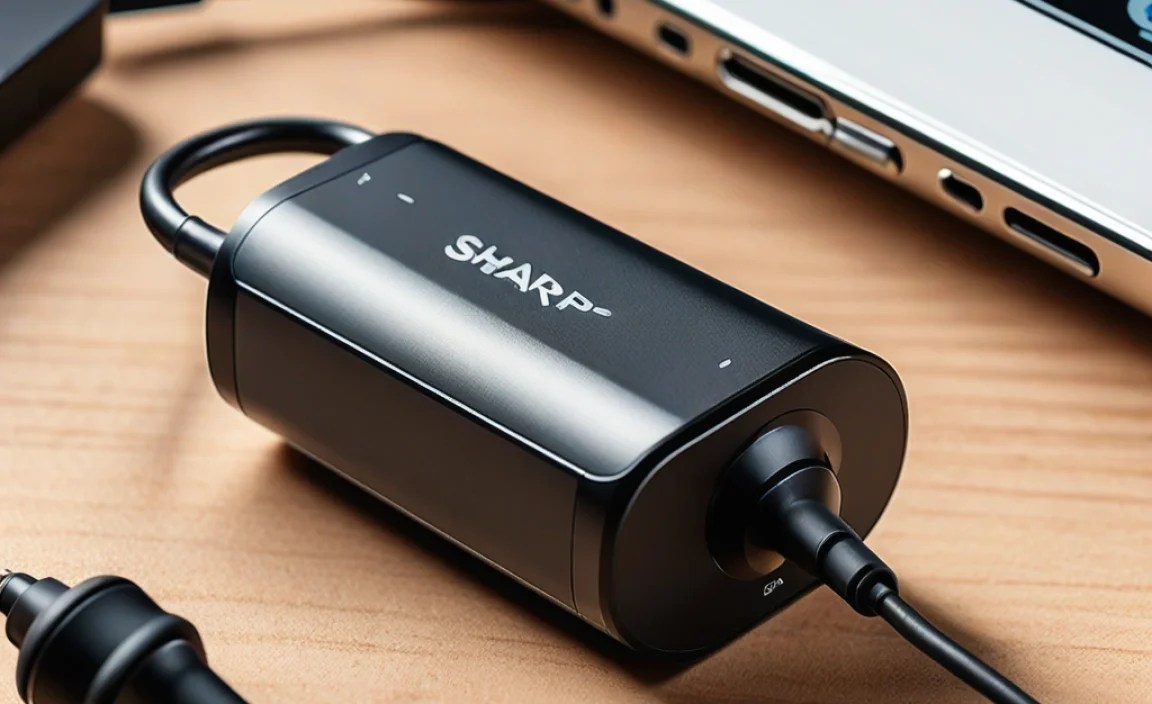
The digital landscape is always evolving, and while many people love their wired headphones for their sound quality and simplicity, the move towards wireless audio is undeniable. Here are a few compelling reasons why a Bluetooth audio adapter might be an essential addition to your audio toolkit:
- No Headphone Jack: This is perhaps the most common reason. Many modern smartphones, tablets, and even some laptops have ditched the traditional 3.5mm headphone jack. If you don’t want to use dongles or have your phone in your pocket while listening, an adapter is a fantastic solution.
- Freedom of Movement: Imagine being able to walk around your room, get a drink from the kitchen, or even do some light chores without interrupting your music or call. A Bluetooth adapter liberates you from the confines of a cable.
- Reviving Old Favorites: You might have a pair of high-quality wired headphones that you absolutely love for their sound. Instead of replacing them with a more expensive wireless pair, an adapter allows you to keep using them and enjoy their audio signature wirelessly.
- Convenience for Multiple Devices: If you switch between devices frequently, an adapter can simplify your setup. You can easily pair it with your phone for on-the-go listening and then re-pair it with your laptop for work calls.
- Cost-Effective Wireless Solution: High-quality wireless headphones can be a significant investment. A Bluetooth adapter is a fraction of the cost and can achieve a similar wireless experience with your current headphones.
How Do Bluetooth Audio Adapters Work?

Understanding the basics of how these adapters function can help you make a more informed decision. The process is relatively straightforward:
- Bluetooth Transmission: Your source device (phone, tablet, computer) transmits the audio signal wirelessly using Bluetooth technology.
- Adapter Reception: The Bluetooth audio adapter for headphones receives this wireless signal.
- Audio Conversion: The adapter then converts the digital audio data it receives into an analog signal that your headphones can understand.
- Wired Connection: This analog audio signal is sent to your headphones via a wired connection, typically a 3.5mm jack. This connection is usually a short cable attached to the adapter itself, or the adapter might have a female 3.5mm port where you plug in your headphone cable.
Most adapters require charging, just like your headphones or phone. They usually have a built-in rechargeable battery that you charge via USB. Battery life can vary significantly between models, so this is something to consider.
Types of Bluetooth Audio Adapters for Headphones
When looking for a Bluetooth audio adapter, you’ll encounter a few main types, each suited for different scenarios:
1. Inline Receiver Adapters
These are the most common type for transforming existing wired headphones. They are small, compact devices that typically plug directly into the male 3.5mm jack of your headphones. The adapter then has a short cable with a female 3.5mm jack where you plug in your headphone’s cable. Some newer models might offer USB-C connectivity directly without a separate cable.
- Pros: Extremely portable, lightweight, great for on-the-go use, easily integrates with existing headphones.
- Cons: Battery life might be shorter due to size, some models require an extra cable connection.
2. Clip-On Receiver Adapters
Similar to inline receivers, these are small units designed to clip onto your clothing. They often have a short cable that either plugs into your headphones or a 3.5mm jack directly on the adapter itself. The benefit here is that the weight of the adapter isn’t hanging off your headphones, which can be more comfortable.
- Pros: Securely attached to clothing, reduces strain on headphone cable, generally good balance of features and portability.
- Cons: Can be slightly bulkier than pure inline receivers.
3. Transmitter/Receiver (TX/RX) Adapters
These are more versatile. They can operate in two modes: as a receiver (connecting to your headphones to receive Bluetooth audio from a phone) or as a transmitter (taking an audio signal from a non-Bluetooth source, like a TV or airplane entertainment system, and broadcasting it via Bluetooth to your wireless headphones). If you want to make your wired headphones wirelessly compatible with devices like older TVs or your airline seat, this is the type to go for.
- Pros: Highly versatile, can be used for multiple scenarios (receiving and transmitting), great for home entertainment and travel.
- Cons: Can be more complex to operate, might be larger than simple receiver adapters.
4. Speaker Adapters
While less common for headphone use, some adapters are designed to plug into a speaker system’s auxiliary input and make that system capable of receiving Bluetooth audio. You could technically plug your headphones into the output of such a system, but it’s generally an indirect and less efficient way to achieve wireless headphone audio compared to the other types.
Key Features to Look for in a Bluetooth Audio Adapter
Now that you know the types, let’s break down the essential features to consider when choosing the right Bluetooth audio adapter for your headphones:
1. Bluetooth Version
Bluetooth technology has evolved. You’ll see versions like Bluetooth 4.2, 5.0, 5.1, 5.2, and so on. Higher numbers generally mean better performance:
- Improved Range: You can move further away from your source device.
- Faster Data Transfer: Crucial for audio, leading to lower latency (less delay between what you see and what you hear).
- Lower Power Consumption: Better battery life for both the adapter and your source device.
- Enhanced Connectivity: More stable connections with fewer dropouts.
Aim for at least Bluetooth 5.0 for a good, reliable experience. For more information on Bluetooth standards, you can check out resources like the Microchip Developer website, which offers clear explanations of different versions.
2. Audio Codec Support
Audio codecs are essentially compression algorithms that determine how audio is encoded and decoded. Different codecs offer varying levels of sound quality and efficiency. For listeners who care about pristine audio, this is critical.
- SBC (Subband Coding): The most basic and universally supported codec. It’s reliable but offers average sound quality.
- AAC (Advanced Audio Coding): Offers better sound quality than SBC and is widely used by Apple devices.
- aptX, aptX HD, aptX Adaptive: Developed by Qualcomm, these offer significantly better audio quality and lower latency than SBC, especially aptX HD. AptX Adaptive is designed to dynamically adjust to maintain a stable connection.
- LDAC: A high-resolution audio codec developed by Sony that can transmit significantly more data than other codecs, offering near-CD quality audio. It’s often found in premium devices.
If your source device also supports a higher-quality codec (like aptX HD or LDAC), and the adapter does too, you’ll get a more nuanced and detailed listening experience. For a beginner, ensuring it supports at least AAC or aptX is a good starting point for better-than-SBC quality.
3. Battery Life and Charging
This is a practical consideration. How long do you need the adapter to last on a single charge? If you commute long distances or have extended listening sessions, look for adapters with 8-10+ hours of playback. Charging time is also important – can it be charged quickly via USB-C or micro-USB?
4. Connectivity Options
Most adapters use a 3.5mm auxiliary jack, which is standard. However, some might offer USB-C or even proprietary connectors. Ensure the jack type matches your headphones or choose an adapter that allows you to connect your existing headphone cable.
5. Controls and Features
Consider the convenience factor. Does the adapter have built-in controls for volume, play/pause, and skipping tracks? Does it support voice assistants like Siri or Google Assistant? Some advanced models even offer multi-point pairing, allowing you to connect to two devices simultaneously (e.g., your phone and laptop).
6. Build Quality and Size
Since these adapters are often carried around, durability is key. Look for sturdy construction. The size and weight are also important for comfort. A smaller, lighter adapter that clips securely to your shirt is often preferable for long listening sessions.
Step-by-Step Guide: Using Your Bluetooth Audio Adapter
Getting your Bluetooth audio adapter up and running is usually a breeze. Here’s a simple process:
Step 1: Charge the Adapter
Before you do anything else, fully charge your Bluetooth adapter. Most come with a USB cable for charging. Plug it into a power source (like a USB wall adapter, your computer, or a power bank) and let it charge until the indicator light shows it’s full.
Step 2: Put the Adapter into Pairing Mode
Consult your adapter’s manual, but typically, you’ll need to press and hold the power button or a dedicated Bluetooth button for a few seconds. The indicator light will usually start flashing rapidly in a specific color (often blue and red alternating, or just flashing blue) to show it’s in pairing mode.
Step 3: Enable Bluetooth on Your Source Device
On your smartphone, tablet, or computer, go to your Bluetooth settings and turn Bluetooth on. Make sure your device is discoverable.
Step 4: Pair the Adapter with Your Source Device
Your source device will scan for available Bluetooth devices. You should see the name of your adapter appear in the list. Select it to initiate the pairing process. You might need to confirm a pairing code (usually 0000 or 1234) if prompted, though most modern devices handle this automatically.
Once paired, the indicator light on the adapter will usually change to a steady light or a slow, steady blink, indicating it’s successfully connected.
Step 5: Connect Your Headphones to the Adapter
If your adapter has a built-in cable with a 3.5mm plug, plug it into your headphones. If your adapter has a female 3.5mm jack, plug your headphones’ cable into that jack.
Step 6: Play Your Audio
Now, simply play some music, a podcast, or start a video on your source device. The audio should automatically stream wirelessly to your headphones via the adapter. You can usually control playback and volume using the buttons on the adapter or your source device.
Tips for Getting the Best Performance
To ensure you’re getting the most out of your Bluetooth audio adapter, here are a few tips:
- Keep Devices Close: While Bluetooth 5.0 and newer offer extended range, keeping your source device within a reasonable distance (e.g., 30 feet or 10 meters) will ensure a stable connection.
- Minimize Interference: Other wireless devices (like Wi-Fi routers, microwaves, or other Bluetooth devices) can sometimes interfere with the signal. Try to reduce their proximity if you experience dropouts.
- Update Source Device Software: Ensure your smartphone, tablet, or computer has the latest operating system and Bluetooth drivers installed. This can often improve performance and connection stability.
- Check Codec Compatibility: If sound quality is paramount and your adapter supports advanced codecs (like aptX HD or LDAC), make sure your source device also supports them. You can usually find this information in your device’s Bluetooth settings or the manufacturer’s specifications.
- Regularly Charge: Don’t wait for the battery to die completely. Charging it when you have a moment will ensure it’s always ready when you need it.
Troubleshooting Common Issues
Even the best gadgets can sometimes be a bit finicky. Here are some common issues and their simple solutions:
| Problem | Solution |
|---|---|
| Adapter won’t pair with my device | Ensure the adapter is in pairing mode (flashing light). Turn Bluetooth off and on again on your source device. Restart both devices and try pairing again. Forget the device in your Bluetooth list and re-pair. |
| Audio is cutting out or choppy | Move your source device closer to the adapter. Reduce the number of active Bluetooth devices nearby. Close unnecessary apps on your source device. Ensure the adapter is fully charged. |
| No sound when headphones are connected | Check that your headphones are securely plugged into the adapter. Ensure the volume is turned up on both the adapter and your source device. Verify that the adapter is selected as the audio output device on your source device if you have multiple options. |
| Latency (delay between video and audio) is noticeable | Ensure both your adapter and source device support low-latency codecs like aptX Low Latency or aptX Adaptive. If not, there might be a slight delay inherent to the Bluetooth signal. Check if there’s a specific “low latency mode” setting on the adapter. |
| Adapter won’t charge | Try a different USB charging cable and power adapter. Ensure the charging port on the adapter is clean and free of debris. |
Popular Brands and Models to Consider
While specific models change rapidly, here are some reputable brands known for producing reliable Bluetooth audio adapters for headphones. It’s always a good idea to check recent reviews for the latest offerings:
- Anker: Often praised for their build quality, battery life, and value for money. They offer various models, including small inline receivers and more versatile transmitter/receiver units.
- Mpow: Another brand that consistently delivers good performance at an affordable price point. Their adapters are usually compact and easy to use.
- TROND: Known for their transmitter/receiver (TX/RX) adapters, offering flexibility for different audio needs, including home entertainment.
- Avantree: Specializes in Bluetooth audio devices and often offers models with advanced features like aptX HD and low latency support, plus multi-point connectivity.
- Ugreen: A popular brand for accessories, offering reliable and well-reviewed Bluetooth adapters that are often small and easy to integrate.
When choosing, read recent user reviews on platforms like Amazon or tech review sites to get the most up-to-date feedback on performance and reliability for specific models.
Conclusion: An Essential Upgrade for Modern Audiophiles
In today’s world, convenience often reigns supreme, and a Bluetooth audio adapter for headphones is your passport to a cable-free listening experience without compromising your favorite wired cans. Whether your phone lacks a headphone jack, you simply crave the freedom
