
Quick Summary: This guide helps you choose and use a Bluetooth headphone adapter for planes, transforming your airline experience. Learn how to connect your wireless headphones to in-flight entertainment systems, ensuring comfort and great audio, even on the longest journeys. We’ll cover the what, why, and how of these travel essentials.
Bluetooth Headphone Adapter for Plane: Your Essential Guide to In-Flight Audio Bliss
Ever settled into your airline seat, ready to dive into a movie or podcast, only to realize those tempting airplane audio jacks don’t play nice with your sleek Bluetooth headphones? It’s a common traveler’s frustration! But what if I told you there’s a simple, affordable solution that can unlock a world of wireless audio freedom on your next flight? Enter the Bluetooth headphone adapter for plane journeys. These handy little gadgets are becoming indispensable for modern travelers. They bridge the gap between older audio systems and your favorite wireless earbuds or over-ear cans, promising a more comfortable and enjoyable flight. Let’s explore how these devices can elevate your travel entertainment, making those hours in the air fly by.
As Edward Cavitt from headphonehorizon, I’ve always believed that great sound shouldn’t be complicated. My goal is to demystify audio gear so everyone can enjoy their music, movies, and podcasts without a hitch, whether at home or on the go. Traveling, especially by plane, presents its own unique audio challenges. The roar of the engines, the limited entertainment options, and the often-clunky headphone jacks can detract from the experience. This guide is designed to equip you with all the knowledge you need to confidently select and use a Bluetooth headphone adapter for your next flight, turning those noisy cabins into your personal audio sanctuary.
Why You Need a Bluetooth Headphone Adapter for Your Next Flight

Think about your typical flight. You’ve packed your noise-canceling Bluetooth headphones because you love the immersive sound and the freedom of no wires. Then, you get on the plane and stare at the airline’s provided earbuds, or the dreaded tangle of wired headphones that often come with the territory. These are rarely comfortable, offer mediocre sound quality, and you’re tethered to your seat. This is where a Bluetooth headphone adapter for plane journeys shines.
These adapters are designed to take the single-pin or dual-pin audio output found on most airplane seatbacks and convert it into a Bluetooth signal. This signal can then connect wirelessly to your headphones. It’s a game-changer for several reasons:
- Enhanced Comfort: No more awkward, ill-fitting airline earbuds. Use your own comfortable, familiar headphones.
- Superior Sound Quality: Enjoy the audio fidelity your own headphones are capable of, rather than the basic sound of airline-provided ones.
- Noise Cancellation: Leverage your noise-canceling headphones to significantly reduce cabin noise, making movies clearer and sleep more restful.
- Freedom of Movement: No wires means you can get up for a stretch or adjust your position without unplugging.
- Convenience: Avoid needing to carry multiple sets of headphones or dealing with tangled wires.
- Universal Compatibility: Most adapters are designed to work with virtually any airplane’s audio system and any Bluetooth headphones.
A study published by the Aviation Consumer Action Project (ACAP), while not directly about adapters, highlights the ongoing efforts to improve the passenger experience. Better in-flight entertainment and comfort are key, and a Bluetooth adapter directly contributes to this by allowing passengers to utilize their preferred, often higher-quality, personal audio devices.
Understanding the Technology: How It Works
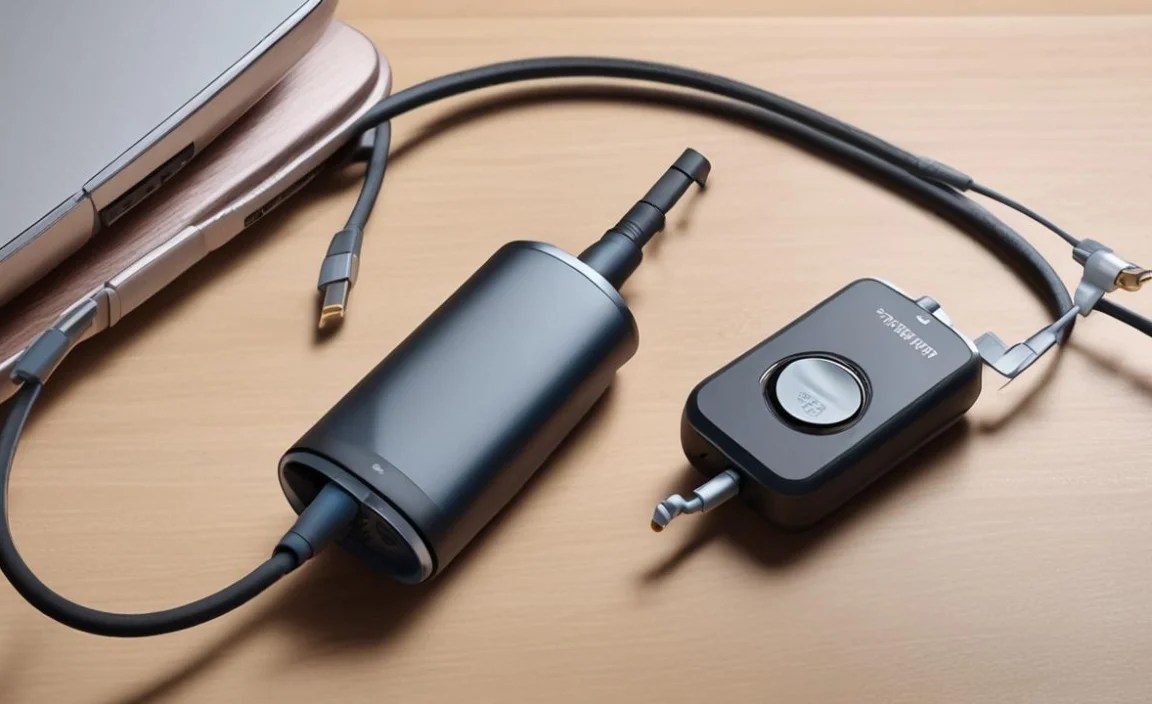
It might seem a bit magical, but the principle behind a Bluetooth headphone adapter for plane use is straightforward. The adapter itself is a small device that plugs into the airplane’s headphone jack. Once plugged in, it receives the raw audio signal from the in-flight entertainment system. It then uses Bluetooth technology to transmit this audio signal wirelessly to your headphones, which are also paired to the adapter. Most adapters also have a built-in microphone, allowing you to use your headphones for calls if the airline’s system supports it, though this is less common for in-flight entertainment.
The process typically involves a few simple steps:
- Charge the Adapter: Ensure your adapter is fully charged before your flight. Many charge via USB.
- Plug In: Insert the adapter into the airplane’s headphone socket. Some adapters have a single 3.5mm jack, while others have a dual-pin adapter you can flip up or down, depending on the plane.
- Pair Your Headphones: Turn on your Bluetooth headphones and put them in pairing mode. Then, activate the pairing mode on the adapter (usually by pressing a button). Your headphones should then discover and connect to the adapter.
- Select Entertainment: Choose your movie, music, or podcast on the in-flight system, and the audio will stream to your headphones.
The range of Bluetooth is typically sufficient for sitting at your seat, but it’s always best to keep your headphones and the adapter relatively close to each other. The connection is usually very stable once paired.
Choosing the Right Bluetooth Headphone Adapter for Plane Travel

With a growing number of travelers opting for wireless audio, the market for Bluetooth headphone adapters has expanded. To make sure you pick the best one for your needs, consider these key features:
Key Features to Look For:
- Battery Life: This is crucial. Look for an adapter with a battery life that exceeds the longest flight you anticipate taking. Aim for at least 15-20 hours to be safe. Many can be recharged mid-flight if your plane has USB ports.
- Connectivity: Ensure it supports modern Bluetooth versions (like Bluetooth 5.0 or higher) for better stability, range, and power efficiency. Some adapters also support aptX codecs, which can offer higher audio quality if both the adapter and your headphones support it.
- Audio Output Options: Some adapters can also operate in receiver mode, meaning you can plug them into non-Bluetooth devices (like an old stereo) and stream audio to them from your phone. This adds versatility.
- Portability and Design: Look for something small, lightweight, and durable. A compact design that doesn’t protrude too much from the seatback is ideal. Some come with a short audio cable for flexibility.
- Ease of Use: Simple pairing procedures and clear indicator lights are a big plus.
- Dual Connection Support: Some advanced adapters allow you to connect two pairs of headphones simultaneously, perfect for traveling with a companion.
- Charging Method: USB-C charging is convenient and modern. Check if it can be used while charging.
Types of Adapters:
Most adapters fall into a few categories based on their primary function and design:
- Simple Audio Transmitter: These are the most common. They plug into the headphone jack and transmit audio wirelessly.
- Audio Transmitter/Receiver (TX/RX): These offer dual functionality. They can transmit audio from a plane (TX mode) or receive audio from your phone to an older system (RX mode).
- Audio Transmitter with Microphone Pickup: A rarer but useful feature, some can even pick up the audio from the airplane’s headphone jack via a small microphone if the direct plug doesn’t work perfectly.
Popular Brands and Models:
While specific product recommendations can change rapidly, some brands consistently offer reliable Bluetooth headphone adapters for travel. Popular choices often include models from:
- Bose (known for quality but often pricier)
- Avantree (a strong contender with a wide range of accessible models)
- Taotronics (offers good value for money)
- Anker (a trusted brand for charging accessories, often branching into audio)
- Mpow (another brand that provides budget-friendly options)
When comparing, always check recent reviews for insights into battery life, connection stability, and ease of use. A quick search for “best Bluetooth airplane adapter” can lead you to articles and reviews from reputable tech sites that test these devices.
Step-by-Step: Using Your Bluetooth Headphone Adapter on a Plane

Getting your adapter up and running is usually straightforward. Here’s a typical process you can expect:
Step 1: Initial Setup and Charging
- Unboxing and Inspection: Take your adapter and any accessories (like charging cables or an extra audio cable) out of the box.
- Full Charge: Before heading to the airport, fully charge your adapter using the provided USB cable. This typically takes 1-2 hours. Most adapters will have an LED indicator that lets you know when it’s fully charged.
- Familiarize Yourself: Locate the power button, pairing button, and any switches (like TX/RX if applicable). Understand what the LED lights indicate (e.g., charging, connected, pairing).
Step 2: Plugging into the Airplane’s Audio System
- Wait for the Right Moment: It’s best to do this once you’re seated and settled in, and often after the flight attendants have finished their initial service or announcements to avoid confusion.
- Identify the Jack: Airplane headphone jacks are usually found on the armrest or the seatback in front of you. They are typically standard 3.5mm jacks. Some planes might have a double-pin jack, in which case your adapter should have a way to accommodate this (often by folding down the second pin or having a detachable adapter piece).
- Insert the Adapter: Gently plug the adapter into the headphone jack. If it feels loose, try wiggling it slightly or ensure it’s fully seated.
Step 3: Pairing Your Bluetooth Headphones
- Turn on Your Headphones: Make sure your Bluetooth headphones are charged and turned on.
- Activate Pairing Mode on Headphones: This process varies by headphone model. Usually, you press and hold the power or Bluetooth button until an indicator light flashes in a specific pattern (often blue and red, or a fast-flashing blue). Consult your headphone’s manual if you’re unsure.
- Activate Pairing Mode on the Adapter: Turn on the Bluetooth adapter by pressing its power button. Then, press and hold its pairing button. Again, an LED indicator will usually show this mode.
- Wait for Connection: Keep both devices near each other. The adapter and headphones will search for each other. Once connected, the LED indicators on both devices will typically change to a solid light or a slow, steady blink, indicating a successful connection.
Step 4: Enjoying Your Audio
- Select Content: Navigate the in-flight entertainment system and choose a movie, music channel, or TV show.
- Adjust Volume: You’ll control the volume through your headphones. Start at a low volume and gradually increase it to a comfortable level.
- Troubleshooting: If you don’t hear sound:
- Ensure both devices are still paired (check LED lights).
- Check that the volume on your headphones is turned up.
- Make sure the in-flight entertainment system’s volume is also at an audible level.
- If necessary, turn off and on both the adapter and your headphones, and try pairing again.
- If the airplane audio jack is faulty, the adapter might not receive a signal. Try a different seat if possible.
Step 5: Disconnecting and Packing
- Turn Off Devices: Once your flight is over or you’re finished watching/listening, turn off your Bluetooth adapter and your headphones to conserve battery.
- Unplug and Store: Gently remove the adapter from the airplane’s audio jack and store it safely in your carry-on bag.
- Recharge: Recharge your adapter and headphones when you have the opportunity, so they are ready for your next journey.
Pros and Cons of Using a Bluetooth Adapter on Planes

Like any travel gadget, a Bluetooth headphone adapter for plane use comes with its advantages and disadvantages. Understanding these will help you decide if it’s the right solution for your travel style.
Pros:
- Ultimate Audio Freedom: Enjoy superior sound and comfort with your own headphones.
- Noise Isolation: Significantly enhances the effectiveness of your noise-canceling headphones, reducing engine drone and cabin chatter.
- Cost-Effective: More affordable than buying a new pair of Bluetooth-enabled headphones that are specifically designed for airplane jacks (which are rare).
- Reduces Cabin Waste: By using your own adapter and headphones, you’re not contributing to the use of disposable airline earbuds.
- Versatility: Many adapters can be used in other situations, like connecting your phone to a car stereo that only has an aux input.
Cons:
- Battery Dependency: Requires charging before and potentially during long flights.
- Pairing Process: Can sometimes be finicky, especially in a crowded cabin or if you’re not familiar with the process.
- Potential Latency: While most modern adapters have low latency (delay between audio and video), some older or cheaper models might have a slight delay, which can be noticeable during movies.
- Bulkier than Earbuds: While small, it’s an extra item to remember and carry.
- Not Always Essential: Many newer aircraft are equipped with Bluetooth audio systems already, making an adapter unnecessary on those specific flights. It’s worth checking with your airline in advance if possible.
A Comparative Look: Adapter vs. Built-in Bluetooth vs. Wired Headphones
To truly appreciate the utility of a Bluetooth headphone adapter for plane travel, let’s compare it against the other common audio options for flights.
| Feature | Bluetooth Headphone Adapter | Built-in Airplane Bluetooth | Wired Headphones (Airline Provided or Personal) |
|---|---|---|---|
| Audio Quality | Excellent (depends on your headphones) | Variable (can be basic to good) | Often Poor (airline-provided) to Good (personal wired) |
| Comfort | Excellent (your own headphones) | Variable (depends on built-in system compatibility with your headphones) | Poor (airline-provided) to Excellent (personal wired) |
| Noise Cancellation | Excellent (with ANC headphones) | Excellent (with ANC headphones) | Excellent (with ANC headphones) or Poor (no ANC) |
| Convenience | High (easy to use once paired) | Very High (direct wireless connection) | Medium (wires can tangle, limited by cord length) |
| Compatibility | Works with most planes and all Bluetooth headphones | Only on newer aircraft; specific codec requirements may apply | Universal with airplane jacks (wired) |
| Setup Required | Pairing needed | Direct pairing with headphones | Plug and play |
| Power Requirement | Adapter needs charging | None (powered by plane) | None (or battery for ANC) |
| Cost | Low to Medium ($20-$60) | Free (included with flight) | Free (airline-provided) to Medium (decent wired headphones) |
When to Choose Which Option:
- Choose a Bluetooth Adapter if: You already own high-quality Bluetooth headphones, you fly frequently on various airlines (where built-in Bluetooth isn’t guaranteed), or you want the best possible audio experience with your existing gear.
- Consider Built-in Airplane Bluetooth if: You know your specific flight and airline offer it, and your headphones are compatible. This is the most seamless option when available.
- Stick with Wired Headphones if: You prefer not to worry about charging another device, you’re on a very short flight where it’s not a big issue, or you don’t own Bluetooth headphones.
For most travelers who have invested in good wireless headphones, the Bluetooth headphone adapter for plane use is the most practical and cost-effective way to bridge the technology gap. It’s a small price to pay for significantly enhanced travel comfort and entertainment.
Frequently Asked Questions (FAQ)
Here are some common questions travelers have about using Bluetooth headphone adapters on planes:
Q1: Will a Bluetooth headphone adapter work on all airplanes?
While most modern adapters are designed to be highly compatible with standard 3.5mm airline audio jacks, not every plane is the same. Older aircraft might have slightly different jack types, or some systems might be poorly maintained. However, they are designed to work
