
Bluetooth headphones can enhance gaming with wireless freedom, but latency is a concern. This guide helps beginners choose essential, proven Bluetooth headphones for gamers, focusing on features that minimize delay and maximize immersion. We’ll cover key considerations for a winning audio experience without the wires.
Bluetooth Headphones for Gamers: Essential, Proven Choices for Wireless Victory

Hey gamers! Edward Cavitt here from headphonehorizon, and I know that diving into the world of gaming audio can feel a bit overwhelming. You want that immersive experience, the roar of the engine, the subtle footsteps of an approaching enemy, all without getting tangled in wires. That’s where Bluetooth headphones come in.
But for gaming, not just any Bluetooth pair will do. The biggest hurdle? Latency, or that slight delay between what happens on screen and what you hear. Don’t worry, though! This guide is all about helping you, the everyday listener and budding gamer, find Bluetooth headphones that are not just good, but truly essential and proven for your gaming sessions, ensuring those crucial audio cues hit your ears right on time. Let’s get you set up for wireless victory!
Why Bluetooth Headphones for Gaming?
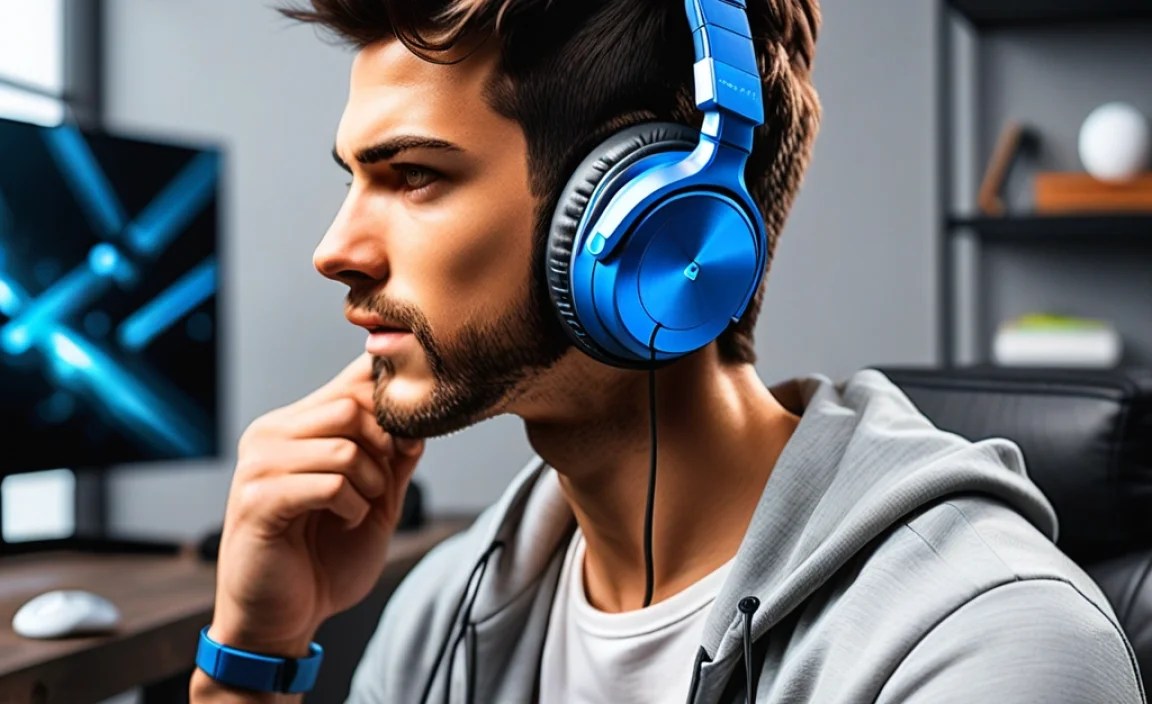
Ditching the wires offers unparalleled freedom. Imagine leaning back on your couch, or easily getting up for a snack without yanking your setup apart. For many gamers, this comfort and mobility are game-changers. Furthermore, modern Bluetooth technology has made significant strides in reducing latency, making wireless solutions more viable than ever for gaming.
While wired is still king for absolute zero latency, the convenience of Bluetooth is a massive draw. Plus, many Bluetooth headphones come with advanced features that can actually enhance your gaming experience, like active noise cancellation to keep distractions at bay or spatial audio for a more immersive soundscape.
The Latency Dilemma: Understanding the “Delay”

The primary concern with Bluetooth headphones for gaming is audio latency. This is the time it takes for the audio signal to travel from your gaming device (PC, console, phone) to your headphones. In fast-paced games, even a small delay can be the difference between a clutch win and a frustrating defeat.
Imagine hearing an explosion a split-second after it appears on screen – that’s latency in action. Thankfully, newer Bluetooth versions and specific gaming-focused Bluetooth codecs are constantly working to minimize this delay. We’ll explore what to look for to combat this.
Bluetooth Codecs Explained (Simply!)
Codecs are like translators for your audio data. They compress and decompress the sound. Different Bluetooth codecs offer varying levels of efficiency, sound quality, and crucially, latency. For gaming, you want codecs that prioritize low latency.
- SBC (Subband Coding): The most basic and universal codec. It’s widely compatible but generally has the highest latency, making it less ideal for gaming.
- AAC (Advanced Audio Coding): Popular with Apple devices. Offers better sound quality than SBC and is generally decent for casual gaming, but latency can still be a factor.
- aptX / aptX HD / aptX Low Latency: Developed by Qualcomm, these are often found on Android devices and Windows PCs. aptX Low Latency is specifically designed to minimize delay, making it a prime candidate for gamers.
- LDAC: Another high-quality codec, often found on Sony devices, that prioritizes audio fidelity. It can offer good sound but might not be the lowest for latency.
- LHDC (Low Latency High-Definition Audio Codec): Similar to LDAC, focusing on high-quality audio with potentially lower latency than standard codecs.
When choosing Bluetooth headphones for gaming, look for those that support aptX Low Latency or similar low-latency technologies. Some gaming-specific wireless headsets even use proprietary 2.4GHz wireless connections (which aren’t Bluetooth but offer similar convenience) that offer near-zero latency.
Key Features for Essential Gaming Bluetooth Headphones

Beyond latency, several features can elevate your gaming experience. Here are the must-haves:
1. Low Latency Performance
As discussed, this is paramount. Look for headphones explicitly advertising “low latency” or supporting codecs like aptX Low Latency. For the most critical gaming experiences, consider wireless gaming headsets that use their own 2.4GHz dongles, as these bypass Bluetooth limitations entirely for the absolute lowest delay. Many reputable tech sites, like Rtings.com, offer detailed latency testing for various headphones.
2. Sound Quality and Immersion
You need to hear enemies creeping up on you! Look for headphones that offer a balanced sound profile, with clear highs and mids for critical audio cues (footsteps, gunshots) and a satisfying bass that doesn’t overpower everything. Features like virtual surround sound or spatial audio can create a more immersive environment, helping you pinpoint enemy locations.
3. Comfort for Long Sessions
Gaming marathons require comfort. Over-ear headphones are generally preferred for gaming due to their larger earcups, which can provide better passive noise isolation and are less likely to cause ear fatigue. Ensure the headband is well-padded and the earcups are made of breathable material. Adjustable headbands and swiveling earcups help achieve a perfect fit.
4. Microphone Quality
If you play multiplayer games, a clear microphone is essential for team communication. Look for headphones with a boom microphone that can be positioned closer to your mouth, or headphones that use beamforming technology to isolate your voice. Some headsets have noise suppression for the mic, which is great for noisy environments.
5. Battery Life
Nobody wants their audio cutting out mid-game. Aim for headphones that offer at least 15-20 hours of battery life on a single charge. Many also come with faster charging capabilities, giving you a few hours of playback from just a short charge.
6. Wireless Connectivity Options
While this article focuses on Bluetooth, some gaming headsets offer a dual-connectivity option: Bluetooth and a 2.4GHz wireless dongle. This is the best of both worlds, allowing you to connect to multiple devices (e.g., phone via Bluetooth, PC/console via dongle) and switch seamlessly, while always having the option for ultra-low latency when needed.
Choosing the Right Type of Bluetooth Headphones for Gaming

There are a few form factors to consider, each with its pros and cons for gaming:
Over-Ear Headphones
These are the most common type for gaming. They completely encompass your ears, offering excellent comfort, passive noise isolation, and often the best sound quality.
- Pros: Superior comfort, immersive sound, good noise isolation, often better battery life.
- Cons: Can be bulkier, may cause ears to get warm over long sessions, generally more expensive.
On-Ear Headphones
These rest on your ears rather than around them. They are usually lighter and more portable but can be less comfortable for extended wear and offer less noise isolation.
- Pros: Lighter, more portable, can allow you to hear your surroundings if needed.
- Cons: Can press on the ears causing discomfort over time, less immersive sound, poorer noise isolation.
True Wireless Earbuds
Tiny and completely wire-free, these offer ultimate portability. However, for gaming, they often present the biggest latency challenges and can be less comfortable for long sessions.
- Pros: Extremely portable, discreet, no wires whatsoever.
- Cons: Highest risk of latency issues, can be less comfortable for extended wear, generally smaller batteries.
Top Considerations for Different Gaming Platforms
Your gaming platform matters! The way Bluetooth works can differ slightly between devices.
PC Gaming
PCs generally offer the most flexibility. Ensure your PC has a robust Bluetooth adapter (built-in or a USB dongle). Look for headphones that support aptX Low Latency or use a 2.4GHz dongle for the best performance. Windows 10 and 11 have improved Bluetooth audio handling, but a good adapter is still key.
PlayStation Gaming
PlayStation consoles (PS4 and PS5) have historically had more limited Bluetooth audio support, often prioritizing audio quality over low latency for voice chat. Many users find that Bluetooth headphones can still experience noticeable delay. For the best experience on PlayStation, consider headphones that come with their own USB dongle for a proprietary wireless connection. Some Sony-certified audio devices might work better.
Xbox Gaming
Xbox consoles (Xbox One and Series X/S) have a proprietary wireless audio solution that is not Bluetooth. While some controllers have a 3.5mm jack for wired headsets, true wireless on Xbox often relies on specific wireless adapters or headsets designed to connect directly to the console’s wireless protocol. Bluetooth support for audio is effectively non-existent for gaming on Xbox.
Nintendo Switch
The Nintendo Switch gained official Bluetooth audio support with a system update. While it works, latency can still be an issue, especially for fast-paced games. Using a separate Bluetooth transmitter/receiver that plugs into the headphone jack can sometimes offer better results. For the most reliable experience, a wired headset or a Switch-specific wireless headset is often recommended.
Mobile Gaming (iOS & Android)
Mobile gaming is often where Bluetooth headphones shine due to the convenience. Android devices with support for aptX Low Latency will provide the best experience. iOS devices, while not supporting aptX, generally handle AAC well, and many newer iPhones and iPads have improved Bluetooth performance. Consider headphones that have a dedicated “gaming mode” of low latency.
Proven Bluetooth Headphones for Gamers: Our Recommendations
While specific models change rapidly, here are types of headphones and brands renowned for offering excellent wireless experiences that gamers can trust. Always check the latest reviews for current models!
Category 1: Best All-Rounder (with Dongle)
These often offer both Bluetooth and a 2.4GHz dongle, giving you the best of both worlds: convenience and ultra-low latency.
| Feature | Description |
|---|---|
| Connectivity | Bluetooth 5.0+ & Proprietary 2.4GHz Wireless Dongle |
| Latency | Near-zero via Dongle, Low via aptX Low Latency Bluetooth |
| Sound Profile | Balanced yet punchy, good for game audio cues |
| Microphone | Detachable boom mic, often with noise cancellation |
| Comfort | Plush earcups, adjustable headband, suitable for long sessions |
| Battery Life | 20+ hours |
Category 2: Budget-Friendly Bluetooth with AptX LL
For gamers on a tighter budget who primarily game on PC or Android devices.
| Feature | Description |
|---|---|
| Connectivity | Bluetooth 5.0+ with aptX Low Latency support |
| Latency | Noticeably lower than standard Bluetooth, good for casual to moderate gaming |
| Sound Profile | Varies by brand, aim for clear mid-range for important game sounds |
| Microphone | Often built-in; quality can vary. Look for reviews mentioning mic clarity. |
| Comfort | Look for lighter over-ear or on-ear designs. |
| Battery Life | 15-25+ hours |
Category 3: True Wireless Earbuds with Low Latency Mode
For mobile gamers or those who prioritize portability and a wire-free experience, even at a slight compromise in latency control.
| Feature | Description |
|---|---|
| Connectivity | Bluetooth 5.0+ |
| Latency | Features a “Gaming Mode” that prioritizes low latency, may still be perceptible for competitive play. |
| Sound Profile | Compact drivers mean sound can be less expansive; look for models that emphasize gaming. |
| Microphone | Built-in; can be susceptible to wind/background noise. |
| Comfort | Multiple ear tip sizes for a secure fit. |
| Battery Life | 5-8 hours per charge, with charging case providing additional charges. |
Setting Up Your Bluetooth Headphones for Gaming: A Simple Guide
Getting your new wireless cans ready to go is usually straightforward. Here’s a general process:
- Charge Them Up: Before you do anything else, give your headphones a full charge. Check the manual for the recommended charging time.
- Enable Bluetooth on Your Device:
- PC: Go to Settings > Devices > Bluetooth & other devices. Turn Bluetooth on.
- PlayStation: Go to Settings > Devices > Bluetooth Devices.
- Nintendo Switch: Go to System Settings > Bluetooth.
- Mobile: Go to Settings > Bluetooth and toggle it on.
- Put Your Headphones in Pairing Mode: This is usually done by pressing and holding the power button or a dedicated Bluetooth button until an indicator light flashes (often blue and red, or just blinking blue). Consult your headphone’s manual for the exact procedure.
- Select Your Headphones on Your Device: Your device will scan for nearby Bluetooth devices. You should see your headphone’s name appear in the list. Click or tap on it to connect.
- Confirm Connection: Your device should indicate that the headphones are connected. You might hear a chime or a voice prompt from the headphones themselves.
- Adjust Audio Settings (Important!):
- PC: In your sound settings, ensure your Bluetooth headphones are set as the default playback device. If you’re having issues, check for specific Bluetooth audio driver updates. For games that support it, explore their audio settings for surround sound or spatial audio options.
- Consoles: Navigate to your console’s audio output settings and select your Bluetooth headphones. Be aware of potential latency and limited functionality on some consoles as noted earlier.
- Test Latency: Play a game with clear audio cues (like a first-person shooter or a rhythm game). Does the audio feel in sync with the on-screen action? If there’s a noticeable delay, you might need to explore alternative connection methods (like a dongle) or adjust settings.
Tips for Minimizing Latency with Bluetooth
Even with the best headphones, you might encounter some latency. Here’s how to tackle it:
- Use the Right Codec: Whenever possible, ensure your device and headphones are communicating using low-latency codecs like aptX LL. You can sometimes check or set this in your device’s developer options (Android) or through specialized Bluetooth receiver/transmitter settings.
- Wired Connection When Possible: For critical competitive play, using the headphone’s 3.5mm audio jack with a cable is the foolproof way to eliminate latency. Many wireless headphones still come with this option.
- Minimize Interference: Other wireless devices (microwaves, Wi-Fi routers, other Bluetooth devices) can interfere with the signal. Try to keep your gaming device and headphones relatively close and free from obstructions.
- Update Drivers and Firmware: Ensure your PC’s Bluetooth drivers and your headphones’ firmware are up to date. Manufacturers often release updates to improve performance and stability. The Bluetooth SIG provides detailed information on the technology and its standards.
- Dedicated Wireless Solutions: If latency is your absolute top priority and Bluetooth simply isn’t cutting it, consider gaming headsets that use their own 2.4GHz wireless USB dongles. These are often built specifically to offer near-zero latency and are highly recommended by esports professionals.
Frequently Asked Questions (FAQ)
Q1: Are Bluetooth headphones bad for gaming?
Not necessarily! While historically, latency (delay) has been a major issue, modern Bluetooth technology and codecs like aptX Low Latency have significantly reduced the delay. For casual gaming, they can be excellent.
For highly competitive, fast-paced games where split-second reactions are crucial, you might still notice a slight delay depending on the headphones and your device. For the absolute best, zero-latency wireless experience, traditional wireless gaming headsets using 2.4GHz dongles are still preferred by many professionals.
