
Quick Summary: Looking for the best Bluetooth headphones for music? This guide cuts through the jargon to help you choose the perfect pair. We’ll cover essential features like sound quality, battery life, comfort, and connectivity, ensuring you find headphones that fit your listening habits and budget. Get ready to enjoy your favorite tunes wirelessly!
Bluetooth Headphones For Music: Your Genius Buying Guide

Hey there, music lovers! Edward Cavitt here from Headphone Horizon. Dipping your toes into the world of Bluetooth headphones for music can feel a bit overwhelming with all the tech talk out there. But don’t worry, it’s simpler than you think! My goal is to make choosing your next pair as enjoyable as listening to your favorite album. Whether you’re a seasoned audiophile or just someone who wants to ditch the tangled cords, this guide is your friendly sherpa. We’ll break down what really matters, from crystal-clear sound to a battery that keeps the music going. Let’s find you the perfect wireless soundtrack to your life!
Why Go Wireless? The Magic of Bluetooth Headphones

Let’s start with the basics: why are Bluetooth headphones so popular? The freedom! No more battling tangled wires or being tethered to your device. You can move around, exercise, or just relax without being restricted. Bluetooth technology has gotten incredibly good over the years, offering stable connections and impressive sound quality that rivals wired options for most everyday listeners. Plus, with the ever-increasing popularity of streaming services and smartphones ditching headphone jacks, Bluetooth is practically the standard now. It’s about convenience, yes, but it’s also about enjoying your music, podcasts, and calls without the fuss.
Key Features to Consider: What REALLY Matters for Music

When you’re on the hunt for the best bluetooth headphones for music, it’s easy to get lost in a sea of specifications. But for pure music enjoyment, a few key features stand out. Think of these as your essential checklist:
1. Sound Quality: The Heartbeat of Your Music
This is, of course, the most crucial aspect for music lovers. While “great sound” is subjective, there are some general things to look for and understand.
- Drivers: These are the tiny speakers inside your headphones. Larger drivers can produce a more powerful and dynamic sound, but design and tuning are equally important.
- Frequency Response: This indicates the range of sound frequencies a headphone can reproduce. A wider range, like 20Hz to 20kHz (which is roughly the range of human hearing), is a good sign, but how well the headphones reproduce those frequencies is more telling.
- Personal Preference: Do you like a lot of bass? Do you prefer clear highs and mids for vocals and instruments? Many headphones are tuned for specific sound profiles (e.g., V-shaped, balanced, bass-heavy). Reading reviews that describe the sound signature can be very helpful.
- Codec Support: Bluetooth transmits audio wirelessly using codecs. More advanced codecs like aptX HD, LDAC, and AAC (especially good for Apple devices) can offer higher fidelity than standard SBC. For the best music quality, look for support for these. I find exploring resources like Bluetooth SIG’s audio overview can help demystify these a bit further.
2. Comfort and Fit: For Those Marathon Listening Sessions
You won’t enjoy your music if the headphones are uncomfortable. This is where personal preference and the type of headphone come into play.
- Over-Ear (Circumaural): These completely surround your ears. They often offer the best comfort for long periods and can provide good passive noise isolation.
- On-Ear (Supra-aural): These rest on your ears. They are usually lighter and more compact than over-ear, but can become uncomfortable after a while and may not isolate sound as well.
- In-Ear (Earbuds/IEMs): These fit inside your ear canal. They are very portable and can offer excellent noise isolation. Look for multiple ear tip sizes to ensure a secure and comfortable seal.
- Weight and Clamping Force: For over-ear and on-ear headphones, the weight and how tightly they grip your head are crucial.
- Materials: Soft earpads (leatherette, velour) and a well-padded headband contribute significantly to comfort.
3. Battery Life: Keeping the Music Flowing
Nothing kills the mood like headphones dying mid-song. Battery life is a major consideration for wireless listening.
- Headphone Playtime: Most modern Bluetooth headphones offer anywhere from 4 to 30+ hours on a single charge. For daily commuting or long flights, aim for at least 20 hours.
- Charging Case (for true wireless earbuds): These compact cases not only protect your earbuds but also recharge them on the go. A good case can provide multiple extra charges, extending your total listening time significantly.
- Fast Charging: Many headphones offer a quick charge feature – for example, 10-15 minutes of charging can give you a few hours of playback.
- USB-C Charging: This is becoming the standard and is very convenient as many of your other devices likely use it too.
4. Connectivity and Bluetooth Version
A stable connection is key to uninterrupted listening. Bluetooth version matters here.
- Bluetooth Version: Newer versions (like Bluetooth 5.0, 5.1, 5.2, and 5.3) offer better range, more stable connections, lower power consumption, and improved data transfer rates. While older versions work, aim for 5.0 or higher if possible.
- Multipoint Pairing: This allows your headphones to connect to two devices simultaneously. It’s incredibly handy if you switch between your phone and laptop frequently.
- Latency: This refers to the delay between the audio and video. For general music listening, it’s not a big issue. However, if you plan to watch videos or play games, low latency is important to avoid lip-sync issues. Some advanced codecs and headphone designs aim to minimize this. A resource like Android’s guide on Bluetooth audio latency can offer more technical insights.
5. Noise Cancellation: Tuning Out the World
Active Noise Cancellation (ANC) uses microphones to detect ambient noise and creates an opposing sound wave to cancel it out. This is fantastic for noisy environments like airplanes, trains, or busy offices, allowing you to focus solely on your music.
- Effectiveness: ANC quality varies greatly. High-end headphones often perform best, particularly with low-frequency, constant noises (like engine hum).
- Transparency Mode (Ambient Aware): Most ANC headphones have a mode that lets in external sound, so you can hear announcements or talk to someone without taking your headphones off.
- Passive Noise Isolation: This is the physical blocking of sound by well-fitting earcups or ear tips, similar to earplugs. Good passive isolation is crucial, even if you don’t use ANC.
6. Durability and Build Quality: Made to Last
Especially if you plan to use your headphones on the go, durability is a must. Look for robust materials and good construction.
- Materials: Metal components (like on the headband or hinges) often indicate better durability than entirely plastic builds. High-quality plastics can also be very strong.
- Hinges and Earcups: Check reviews for comments on how well these parts hold up over time.
- Water/Sweat Resistance (IP Rating): If you’re an active listener, look for an IP rating (e.g., IPX4, IPX7) which indicates resistance to water and dust.
Types of Bluetooth Headphones for Music: Finding Your Perfect Fit
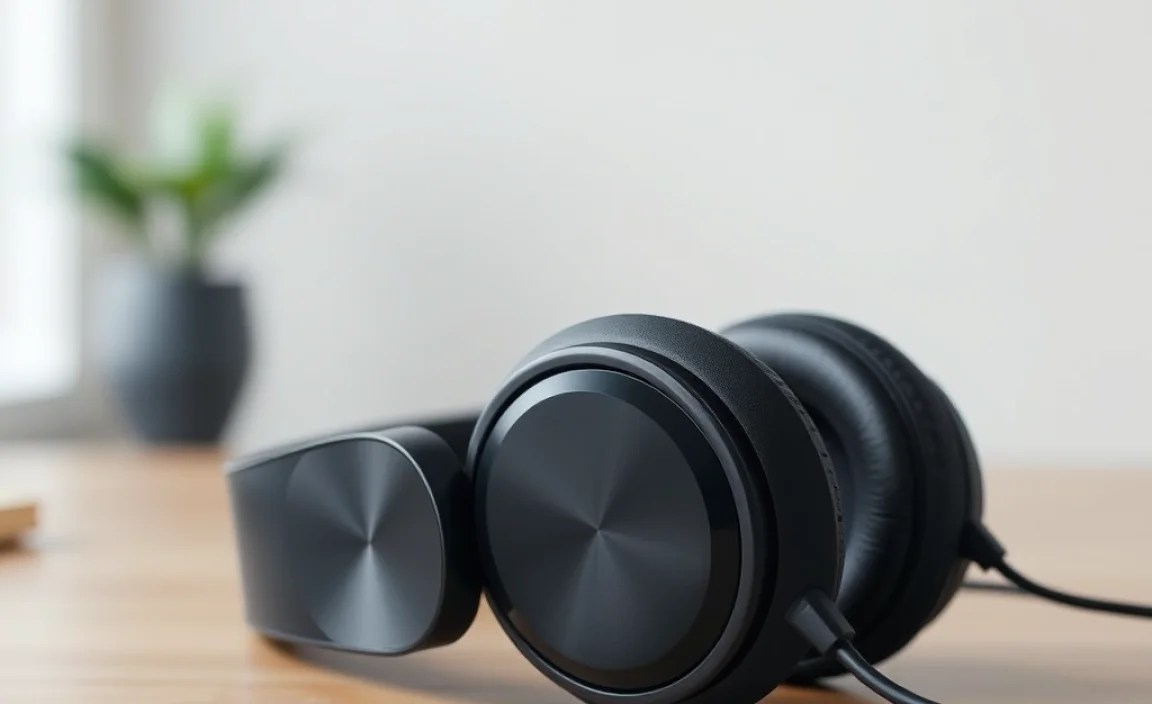
Choosing the right form factor makes a huge difference in your listening experience. Here’s a breakdown of the most common types:
Over-Ear Headphones
These are the classic choices that completely enclose your ears. They are often praised for their comfort, sound quality, and ability to provide excellent passive noise isolation. Many audiophiles prefer over-ear headphones for their spacious soundstage.
Pros:
- Excellent sound quality and spaciousness
- Great comfort for long listening sessions
- Good passive noise isolation
- Often have the longest battery life and more robust features
Cons:
- Bulky and less portable
- Can get warm on your ears
- Can be more expensive
On-Ear Headphones
These sit directly on your ears. They offer a compromise between the portability of earbuds and the sound quality/comfort of over-ear models.
Pros:
- More compact and lighter than over-ear
- Can offer a decent sound experience
- Often more affordable than over-ear equivalents
Cons:
- Can cause ear fatigue or pressure after extended use
- Less effective noise isolation than over-ear
- Sound can “leak” out more easily at higher volumes
In-Ear Headphones (True Wireless & Neckband)
These are designed to fit inside your ear canal. True wireless earbuds are completely wire-free, while neckband models have a cable connecting the two earpieces, which typically houses the battery and controls.
Pros (True Wireless):
- Ultimate portability and freedom of movement
- Discreet and lightweight
- Excellent noise isolation (with a good seal)
- Charging case provides extended battery life
Cons (True Wireless):
- Can be easier to lose
- Battery life per charge is typically shorter than over-ear
- Fit can be highly personal; requires finding the right ear tips
Pros (Neckband):
- Less prone to being lost than true wireless
- Often have longer battery life than true wireless buds
- Controls and battery are easily accessible around the neck
Cons (Neckband):
- The neckband can be a nuisance for some
- Less discreet than true wireless
Understanding Bluetooth Audio Codecs: A Deeper Dive (Without Getting Too Technical!)
Codecs are like languages used for transmitting audio wirelessly. They compress the audio data to fit over Bluetooth’s bandwidth. The better the codec, the more detail the audio can retain, leading to higher fidelity.
| Codec | Compatibility | Pros for Music | Cons |
|---|---|---|---|
| SBC (Subband Coding) | Universal (All Bluetooth devices) | Basic audio transmission | Lowest sound quality; can be susceptible to interference |
| AAC (Advanced Audio Coding) | Primarily Apple devices; also supported by many Android devices | Good sound quality, especially for Apple users; better than SBC | Quality can vary; not as robust as aptX HD or LDAC |
| aptX / aptX HD | Many Android devices and Windows PCs | Significantly better sound quality than SBC; aptX HD offers near CD-quality | Not universally supported on all devices (especially older ones or Apple) |
| LDAC | Primarily Sony devices and many newer Android versions | Highest quality Bluetooth audio transmission possible, approaching hi-res formats | Requires significant bandwidth, so connection might be less stable in crowded areas; battery drain can be higher |
My advice? If you have an iPhone or iPad, look for AAC support. If you have an Android phone, aptX HD or LDAC will offer the best musical experience. If your headphones support multiple codecs, they’ll usually default to the best one your source device also supports.
Setting Up and Pairing Your Bluetooth Headphones
Getting your new headphones connected is usually a breeze. Here’s the general process:
- Charge Them Up: First things first, make sure your headphones are fully charged. This ensures a stable connection during setup and gives you ample listening time.
- Put Them in Pairing Mode: This is the key step. Most headphones have a dedicated Bluetooth button or a function button you need to press and hold. Often, you’ll see a blinking light (usually blue or white) indicating they are ready to pair. Check your headphone’s manual if you’re unsure!
- On Your Device (Phone, Tablet, Computer):
- Go to your device’s settings menu.
- Find the Bluetooth section.
- Turn Bluetooth ON.
- Your device will scan for available devices.
- Look for your headphone’s name in the list (e.g., “My Awesome Headphones”).
- Tap on the name to connect.
- Confirmation: Once connected, you’ll usually hear a voice prompt or a tone from your headphones, and the blinking light will often turn solid. Your device should also indicate that the headphones are connected.
Troubleshooting Tip: If your headphones don’t appear, try turning Bluetooth off and on again, or restarting both your headphones and your device. Sometimes, simply moving closer to your device helps!
Maintaining Your Bluetooth Headphones for Longevity
To get the most out of your investment, a little care goes a long way:
- Keep Them Clean:
- Earcup/Earbud Cleaning: Use a soft, dry microfiber cloth. For stubborn grime, slightly dampen the cloth with water (never spray directly on the headphones). For leatherette, a very mild, diluted soap solution can sometimes work, but always test a small, inconspicuous area first.
- Ear Tips: For in-ear headphones, remove the tips and wash them gently with mild soap and water. Let them dry completely before reattaching.
- Grills: Use a dry, soft brush (like a clean toothbrush or makeup brush) to carefully dislodge any debris from speaker grills. Be gentle!
- Proper Storage:
- When not in use, store headphones in a protective case if available. This prevents scratches and damage.
- Avoid extreme temperatures and direct sunlight, which can degrade materials and battery performance.
- Battery Care:
- Avoid fully depleting the battery regularly. It’s generally better to recharge when they get to around 20-30%.
- Don’t leave them plugged in indefinitely after they’ve reached 100% charge, especially if they don’t have advanced battery management. While modern lithium-ion batteries are quite resilient, it’s good practice.
- Handle with Care: Avoid yanking cables (if any), dropping them, or subjecting them to excessive force.
Putting It All Together: Making Your Final Decision
So, you’ve got the rundown on features, types, and care. Now, how do you pick the perfect pair?
