
Quick Summary: Unlock immersive Nintendo Switch Lite audio with Bluetooth headphones! This guide covers why it’s a game-changer, how to connect wirelessly, and what to look for in the best headphones for lag-free gaming. Get ready for crystal-clear sound and enhanced gameplay without the wires.
Bluetooth Headphones for Nintendo Switch Lite: Essential Game Audio
Hey there, gamers! Edward Cavitt here from headphonehorizon. If you’re like me, you love diving deep into the vibrant worlds of the Nintendo Switch Lite. That crisp sound design, the epic soundtracks – they’re a huge part of the magic. But what if you’re tired of the built-in speakers or tangled cords? That’s where Bluetooth headphones come in! They can totally transform your gaming experience, offering freedom, immersion, and crystal-clear audio without the hassle. This guide is all about making that leap, showing you how easy it is to connect and what to consider to find the perfect pair for your Switch Lite adventures. Let’s get your game audio sounding its absolute best!
Why Bluetooth Headphones Are a Game-Changer for Your Switch Lite

The Nintendo Switch Lite is a fantastic handheld console, designed for gaming on the go. While its built-in speakers are decent, they can’t quite replicate the rich soundscape of a truly immersive gaming experience. This is where Bluetooth headphones shine. They offer a trifecta of benefits that can significantly upgrade your playtime:
- Enhanced Immersion: Surrounding yourself with game audio through headphones pulls you deeper into the game world. Hear every footstep, every subtle cue, and every epic musical swell as the developers intended.
- Privacy and Convenience: Play your games without disturbing others, whether you’re on a commute, in a shared living space, or just want some personal gaming time. No more worrying about tangled wires holding you back!
- Superior Sound Quality: Good Bluetooth headphones often provide a richer, more detailed audio experience than the console’s internal speakers, revealing nuances in music and sound effects you might have missed.
- Comfort for Long Sessions: Padded earcups and adjustable headbands on many headphones offer superior comfort over extended gaming periods compared to holding the console with its speakers facing towards you.
Before the Switch system software update of September 2020, connecting Bluetooth headphones to the Nintendo Switch (including the Lite model) wasn’t directly possible. You’d need a separate Bluetooth adapter that plugs into the headphone jack. However, Nintendo introduced native Bluetooth audio support, simplifying the process immensely. Now, you can connect compatible wireless headphones directly, no extra dongles needed!
Understanding Bluetooth Audio on the Switch Lite
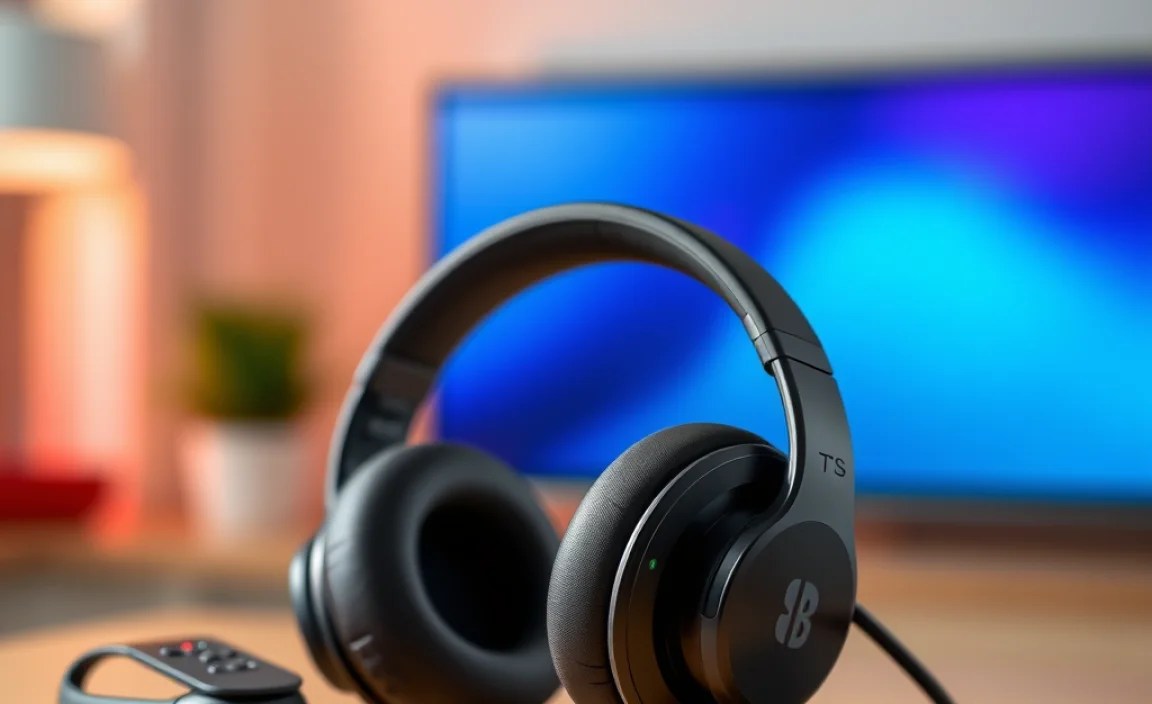
Nintendo’s integration of Bluetooth audio is designed for simplicity. When you connect your headphones, they’ll function as a standard audio output device. This means all the game’s audio – from in-game music and sound effects to menu navigation sounds and voice chat (if supported by the game) – will be routed through your wireless cans.
It’s important to note that while the Switch Lite supports Bluetooth audio output, it generally doesn’t support Bluetooth microphones for in-game voice chat in most titles. Some specific games or third-party solutions might offer workarounds, but for standard Bluetooth headphones, expect audio input only. For voice chat, you’ll typically need to use the Nintendo Switch Online mobile app or a wired headset. You can find more details on Nintendo’s official support pages, such as their guide on pairing Bluetooth audio devices.
How to Connect Your Bluetooth Headphones to the Switch Lite: A Step-by-Step Guide

Connecting your Bluetooth headphones to your Nintendo Switch Lite is straightforward, quite similar to pairing them with a smartphone or tablet. Just follow these simple steps:
Step 1: Ensure Your Headphones Are Ready
First things first, make sure your Bluetooth headphones are charged and in pairing mode. The method for putting headphones into pairing mode varies by brand and model. Typically, you’ll need to press and hold a specific button (often the power button or a dedicated Bluetooth button) until a light flashes or you hear an audible cue indicating it’s ready to connect.
Consult your headphone’s manual if you’re unsure how to activate pairing mode. Once in pairing mode, keep them close to your Switch Lite.
Step 2: Access System Settings on Your Switch Lite
Turn on your Nintendo Switch Lite and navigate to the HOME Menu. From there, select the “System Settings” icon, which looks like a gear or cogwheel.
Step 3: Find the Bluetooth Audio Menu
Scroll down the System Settings menu on the left-hand side until you find the “Bluetooth Audio” or “Bluetooth Settings” option. Select it.
Step 4: Initiate Pairing
Within the Bluetooth Audio settings, you’ll see an option to “Pair an Audio Device” or “Add Device.” Select this option. Your Switch Lite will then begin searching for nearby discoverable Bluetooth devices.
Step 5: Select Your Headphones
If your headphones are still in pairing mode and within range, they should appear in the list of available devices on your Switch Lite screen. Select your headphones’ name from the list.
Step 6: Confirm the Connection
Your Switch Lite will attempt to connect to your headphones. You might hear a confirmation tone from your headphones, or see a “Connected” status next to the device name on your Switch Lite screen. Once successfully paired, game audio will now play through your Bluetooth headphones.
Troubleshooting Connection Issues
If your headphones don’t appear or fail to connect:
- Ensure your headphones are fully charged and in pairing mode.
- Move your headphones closer to the Switch Lite.
- Turn off Bluetooth on other nearby devices (like phones or tablets) that might be trying to connect to your headphones.
- Restart both your headphones and your Switch Lite, then try the pairing process again.
- Check if your headphones need a firmware update, which can sometimes resolve connectivity issues. You can usually do this via a companion app on your smartphone.
What to Look for in the Best Bluetooth Headphones for Your Switch Lite

While many Bluetooth headphones will work with your Switch Lite, some features are particularly important for gamers. Here’s what to consider:
1. Low Latency: The Most Crucial Factor for Gaming
Latency refers to the delay between when an audio cue happens in the game and when you actually hear it through your headphones. For fast-paced games, high latency can be incredibly disruptive, causing you to miss crucial audio cues or feel out of sync with the action. This is why “low latency” is the most sought-after feature for gaming headphones.
Standard Bluetooth audio (SBC codec) can have noticeable latency. Technologies like:
- aptX Low Latency: A popular codec specifically designed to reduce audio delay, making it ideal for gaming and watching videos. Your headphones and potentially your Switch Lite (though native support for aptX is not guaranteed) would need to support this.
- Proprietary Wireless Technology: Some gaming headsets use their own wireless protocols that offer even lower latency than standard Bluetooth, but these often require a specific USB dongle and might not be universally compatible with the Switch Lite’s native Bluetooth.
When choosing headphones, look for specifications that mention “low latency” or support for codecs like aptX LL. If unsure, reading reviews from other Switch Lite gamers can be invaluable.
2. Comfort and Fit for Long Gaming Sessions
You’ll likely be wearing your headphones for extended periods. Comfort is paramount. Consider:
- Over-ear vs. On-ear vs. In-ear:
- Over-ear (Circumaural): Earcups completely surround your ears. Generally the most comfortable for long sessions and offer the best noise isolation.
- On-ear (Supra-aural): Earcups rest directly on your ears. Can be lighter but may cause discomfort after a while for some users.
- In-ear (Earbuds): Fit inside your ear canal. Highly portable and discrete, but comfort can be subjective, and they might not offer the same immersive feel for gaming.
- Weight: Lighter headphones are generally more comfortable.
- Earcup Material: Soft padding (like memory foam) and breathable materials are key.
- Adjustable Headband: Ensures a good fit for different head sizes.
3. Battery Life: Keep the Game Going
No one wants their headphones to die mid-boss battle. Check the estimated battery life. Most decent Bluetooth headphones offer anywhere from 15 to 30+ hours of playback on a single charge. Some also support quick charging, providing several hours of playtime after just a short charge.
4. Sound Quality (Beyond Latency)
While low latency is crucial, you also want headphones that sound good! Look for:
- Balanced Audio Profile: Headphones that reproduce bass, mids, and highs clearly without distortion.
- Soundstage: How “wide” or “spacious” the audio sounds, which can enhance the feeling of immersion.
- Clear Positional Audio: The ability to discern where sounds are coming from in-game (e.g., enemy footsteps to your left).
Reading reviews that specifically mention gaming audio performance can give you a good idea of sound quality.
5. Durability and Build Quality
For a device like the Switch Lite that’s often used for travel, sturdy headphones are a good investment. Look for solid construction and reliable materials.
6. Connectivity Features
- Multipoint Pairing: Allows your headphones to connect to two devices simultaneously (e.g., your Switch Lite and your phone). This is handy for switching between game audio and taking important calls without re-pairing.
- Easy Controls: On-headphone controls for volume, play/pause, and track skipping are convenient.
Recommended Types of Bluetooth Headphones for Switch Lite Gaming
Given the need for low latency and good comfort, here are some categories of headphones that tend to perform well for Switch Lite gaming:
Gaming-Specific Bluetooth Headsets
These are designed with gaming in mind and often feature dedicated low-latency wireless technologies (though some might use standard Bluetooth with specific codecs). They frequently offer features like boom mics (though again, mic input is limited on Switch Lite), virtual surround sound, and robust build quality.
Audiophile-Grade Bluetooth Headphones (with aptX LL support)
If sound quality is a top priority and you appreciate great audio fidelity, look for higher-end Bluetooth headphones from reputable audio brands. Ensure they explicitly support aptX Low Latency (aptX LL) for the best gaming experience. These might offer a more refined listening experience for both games and music.
Wireless Earbuds (with low latency modes)
For ultimate portability, true wireless earbuds can be a great option. Many newer models include gaming modes that dramatically reduce latency. They are lightweight and discreet, making them perfect for on-the-go gaming.
| Headphone Type | Pros for Switch Lite Gaming | Cons for Switch Lite Gaming |
|---|---|---|
| Gaming-Specific Bluetooth Headsets | Optimized for low latency, often enhanced gaming features (surround sound), durable. | Can be bulkier, sometimes more expensive, microphone quality may not be usable for Switch voice chat. |
| Audiophile Bluetooth Headphones (aptX LL) | Excellent sound quality, comfortable for long sessions, good battery life. | Reliance on aptX LL support on both devices (Switch’s support can be variable), might lack gaming-specific features. |
| Wireless Earbuds (with Low Latency Mode) | Highly portable, discreet, convenient for travel, many now offer effective low latency modes. | Battery life can be shorter per charge (though charging case helps), fit can be subjective, less immersive soundstage than over-ear. |
When Native Bluetooth Isn’t Enough: Bluetooth Audio Adapters
While the Switch Lite now supports native Bluetooth audio, there might be specific scenarios where you still want a Bluetooth adapter. These small devices plug into the 3.5mm headphone jack and add Bluetooth transmitting capabilities to your console. They are a fantastic option if:
- You have a favorite pair of non-Bluetooth headphones you want to use wirelessly.
- You want to ensure the absolute lowest latency possible, as many adapters are designed specifically for gaming and utilize advanced Bluetooth codecs.
- You want to use a Bluetooth microphone (some adapters support dual audio and microphone transmission, but this is less common and can be complex).
When choosing an adapter, look for ones that specifically mention support for aptX Low Latency (aptX LL) and ideally, have good reviews from Switch gamers. Some even have passthrough audio, meaning you can still plug in wired headphones if needed.
Maintaining Your Bluetooth Headphones for Longevity
To get the most out of your investment, taking care of your Bluetooth headphones is key:
- Keep them charged: Avoid letting the battery drain completely very often, as this can impact its long-term health.
- Clean them regularly: Use a soft, dry cloth to wipe down the earcups and headband. For the earcups themselves, a slightly damp cloth (water only, squeezed out thoroughly) can be used if needed, followed by thorough drying. Avoid harsh chemicals.
- Store them properly: If they came with a case or pouch, use it. This protects them from dust, scratches, and accidental damage.
- Avoid extreme temperatures: Don’t leave them in direct sunlight or a very hot car, as heat can damage the battery and materials.
- Be gentle with the cables (if any): If your headphones have a charging cable or an optional audio cable, don’t yank them out of ports.
Frequently Asked Questions (FAQ)
Q1: Can I use any Bluetooth headphones with my Nintendo Switch Lite?
Yes, generally any Bluetooth audio device that supports standard Bluetooth profiles (like A2DP) will connect to your Switch Lite for audio output. However, for the best gaming experience, it’s highly recommended to use headphones that explicitly support low-latency technologies like aptX Low Latency.
Q2: Does the Switch Lite support Bluetooth microphones for in-game chat?
Unfortunately, the Nintendo Switch Lite (like the standard Switch) primarily supports Bluetooth audio output only. This means you can hear game audio, but your Bluetooth headphones’ microphone usually won’t work for in-game voice chat. For voice chat, you’ll typically need to use the Nintendo Switch Online mobile app or a wired headset connected via the headphone jack.
Q3: How do I know if my headphones have low latency?
Look for specifications mentioning support for “aptX Low Latency” (aptX LL), “FastStream,” or “Gaming Mode.” Many product descriptions and reviews will highlight this feature. If a product doesn’t explicitly state low latency, it’s likely to have noticeable delay for gaming.
Q4: What happens if my headphones are not appearing in the Switch Lite’s pairing list?
Ensure your headphones are fully charged and actively in pairing mode. Make sure no other devices are currently connected to them. Try moving them closer to the Switch Lite and restarting both devices before attempting to pair again. It can also help to turn off Bluetooth on other nearby devices.
Q5: Can I use my Bluetooth headphones while charging my Switch Lite?
Yes, you can use your Bluetooth headphones while your Switch Lite is charging. The Bluetooth connection and charging are independent processes.
Q6: Will all games work well with Bluetooth audio?
While the Switch Lite supports Bluetooth audio for all games, the experience can vary based on the game’s sound design and your headphones’ latency. Fast-paced, rhythm-based, or reaction-heavy games will be the most affected by any audio delay. Slower-paced or story-driven games are generally less sensitive to minor latency.
Q7: Can I connect two pairs of Bluetooth headphones to my Switch Lite at the same time?
No, the Nintendo Switch Lite (and the standard Switch) can only connect to one Bluetooth audio device at a time.
Conclusion: Elevate Your Switch Lite Gaming with Wireless Audio
Adding Bluetooth headphones to your Nintendo Switch Lite setup is one of the most effective and accessible upgrades you can make for your gaming. It’s more than just convenience; it’s about stepping into a richer, more immersive world with every game you play. By understanding the importance of low latency, choosing comfortable and reliable headphones, and following the simple connection steps, you’re well on your way to a superior gaming audio experience.
Don’t let tangled wires or limited speaker volume hold back your adventures. Whether you’re taking
