
Quick Summary: Discover the best Bluetooth headphones for truck drivers. This beginner-friendly guide covers crucial features like battery life, comfort, and noise cancellation to keep you safe and connected on the road. Learn about top brands, essential features, and simple maintenance for reliable audio on long hauls.
Bluetooth Headphones for Truck Drivers: Your Essential Road Companion
Hey there, road warriors! Edward Cavitt here from Headphone Horizon. Spending countless hours behind the wheel can feel long, but the right gear can make all the difference. Especially when it comes to staying connected, entertained, and safe, a good pair of Bluetooth headphones isn’t just a convenience – it’s essential. Forget tangled wires and fumbling with your phone; modern wireless headphones offer crystal-clear calls, immersive sound, and hands-free operation that’s perfect for life on the go. Whether you’re listening to audiobooks, podcasts, music, or taking important calls, having reliable headphones means focusing on the road ahead while staying in touch. Let’s dive into what makes a pair of headphones truly great for truckers and how to pick the perfect set for your journeys.
Why Truck Drivers Need Quality Bluetooth Headphones

Life on the road is unique. You’re often in noisy environments, from the engine rumble to highway traffic. Distractions can be dangerous, and while hands-free laws vary, using your phone without proper equipment is a serious risk. Bluetooth headphones solve these problems elegantly. They allow you to take calls without holding your phone, play audiobooks to combat fatigue, and listen to navigation prompts clearly. Plus, many models offer features like active noise cancellation (ANC) that can significantly reduce ambient noise, creating a more peaceful cabin environment, which can lead to less driver fatigue and improved focus.
According to the Federal Motor Carrier Safety Administration (FMCSA), distracted driving is a major concern for all drivers, including commercial vehicle operators. Using a hands-free device can help mitigate some of these risks, allowing drivers to keep their attention primarily on the road. The right headphones can contribute to overall safety and a more comfortable driving experience.
Key Features to Look For in Trucker-Friendly Headphones

Not all Bluetooth headphones are created equal, especially for the demanding lifestyle of a truck driver. Here are the must-have features:
1. Battery Life: Power Through Your Shift (and Beyond)
This is non-negotiable. You need headphones that can last through long driving shifts, layovers, and beyond without constant recharging. Look for models that offer at least 20-30 hours of playback on a single charge, with quick charge capabilities being a huge bonus.
2. Comfort and Fit: All-Day Wearability
You’ll be wearing these for hours on end. Prioritize comfort. Over-ear headphones often provide better padding and less pressure than earbuds for extended wear. Look for plush earcups, adjustable headbands, and lightweight designs. If you prefer earbuds, ensure they come with multiple tip sizes for a secure and comfortable fit.
3. Durability and Build Quality: Built to Last
Truck cabs can be rough environments. Your headphones should be able to withstand occasional bumps, drops, and varied weather conditions. Look for sturdy materials, reinforced joints, and a robust design.
4. Call Quality and Microphone: Crystal-Clear Communication
Taking calls while driving is common. A clear microphone that minimizes background noise is crucial for both you and the person on the other end. Some headphones feature multiple microphones or advanced noise-reduction technology specifically for voice pickup.
5. Active Noise Cancellation (ANC): Silence the Road Noise
The constant drone of the engine and road noise can be draining. ANC technology actively cancels out these low-frequency sounds, providing a quieter and more focused listening experience. This can also help reduce fatigue over long driving days.
6. Connectivity: Stable and Reliable Bluetooth
Look for headphones with the latest Bluetooth version (e.g., Bluetooth 5.0 or higher) for a stable, low-latency connection. This ensures your audio doesn’t cut out and that there’s minimal delay between video and audio if you’re watching something during breaks.
7. Ease of Use: Intuitive Controls
Buttons should be easy to find and operate by feel, without taking your eyes off the road. Volume controls, play/pause, and call answer/end buttons should be conveniently located.
Top Brands & Features Relevant to Truck Drivers
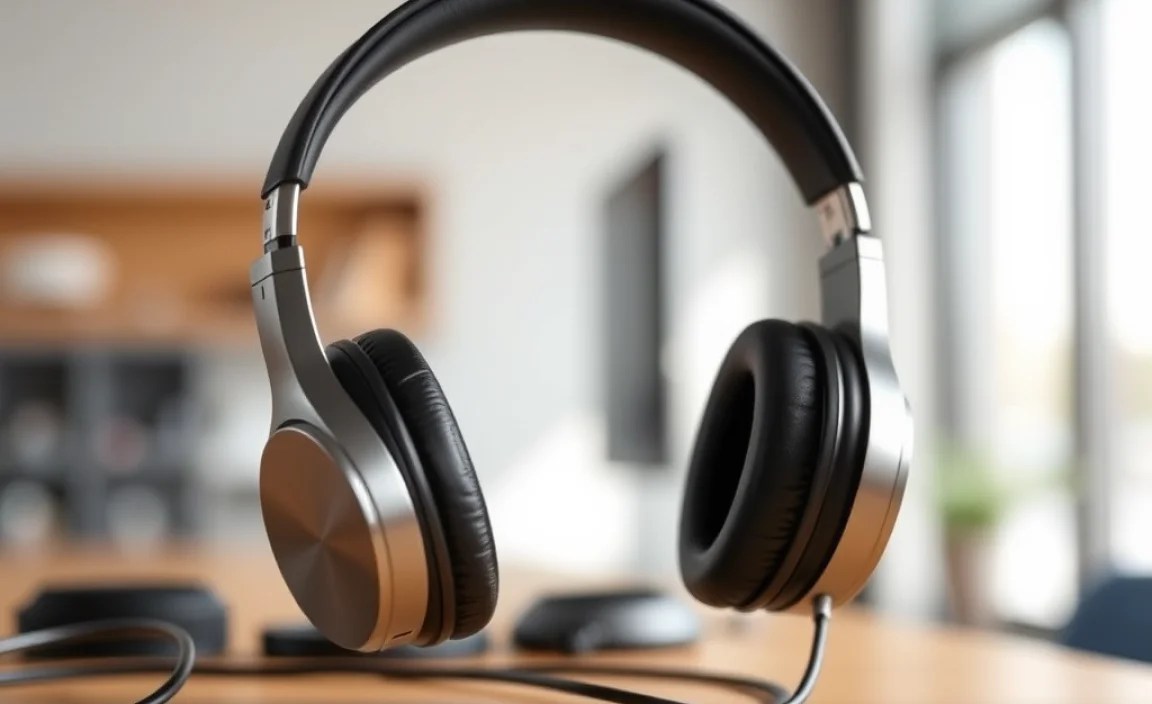
When looking at brands, consider those known for durability, excellent battery life, and clear audio. Here’s a look at some popular options and what they offer:
| Brand/Model Example | Key Features for Truckers | Pros | Cons |
|---|---|---|---|
| Sennheiser Momentum 4 Wireless | Up to 60 hours battery life, superior ANC, exceptional comfort, high-quality audio. | Incredible battery life and comfort for long hauls. Excellent sound and ANC. | Premium price point. |
| Sony WH-1000XM5 | Industry-leading ANC, 30 hours battery life, excellent call quality, comfortable design. | Top-tier noise cancellation and comfortable for extended use. | Can be pricey. |
| Bose QuietComfort 45 | Renowned ANC, comfortable fit, lightweight design, 24 hours battery life. | Very comfortable and effective noise cancellation. | Mic quality might not be as advanced as some competitors for extremely noisy environments. |
| Jabra Evolve2 75 | Designed for calls, superior microphone technology, 37-hour battery life, comfortable earcups. | Excellent for making and receiving calls. Long battery life. | Primarily business-focused, might lack some consumer audio nuances. |
| JBL Tune 710BT | 24 hours battery life, lightweight, good sound quality, affordable. | Great value for the features. Good battery life and sound. | ANC is not as advanced as premium models. |
| Shokz OpenRun Pro (Bone Conduction) | Open-ear design for situational awareness, comfortable, secure fit, 10-hour battery life. | Allows you to hear your surroundings, excellent for safety. Water and dust resistant. | Shorter battery life than over-ear options. Audio quality can be different from traditional headphones. Not ideal for pure music enjoyment in noisy environments. |
Fixing Common Headphone Issues
Even the best headphones can run into occasional blips. Here’s how to troubleshoot some common problems:
1. Headphones Won’t Connect to My Device
Diagnosis: Bluetooth pairing issues are common. Ensure your headphones are in pairing mode and your device’s Bluetooth is on and discoverable.
Solution:
- Turn off Bluetooth on both your headphones and your device.
- Restart both devices.
- Put your headphones back into pairing mode (check your headphone manual for instructions).
- On your device, scan for Bluetooth devices and select your headphones.
- If still not connecting, “forget” the headphones from your device’s Bluetooth list and try pairing again from scratch.
2. Audio is Cutting Out or Choppy
Diagnosis: This can be caused by distance, interference, or low battery.
Solution:
- Ensure your headphones are within range of your device (usually around 30 feet, but walls and obstacles reduce this).
- Check the battery level of both your headphones and your device. Low power can cause performance issues.
- Isolate the source of interference: common offenders include Wi-Fi routers, microwaves, and other Bluetooth devices. Try moving away from them.
- Close unnecessary apps on your device that might be using bandwidth.
3. One Side of the Headphones Isn’t Working
Diagnosis: This is often a connection issue within the headphones themselves.
Solution:
- Check if the earcup or cable is loose (if applicable).
- Try disconnecting and reconnecting the headphones to your device.
- If your headphones have a wired connection option, test it with a cable. If it works wired, the issue is likely Bluetooth-related. If it doesn’t work wired, the problem is with the headphone hardware.
- Reset your headphones to factory settings. Consult your manual for the specific steps.
4. Microphone Not Working for Calls
Diagnosis: Permissions, mute functions, or physical obstructions can cause this.
Solution:
- Check if your headphones are muted. Many have a physical mute button or a gesture.
- Ensure your device has granted microphone permissions to the app you are using (e.g., your phone’s calling app, a specific communication app).
- Clean the microphone port gently with a dry, soft brush or compressed air to remove any debris.
- Test the microphone with a different app or device to rule out a device or app-specific issue.
Guide to Headphone Maintenance for Longevity
A little care goes a long way in keeping your Bluetooth headphones in top shape.
Cleaning Your Headphones
Regular cleaning ensures hygiene and optimal performance.
For Earcups (Over-Ear Headphones):
- Gently wipe down the exterior of the earcups with a slightly damp, soft microfiber cloth. Avoid getting moisture into any openings.
- For the ear pads themselves, if they are removable, you can often clean them more thoroughly. Check your manual – some can be wiped with a cloth dampened with mild soap and water and then air-dried completely. Others might need a specialized headphone cleaner.
- Never submerge your headphones in water.
For Earbuds:
- Remove the ear tips.
- Wipe the earbuds gently with a dry microfiber cloth.
- Clean the ear tips separately with a damp cloth and mild soap, then let them air dry completely before reattaching.
- Use a dry, soft brush or a can of compressed air to gently clean any earwax or debris from speaker grilles. Be careful not to push debris further in.
For the Headband and Body:
- Wipe down the headband and the plastic/metal parts of the headphones with a dry or slightly damp microfiber cloth.
- Pay attention to crevices where dirt can accumulate.
Storage and Handling
Proper storage prevents damage when not in use.
- Use a Case: Whenever possible, store your headphones in their original case or a dedicated protective case. This shields them from dust, bumps, and scratches.
- Avoid Extreme Temperatures: Don’t leave your headphones in direct sunlight for extended periods or in a very hot or cold environment (like a parked truck cab in summer or winter).
- Manage Cables (if applicable): If your headphones have a detachable audio cable, disconnect it for storage to reduce strain on the ports. Avoid tightly wrapping cables; a loose coil is better.
- Keep Away from Liquids: Protect your headphones from rain, spills, and excessive humidity.
Battery Health Tips
Maintaining good battery health ensures they last as long as possible.
- Avoid Deep Discharges: Try not to let the battery drain completely too often. If possible, charge them when they reach around 10-20% or before a long trip.
- Don’t Overcharge Constantly: While most modern headphones have overcharge protection, leaving them plugged in continuously after they’re full isn’t ideal for long-term battery health. Unplug them once they reach 100%.
- Use the Right Charger: If your headphones use a USB-C or micro-USB port, use a reputable charger. Avoid excessively high-wattage chargers designed for phones or tablets unless your headphone manual specifies compatibility, as they can sometimes be too powerful.
Frequently Asked Questions (FAQ)
Q1: Are bone conduction headphones a good option for truck drivers?
Yes, bone conduction headphones like Shokz are an excellent option for truck drivers, especially if situational awareness is a top priority. They leave your ears open, allowing you to hear important sounds like sirens, horns, and traffic, while still providing audio for calls or entertainment. Their battery life might be shorter than traditional headphones, so consider that for very long hauls.
Q2: How do I know if my headphones have Active Noise Cancellation (ANC)?
Look for “ANC” or “Active Noise Cancellation” in the product description or specifications. Many headphones with ANC will also have a dedicated button or a specific mode for it. You’ll typically hear a noticeable reduction in constant background noise when ANC is activated.
Q3: What is multipoint pairing, and why is it useful for truckers?
Multipoint pairing allows your headphones to connect to two devices simultaneously. For a truck driver, this is incredibly useful. You could be connected to your phone for calls and your truck’s entertainment system or tablet for navigation or podcasts. You can seamlessly switch between audio sources or receive calls even while listening to something else.
Q4: How long should I expect a good pair of trucker headphones to last?
With proper care and maintenance, a quality pair of Bluetooth headphones can last anywhere from 2 to 5 years, sometimes even longer. Factors like build quality, usage intensity, and how well you maintain them will play a role. Battery degradation is a natural process, and eventually, you may notice shorter battery life, which might necessitate replacement.
Q5: Can I use my regular headphones for trucking if they have a microphone?
You certainly can, but consider the environment. If your regular headphones don’t have strong noise cancellation or a very good microphone, you might struggle with call clarity in a noisy cab. Also, ensure they are comfortable enough for extended wear and offer decent battery life. Safety is paramount, so if they distract you or make calls difficult, it’s worth investing in a model designed with trucking in mind.
Q6: What’s the difference between noise cancellation and noise isolation?
Noise isolation is a passive feature achieved through a good seal, like well-fitting earbuds or plush headphone earcups, which physically block out sound. Active Noise Cancellation (ANC) uses microphones to detect ambient noise and then generates an opposing sound wave to cancel it out. ANC is much more effective at reducing consistent, low-frequency noises like engine hum, making it invaluable for truckers.
Conclusion: Upgrade Your Drive with the Right Audio
Choosing the right Bluetooth headphones is a significant step towards a safer, more enjoyable, and more productive life on the road. By focusing on essential features like exceptional battery life, all-day comfort, durable build, and clear call quality, you can find a pair that perfectly suits your needs. Don’t overlook the benefits of noise cancellation for a calmer cabin and the convenience of stable, reliable connectivity. Remember that even great gear benefits from a little TLC; a simple maintenance routine will ensure your headphones serve you well for many miles to come. Invest wisely in your audio companion, and transform your trucking experience, one clear call and favorite song at a time. Happy trails and happy listening!
