
Quick Summary: Bluetooth headphones for work are a game-changer for focus and professionalism. They offer hands-free calls, noise isolation, and wireless freedom, boosting productivity and reducing distractions. This guide helps you choose and use the best pair for your daily work life.
Bluetooth Headphones for Work: Your Genius Essential
Hey everyone, Edward Cavitt here from headphonehorizon! Ever feel like your workday is a constant tug-of-war between essential calls, distracting office chatter, and the need to actually get your tasks done? If so, you’re not alone. The modern workplace, whether it’s a bustling open-plan office or your own home setup, demands focus. And that’s precisely where a great pair of bluetooth headphones for work steps in, not just as a convenience, but as a genuine productivity powerhouse. Forget tangled wires and awkward fumbling for your phone; these wireless wonders are designed to streamline your communication, enhance your concentration, and frankly, make your workday a whole lot smoother. Let’s dive into why they’re your next genius workday essential!
Why Bluetooth Headphones Are a Workday Game-Changer

In today’s fast-paced work environments, where collaboration, communication, and concentration are paramount, the right audio gear can make a significant difference. Bluetooth headphones for work have evolved from a luxury to a necessity for professionals across many industries. They offer a trifecta of benefits: enhanced communication, improved focus, and unparalleled convenience. Let’s explore these further.
Crystal-Clear Communication
One of the most immediate benefits of using Bluetooth headphones for work is the improvement in call quality. With built-in microphones that are often designed to reduce background noise, your voice comes through clearer to your colleagues and clients. This means fewer misunderstandings and more efficient conversations. No more cupping your hand around a phone or struggling to hear over ambient sounds. Whether you’re on a quick sync-up call or a crucial client presentation, clear audio is non-negotiable.
Enhanced Focus and Noise Isolation
Distractions are the enemy of productivity. In an open office, construction outside your window, or even just the general hum of activity, your concentration can be easily broken. Many Bluetooth headphones designed for professional use feature active noise cancellation (ANC) or at least good passive noise isolation. ANC works by producing anti-noise sound waves that cancel out ambient noise, creating a quiet bubble for you and your work. This allows you to dive deep into tasks, write reports, or code without constant interruptions. For anyone who needs to enter a state of flow, this feature is a lifesaver.
Wireless Freedom and Mobility
The “Bluetooth” in bluetooth headphones for work signifies freedom! No more being tethered to your desk by a cord. This wireless connectivity allows you to:
- Walk around your office space while on a call.
- Grab a coffee without missing a beat.
- Move freely around your home office.
- Easily switch between your computer and your smartphone.
This mobility is not just about convenience; it can also contribute to a healthier workday by encouraging movement and preventing the sedentary nature that can sometimes creep in.
Seamless Device Switching
Many modern Bluetooth headphones offer multi-point pairing, meaning they can connect to two devices simultaneously. This is incredibly useful for professionals who juggle tasks on both their laptop and smartphone. You can be listening to music or taking a call on your computer, and if your phone rings, the headset can intelligently switch over, or you can easily answer it without interrupting your computer audio. This seamless transition saves time and prevents you from missing important communications.
Choosing the Right Bluetooth Headphones for Your Work Needs

With so many options on the market, picking the perfect pair of bluetooth headphones for work can feel a bit overwhelming. Think about where and how you work, and what features will truly benefit you the most. Here’s a breakdown of key factors to consider:
Key Features to Look For
- Microphone Quality: Look for headphones with clear mics, ideally with noise-reducing technology. Check reviews specifically mentioning microphone performance in noisy environments. Sometimes microphones are boom-style for better voice pickup, while others are integrated discreetly.
- Active Noise Cancellation (ANC): Essential if you’re in a noisy environment. Different ANC levels are available, so consider how much quiet you need.
- Comfort and Fit: You’ll be wearing these for extended periods. Over-ear headphones often provide the best comfort and passive isolation, while on-ear and earbuds might be lighter but can cause fatigue over time.
- Battery Life: A full workday should be covered by a single charge. Look for headphones with at least 20-30 hours of battery life, and quick-charge capabilities are a bonus.
- Connectivity: Bluetooth version (5.0 or higher is recommended for stability and efficiency) and multi-point pairing capabilities are crucial for seamless device switching.
- Durability and Portability: If you commute or travel for work, consider headphones that fold well and come with a protective case. Look for robust build quality.
- Controls: Easy-to-use on-ear controls for volume, calls, and ANC are essential for quick adjustments without breaking your workflow.
Over-Ear vs. On-Ear vs. In-Ear (Earbuds) for Work
Each style has its pros and cons when it comes to a professional setting:
| Type | Pros for Work | Cons for Work |
|---|---|---|
| Over-Ear Headphones |
|
|
| On-Ear Headphones |
|
|
| In-Ear Headphones (Earbuds & Earphones) |
|
|
Top Features for Specific Work Scenarios
Consider your typical workday environment:
- For Open Offices/Shared Spaces: Prioritize Strong ANC and excellent microphone clarity. Over-ear models often perform best here.
- For Extensive Calls: Look for clear, noise-canceling microphones. Headsets designed specifically for calls are a great option.
- For Frequent Commuters: Portability, good battery life, and ANC (to combat transit noise) are key. Foldable over-ear or compact earbuds excel.
- For Hybrid/Remote Workers: Comfort, reliability, and seamless device switching are vital for a smooth transition between home and brief office visits.
Getting the Most Out of Your Bluetooth Headphones for Work
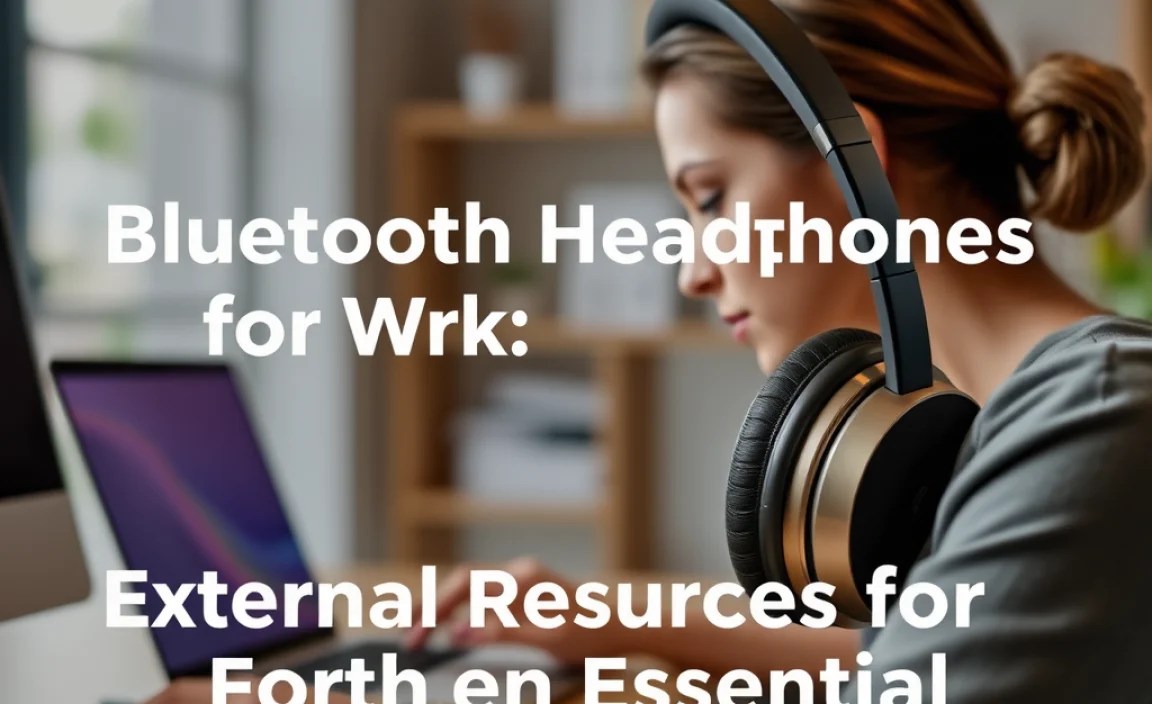
Once you’ve chosen your ideal pair, here’s how to make sure they’re truly working for you:
Step 1: Pairing Your Headphones
This is usually straightforward, but it’s good to know the process:
- Turn on your headphones: Press and hold the power button until you see an indicator light (often blinking blue or red) or hear an audio cue that they’re in pairing mode.
- Enable Bluetooth on your device: Go to your computer’s or smartphone’s Bluetooth settings.
- Find your headphones in the list: Your headphones should appear on the list of available devices. Select them.
- Confirm the pairing: Your device may ask you to confirm or enter a code. Once connected, you should hear an audio confirmation or see a “connected” status.
Step 2: Optimizing Audio and Microphone Settings
Many operating systems and communication apps allow further customization:
- Windows: Go to Settings > System > Sound. Here you can select your headphones as the default input (microphone) and output (speakers) device and adjust levels.
- macOS: Go to System Settings > Sound. Select your headphones under “Output” and “Input” tabs.
- Communication Apps (Zoom, Teams, etc.): Within the app’s audio settings, always ensure your Bluetooth headphones are selected as the primary microphone and speaker. This overrides system defaults for that application.
Pro Tip: If your headphones have a companion app, download it! These apps often allow you to adjust EQ settings, ANC levels, and mic sensitivity, truly tailoring the experience to your workday.
Step 3: Understanding Controls and Features
Familiarize yourself with the buttons or touch controls on your headphones:
Common Controls:
- Power/Pairing Button: On/Off, initiate pairing.
- Volume Up/Down Buttons: Adjust listening volume.
- Multi-function Button: Play/Pause, Answer/End Call, Skip Track.
- ANC Button/Switch: Toggle noise cancellation on/off or cycle through modes (e.g., ANC on, Transparency mode).
What is Transparency Mode? Transparency mode (sometimes called Ambient Sound) uses the external microphones to let in surrounding sounds. This is incredibly useful for hearing announcements, brief conversations without removing your headphones, or staying aware of your environment for safety.
Step 4: Maintaining Your Headphones
A little care goes a long way for longevity and performance:
- Cleaning: Regularly wipe down the earcups and headband with a soft, slightly damp cloth. For earbuds, clean the ear tips and charging contacts with a dry cotton swab. Avoid harsh chemicals.
- Charging: Use only the provided charging cable. Avoid leaving them plugged in for excessively long periods after they’re fully charged, as this can degrade battery health over time.
- Storage: When not in use, store them in their protective case or in a safe place where they won’t be crushed or exposed to extreme temperatures.
- Software Updates: Keep your headphone’s firmware updated via their companion app. Updates often improve performance, fix bugs, and enhance features.
External Resources for Further Learning
To understand the technical aspects of Bluetooth and audio quality, consider these authoritative sources:
- Bluetooth SIG (Special Interest Group): The official body for Bluetooth technology. Their site offers insights into standards and new developments, although it can be quite technical: [bluetooth.com]
- National Institute on Deafness and Other Communication Disorders (NIDCD/NIH): For information on hearing health and safe listening levels: [NIDCD Safe Listening]
Frequently Asked Questions About Bluetooth Headphones for Work
Q1: Can I use any Bluetooth headphones for work calls?
While technically yes, not all Bluetooth headphones are optimized for work calls. For the best experience, look for models with clear, noise-canceling microphones. Those designed specifically for business communication or general productivity often have better mic performance than casual listening headphones.
Q2: How do I make sure my headphones are compatible with my computer?
Most modern computers come with built-in Bluetooth. If yours doesn’t, you can purchase a USB Bluetooth adapter. Once Bluetooth is enabled on your computer, pairing your headphones is a standard process, usually detailed in Step 1 of our guide. Ensure your operating system is up-to-date for the best compatibility.
Q3: What’s the difference between Active Noise Cancellation (ANC) and Passive Noise Isolation?
Passive Noise Isolation is achieved by the physical design of the headphones—how well they seal around or in your ear—to block out external sound. Think of it like plugging your ears with your hands. Active Noise Cancellation (ANC) uses microphones to detect ambient noise and then actively produces an opposite sound wave to cancel it out. ANC is generally more effective at reducing consistent, low-frequency noises like airplane engines or office hums, while passive isolation helps with higher frequencies.
Q4: How long should the battery last on work-focused Bluetooth headphones?
For a full workday, aim for headphones that offer at least 20-30 hours of continuous playback with ANC on. Many premium models offer even more. Look for quick-charge features that can give you a few hours of use from just a 10-15 minute charge.
Q5: Are expensive Bluetooth headphones for work worth the investment?
Often, yes. Higher-priced models typically offer superior build quality, advanced ANC, better microphone technology, more comfortable earcups, and longer battery life. If your work relies heavily on clear communication and deep focus, the investment can significantly boost your productivity and reduce daily frustrations. However, there are excellent mid-range options that provide great value if budget is a concern.
Q6: Can I connect my work headphones to both my laptop and my phone at the same time?
Yes, this feature is called “multi-point pairing” or “multi-device connection.” Many modern Bluetooth headphones support connecting to two devices simultaneously. This is incredibly useful for seamlessly switching between a conference call on your laptop and an incoming call on your smartphone.
Q7: What if my Bluetooth headphones sound muffled on work calls?
This can be due to a few things. First, ensure your headphones are correctly selected as the default input device in your computer’s sound settings and within your communication app. Second, check if the microphone opening is blocked or dirty. Finally, if the person on the other end is experiencing muffled sound, it’s likely an issue with the headset’s microphone quality itself rather than your connection. Refer to reviews for microphone performance and consider troubleshooting steps within the headphone’s companion app, if available.
Conclusion: Elevate Your Workday with Wireless Sonic Superiority
Investing in a good pair of bluetooth headphones for work is more than just buying a gadget; it’s an investment in your productivity, your communication quality, and your overall workday experience. From creating a distraction-free zone to ensuring crystal-clear calls, these versatile devices are truly essential tools for the modern professional. By understanding what features matter most and how to use them effectively, you can transform your workspace into a haven of focus and efficiency. So, go ahead, explore your options with confidence, and get ready to experience a more streamlined, productive, and sonically superior workday. Your future, more focused self will thank you!
