
Unlock wireless freedom with a Bluetooth receiver for your favorite wired headphones! This guide explains what they are, how they work, key features to look for, and simple steps to connect. Enjoy high-quality sound and ditch the tangled cords, easily upgrading your listening experience for music, calls, and more.
Bluetooth Receiver for Headphones: Your Essential Guide to Wireless Freedom

Are you tired of being tethered to your devices by headphone cords? Do you love the sound quality of your current wired headphones but wish you could cut the cord? You’re not alone! Many of us cherish our favorite headphones but crave the convenience of wireless audio. Fortunately, there’s a simple and effective solution: a Bluetooth receiver for headphones.
This handy little gadget bridges the gap, transforming your beloved wired cans into wireless marvels without compromising sound. In this guide, we’ll break down exactly what a Bluetooth receiver is, how it works, and everything you need to know to pick the perfect one and start enjoying a tangle-free audio life.
What Exactly is a Bluetooth Receiver for Headphones?

Simply put, a Bluetooth receiver for headphones is a small device that takes an audio signal from a source (like your smartphone, tablet, or computer) via Bluetooth and outputs it as an analog signal that your wired headphones can understand and play.
Think of it as a wireless adapter for your existing headphones. It has a Bluetooth chip to receive the wireless audio and a standard headphone jack (usually 3.5mm) to plug your headphones into. This allows you to keep using the headphones you love while gaining the freedom of wireless listening, all without needing to buy expensive new Bluetooth-enabled headphones.
How Does a Bluetooth Receiver Work?
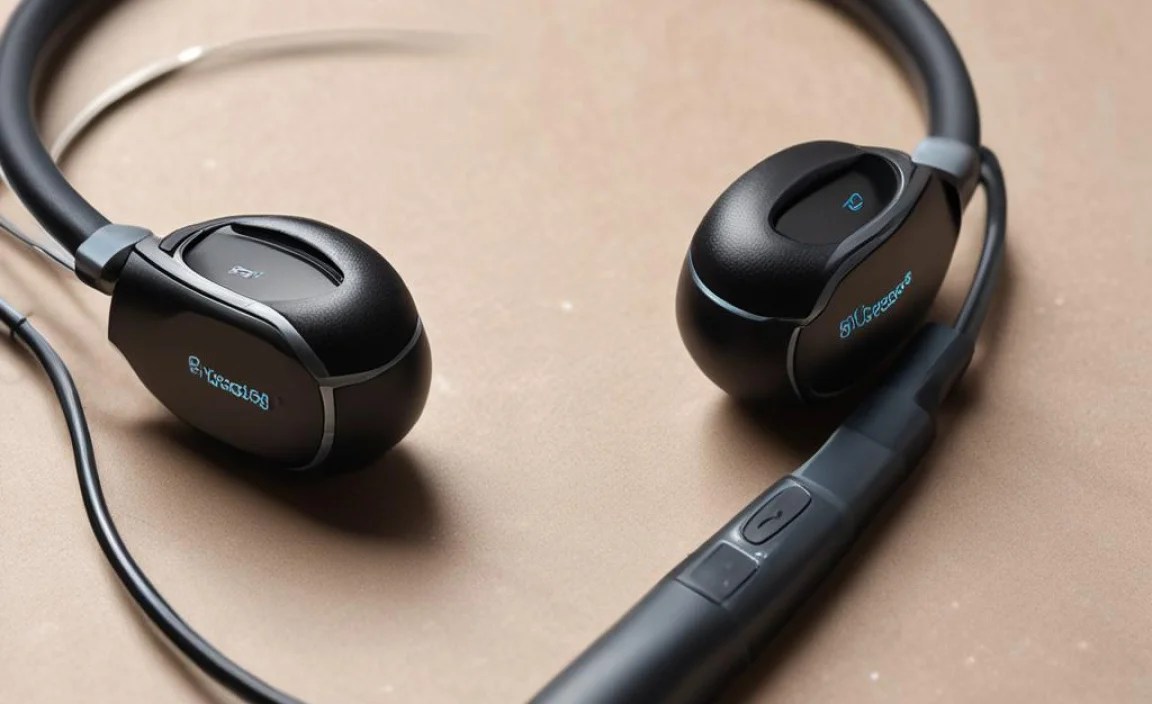
The magic behind a Bluetooth receiver is pretty straightforward. It involves a few key components and processes:
- Bluetooth Connectivity: The receiver contains a Bluetooth transmitter and receiver. Your audio source (phone, laptop, etc.) also has a Bluetooth transmitter. They pair up to create a wireless link.
- Audio Signal Reception: Once paired, your audio source sends the digital audio data wirelessly to the Bluetooth receiver.
- Digital-to-Analog Conversion (DAC): Inside the receiver is a Digital-to-Analog Converter (DAC). This crucial component takes the digital audio data received via Bluetooth and converts it into an analog electrical signal that your headphones can process.
- Amplification (Optional but Common): Many Bluetooth receivers also include a small amplifier. This boosts the analog signal, ensuring that your headphones receive enough power to produce clear, audible sound at a comfortable volume, even if your headphones are high-impedance or your source device has a weak audio output.
- Headphone Output: Finally, the receiver has a standard headphone jack (typically 3.5mm). You plug your wired headphones into this jack, and the amplified analog audio signal is sent straight to them.
The entire process is designed to be seamless, allowing you to connect your headphones wirelessly and enjoy your audio without interruption. For a deeper dive into how Bluetooth audio transmission works, you can explore resources on wireless communication standards. The Bluetooth Special Interest Group (SIG), for instance, provides extensive technical information on their official website, which can offer a more detailed, albeit technical, understanding of the protocols involved (https://www.bluetooth.com/).
Why Use a Bluetooth Receiver for Your Headphones?

The benefits of using a Bluetooth receiver are numerous, especially for everyday listeners who want to enhance their audio experience. Here are the key advantages:
- Wireless Convenience: This is the main draw. Move around freely without being tangled in wires. No more snagging your cable on a desk or chair, or constantly plugging and unplugging.
- Save Money: Instead of buying new expensive wireless headphones, you can make your existing, high-quality wired headphones wireless. this is often a much more budget-friendly option.
- Maintain Sound Quality: Many users prefer the sound profile of their favorite wired headphones. A good Bluetooth receiver can transmit audio with minimal loss, allowing you to retain that preferred sound quality.
- Universal Compatibility: Most Bluetooth receivers use standard 3.5mm jacks, making them compatible with virtually any pair of wired headphones. They also pair with any device that has Bluetooth audio output.
- Portability: These receivers are usually very small and lightweight, often clip-on or pocket-sized, making them easy to carry around.
- Hands-Free Calls: Many receivers come equipped with a built-in microphone, allowing you to take phone calls wirelessly through your headphones.
Key Features to Look For in a Bluetooth Receiver

Choosing the right Bluetooth receiver can make a big difference in your listening experience. Here are some important features to consider:
Bluetooth Version
The Bluetooth version affects connection stability, range, and power efficiency. Newer versions offer better performance. Look for:
- Bluetooth 5.0 or Higher: This is the current standard and offers significant improvements over older versions, including greater range (up to 100 feet / 30 meters in ideal conditions), faster speeds, and better power management. It also typically supports more advanced audio codecs.
- Backward Compatibility: Ensure the receiver is backward compatible with older Bluetooth versions (e.g., 4.2, 4.0) so it can connect to a wide range of devices.
Audio Codecs Support
Audio codecs are like languages that devices use to transmit sound. Some are better than others for preserving audio quality. The most common include:
- SBC (Subband Coding): This is the mandatory, basic codec supported by all Bluetooth devices. It’s widely compatible but offers the lowest audio quality.
- AAC (Advanced Audio Coding): Used by Apple devices (iPhone, iPad) and many streaming services. It offers better quality than SBC and is excellent for iOS users.
- aptX (aptX, aptX HD, aptX Low Latency): Developed by Qualcomm, aptX codecs are known for delivering near CD-quality sound. aptX HD offers even higher fidelity, and aptX Low Latency is great for watching videos or gaming as it significantly reduces audio delay.
- LDAC: Developed by Sony, LDAC is capable of transmitting audio at very high bitrates, often considered superior to aptX HD and suitable for high-resolution audio. It’s commonly found on Android devices and higher-end audio equipment.
Ideally, choose a receiver that supports as many of these advanced codecs as your audio source supports to get the best possible sound. If you use an iPhone, look for AAC support. If you have an Android phone, aptX or LDAC can be a great choice.
Battery Life and Charging
Most Bluetooth receivers are powered by rechargeable batteries. Consider:
- Playtime: Check the advertised battery life. Many offer several hours, while some can last 10-20 hours or more on a single charge.
- Charging Method: USB-C charging is the modern standard, offering faster and more convenient charging. Some might still use micro-USB.
- Charge Time: How long does it take to fully recharge? Some can be charged quickly for a few hours of playtime.
- Simultaneous Charging and Playing: Some receivers allow you to use them while they’re plugged in and charging, which can be very useful.
Build Quality and Design
Think about how and where you’ll use the receiver:
- Size and Weight: Do you want something tiny and discreet, or a bit larger with more buttons and a screen?
- Portability: Look for designs with clips to attach to clothing, or small form factors that fit easily in a pocket or bag.
- Durability: For frequent use, a sturdier build might be preferable.
Extra Features
- Microphone: Essential if you plan to use your headphones for calls.
- Volume Controls: Dedicated buttons for adjusting volume directly on the receiver.
- Play/Pause/Skip Controls: To manage your music playback without reaching for your device.
- Display Screen: Some higher-end models have small screens showing battery status, connected device, or even song information.
- Multipoint Pairing: Allows the receiver to connect to two devices simultaneously, so you can switch between your phone and laptop easily.
Connecting Your Bluetooth Receiver: A Step-by-Step Guide
Getting your wired headphones hooked up wirelessly is surprisingly simple. Just follow these easy steps:
Step 1: Charge Your Bluetooth Receiver
Before you do anything else, ensure your new Bluetooth receiver has a full charge. Connect it to a power source using the provided USB cable (or a compatible one). Most receivers have an indicator light that turns off or changes color when fully charged. This initial charge ensures you have ample power for the setup process and initial testing.
Step 2: Put the Receiver in Pairing Mode
This is usually done by pressing and holding the power or a dedicated Bluetooth button on the receiver for a few seconds. You’ll typically hear an audio cue or see a blinking light (often blue and red flashing) indicating it’s ready to pair. Consult your receiver’s manual if you’re unsure.
Step 3: Enable Bluetooth on Your Audio Source
On your smartphone, tablet, computer, or any other audio device, go to its Bluetooth settings. Make sure Bluetooth is turned on.
Step 4: Scan for Devices and Select Your Receiver
Your audio device will start scanning for available Bluetooth devices. Look for the name of your Bluetooth receiver in the list of available devices. It might be something like “Bluetooth Receiver,” “Audio Adapter,” or a brand-specific name. Tap on it to initiate the connection.
Step 5: Confirm Pairing (If Necessary)
In most cases, the devices will pair automatically. However, some might ask you to confirm a pairing code or PIN (usually “0000” or “1234”). If prompted, enter the code. Once successfully paired, you’ll usually hear a confirmation tone from the receiver, and its light might turn solid or flash slower.
Step 6: Connect Your Headphones
Now, simply plug your wired headphones into the 3.5mm headphone jack on the Bluetooth receiver. Make sure the connection is secure.
Step 7: Play Your Audio!
That’s it! You should now be able to play music, podcasts, or any other audio from your source device, and it will come through your headphones wirelessly. You can control playback, volume, and answer calls (if your receiver has a mic) directly from the receiver or your source device.
Troubleshooting Common Connection Issues
While Bluetooth connections are generally reliable, you might occasionally run into hiccups. Here are some common issues and how to fix them:
- Receiver Not Appearing in Scan: Ensure the receiver is in pairing mode (blinking light). Try turning Bluetooth off and on again on your source device. Move the receiver closer to your device. Restart both devices.
- Pairing Fails: Make sure no other devices are actively connected to the receiver. Try “forgetting” the receiver from your source device’s Bluetooth list and re-pairing. Ensure both devices are updated with the latest firmware/software if applicable.
- No Sound: Check that your headphones are fully plugged into the receiver. Ensure the volume on both the receiver and your source device is turned up. Make sure the correct audio output device (your Bluetooth receiver) is selected on your source device. Test your headphones with another device to ensure they are working.
- Choppy or Dropped Audio: Bluetooth signals can be affected by distance, physical obstructions (like walls), and interference from other wireless devices (microwaves, Wi-Fi routers, other Bluetooth devices). Try moving closer to your audio source. Minimize obstructions. Turn off other unnecessary Bluetooth devices. Ensure your receiver and source support higher-quality codecs (like aptX or LDAC) if you’re experiencing stuttering; sometimes downgrading to SBC can be more stable at longer distances.
