
Quick Summary: Choosing the right car headphones for your portable DVD player enhances your travel experience by providing clear audio and reducing distractions. This guide helps beginners select the best headphones, covering connection types, comfort, durability, and features for optimal viewing on the go.
Hitting the road with kids or enjoying a long drive often involves portable DVD players. But let’s be honest, the tinny built-in speakers can be a real drag, both for the passengers trying to enjoy their movie and for everyone else in the car. That’s where car headphones for DVD players come in! They’re your secret weapon for a peaceful, immersive viewing experience. Whether you’re aiming for crystal-clear movie dialogue or just want to introduce some calm into the cabin, picking the right pair is key. Don’t worry if you’re new to this; we’ll break down everything you need to know to find headphones that make every journey a little more enjoyable.
Why Headphones Are a Must-Have for Car DVD Players

Imagine this: you’re on a family road trip, and the kids are engrossed in their favorite animated movie. Without headphones, that cheerful soundtrack and dialogue fill the entire car, potentially distracting the driver or annoying other passengers. Conversely, if you’re trying to catch up on a lecture or a podcast, the ambient noise of the car can make it hard to hear. Car headphones for DVD players solve both these problems elegantly.
- Enhanced Audio Quality: Built-in speakers on portable devices are often small and lack the power for rich sound. Headphones deliver a more direct, immersive audio experience, letting you hear every whisper and explosion with clarity.
- Privacy and Reduced Distractions: Headphones keep the sound contained, allowing passengers to enjoy their content without disturbing others. This is especially crucial for long drives where maintaining focus is important for the driver.
- Immersive Viewing Experience: By blocking out external noise, headphones allow you to fully sink into the movie or show, creating a more private and engaging experience, much like you’d get at home.
- Peace and Quiet: For parents, headphones are a sanity saver, turning a potentially noisy car ride into pockets of calm.
Understanding Headphone Connectors for DVD Players

The most important technical detail when choosing headphones for your portable DVD player is how they connect. Most portable DVD players use a standard 3.5mm headphone jack, also known as a mini-jack or aux jack. This is the same type of jack found on most smartphones, tablets, and laptops.
However, there are a few things to be aware of:
- 3.5mm (1/8-inch) Stereo Jack: This is the most common. It’s a standard connector that transmits stereo sound (left and right channels).
- 3.5mm Double Mono (for some older or specific models): Less common now, some older portable DVD players might have had two separate 3.5mm jacks, one for left audio and one for right audio. Most modern headphones won’t be designed for this. If your player has two jacks, you’ll likely need a special adapter or find a “Y-splitter” cable designed for this purpose.
- Wireless Options (Less Common for Older Players): Some newer portable DVD players might offer Bluetooth connectivity. If your DVD player has Bluetooth, you can use wireless headphones. However, for many portable DVD players, especially older models, wired connections are the norm.
Pro Tip: Always check the audio output ports on your specific portable DVD player before purchasing headphones. Look for a circular port, usually labeled with a headphone icon (a circle with a few lines extending from the bottom). A quick peek at your player’s manual or a search online for its specifications can confirm the audio output type.
Types of Headphones Best Suited for Car Viewing

When selecting headphones for optimal car viewing, consider comfort, durability, and sound isolation. Here are the most popular types:
1. Wired On-Ear Headphones
These are classic headphones that rest on your ears. They offer a good balance of comfort, portability, and sound quality.
- Pros:
- Generally comfortable for extended wear.
- Provide decent passive noise isolation.
- Often more affordable than other types.
- Simple plug-and-play with 3.5mm jack.
- Cons:
- Can sometimes feel bulky on smaller heads.
- May cause ears to get warm after long periods.
- Cable can get tangled or caught.
2. Wired Over-Ear Headphones (Circumaural)
These headphones completely enclose your ears, offering superior comfort and noise isolation.
- Pros:
- Excellent passive noise cancellation.
- Very comfortable for long listening sessions.
- Often deliver richer, fuller sound.
- A secure fit, less likely to slip.
- Cons:
- Can be bulkier and less portable.
- Might make ears warm in hot car environments.
- Generally more expensive.
3. Wired In-Ear Earbuds
Small and discreet, earbuds fit directly into the ear canal. They are extremely portable and offer good sound isolation.
- Pros:
- Highly portable and lightweight.
- Excellent passive noise isolation by creating a seal.
- Less likely to cause ear fatigue or heat.
- Often the most budget-friendly option.
- Cons:
- Some people find them uncomfortable long-term.
- Can fall out if not fitted properly.
- Soundstage might feel less expansive than over-ear headphones.
4. Wireless Bluetooth Headphones
If your DVD player supports Bluetooth, wireless headphones offer the ultimate freedom from cables.
- Pros:
- No tangled cables.
- Greater freedom of movement.
- Modern connectivity.
- Cons:
- Require charging.
- Can sometimes have audio latency (delay), though less common with modern Bluetooth.
- More expensive.
- Requires Bluetooth capability on the DVD player, not universal.
Key Features to Look For
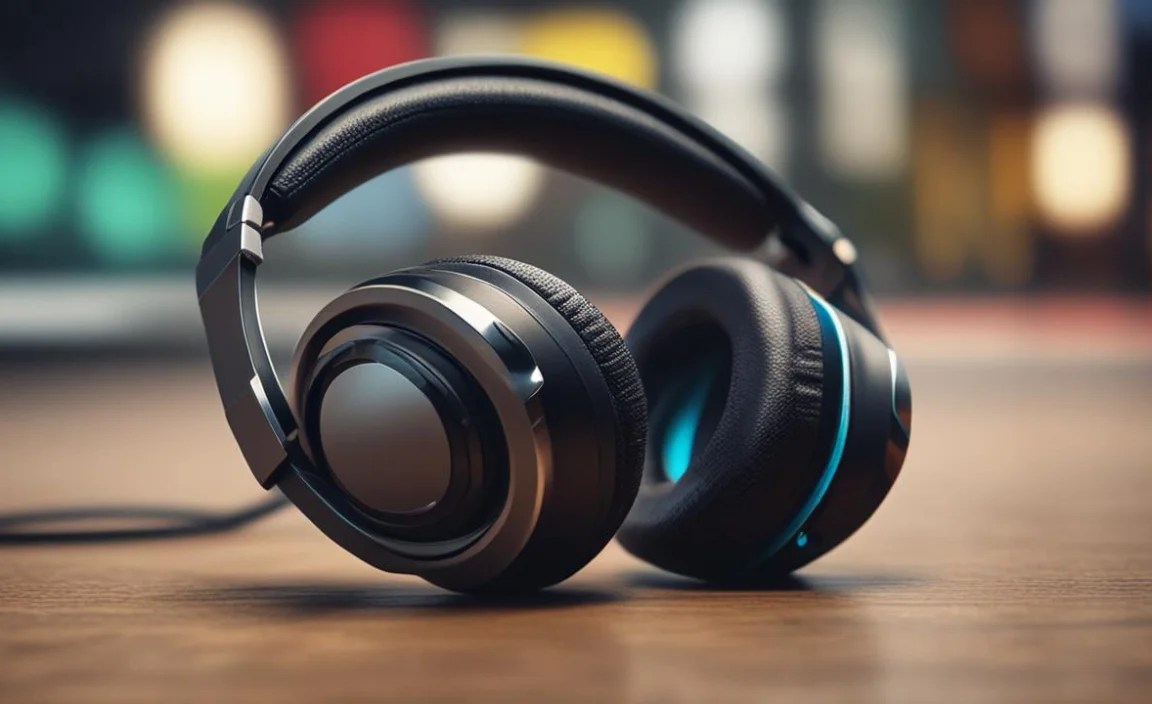
Beyond the type and connector, several features contribute to a great car viewing experience:
- Comfort and Fit:
- Adjustable Headbands: Essential for a secure and comfortable fit, especially for children.
- Padded Earcups: For on-ear and over-ear headphones, plush padding reduces pressure and enhances comfort.
- Multiple Eartip Sizes (for earbuds): Crucial for achieving a good seal and comfort for different ear canal shapes.
- Durability: Look for sturdy construction, especially if the headphones will be used by children. Reinforced cables and robust housing are a plus.
- Sound Quality: While you don’t need audiophile-grade sound for movie viewing, clear dialogue and balanced sound are important. Avoid headphones that sound muddy or overly bass-heavy, which can obscure speech.
- Noise Isolation: Good passive noise isolation is key to blocking out car sounds like engine hum, road noise, and chatter. Over-ear and well-fitting in-ear headphones excel here.
- Cable Length (for wired headphones): A cable around 3-5 feet is usually ideal for car use, long enough to reach from the player to a passenger without excessive slack.
- Inline Controls: Some wired headphones have small remotes on the cable for volume control or play/pause, which can be very convenient.
- Foldable Design: If storage space is a concern, foldable headphones are a great option.
Setting Up Your Car Headphones: A Step-by-Step Guide

Getting your headphones connected and ready to go is straightforward. Follow these simple steps:
Step 1: Identify Your DVD Player’s Audio Output
As mentioned earlier, the vast majority of portable DVD players will have a standard 3.5mm (1/8-inch) headphone jack. Locate this port on your device. It’s usually on the side or bottom, often accompanied by a headphone symbol.
Step 2: Choose Your Headphones
Based on your player’s output and your preferences (comfort, portability, budget), select your headphones. For most portable DVD players, a standard 3.5mm wired headphone or earbud set will be your best bet.
Step 3: Connect the Headphones
Gently insert the headphone’s 3.5mm plug into the headphone jack on your DVD player. Ensure it’s plugged in all the way for a proper connection. You should feel a slight snugness. If you hear static or no sound, try pushing it in a little further or wiggling it gently.
Step 4: Power On and Play
Turn on your portable DVD player and start playing your movie or show. The audio should now be routed through your headphones.
Step 5: Adjust Volume
Start with the volume turned down low on both the DVD player and, if applicable, on the headphones themselves. Gradually increase the volume to a comfortable listening level. Be mindful of the maximum volume settings to protect hearing, especially for children. You can learn more about safe listening levels from the National Institute on Deafness and Other Communication Disorders (NIDCD).
Step 6: Ensure Comfort and Fit
If you’re using on-ear or over-ear headphones, adjust the headband for a snug but comfortable fit. For earbuds, try on the different eartip sizes to find the best seal for your ears. A good seal not only improves comfort but also enhances sound quality and noise isolation.
Troubleshooting Tip: If you still don’t have sound, check if your DVD player has a setting to output audio to headphones. Some devices might require you to enable this in the menu. Also, test your headphones with another device (like a phone) to ensure they are working correctly.
Comparing Wired vs. Wireless for Car DVD Players
The debate between wired and wireless headphones is a common one, and for car DVD players, each has its distinct advantages and disadvantages.
Here’s a quick comparison to help you decide:
| Feature | Wired Headphones | Wireless Bluetooth Headphones |
|---|---|---|
| Connectivity | 3.5mm headphone jack connection. Universal for most DVD players. | Bluetooth pairing. Requires Bluetooth on the DVD player. |
| Setup | Instant plug-and-play. | Requires pairing process, which can sometimes be tricky. |
| Power Source | Powered by the DVD player’s audio output. No separate charging needed. | Requires charging. Battery life is a consideration. |
| Audio Quality & Latency | Generally excellent, with no noticeable delay (latency). | Can be excellent, but some older Bluetooth versions or cheaper models might have slight latency. |
| Cable Management | Cables can tangle, get caught, or be a tripping hazard. | No cables to manage, offering freedom. |
| Durability/Child-Friendliness | Cable can be a point of failure; susceptible to tearing. | No dangling cables can be safer and more robust against pulling. |
| Price | Generally more affordable. | Typically more expensive. |
For most portable DVD players, especially older models, wired headphones are the most reliable and straightforward choice. They are cost-effective, require no charging, and offer immediate, high-quality audio without any setup fuss. Wireless headphones are a great option if your DVD player supports Bluetooth and your budget allows, offering the ultimate convenience.
Considerations for Children Using Car Headphones
If the headphones are primarily for children, a few extra points are crucial:
- Volume Limiting: Many headphones designed for kids have built-in volume limiters that cap the sound output at a safe level (e.g., 85 decibels), protecting their developing hearing. Look for these features. The American Academy of Pediatrics recommends limiting listening time and volume, as detailed in their guidelines.
- Durability: Kids can be tough on their belongings. Opt for headphones with robust construction, reinforced cables, and flexible headbands.
- Comfort: Children’s heads are smaller, so adjustable and well-padded headphones are key for a good fit and prolonged comfort.
- Ease of Use: Simple, plug-and-play wired headphones are often easiest for younger children to manage independently.
Top Picks for Car Headphones for DVD Players
While specific models can change, here are categories of headphones that consistently perform well for car DVD player use:
| Type | Recommended Use Case | Key Features to Look For |
|---|---|---|
| Budget USB-C Headphones with 3.5mm Adapter | If your DVD player has very basic audio out or you need a backup. (Note: Most DVD players don’t use USB-C for audio, but some newer devices might. This is more for general portables.) Focus on the 3.5mm adapter if your player has that option. |
Focus on clear sound, decent cable length, and comfort. Prioritize a reliable 3.5mm connection. |
| Child Volume-Limiting On-Ear Headphones | Perfect for young travelers. | Volume limiter, adjustable headband, comfortable earcups, durable build. Brands like Puro Sound Labs, JLab JBuddies, and Kidz Gear are often good choices. |
| Basic Wired In-Ear Earbuds | For a very portable and affordable option. | Good seal with multiple eartip sizes, clear sound, reasonable cable length. Brands like Sony, Panasonic, and JLab offer great entry-level models. |
| Comfortable Wired Over-Ear Headphones | For longer trips and a more immersive experience, especially for adults or older teens. | Plush earcups, adjustable headband, good passive noise isolation, balanced sound profile. Audio-Technica, Sennheiser, and even good quality house brands from electronics stores often have suitable models. |
| Bluetooth Headphones with AptX Low Latency (if player supports Bluetooth) | For maximum convenience if your DVD player has Bluetooth. | Reliable Bluetooth connection, long battery life, comfortable fit, good sound. Brands like Anker Soundcore, Sony, and Jabra. Ensure your DVD player supports Bluetooth audio transmission. |
Remember to check customer reviews for feedback on durability and comfort, especially if child use is expected. A stable connection and clear audio are the main goals for car DVD player enjoyment.
Frequently Asked Questions (FAQ)
Q1: Do I need special headphones for a car DVD player?
No, you generally don’t need “special” headphones. Most portable DVD players use a standard 3.5mm headphone jack, so regular headphones or earbuds designed for smartphones or computers will work. The key is ensuring the connector matches your DVD player’s port.
Q2: Can I use my gaming headset with a car DVD player?
If your gaming headset has a standard 3.5mm plug and doesn’t require a USB port or complex setup, it should work. However, gaming headsets can sometimes be bulky and designed for a different type of audio profile, so they might not be the most comfortable or ideal for movie viewing over longer periods.
Q3: My headphones aren’t working with my DVD player. What should I do?
First, ensure the headphone plug is fully inserted into the jack. Test the headphones with another device (like a phone) to confirm they are functional. Check your DVD player’s manual to see if there’s an audio output setting that needs to be enabled. Sometimes, a simple reboot of the DVD player can also resolve minor glitches.
Q4: How can I prevent tangled cables in the car?
For wired headphones, try wrapping the cable neatly around your fingers or a small
