
Looking for durable, safe, and fun headphones for your child’s iPad? This guide breaks down essential features like volume limits, comfort, and connectivity, helping you choose the perfect audio companion for their digital adventures. Ensure enjoyable screen time with the right sound gear.
Children’s Headphones for iPad: Essential Audio for Little Ears

Hey there, audio explorers! Edward Cavitt here from Headphone Horizon. As parents, we all want to make our children’s experiences as safe and enjoyable as possible, and that includes their time spent with iPads. Whether it’s for educational apps, fun games, or watching their favorite cartoons, good audio can truly enhance the experience. But with so many options out there, how do you pick the right children’s headphones for iPad? It can feel a bit overwhelming with all the tech talk. Don’t worry, that’s where I come in! My goal is to demystify audio gear, making it easy for you to make smart choices. Today, we’re diving deep into everything you need to know about selecting headphones that are not only kid-friendly but also offer essential audio quality and protection.
Why Dedicated Children’s Headphones? The Importance of Volume Limits

Before we jump into specific features, let’s talk about why children’s headphones are a distinct category. The most crucial reason is volume control. Children’s hearing is more sensitive than adult hearing, and prolonged exposure to loud noises can cause permanent damage. This is a serious concern, as noise-induced hearing loss can develop gradually and is irreversible. According to the National Institute on Deafness and Other Communication Disorders (NIDCD), even noise levels that don’t sound painfully loud can damage hearing over time.
Standard adult headphones, and even many entry-level consumer models, can easily push volumes to unsafe levels. Dedicated children’s headphones are specifically engineered with built-in volume limiters. These limiters typically cap the sound output to around 85 decibels (dB), which is widely considered the maximum safe listening level for extended periods. This single feature makes them an invaluable tool for protecting your child’s hearing as they explore the digital world through their iPad.
Key Features to Look For in Children’s Headphones for iPad
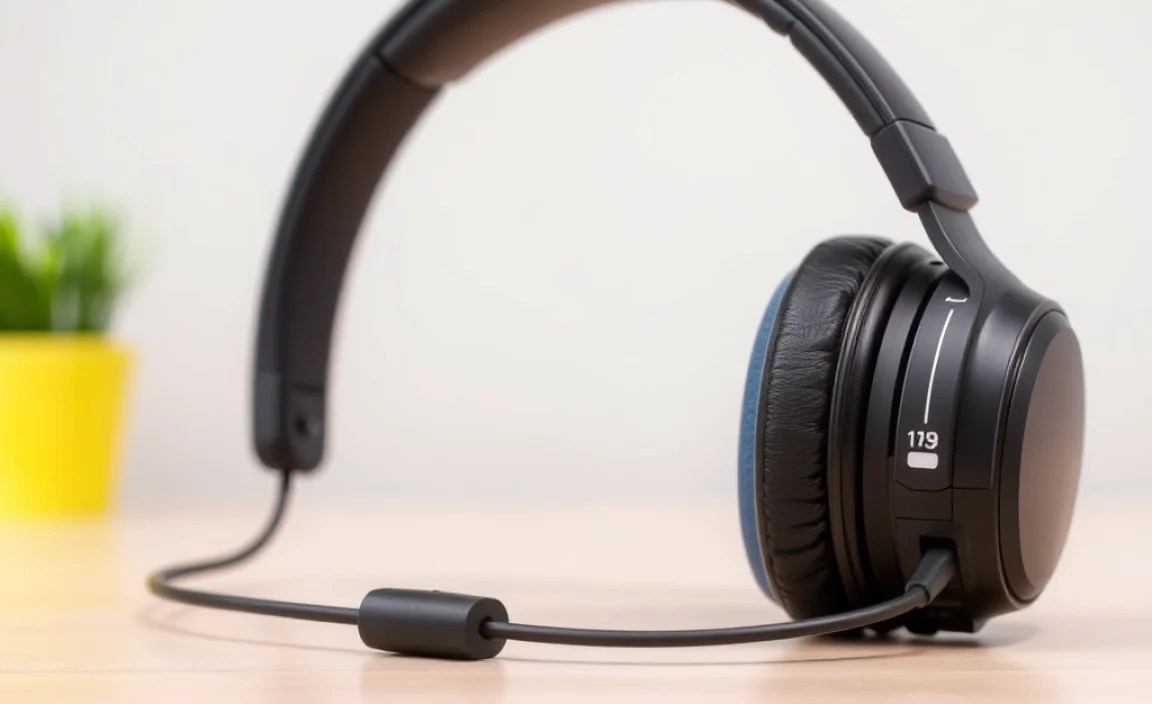
When you’re browsing for children’s headphones for iPad, a few key characteristics will consistently pop up. Understanding these will help you narrow down your choices and ensure you’re getting a product that’s safe, durable, and comfortable.
1. Built-in Volume Limiting Technology
As discussed, this is non-negotiable. Look for headphones that explicitly state they have volume limiting features, often marketed as “kid-safe” or “hearing safe.” They should have a maximum output of 85 dB. Some models even offer a range, allowing parents to set a specific maximum if they choose.
2. Comfort and Fit
Kids can be wiggly! If headphones aren’t comfortable, they won’t be worn. Consider:
- Padded Earcups: Soft, breathable materials like foam or plush fabric will prevent discomfort during long listening sessions.
- Adjustable Headband: A flexible and extendable headband ensures the headphones can grow with your child and provide a snug, secure fit.
- Lightweight Design: Heavy headphones can cause fatigue and be bothersome. Lighter options are generally better for younger users.
- Over-Ear vs. On-Ear: Over-ear headphones completely surround the ear and can offer better passive noise isolation and comfort. On-ear headphones rest on the ear and might be more compact but can sometimes feel pressure on the earlobes for extended wear.
3. Durability and Build Quality
Let’s be honest: kids can be rough on their belongings. The headphones need to withstand some inevitable wear and tear.
- Flexible Materials: Look for headphones made from robust, flexible plastics that can bend without snapping.
- Reinforced Cables: If the headphones have a cord, ensure it’s thick and reinforced, perhaps with a fabric braiding, to prevent fraying.
- No Small Parts: For very young children, avoid headphones with easily detachable small parts that could be a choking hazard.
4. Wired vs. Wireless
This is a significant decision that impacts convenience, cost, and safety.
- Wired Headphones:
- Pros: Typically more affordable, no charging required, no pairing issues, and can be instantly plugged into an iPad that has a headphone jack.
- Cons: The cord can be a tripping hazard, can get tangled, and might feel restrictive.
- Wireless (Bluetooth) Headphones:
- Pros: Freedom of movement, no tangled cords, often feel more “grown-up” and exciting for kids.
- Cons: More expensive, require charging, need to be paired with the iPad (which can sometimes be a hurdle for parents or kids), and there’s a slight risk of accidentally turning up the volume if the controls are too accessible.
For iPads, check which models still have a headphone jack. Most newer iPads require a Lightning to 3.5mm adapter for wired headphones. For wireless, ensure the iPad supports Bluetooth connectivity.
5. Audio Quality
While safety is paramount, you still want the audio to be clear enough for your child to enjoy their content. Children’s headphones are usually designed for clarity over booming bass, which is perfectly suitable for spoken word, educational content, and cartoons. You’re not looking for audiophile-grade sound here, but rather a pleasant and clear listening experience.
6. Microphone (Optional)
If your child participates in online classes or video calls with family, a built-in microphone can be a useful feature. Ensure it’s clear enough for communication.
7. Fun Factor: Design and Color
Let’s not forget that kids like to express themselves! Many children’s headphones come in a wide array of fun colors, patterns, and feature characters from popular movies or shows. Allowing your child to pick a design they like can make them more excited to wear them.
Connecting Your Child’s Headphones to an iPad: A Step-by-Step Guide
The process of connecting headphones to an iPad is usually straightforward, but it can differ slightly depending on whether you’re using wired or wireless headphones.
Connecting Wired Headphones:
- Locate the Headphone Jack: On iPads with a traditional 3.5mm headphone jack, simply plug the headphone’s audio cable directly into the port.
- Using an Adapter (if no headphone jack): If your iPad doesn’t have a headphone jack (common on newer models), you’ll need a Lightning to 3.5mm headphone jack adapter. Plug the adapter into the iPad’s charging port, and then plug your headphone’s cable into the adapter.
- Test the Audio: Play some audio on the iPad and check if sound comes through the headphones. Ensure the volume is at a comfortable level for your child.
Connecting Wireless (Bluetooth) Headphones:
- Turn on the Headphones: Make sure your child’s Bluetooth headphones are powered on and in pairing mode. Consult your headphone’s manual for specific instructions on how to enter pairing mode (often involves holding down a power or Bluetooth button).
- Enable Bluetooth on the iPad:
- Open the Settings app on the iPad.
- Tap on Bluetooth.
- Ensure the Bluetooth toggle is switched to On.
- Pair the Headphones: Your iPad will scan for available Bluetooth devices. Look for the name of your child’s headphones in the list under “Other Devices.”
- Tap to Connect: Once you see the headphone’s name, tap on it to initiate the pairing process. You might be prompted to confirm a pairing code.
- Confirm Connection: Once successfully paired, the headphones will move to the “My Devices” list and show as “Connected.”
- Test the Audio: Play some content on the iPad to ensure the sound is coming through the Bluetooth headphones.
Recommended Features Table
To help you quickly compare, here’s a table summarizing the most important features when choosing children’s headphones for iPad.
| Feature | Importance for Kids | What to Look For |
|---|---|---|
| Volume Limiting (Max 85 dB) | Highest Priority – Protects delicate hearing. | Explicitly stated on packaging or product description. |
| Comfort (Padded Earcups, Lightweight) | High – Essential for extended wear. | Soft materials, adjustable headband, light construction. |
| Durability (Flexible, Robust) | High – Withstands active use. | Bendable materials, reinforced cables, sturdy construction. |
| Wired vs. Wireless | Medium – Depends on convenience needs. | Consider iPad compatibility and charging preferences. |
| Audio Clarity | Medium – For enjoyable content. | Clear sound for voices and educational material. |
| Microphone | Optional – For communication. | Test for clear voice pickup if needed. |
| Fun Design | Low to Medium – Kid appeal. | Colors, characters, patterns your child likes. |
Popular Brands and Models for Children’s Headphones
While I can’t recommend specific models as they change frequently, I can highlight some reputable brands known for producing excellent children’s audio products. These brands consistently prioritize safety, durability, and kid-friendly design.
- JLab: Offers a range of affordable and durable kids’ headphones, many with built-in volume limiting.
- Belkin: Known for reliable accessories, Belkin has strong options for children’s headphones that are robust and safe.
- Roxburry: Often feature fun designs and are built to be child-proof, with safe volume levels.
- Onanoff: Their BuddyPhones line is specifically designed with safety and comfort in mind, often featuring share cables and multiple volume settings.
- KidzOonation: This brand focuses on vibrant designs and kid-specific features, including volume safety.
Always check recent reviews and product specifications for the latest offerings from these and other trusted brands.
Safety Guidelines for Children’s Listening Habits
Even with the best volume-limiting headphones, it’s wise to establish good listening habits. This is crucial for long-term hearing health. The World Health Organization (WHO) emphasizes that prolonged exposure to any sound above 85 dB can be damaging. While 85 dB is the recommended ceiling, shorter listening sessions are always better.
Consider these tips:
- The 60/60 Rule: A common recommendation is to listen at no more than 60% of the maximum volume for no more than 60 minutes at a time.
- Take Breaks: Encourage your child to take regular breaks from listening, giving their ears a rest.
- Supervise Volume Settings: Even with limiters, it’s a good idea to periodically check the volume on the iPad and the headphones themselves.
- Be Mindful of Environment: In very noisy environments, children might be tempted to turn up the volume to hear over the background noise. This is where noise-isolating headphones (which these often are) are beneficial, allowing them to hear clearly at safer volumes.
Troubleshooting Common Issues
Sometimes, even with the best gear, technology can throw a curveball. Here are a few common issues and how to tackle them.
No Sound
- Wired: Ensure the plug is fully inserted and that the adapter (if used) is securely connected. Try a different audio source or app on the iPad.
- Wireless: Check if the headphones are charged and turned on. Make sure Bluetooth is enabled on the iPad and the headphones are connected. Try “forgetting” the device in Bluetooth settings and re-pairing.
One Earbud/Headphone Not Working
- Wired: This often indicates a damaged cable or internal fault. Inspect the plug and cable for any visible damage. If the cable is frayed or kinked, it might need replacement.
- Wireless: Try re-pairing the headphones. If the issue persists, it might be a connection issue with one of the earcup speakers.
Volume Too Low (Even at Max)
This is often a sign that the volume limiter is working correctly! It’s a good thing for hearing protection. If the sound is genuinely too low for your child to hear their chosen content clearly, even at the maximum safe level, consider headphones with slightly better sensitivity drivers or explore if there’s an option to adjust the default max volume limit within the headphone’s settings (if available).
Bluetooth Connection Issues
- Ensure the headphones are in pairing mode correctly.
- Turn off Bluetooth on the iPad, wait a few seconds, and turn it back on.
- “Forget” the device in your iPad’s Bluetooth settings and try pairing again.
- Check if other Bluetooth devices are causing interference.
- Refer to the headphone manual for specific troubleshooting steps.
FAQ: Your Top Questions Answered
Here are some frequently asked questions to help clarify your choices.
Q1: Are all children’s headphones safe for my child’s ears?
Not necessarily. You must look for headphones that explicitly state they have built-in volume-limiting technology, capping sound output at 85 dB. Standard headphones may not have this crucial feature.
Q2: How do I know if the volume limiter is actually working?
Reputable brands will clearly advertise this feature. You can also test by playing music at the highest setting on the headphones and comparing it to how loud other headphones get. The sound should not become uncomfortably loud, nor should it reach levels that cause ear fatigue quickly.
Q3: My child’s iPad doesn’t have a headphone jack. What do I need?
You will need a Bluetooth (wireless) headset, or if you prefer wired headphones, you’ll need an adapter. For most recent iPads without a 3.5mm jack, this would be a Lightning to 3.5mm headphone jack adapter.
Q4: Can I use my adult noise-canceling headphones for my child?
Unless your adult noise-canceling headphones have an explicit, user-settable volume limiter below 85 dB, it’s generally not recommended. Noise-canceling can sometimes encourage higher volume listening to overcome slight ambient noise, and the default volume on adult headphones can be too high for children’s sensitive ears.
Q5: How long should my child wear headphones each day?
While 85 dB is considered safe for extended periods, it’s always best to encourage breaks. The “60/60 rule” (60% volume for 60 minutes) is a good guideline. Listen for no more than a couple of hours at a time, with ample rest periods.
Q6: What’s the difference between over-ear and on-ear headphones for kids?
Over-ear headphones fit completely around the ear, offering better comfort and passive noise isolation, which helps kids hear content clearly at lower, safer volumes. On-ear headphones rest directly on the ear and can be more compact, but some children find them less comfortable for extended use.
Q7: My child complains that the volume is too quiet with their special headphones, even for cartoons. What should I do?
This is a common concern! It means the volume limiter is doing its job effectively. If the cartoons or audio content are truly too quiet to be enjoyable, ensure the iPad’s volume is turned up as high as it will go (while still being safe). If it’s still an issue, investigate headphones known for higher sensitivity that still adhere to the 85 dB limit, or consider if the app/content itself has a lower volume than expected.
Conclusion: Happy, Healthy Listening Ahead!
Choosing the right children’s headphones for iPad is an act of care, ensuring your child can enjoy their digital world without compromising their precious hearing. By focusing on volume limiting, comfort, durability, and a secure connection, you’re setting a foundation for years of safe and enjoyable audio experiences. Whether you opt for a durable wired set or the freedom of wireless Bluetooth.
