
Quick Summary: Keep your headphones sounding their best and lasting longer with safe, simple cleaning methods. This guide covers cleaning earbuds, over-ear, and on-ear headphones, detailing the right tools and techniques to avoid damage. Learn essential safe methods for pristine audio and hygiene.
How to Clean Headphones: Essential Safe Methods
Hey there, fellow audio lovers! Edward Cavitt here from headphonehorizon. We all love diving into our favorite music, podcasts, or that crucial work call with crystal-clear sound. Your headphones are your gateway to this world, and just like any essential gear, they need a little TLC. Ever thought about how much gunk can build up on those earcups or in those tiny earbud grilles? It’s not just an aesthetic concern; it can actually affect sound quality and, let’s be honest, hygiene! But fear not – cleaning your headphones doesn’t have to be complicated or risky. I’m here to walk you through some easy, safe, and super effective methods to get your headphones looking and sounding like new again. Let’s get those drivers singing clearly!
Why Cleaning Your Headphones Matters

It might seem like a small thing, but regularly cleaning your headphones offers some significant benefits. Think of it as a tune-up for your ears!
- Hygiene: Our ears naturally produce wax and oil, and headphones, especially earbuds, spend a lot of time in or very near them. This can lead to a bacterial buildup which is not only unappealing but can potentially cause ear infections.
- Sound Quality: Debris, earwax, and dirt can accumulate in the speaker grilles and ear tips, muffling the sound or causing distortions. A clean grille means clearer audio reproduction.
- Longevity: Dust and grime can degrade materials over time. Keeping your headphones clean can help preserve their components, whether it’s the padding on your earcups or the mesh on your earbuds.
- Comfort: Dirty earcups or ear tips can become sticky, itchy, or uncomfortable, especially during long listening sessions.
What You’ll Need: Your Headphone Cleaning Toolkit

Before we dive into the cleaning process, let’s gather our supplies. The good news is you probably have most of these items already, or they are inexpensive and easy to find.
Essential Cleaning Supplies:
- Microfiber cloths: These are gentle and won’t scratch surfaces. Great for wiping down the exterior and earpads.
- Isopropyl alcohol (70% or less): A fantastic disinfectant for non-porous surfaces and hard plastics. Never use higher concentrations as they can damage finishes.
- Cotton swabs (Q-tips): Perfect for reaching tight spots and crevices.
- Soft-bristled brush: An old, clean toothbrush or a specialized cleaning brush works well for dislodging debris.
- Distilled water: Use sparingly to dampen cloths when cleaning sensitive materials or when alcohol is too harsh. Avoid tap water, as its minerals can leave residue.
- Bowl or small container: For mixing cleaning solutions if needed.
- Toothpicks or a small, non-metallic tool: For carefully picking out stubborn debris from grilles.
What to AVOID:
It’s just as important to know what not to use. These can cause irreversible damage:
- Harsh chemicals (bleach, ammonia, abrasive cleaners)
- Soaking headphones or any part of them in liquid.
- Sharp metal objects (knives, pins)
- Compressed air cans directly on speaker drivers (can force dust deeper or damage delicate components).
- Excessive moisture.
Step-by-Step Guide to Cleaning Your Headphones

The cleaning method will vary slightly depending on the type of headphones you have. Let’s break it down.
1. Cleaning Earbuds (In-Ear Monitors – IEMs)
Earbuds are notoriously tricky due to their small size and intricate design. The most critical areas are the speaker grilles and the ear tips.
Step 1: Remove and Clean Ear Tips
If your earbuds have removable silicone or foam tips, take them off. Silicone tips can usually be washed with mild soap and warm water. Rinse them thoroughly and let them air dry completely before reattaching. For foam tips, a gentle wipe with a dry microfiber cloth is best. If they are heavily soiled, you might be able to lightly dampen a cloth with distilled water, but avoid fully immersing foam tips as they can be damaged.
Step 2: Clean the Earbud Body
Wipe down the plastic or metal housing of the earbuds with a dry microfiber cloth. For any stickiness or light grime, slightly dampen a microfiber cloth or a cotton swab with a solution of 70% isopropyl alcohol. Gently wipe the surfaces. Be extremely careful around the speaker grille.
Step 3: Address the Speaker Grilles
This is the most delicate part.
- Dry Brushing: Use a soft, dry brush (like a clean, dry toothbrush) to gently brush away any loose debris from the grille.
- Cotton Swab: For stubborn earwax or dirt, lightly dampen a cotton swab with 70% isopropyl alcohol. Gently dab and roll the swab around the grille. Avoid pushing too hard. The alcohol will help dissolve wax.
- Toothpick (with extreme caution): If there’s a visible piece of debris stuck in the mesh, you can very carefully use the tip of a toothpick to lift it away. The key is to be gentle and not poke through the fine mesh.
Never insert anything deep into the earbud. The goal is surface cleaning only.
Step 4: Drying and Reassembly
Ensure all parts are completely dry before reattaching the ear tips and using the earbuds. Any residual moisture can damage the internal components.
2. Cleaning Over-Ear and On-Ear Headphones
These headphones have larger earcups and often plush padding, which require a slightly different approach.
Step 1: Clean the Earcups and Headband
The exterior of the earcups (plastic, leatherette, metal) can be wiped down with a microfiber cloth. For persistent smudges or grime, use a microfiber cloth lightly dampened with a 70% isopropyl alcohol solution. Wipe gently in a circular motion.
Step 2: Tackle the Earpads (Cushions)
This is where comfort and hygiene really come into play. The method depends on the earpad material:
For Leatherette or Faux Leather Earpads:
These are generally easy to clean.
- Wipe them down with a dry microfiber cloth to remove surface dust.
- For more thorough cleaning, lightly dampen a microfiber cloth with a mild soap and water solution (just a drop of soap in a bowl of water). Wring the cloth out very well so it’s just damp, not wet.
- Gently wipe the earpads.
- Follow up with another cloth dampened only with distilled water (again, well wrung out) to remove any soap residue.
- Allow the earpads to air dry completely. You can also use a dry microfiber cloth to absorb excess moisture. Avoid direct heat or sunlight to dry them.
It’s generally safe to use a very light application of 70% isopropyl alcohol on a damp cloth for disinfecting, but always test on an inconspicuous area first and ensure good ventilation.
For Fabric or Velour Earpads:
These can be a bit more absorbent and delicate.
- Start by trying to air them out and gently brush off loose debris with a soft brush or dry microfiber cloth.
- For stains or grime, use a slightly damp cloth (distilled water only, very well wrung out) and gently blot the affected area. Avoid rubbing aggressively, which can push dirt deeper or pill the fabric.
- If the fabric is particularly dirty and can be removed, check the manufacturer’s recommendations. Some fabric earpads can be hand-washed very gently in cool water with a tiny amount of mild detergent, then thoroughly rinsed and air-dried completely. However, many cannot, so proceed with extreme caution. If in doubt, stick to spot cleaning with a damp cloth.
- Never use alcohol on velour or fabric earpads unless explicitly recommended by the manufacturer, as it can alter the texture or color.
Step 3: Cleaning the Speaker Mesh/Grille
The mesh covering the actual speaker drivers inside the earcup is sensitive. Dust can collect here.
- Use a dry, soft-bristled brush to gently sweep away any dust or lint.
- For slightly more stubborn dust, use a microfiber cloth very lightly dampened with distilled water. Ensure NOT to let any moisture seep into the driver itself.
- If you can detach the earpads, it makes accessing this area much easier and safer.
Step 4: Cleaning the Headband
Wipe down the headband with a slightly damp microfiber cloth, similar to how you cleaned the earcups. If it’s padded, use similar care as with the earpads, ensuring it dries thoroughly before use.
3. Cleaning Detachable Cables
For headphones with detachable cables, cleaning them is straightforward.
- Disconnect the cable from the headphones.
- Wipe the PVC or braided sheathing with a dry or very slightly damp microfiber cloth.
- Pay attention to the connectors. Ensure they are dry and free of debris. You can use a dry cotton swab to gently clean the metal pins if they look tarnished or dirty.
- Allow the cable to dry completely before reconnecting.
Avoid getting moisture into the actual jack plug (3.5mm or USB).
Cleaning Special Materials and Finishes
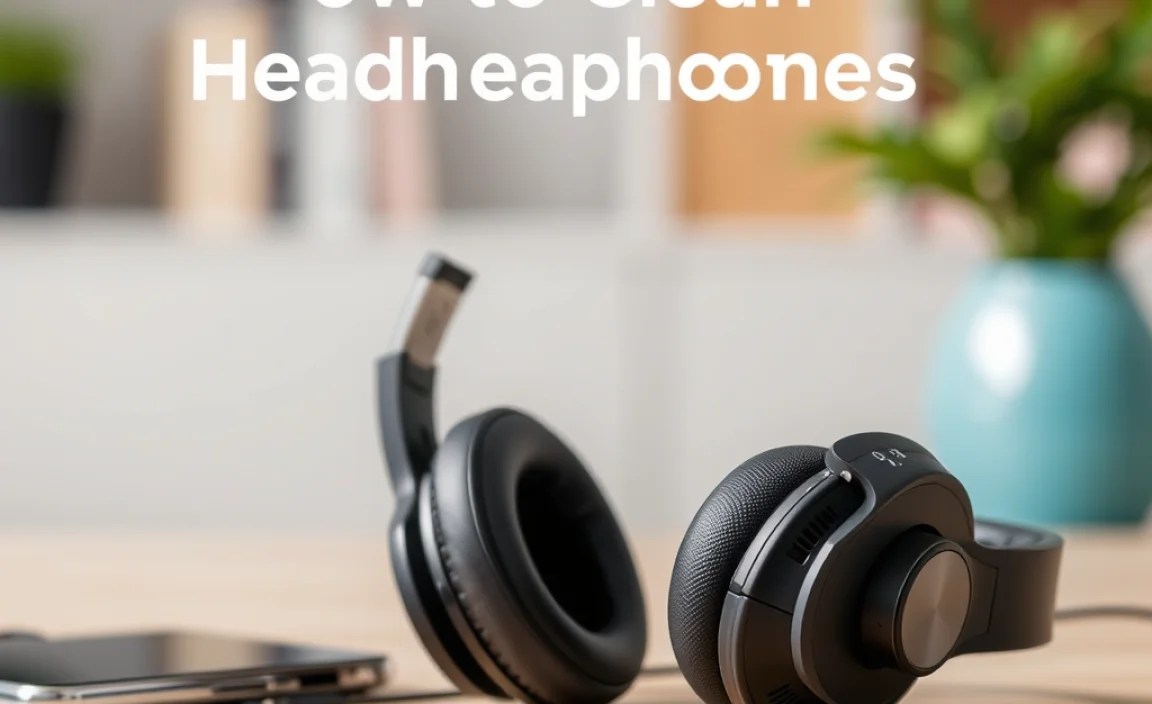
Some headphones feature unique materials or premium finishes that need extra care. Always check your manufacturer’s manual for specific recommendations.
Leather vs. Leatherette
Genuine leather requires conditioning to prevent drying and cracking and should generally be cleaned with products specifically designed for leather. Leatherette (faux leather) is more forgiving and can usually be cleaned with the mild soap and water or diluted alcohol methods, but always test first.
Metal Finishes
Brushed or polished metal can be cleaned with a microfiber cloth. For fingerprints or smudges, a cloth lightly dampened with distilled water or a specialized electronics cleaner sprayed onto the cloth (never directly onto the headphones) can be used. Avoid abrasive cleaners that can scratch metal surfaces.
Painted or Glossy Surfaces
These are prone to scratching. Stick to dry microfiber cloths for most cleaning. For tougher marks, a slightly damp cloth followed by a dry one is your best bet. Never use alcohol or harsh cleaners, as they can affect the paint or clear coat.
Table: Cleaning Methods by Headphone Type and Material
Here’s a quick reference to help you choose the right cleaning approach:
| Headphone Type | Material | Recommended Cleaner | Tools | Caution |
|---|---|---|---|---|
| Earbuds (IEMs) | Plastic/Metal Body | 70% Isopropyl Alcohol (diluted), Dry Cloth | Microfiber cloth, Cotton swab | Avoid moisture near grilles. Do not insert anything deep inside. |
| Earbuds (IEMs) | Silicone Ear Tips | Mild Soap & Warm Water | Microfiber cloth, fingers | Ensure tips are fully dry before reattaching. |
| Earbuds (IEMs) | Foam Ear Tips | Dry Cloth, Very Lightly Dampened Cloth (Distilled Water) | Microfiber cloth | Do not submerge. Can be damaged by excessive moisture or rough handling. |
| Over-Ear/On-Ear | Leatherette Earpads | Mild Soap & Water, 70% Isopropyl Alcohol (lightly) | Microfiber cloth, well-wrung cloth | Ensure earpads are dry. Test alcohol in an inconspicuous spot. |
| Over-Ear/On-Ear | Fabric/Velour Earpads | Distilled Water (very lightly), Mild Detergent (hand wash only if removable and recommended) | Microfiber cloth, soft brush | Avoid harsh rubbing. Never soak unless manufacturer explicitly allows. Test any washing method. |
| Over-Ear/On-Ear | Plastic/Metal Exterior | Dry Cloth, 70% Isopropyl Alcohol (for stubborn marks), Electronics Cleaner (on cloth) | Microfiber cloth | Avoid abrasives. Do not spray directly on headphones. |
| Over-Ear/On-Ear | Headband (padded) | Similar to Earpads | Microfiber cloth, well-wrung cloth | Ensure thorough drying. |
Important Safety and Maintenance Tips
Beyond the basic cleaning steps, here are some crucial tips to keep your headphones in top shape and ensure your safety:
Keep it Dry
Water is an enemy of electronics. Always ensure your headphones, especially earbuds, are completely dry before use. Never submerge any part of your headphones in water unless specified by the manufacturer (which is very rare). Consider using silica gel packets to absorb moisture if you live in a humid environment and store your headphones in a case.
Ventilation is Key
After cleaning, particularly with damp cloths, allow your headphones to air out in a well-ventilated area away from direct sunlight or heat. This prevents moisture buildup that can lead to material degradation or electronic issues.
Gentle Does It
The golden rule of headphone cleaning is to be gentle. Rough scrubbing, poking with sharp objects, or using excessive force can easily damage the delicate components, grille mesh, or outer finishes. Patience is your best friend here.
Regularity Prevents Buildup
A quick wipe-down with a dry microfiber cloth after each use can prevent significant grime buildup. A more thorough cleaning once every few weeks or months (depending on usage and environment) will keep them in optimal condition.
Check Manufacturer Guidelines
Always refer to your headphone manufacturer’s care and maintenance instructions. They may have specific advice for the materials used in your particular model. You can often find these on the product page on their website or in the user manual. For instance, the U.S. Federal Communications Commission (FCC) provides general safety guidelines for cleaning electronic devices.
Frequently Asked Questions (FAQ)
Q1: How often should I clean my headphones?
For earbuds used daily, a quick wipe and ear tip check every few uses is a good habit. A more thorough cleaning of all headphone types is recommended every 2-4 weeks, depending on how much you use them and your environment. If you notice reduced sound quality or visible grime, it’s definitely time for a clean.
Q2: Can I use rubbing alcohol to clean my headphones?
Yes, but only 70% isopropyl alcohol and sparingly. It’s an excellent disinfectant for hard plastic and leatherette surfaces. However, always dilute it further if possible (e.g., mix with distilled water), apply it to your cloth (not directly to the headphones), and test on an inconspicuous area first. Avoid using it on fabric, velour, or delicate finishes, as it can cause discoloration or damage.
Q3: My earbuds sound muffled. What should I do?
This is often a sign of earwax or debris blocking the speaker grille. Carefully follow the steps for cleaning earbud grilles mentioned earlier, focusing on gently clearing the mesh. Ensure the ear tips are also clean and properly seated.
Q4: Can I wash my headphone earpads?
It depends entirely on the material. Leatherette earpads can usually be wiped clean. Fabric or velour earpads are trickier. Some might be hand-washable if removable and recommended by the manufacturer, but many are not. If unsure, stick to dry brushing or spot cleaning with a very lightly damp cloth. Always ensure they are 100% dry before reattaching and using.
Q5: Is it safe to use baby wipes or disinfectant wipes?
Generally, no. Most baby wipes and disinfectant wipes contain chemicals, perfumes, or alcohol concentrations that can be too harsh for headphone materials. They can dry out or damage leatherette, affect finishes, or leave residue. Stick to the recommended cleaning supplies like microfiber cloths, distilled water, and diluted isopropyl alcohol.
Q6: How do I clean the inside of the earcups on over-ear headphones?
This refers to the area behind the earpad cushion, where the speaker driver is located. You should be able to access this by carefully removing the earp
