
Quick Summary: A DAC Amp Combo is a two-in-one device that upgrades your headphone sound and power. It converts digital audio to analog (DAC) for clearer sound and boosts the signal (Amp) for better volume and detail, making it essential gear for serious headphone listeners.
DAC Amp Combo For Headphones: Essential Gear for Every Listener

Hey everyone, Edward Cavitt here from headphonehorizon! If you’re passionate about your music and have invested in a good pair of headphones, you might be wondering about the next step to truly unlock their potential. You’ve likely seen terms like “DAC” and “Amplifier” thrown around, and perhaps a “DAC Amp Combo.” Don’t let the jargon scare you!
Think of a DAC Amp Combo as a brilliant little box that acts as a translator and a booster for your audio. It takes the digital music files from your computer or phone and turns them into something your headphones can play beautifully, while also giving that sound the power it needs to shine. It’s not just for audiophiles; it’s for anyone who wants their music to sound its absolute best, bringing you closer to the artist’s original intent. Let’s dive in and see why this might be the essential upgrade you’ve been searching for!
Understanding the Essentials: What is a DAC and What is an Amplifier?

Before we get to the combo, let’s break down the two key components. This will help you understand why they are so important for your listening experience.
The DAC: Your Digital-to-Analog Converter
Think of your digital music files – MP3s, FLACs, streaming service tunes – as instructions for sound. These instructions are in a “digital” format (like 0s and 1s). Your headphones, however, need an “analog” signal – a continuous, fluctuating wave – to produce sound that your ears can perceive. This is where the DAC comes in.
A Digital-to-Analog Converter (DAC) is a chip or a standalone device that takes that digital audio data and converts it into an analog signal. Every computer, smartphone, and digital audio player has a built-in DAC. However, these internal DACs are often designed with cost and space savings in mind, meaning they may not offer the highest possible fidelity. An external DAC, or a DAC within a DAC Amp Combo, is typically built with higher-quality components, leading to a cleaner, more detailed, and accurate conversion of your digital music.
This improved conversion can result in:
- Clearer highs: Cymbals sound crisp, not harsh.
- More defined mids: Vocals and instruments have more body and presence.
- Deeper, tighter bass: Bass lines are more impactful and less muddy.
- Reduced distortion and noise: You hear the music, not the flaws in the conversion.
The Amplifier: Powering Your Sound
Once the DAC has converted your digital music into an analog signal, that signal is still quite weak. It needs to be amplified – given more “juice” or power – to drive your headphones. This is the job of the amplifier.
A headphone amplifier takes that weak analog signal and boosts its voltage and current. This is crucial for several reasons:
- Volume: Amplifiers allow you to turn the volume up to comfortable listening levels without distortion.
- Headphone Driving Capability: Some headphones, especially high-impedance or planar magnetic models, require a significant amount of power to perform at their best. A weak signal from a computer’s headphone jack simply won’t be able to “excite” these drivers properly, leading to a quiet, anemic sound.
- Sound Quality Improvement: Even for headphones that aren’t particularly power-hungry, a dedicated amplifier can improve sound quality by providing a cleaner, more robust signal. This can lead to better dynamics (the difference between the quietest and loudest parts of the music), improved transient response (how quickly and accurately headphones react to sudden changes in sound), and better control over the headphone drivers.
Why Combine Them? The Magic of the DAC Amp Combo

So, if a DAC converts and an amplifier boosts, why put them together? The synergy is beautiful, and the benefits for your listening setup are substantial:
Space and Simplicity
Instead of having two separate boxes (one DAC and one amplifier), a DAC Amp Combo neatly packages both functions into a single, compact unit. This is fantastic for keeping your desk or audio setup tidy. It also simplifies connections – you typically connect your music source (computer, phone) to the combo, and then your headphones to the combo. No more juggling wires and power adapters for two devices.
Cost-Effectiveness
While separate, high-quality DACs and amplifiers can be quite expensive, manufacturers can often optimize the design and production of a combo unit. This can lead to a more affordable solution for achieving excellent audio quality compared to buying individual components of similar caliber. You’re essentially getting two essential upgrades for the price of one, or sometimes less than what a single high-end component might cost.
Optimized Performance
When designed together, a DAC and amplifier within the same unit can be tuned to work harmoniously. The output stage of the DAC can be perfectly matched to the input stage of the amplifier, minimizing potential signal degradation or interference that can occur when connecting separate devices. This integration can lead to a more cohesive and refined sound signature.
Bridging the Gap: From Basic to Brilliant
For many users, the built-in sound hardware on their computer or phone is a bottleneck. It’s the weakest link in their audio chain. A DAC Amp Combo effectively bypasses this weak link, offering a significant upgrade in both clarity and power. This is particularly true for laptops and desktops where internal audio components are often an afterthought.
Consider the journey:
- Source Device (Computer/Phone): Plays music files digitally.
- Internal DAC (Computer/Phone): Converts digital to analog (often basic quality).
- Internal Amp (Computer/Phone): Boosts signal (often weak, can cause distortion).
- Headphones: Reproduce the sound.
With a DAC Amp Combo:
- Source Device (Computer/Phone): Sends digital audio data.
- External DAC Amp Combo:
- High-Quality DAC: Converts digital to analog with superior clarity.
- Powerful Amplifier: Boosts the analog signal significantly.
- Headphones: Receive a robust, clean signal and perform at their best.
What to Look For in a DAC Amp Combo

Not all DAC Amp Combos are created equal! Here are the key features to consider when choosing one:
Connectivity Options
How will you connect your sources to the combo? Common options include:
- USB: The most common connection for computers and many mobile devices. Look for support for different USB audio classes and sampling rates.
- Optical (Toslink): Often found on higher-end devices, provides a very clean digital signal.
- Coaxial: Another digital audio connection, similar to optical.
- Bluetooth: For wireless convenience, though audio quality can vary based on codecs supported (e.g., aptX HD, LDAC).
Headphone Output Power (Impedance and Sensitivity)
This is crucial for ensuring your headphones will sound good and loud enough. Amplifier output is often measured in milliwatts (mW) at a specific impedance (measured in Ohms, Ω).
- Low Impedance Headphones (16-60 Ω): Most modern consumer headphones fall into this category. They don’t require a lot of power and can be driven adequately by many basic amps.
- High Impedance Headphones (150 Ω and above): These headphones are more demanding and benefit greatly from a more powerful amplifier. They tend to offer a more refined sound but need ample power to reach their full potential.
Check the specifications of your headphones and match them with the amplifier’s output power. If you have demanding headphones, prioritize units with higher mW ratings, especially at higher Ohms (e.g., 300 Ω or 600 Ω).
Supported Audio Formats and Sample Rates
Your DAC needs to be able to handle the quality of your audio files. Look for support for:
- PCM (Pulse-Code Modulation): This is the standard for CD-quality audio (16-bit, 44.1 kHz) and high-resolution audio (24-bit, 96 kHz, 192 kHz, 384 kHz).
- DSD (Direct-Stream Digital): Used in SACD and some high-resolution downloads. If you listen to DSD files, ensure your DAC supports it (often labeled as DSD64, DSD128, DSD256).
- Sampling Rate (kHz) and Bit Depth (bit): Higher numbers generally mean higher resolution and potentially more detail in the audio.
A good combo will at least support up to 24-bit/192kHz PCM. Support for DSD is a bonus for audiophiles.
Build Quality and Design
A well-built device feels durable and looks good on your desk. Consider:
- Materials: Aluminum casing is common and feels premium.
- Knobs and Buttons: Are they responsive and intuitive?
- Portability: Some are designed to be small and portable for use with laptops or even phones (often powered by the source device), while others are desktop-oriented and require external power.
Additional Features
- Balanced Outputs: For users with headphones that support balanced connections (4-pin XLR or 2.5mm balanced jack), these can offer superior noise rejection and potentially more power.
- Preamp Functionality: Some units can also control active speakers, allowing your DAC Amp Combo to be the central hub for your entire audio system.
- EQ or Tone Controls: While purists might avoid them, on-board EQ can be useful for tailoring the sound to your preferences or room acoustics.
Getting Started: Setting Up Your DAC Amp Combo
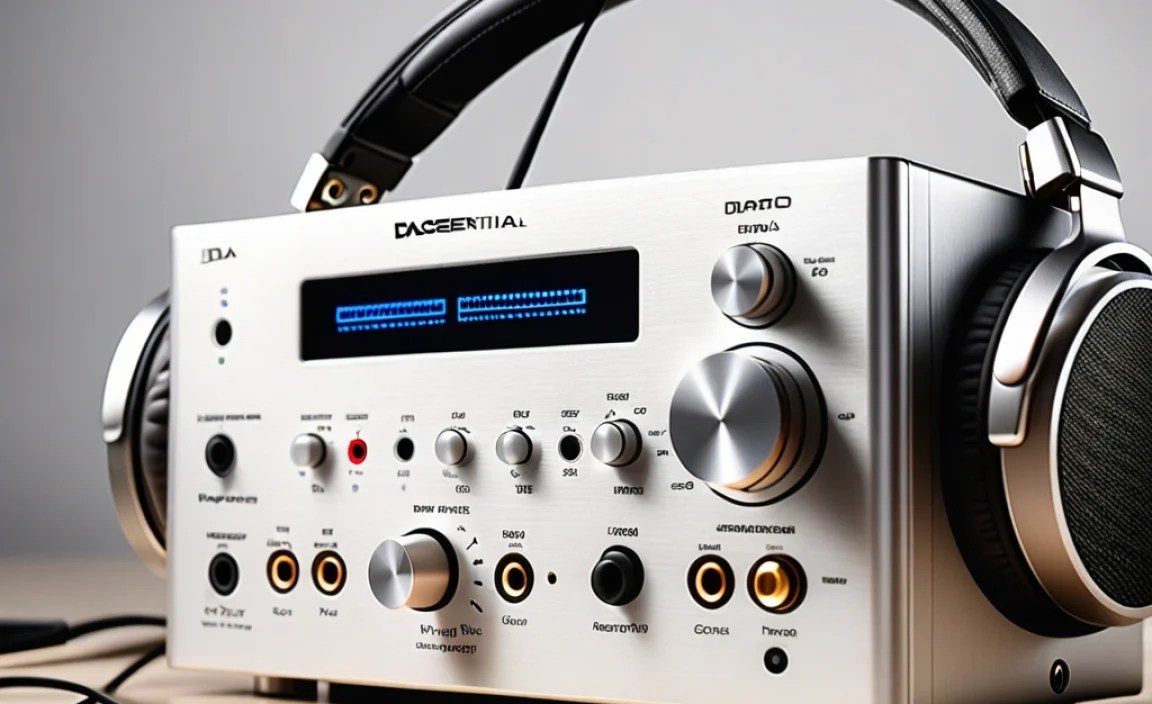
Setting up a DAC Amp Combo is generally straightforward, even for beginners. Here’s a typical process:
Step 1: Connect Your Source Device
This is usually done via USB. Plug a USB cable from your computer, laptop, or compatible mobile device into the USB input on your DAC Amp Combo.
For sources that don’t have USB audio out, or if you prefer, you might use an optical or coaxial cable from your source device (like a CD player, TV, or some desktops) to the corresponding digital input on the combo.
Step 2: Power Up the DAC Amp Combo
If your combo is USB-powered, it should turn on automatically when connected to your source and the source is powered. If it has its own power adapter, plug it in and turn the unit on.
Step 3: Install Drivers (If Necessary)
Most modern operating systems (Windows 10/11, macOS) will automatically recognize many USB DACs and install generic drivers. However, for optimal performance and to access higher sample rates or specific features, you may need to download and install dedicated drivers from the manufacturer’s website. Check the product manual or the manufacturer’s support page.
Step 4: Select Your DAC as the Audio Output Device
This is a critical step. Your computer or device needs to know to send audio to the DAC Amp Combo instead of its internal sound card.
- On Windows: Go to Settings > System > Sound. Under “Choose your output device,” select your DAC Amp Combo (it will usually be listed by its model name).
- On macOS: Go to System Preferences > Sound > Output. Select your DAC Amp Combo from the list.
For mobile devices like smartphones or tablets, you might need specific adapters (like a USB Camera Adapter) to connect the USB cable. Some apps might also need to be configured to use the external DAC.
Step 5: Connect Your Headphones
Plug your headphones into the headphone jack on the front or side of the DAC Amp Combo.
Step 6: Adjust Volume and Enjoy!
Start with the volume on the DAC Amp Combo at its lowest setting. Play some music and gradually increase the volume to a comfortable listening level. You should immediately notice a difference in clarity and detail compared to your device’s built-in jack. If you’re not hearing sound, double-check your audio output selection in your operating system.
Example DAC Amp Combos for Beginners
To give you an idea of what’s out there, here are a few popular and well-regarded DAC Amp Combos that are great for beginners looking to upgrade their audio experience. These are not necessarily the absolute cheapest, but they offer excellent bang for your buck and are known for their quality and ease of use.
| Model Example | Key Features | Connectivity | Ideal For |
|---|---|---|---|
| FiiO K3 (or successor like K3 II) | Compact, USB-powered, solid build, good sound clarity. | USB-C input, 3.5mm headphone output, Coaxial Out. | Desktop use with laptops, powering most everyday headphones (up to ~150Ω). |
| iFi Hip-dac (or successor like Hip-dac 2) | Portable, unique “PowerMatch” feature to adjust gain, stylish design. | USB-C input (for data and power), 4.4mm balanced & 3.5mm unbalanced outputs. | On-the-go listening with smartphones, portable use; handles moderate to high impedance headphones. |
| Schiit Fulla (or successor like Fulla 4) | Simple plug-and-play, a well-respected brand in the audio community. | USB input, 3.5mm headphone output. | Starting point for desktop or laptop users, driving standard headphones with ease. |
| Topping DX1 (or similar entry-level desktop units) | Desktop-focused, clean sound, good power for its class. | USB input, RCA line-out, 6.35mm (1/4 inch) headphone output. | Dedicated desktop setup, offers more power than portable units for higher impedance headphones. |
Note: Product models and availability can change rapidly. Always check the latest versions and reviews before purchasing.
The Impact on Your Listening Experience
Upgrading to a DAC Amp Combo is more than just a technical tweak; it’s a gateway to rediscovering your music. You might start hearing details you never noticed before:
- The subtle reverb on a singer’s voice.
- The precise pluck of a guitar string.
- The distinct layers in a complex orchestral piece.
- The punch and impact of a kick drum.
It brings the soundstage to life, creating a sense of space and depth that’s often missing when using simple headphone jacks. For fans of genres with a lot of dynamic range, like classical music or cinematic scores, this difference is profound. Podcasts and audiobooks also benefit, with voices sounding clearer and more present, reducing fatigue during long listening sessions.
Beyond the technical improvements, there’s a confidence that comes with knowing you’re using gear that allows your headphones to perform optimally. It turns passive listening into an active, engaging experience. This is especially true if you’ve invested in higher-end headphones. A good DAC Amp Combo ensures you’re not leaving their true sonic capabilities on the table.
According to audio engineering principles, the quality of signal conversion and amplification is paramount in achieving accurate sound reproduction. A basic DAC inside a consumer device introduces quantization errors and noise, while an underpowered amplifier results in clipping and distortion, especially at higher volumes. External DACs and amplifiers use superior components and design to mitigate these issues, as detailed on resources like the Audio Engineering Society (AES) website.
Frequently Asked Questions (FAQ)
Q1: Do I really need a DAC Amp Combo if I only listen to Spotify/Apple Music?
Yes, even if you subscribe to streaming services, a DAC Amp Combo can significantly improve your listening experience. While the quality of streaming can vary based on your subscription tier and internet connection, the digital signal still goes through your device’s internal DAC and amp. An external combo bypasses these and provides a cleaner, more powerful signal to your headphones, making your music sound much more nuanced and enjoyable, regardless of the source fidelity.
Q2: Can 100mW be enough power for my >150 Ohm headphones?
It depends! 100mW can be sufficient for casual listening at moderate volumes for headphones up to
