
Quick Summary: Headphones, essential audio devices, convert electrical signals into sound for personal listening. This guide defines headphones, explores their types, key features, and how to choose the right pair for your needs, making audio accessible for everyone.
Definition for Headphones: Your Essential Guide

Welcome to Headphone Horizon, where we demystify the world of sound! If you’ve ever wondered exactly what headphones are and why they’re such a staple in our daily lives, you’ve come to the right place. Simply put, headphones are personal audio devices that allow you to listen to music, podcasts, calls, or any other sound without disturbing others. They work by taking an electrical audio signal and translating it into sound waves that reach your ears directly. From your phone, computer, or any other audio source, headphones offer an intimate and immersive listening experience. We’ll dive into what makes them tick, the different kinds available, and how to pick the pair that’s perfect for you!
What Exactly Are Headphones?

At their core, headphones are transducers. This means they convert one form of energy into another. In this case, they take electrical energy from an audio source and transform it into acoustic energy – the sound waves we hear. They consist of two small speaker drivers, typically housed in earcups or earbuds, connected by a band or wire that allows them to be worn comfortably over or in the ears.
The “magic” happens inside these drivers. An electrical current, representing the sound pattern, flows through a coil of wire attached to a diaphragm (a thin, flexible material). This coil is usually near a magnet. As the current changes, it creates a varying magnetic field that pushes and pulls the coil and the attached diaphragm. This vibrating diaphragm then pushes air, creating the sound waves that travel to your eardrums.
Think of it like speaking into a microphone: the microphone converts your voice (sound waves) into electrical signals. Headphones do the reverse, converting those electrical signals back into sound waves. This fundamental concept is what allows us to enjoy private audio experiences, from booming basslines to crystal-clear dialogue.
A Brief History of Personal Audio

The desire for personal sound has a longer history than you might imagine! Early audio devices often required large speaker systems. The concept of personal listening devices really began to take shape in the late 19th and early 20th centuries. Early versions were often bulky and even connected to telephone operators for private listening.
The Dawn of Modern Headphones
The modern headphone as we know it began its evolution in the early 20th century. Here’s a quick timeline:
- 1910: Nathaniel Baldwin, an engineering student, developed an improved headphone design in his kitchen. He ended up selling it to the U.S. Navy.
- 1930s: Companies like Beyerdynamic and Sennheiser emerged, contributing significantly to headphone technology and sound quality.
- 1950s: The first stereo headphones were introduced, revolutionizing the listening experience by offering a sense of space and direction.
- 1970s-1980s: The rise of portable music players, especially the Sony Walkman, made headphones a widespread consumer product.
- 2000s-Present: Advancements in digital audio, Bluetooth technology, noise cancellation, and specialized designs (like in-ear monitors and fully wireless earbuds) have dramatically expanded the headphone landscape.
This journey from niche military equipment to ubiquitous personal tech highlights how crucial headphones have become in our audio consumption.
Types of Headphones: Finding Your Perfect Fit
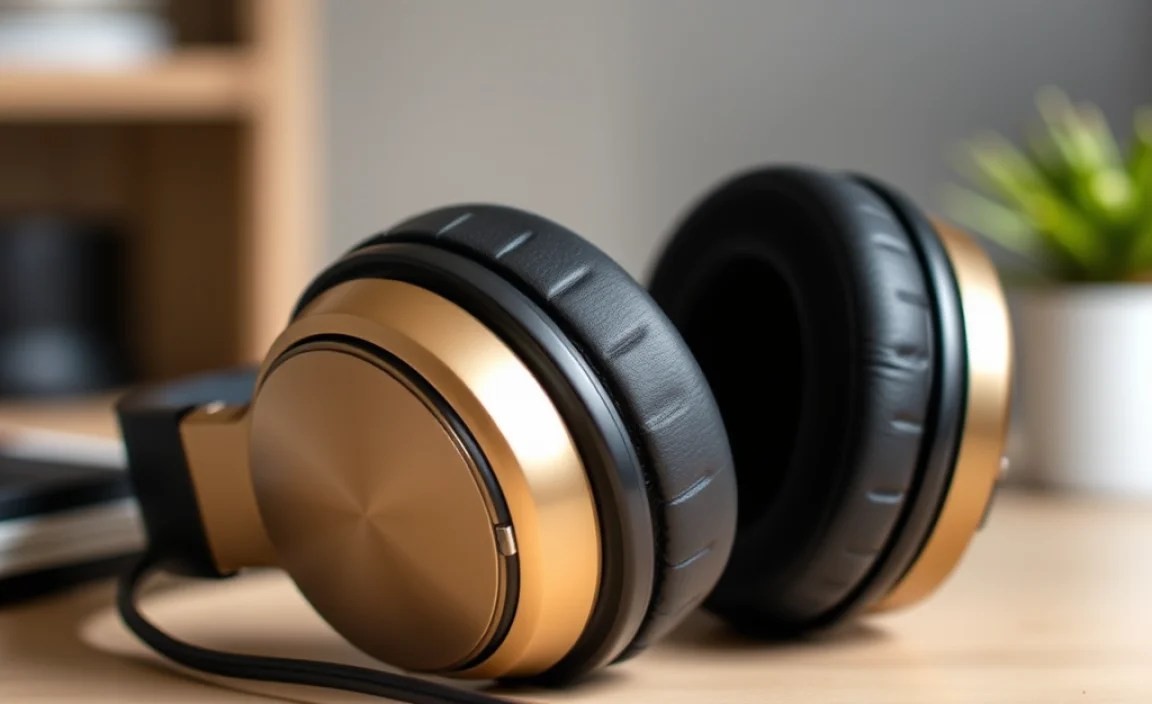
The world of headphones is diverse, with many designs catering to different needs and preferences. Understanding these types is the first step to choosing the right pair.
Over-Ear Headphones
These are the classic, over-sized headphones that completely enclose your ears. They typically consist of two large earcups connected by a headband.
- Circumaural: These earcups are designed to fit around your entire ear. They generally offer the best passive noise isolation and comfort for long listening sessions.
- Supra-aural (On-Ear): These earcups rest directly on your ears, rather than surrounding them. They are usually lighter and more compact than circumaural models but may offer less passive noise isolation and can sometimes cause discomfort with prolonged wear due to pressure on the ears.
Pros of Over-Ear Headphones:
- Excellent sound quality and often wider soundstage.
- Comfortable for extended use (especially circumaural).
- Good passive noise isolation.
- Less pressure on the ear canal.
Cons of Over-Ear Headphones:
- Can be bulky and less portable.
- May cause ears to get warm or sweaty.
- Can be more expensive.
In-Ear Headphones (Earbuds & IEMs)
These are smaller audio devices that are inserted directly into your ear canal or rest just outside it.
- Earbuds: These typically sit in the outer ear and are not inserted into the ear canal. They are often less disruptive to ambient sound but also provide less passive noise isolation.
- In-Ear Monitors (IEMs): These are designed to fit snugly inside the ear canal, creating a seal. This seal provides excellent passive noise isolation and allows for a more direct and detailed sound experience. They often come with multiple ear tip sizes to ensure a secure and comfortable fit.
Pros of In-Ear Headphones:
- Highly portable and discreet.
- Excellent passive noise isolation (especially IEMs).
- Good for active lifestyles and workouts.
- Generally more affordable.
Cons of In-Ear Headphones:
- Can sometimes cause ear fatigue or discomfort.
- Sound quality can vary widely; some may lack bass or clarity.
- Less immersive soundstage compared to over-ear models.
On-Ear Headphones
These are a hybrid, with earcups that sit directly on your ears. We briefly mentioned them under Over-Ear, but they form their own distinct category when considering form factor.
Pros of On-Ear Headphones:
- More portable than over-ear.
- Lighter than over-ear.
- Can offer a good balance of immersion and awareness of surroundings.
Cons of On-Ear Headphones:
- Can cause ear discomfort over time.
- Noise isolation isn’t as good as over-ear or IEMs.
- Sound leakage can be an issue.
Key Features to Consider
Beyond the basic type, several features can significantly impact your headphone experience. Here’s what to look for:
1. Connectivity
How do you want to connect your headphones to your device?
- Wired: These use a physical cable (usually 3.5mm jack, USB-C, or Lightning) to connect to your audio source. They generally offer the best audio quality and don’t require charging.
- Wireless (Bluetooth): These connect to your device wirelessly via Bluetooth. They offer freedom of movement but require battery charging and can sometimes have slight audio compression or latency.
2. Noise Isolation vs. Noise Cancellation
These two terms are often confused but refer to different technologies:
- Noise Isolation (Passive): This is achieved through the physical design of the headphones – how well they seal around or in your ears. Good passive noise isolation blocks out external noise by creating a physical barrier.
- Active Noise Cancellation (ANC): This technology uses microphones to detect ambient noise and then generates opposing sound waves to cancel it out electronically. It’s highly effective for reducing consistent low-frequency noises like airplane engines or traffic hum. You can learn more about how ANC works from resources like the International Telecommunication Union (ITU).
3. Sound Quality
This is subjective but generally refers to clarity, balance, and the range of frequencies reproduced. Key terms include:
- Frequency Response: The range of audible frequencies (from low bass to high treble) a headphone can reproduce, measured in Hertz (Hz). A wider and flatter response generally indicates better sound.
- Impedance: Measured in Ohms (Ω), this indicates how much electrical resistance the headphone presents. Lower impedance headphones (typically under 50Ω) are easier to drive and work well with portable devices. Higher impedance headphones (often 100Ω and above) may require a dedicated amplifier for optimal performance.
- Driver Size: Larger drivers can potentially move more air and produce fuller, more robust bass.
4. Comfort and Fit
Even the best-sounding headphones are useless if they’re uncomfortable. Consider:
- Weight
- Earcup material (e.g., leather, velour)
- Clamping force (how tightly they grip your head)
- Ear tip material and sizes (for in-ear models)
5. Durability and Build Quality
How well are the headphones constructed? Look for sturdy materials like metal alloys and reinforced plastics. For wired headphones, check the cable quality and strain relief. For wireless, check the hinge points and casing integrity.
6. Battery Life (for Wireless)
If you’re opting for wireless, check the manufacturer’s stated battery life for both playback and standby time. Quick charge features can also be a lifesaver.
Understanding Headphone Specifications
When you look at product pages or reviews, you’ll often see technical specifications. Here’s a quick breakdown of common ones:
| Specification | What it Means | Why it Matters |
|---|---|---|
| Frequency Response | The range of frequencies (e.g., 20 Hz – 20,000 Hz) the headphones can produce. | A wider range often means more detailed sound, covering deep bass to crisp highs. The human hearing range is typically 20 Hz to 20 kHz. |
| Impedance (Ω) | Electrical resistance. Lower numbers are easier to drive. | Low impedance (e.g., 16-32Ω) means they’ll work well with most phones and laptops. High impedance (e.g., 100-600Ω) often requires a headphone amplifier for sufficient volume and clarity. |
| Sensitivity (dB/mW or dB/V) | How loud the headphones get for a given amount of power. Higher is louder. | High sensitivity means they don’t need as much power to reach a good volume, making them suitable for portable devices. |
| Driver Size (mm) | The diameter of the speaker unit within the earcup or earbud. | Generally, larger drivers can produce more impactful bass and a fuller sound, though design and materials are equally important. |
| Bluetooth Version | The wireless communication standard used (e.g., Bluetooth 5.0, 5.2). | Newer versions offer better range, stability, power efficiency, and often support advanced audio codecs for better sound. |
Putting It All Together: Choosing Your Headphones
Now that you know the types and features, how do you pick? Consider your primary use case:
For Commuting and Travel:
- Type: Over-ear with good ANC, or compact IEMs.
- Features: Active Noise Cancellation is key for noisy environments. Long battery life for wireless models is a plus.
- Examples: Sony WH-1000XM series, Bose QuietComfort series, Apple AirPods Pro.
For Working Out and Sports:
- Type: True wireless earbuds or secure-fit on-ear/in-ear headphones.
- Features: Sweat and water resistance (look for IP ratings), secure fit, and often a “transparency” or “ambient sound” mode to hear your surroundings for safety.
- Examples: Jabra Elite Active series,beats Fit Pro, Jaybird Vista.
For Home Listening and Audiophiles:
- Type: Open-back or closed-back over-ear headphones.
- Features: Focus on sound quality (frequency response, clarity). Open-back headphones offer a more natural, spacious sound but leak sound and offer no isolation. Closed-back offer isolation. Consider wired for the best fidelity.
- Examples: Sennheiser HD 600/650, Audio-Technica ATH-M50x, Beyerdynamic DT 770 Pro.
For Work and Calls:
- Type: Over-ear or in-ear with a good microphone.
- Features: Clear microphone quality, comfort for long wear, and potentially ANC to block out background office noise.
- Examples: Logitech Zone Wireless, Plantronics Voyager series, various earbuds with dedicated boom mics.
Maintaining Your Headphones
To ensure your headphones last and perform their best, a little care goes a long way:
Cleaning:
- Earcups and Headband: Wipe gently with a soft, slightly damp cloth. For genuine leather, use a specialized leather cleaner sparingly. Avoid harsh chemicals.
- Ear Tips (In-ear): Remove them and wash gently with mild soap and water. Ensure they are completely dry before reattaching.
- Grilles/Mesh: Use a dry, soft brush (like a clean toothbrush or a small paintbrush) to gently sweep away debris. A can of compressed air can also be used carefully from a distance.
- Cable: Wipe down with a dry or slightly damp cloth. Avoid kinking or tightly wrapping the cable.
Storage:
- Use the provided carrying case or a dedicated headphone stand whenever possible.
- Avoid leaving them in direct sunlight or extreme temperatures, which can damage materials and electronics.
- For wired headphones, avoid wrapping the cable too tightly, as this can stress the internal wires. Some prefer to coil them loosely rather than wrap them around their fingers.
Troubleshooting Common Issues:
If your headphones aren’t working correctly, here are a few simple checks:
- No Sound: Ensure they are properly plugged in or connected via Bluetooth. Check the volume on both your device and the headphones themselves. Try them with a different audio source and a different audio file to rule out device or file issues.
- One Side Not Working: This often indicates a damaged cable. For wired headphones, gently wiggle the cable near the plug and at the earcup entry point. If one side starts/stops working, the cable is likely the issue. Wireless headphones might need a reset – check your manual.
- Distorted Sound: This can be due to a damaged driver, a faulty cable, or the audio source being overdriven. Ensure the volume isn’t maxed out on both devices.
- Bluetooth Connectivity Issues: Ensure the headphones are in pairing mode. Forget the device on your source and re-pair them. Check if your device’s Bluetooth is enabled and has sufficient battery.
For more in-depth troubleshooting, consult the manufacturer’s manual or their support website. You can also find helpful guides on general audio maintenance from reputable tech sites.
Frequently Asked Questions About Headphones
Q1: What is the main difference between earbuds and in-ear monitors (IEMs)?
Earbuds typically rest just outside your ear canal, while IEMs are designed to be inserted into your ear canal. This seal created by IEMs offers much better passive noise isolation and can deliver a more direct and detailed sound experience. Earbuds, by contrast, let in more ambient sound and feel less intrusive to some users.
Q2: Do I need a headphone amplifier for my headphones?
It depends on the headphones’ impedance. Headphones with low impedance (under 50Ω) are designed to be easily powered by smartphones, laptops, and other portable devices without an amplifier. Headphones with higher impedance (often 100Ω and above) may require a dedicated headphone amplifier to reach adequate volume and to reproduce sound with full clarity and dynamics.
Q3: What does “open-back” vs. “closed-back” mean for over-ear headphones?
Closed-back headphones have a solid, sealed earcup that prevents sound from leaking out and external noise from entering. This provides good noise isolation and a more impactful bass. Open-back headphones have vents or a perforated earcup design, allowing air and sound to pass through. This creates a more natural, airy.
