
Quick Summary: Traveling with kids just got easier! This guide helps you choose the best portable DVD player for your car, focusing on headphone compatibility for peaceful journeys. Learn what to look for, how to set it up, and tips for enhancing your in-car entertainment experience.
Dvd Player For Car With Headphones: Your Essential Guide to Peaceful Journeys
Long car rides, especially with children, can sometimes feel like an endurance test. Keeping everyone entertained is key to a smooth and enjoyable journey. A portable DVD player for your car can be a true lifesaver, transforming backseat boredom into a cinematic adventure. But to truly appreciate this convenience without disturbing the driver or yourself, the ability to plug in headphones is paramount. This guide is designed to help you navigate the world of car DVD players, ensuring you find the perfect one that seamlessly integrates with your headphones for a more serene and focused on-the-go entertainment experience, whether you’re commuting or embarking on a cross-country road trip.
Why a DVD Player for Your Car with Headphone Support is a Game-Changer

The simple act of being able to connect headphones to a car DVD player offers a multitude of benefits that go far beyond just entertainment. It’s about creating a more personalized and peaceful environment for everyone in the vehicle. For parents, it means the ability to let their children immerse themselves in movies or shows without the constant chatter or soundtrack filling the car. This can lead to a more relaxed environment for the driver, reducing distractions and improving overall road safety. For adult passengers, it offers a personal escape, allowing them to catch up on films or enjoy music without imposing on others. Furthermore, in-car headphone use can be crucial for maintaining quiet during critical driving periods or for passengers trying to nap.
According to the National Highway Traffic Safety Administration (NHTSA), driver distraction is a significant safety concern. While a DVD player itself isn’t inherently a distraction, managing its audio output to prevent it from becoming one is vital. Headphone use for passengers effectively removes the audio as a potential distraction for the driver, contributing indirectly to a safer driving experience.
Choosing the Right DVD Player for Car with Headphones: Key Features to Consider

When you’re in the market for a portable DVD player that’s perfect for car use and supports headphones, there are several crucial features to keep in mind. These features will ensure you get a device that’s durable, user-friendly, and provides the best possible viewing and listening experience for your needs.
Screen Size and Resolution
The screen is where you’ll be spending most of your time looking, so its quality matters. For car use, screens typically range from 7 to 10 inches. A larger screen can offer a more immersive experience, especially for multiple viewers, but it also means a larger, potentially bulkier player. Resolution is also important; a higher resolution will result in a sharper, clearer picture. Look for players with at least 800×480 resolution for a decent viewing experience. Remember that in a moving vehicle, minor screen imperfections might be less noticeable than in a stationary setting, but a good starting resolution is still important.
Durability and Mounting Options
Cars are bumpy environments, and a device intended for car use needs to be robust. Look for players with sturdy construction. Many portable DVD players come with car mounting kits, often using headrest straps or suction cups. These are essential for securing the player, preventing it from falling and ensuring a comfortable viewing angle. Some players are designed to mount directly onto the back of a car seat, which is ideal for children.
Headphone Jack and Compatibility
This is your primary concern! Ensure the DVD player explicitly states it has a headphone jack. Most portable DVD players use a standard 3.5mm headphone jack, which is compatible with most wired headphones. Some higher-end models might offer wireless options, such as Bluetooth, if you prefer to use wireless headphones. Check the specifications carefully to understand what types of audio output are supported.
Battery Life and Power Options
Long trips demand good battery life. While most car DVD players can be powered by the car’s cigarette lighter adapter (often included), having a decent built-in rechargeable battery allows for use away from the car or during short stops. Aim for a battery life of at least 2-4 hours if you anticipate using it without a power source for extended periods.
Dual Screen vs. Single Screen
If you have multiple children, a dual-screenDVD player can be a lifesaver. These typically consist of a master unit with the disc drive and a slave screen that connects to the master. Both screens can play the same content simultaneously, eliminating arguments over what to watch. Both screens should ideally have headphone jacks for individual listening.
Format Support (DVD, CD, USB, SD Card)
While you’re buying a “DVD player,” it’s a good idea to check what other formats it supports. Many modern players can also play CDs, and some can even play media directly from USB drives or SD cards. This adds a lot of versatility, allowing you to load movies or music onto a USB stick and play them without needing a physical disc.
Consider Additional Features
- Built-in speakers: Most have them, but they’re often not very loud or high-quality. This is why headphone support is so important.
- Swivel/Reclining Screen: A screen that can tilt or swivel can make it easier to find the best viewing angle, especially in different seating positions.
- Remote Control: A remote can be very convenient for adjusting settings without having to reach for the player.
- Built-in games: Some players come with simple built-in games, which can be a fun distraction.
Setting Up Your Car DVD Player with Headphones

Getting your new car DVD player up and running, with headphones ready to go, is usually a straightforward process. Here’s a step-by-step guide to ensure you’re ready for your next road trip adventure.
Step 1: Unpacking and Initial Charge
Carefully unpack your DVD player and all its accessories. Before you start mounting or plugging it in, it’s a good idea to charge the unit fully if it has a rechargeable battery. This ensures you have a full charge for your first use, whether in or out of the car.
Step 2: Mounting the Player
Most car DVD players are designed to be mounted on the back of a car seat headrest. Follow the manufacturer’s instructions for attaching the straps or mount. Ensure the player is securely fastened and at a comfortable viewing height. If you have a dual-screen system, you’ll mount both screens.
Step 3: Powering Up
Connect the player to your car’s power source using the included AC adapter or car charger. If you’re using battery power, you can skip this step for now. Turn on the player.
Step 4: Inserting a Disc
Open the disc tray and carefully insert your DVD, making sure it’s the correct side up. Close the tray. The player should then detect the disc and prompt you to start playback, or it may start automatically.
Step 5: Connecting Your Headphones
Locate the headphone jack on the DVD player. It is most commonly a 3.5mm port, similar to what you find on smartphones and portable music players.
- Take your preferred set of wired headphones.
- Gently plug the headphone jack into the corresponding port on the DVD player.
- Ensure the connection is firm but don’t force it.
If your player supports Bluetooth headphones, you’ll need to follow the player’s instructions to pair your headphones. This usually involves putting both the player and headphones into pairing mode.
Step 6: Adjusting Settings
Once the DVD is playing and your headphones are connected, you can adjust the volume using the player’s controls or the remote. If you’re using wireless headphones, you’ll likely adjust the volume on the headphones themselves.
Step 7: Testing the Audio
Play a scene from the DVD to test that the audio is coming through your headphones clearly. If you have a dual-screen system, ensure each screen’s audio output is working correctly with its respective headphones.
Pros and Cons of Using Car DVD Players with Headphones

Like any technology, portable DVD players for cars come with their own set of advantages and disadvantages. Understanding these can help you make an informed decision about whether it’s the right solution for your travel needs.
Pros:
- Reduces Distractions: The primary benefit. Passengers can enjoy their content without disturbing the driver or other passengers.
- Personalized Entertainment: Each passenger can watch or listen to what they want, ideally with their own headphones.
- Keeps Kids Occupied: A fantastic tool for entertaining children on long journeys, making travel more enjoyable for everyone.
- Portability: Can be easily moved between cars or used at home.
- Cost-Effective: Generally more affordable than installing built-in entertainment systems.
- Wide Content Availability: Access to a vast library of DVDs.
Cons:
- Disc Management: Carrying multiple DVDs can be cumbersome.
- Screen Size Limitations: Screens are typically smaller than a TV.
- Potential for Glare: Sunlight can sometimes make screens difficult to see.
- Durability Concerns: Not all models are built to withstand the rigors of car travel.
- Outdated Technology: Many newer cars offer integrated entertainment systems with streaming capabilities.
- Resolution Limits: Older models or lower-priced units may have lower resolutions.
Alternatives and Modern Considerations
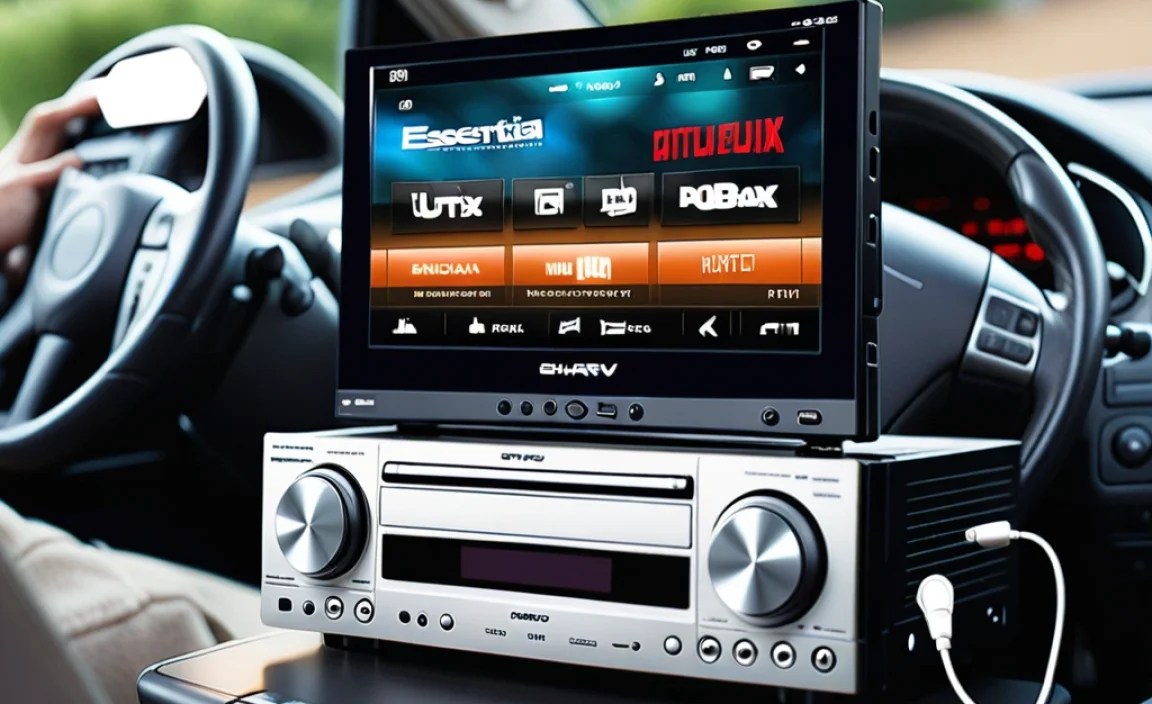
While portable DVD players with headphone jacks remain a viable and popular option, especially for families with existing DVD collections, it’s worth noting the landscape of in-car entertainment has evolved. For those looking for alternatives or upgrades, consider:
- Tablets with Streaming Apps: Devices like iPads or Android tablets offer access to streaming services (Netflix, Disney+, etc.) and can download content for offline viewing. Most tablets have headphone jacks or Bluetooth capabilities.
- Portable Blu-ray Players: For higher video quality if you have Blu-ray discs, though these are often more expensive.
- Car Stereo Systems with Screen Integration: Many modern car stereos can connect to smartphones wirelessly (Apple CarPlay/Android Auto) to mirror apps and media, including video playback from connected devices.
- Dedicated Car Entertainment Systems: Some vehicles come with built-in rear-seat entertainment systems, though these are typically found in higher-trim models or as aftermarket installations.
However, if you have a large collection of DVDs or prefer a simple, contained solution without relying on Wi-Fi or cellular data, a portable DVD player with headphone support is still an excellent choice. It offers a straightforward way to provide hours of entertainment without complex setup or subscription costs.
Tips for Optimizing Your Car DVD Player Experience
To make the most of your car DVD player and headphone setup, consider these practical tips:
- Invest in Good Quality Headphones: While the player might be basic, a good pair of headphones can significantly improve sound quality and comfort, especially for kids who might be sensitive to ear pressure or noise. Consider durable, kid-friendly headphones designed for smaller ears. Many wireless models offer freedom from tangled cords.
- Screen Protectors: To keep the screen scratch-free, especially if children are using it, a screen protector is a worthwhile investment.
- Glare Reduction: Use anti-glare screen protectors or position the player to minimize direct sunlight. Polarized sunglasses can also sometimes worsen glare on screens.
- Organize Your Media: If you’re carrying multiple DVDs, use a disc organizer case to keep them tidy and protect them from scratches.
- Download Movies to USB: If your player supports USB playback, consider converting favorite movies to a compatible format and storing them on a USB drive. This is more convenient than carrying discs.
- Cable Management: Use cable ties or organizers to keep power cords and headphone wires neat and prevent them from becoming trip hazards or tangles.
- Volume Control is Key: Always ensure passengers are using headphones at a reasonable volume. Too loud can damage hearing and still be audible to the driver.
- Regular Cleaning: The screens and disc lens can accumulate dust. Keep a microfiber cloth handy for gentle cleaning.
Troubleshooting Common Issues
Even the best devices can sometimes have hiccups. Here are a few common issues and simple fixes for your portable car DVD player:
Disc Not Reading
- Ensure the DVD is clean and free of scratches.
- Try a different DVD to see if the problem is with the disc or the player.
- Make sure the disc is inserted correctly (label side up).
- Restart the player.
- Clean the laser lens with a lens cleaning disc if available.
No Sound from Headphones
- Check that the headphones are fully plugged into the jack.
- Try a different pair of headphones to rule out a headphone issue.
- Ensure the volume on the DVD player is turned up and not muted.
- If using Bluetooth headphones, check the pairing status and volume.
- Restart the DVD player and re-pair Bluetooth headphones.
Screen Flickering or Distorted Image
- Ensure the power connection is secure.
- Try playing a different DVD.
- Check if the screen angle is causing glare or an uncomfortable viewing position.
- Restart the device.
Player Not Holding a Charge
- Ensure you are using the correct charger that came with the unit.
- Try charging in a different car or using a different power outlet.
- If the battery is old, it may need to be replaced, though this is often not feasible for portable units. Limit reliance on battery if this is an issue.
For more complex issues, always refer to the manufacturer’s user manual. Many manuals are available online on the company’s support website.
Frequently Asked Questions (FAQ)
Q1: Do all portable car DVD players have a headphone jack?
No, not all of them do, particularly very basic or older models. It’s crucial to check the product specifications or description to confirm that it has a 3.5mm headphone jack or wireless audio support (like Bluetooth) if that’s what you need.
Q2: Can I use my smartphone headphones with a car DVD player?
Yes, generally you can. Most portable DVD players use a standard 3.5mm audio jack, which is the same type of connector found on most wired smartphone headphones. The only exception might be very new smartphones that have removed the headphone jack and only use USB-C or Lightning connectors; in such cases, you might need an adapter.
Q3: What is the best screen size for a car DVD player?
For individual viewing, 7 to 9 inches is usually sufficient. For siblings or companions watching together on a single screen, 10 inches or larger is preferable. Dual-screen units often have 7-inch screens per unit.
Q4: How do I connect Bluetooth headphones to my car DVD player?
First, ensure your DVD player has Bluetooth functionality. Then, put both your DVD player and your Bluetooth headphones into pairing mode (check the manuals for both devices for instructions). The DVD player should then display a list of available Bluetooth devices. Select your headphones from the list and confirm the pairing. Once paired, the audio should play through your headphones.
Q5: My car DVD player seems to get very hot. Is this normal?
Some warming is normal during use, especially when plugged into the car charger for extended periods. However, if it becomes excessively hot to the touch, it might indicate an issue. Ensure the player has some ventilation and isn’t covered by blankets or other items that could block airflow. If it remains excessively hot, discontinue use and check the manual or contact customer support.
Q6: Can I use one DVD player for two kids in the back seat?
Yes, if you have a dual-screen system, both children can watch the same movie simultaneously. If you have a single-screen player, you can connect two pairs of headphones to the headphone jack if the player has a dual headphone output or a splitter cable is used. However, most single-screen players only have one standard headphone jack.
Conclusion
Investing in a portable DVD player for your car, particularly one equipped with headphone jacks, is a fantastic way to enhance your travel experience. It offers a practical solution for keeping passengers, especially children, entertained, thereby reducing stress for everyone on board. By carefully considering screen size, durability, battery life, and the crucial headphone compatibility, you can select a device that perfectly suits your needs. Remember that while technology evolves, the simple joy of watching a favorite movie on the go, without disturbing the peace, remains a timeless benefit. With the right player and a good pair of headphones, your next road trip can be a remarkably more enjoyable and tranquil adventure for all.
