
Discover the best over-ear Bluetooth headphones for immersive sound and comfort. This guide breaks down essential features, buying tips, and simple maintenance, making it easy for beginners to choose and enjoy their perfect audio companion. Dive into clear explanations and practical advice to elevate your listening experience.
Welcome to headphonehorizon! If you’re diving into the wonderful world of over-ear Bluetooth headphones, you’ve come to the right place. These aren’t just for audiophiles; they’re for anyone who loves their music, podcasts, or audiobooks to sound rich and feel incredibly comfortable.
Forget tangled wires and complicated setups – Bluetooth technology has made enjoying high-quality sound simpler than ever. This guide is designed to be your friendly companion, cutting through the jargon and highlighting exactly what you need to know to find, use, and care for the best over-ear Bluetooth headphones for your everyday listening adventures. Let’s get started on making your audio world a more immersive and enjoyable one!
Why Over-Ear Bluetooth Headphones?
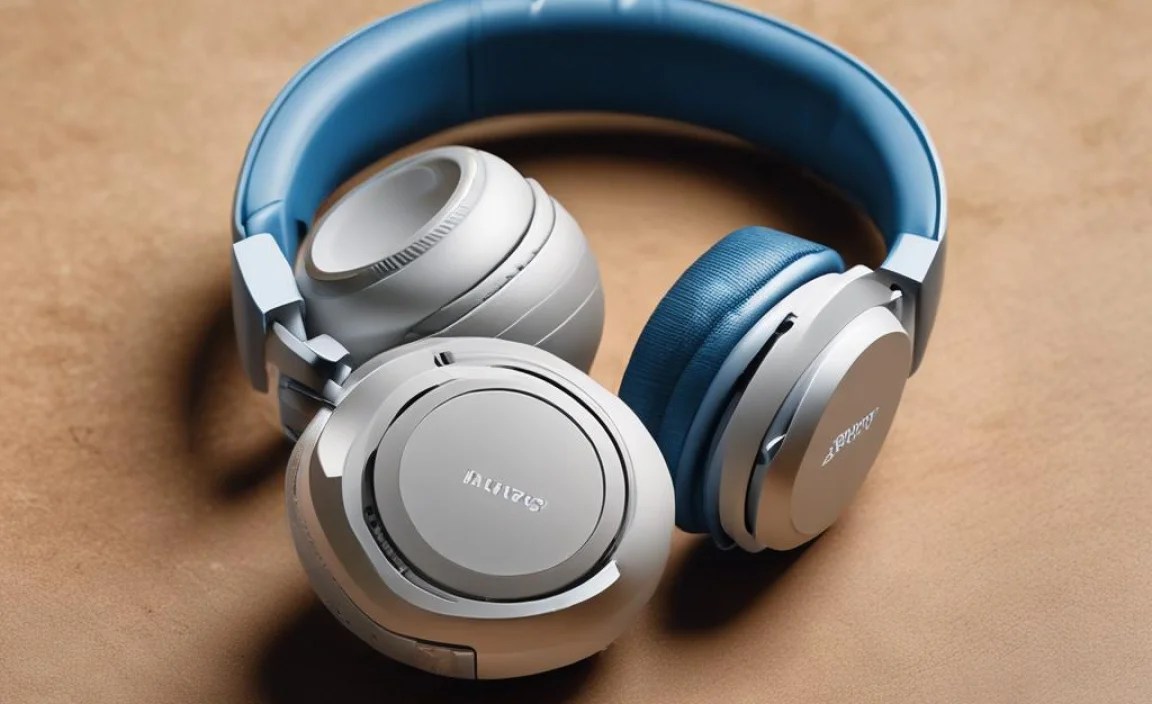
Over-ear Bluetooth headphones, often called “circumaural” headphones, are fantastic for a reason. They completely cup your ears, creating a cozy seal that does wonders for sound quality and comfort. Because they’re so plush and spacious, they tend to produce a fuller, richer sound with better bass response compared to smaller headphone types.
The ‘Bluetooth’ part means you’re free from annoying wires, giving you the freedom to move around, dance in your living room, or focus at your desk without being tethered. For many, they represent the sweet spot between exceptional audio fidelity and ultimate convenience.
The Allure of Wireless Freedom
The biggest draw of Bluetooth headphones is undeniably the freedom they offer. No more tugging on a cable, getting it caught on something, or having to keep your phone or device right next to you. This wireless connection allows for a more natural and less intrusive listening experience, whether you’re commuting to work, hitting the gym, or simply relaxing at home. This liberation is especially appreciated when multitasking or working in dynamic environments.
Superior Sound and Comfort
Over-ear designs excel at two critical aspects of headphone enjoyment: sound quality and comfort. The earcups create a passive noise isolation, helping to block out ambient distractions without needing electronic intervention. This allows you to hear more of the details in your audio, from the subtle nuances in a piece of music to the clear dialogue in a podcast. Furthermore, the generous padding and spacious earcups distribute pressure evenly around your ears, minimizing fatigue even during extended listening sessions, making them ideal for long flights or marathon study sessions.
Choosing Your Perfect Pair: Essential Features to Consider

With so many options out there, knowing what to look for can feel a bit overwhelming. But don’t worry! We’ll break down the key features that will help you find the over-ear Bluetooth headphones that best suit your needs and preferences. Think of this as your checklist for smart shopping.
Sound Quality: What You Need to Hear
This is, of course, paramount. While “best” sound is subjective, there are things to look for. Many headphones will mention supported Bluetooth codecs. These are like tiny translators for the audio data. Some common ones:
- SBC (Subband Coding): The most basic and universally compatible codec. It’s good for general listening but might not offer the highest fidelity.
- AAC (Advanced Audio Coding): Used by Apple devices primarily. Offers better quality than SBC and is a good middle-ground for many users.
- aptX, aptX HD, aptX Adaptive: Qualcomm codecs that deliver superior audio quality, often comparable to wired connections, with lower latency (less delay). If you have an Android device, these can make a noticeable difference.
Beyond codecs, look at frequency response. A wider range (e.g., 20Hz to 20kHz, which is the typical human hearing range) usually indicates a more complete sound spectrum, though the tuning of the drivers is more important than just the numbers.
Comfort and Fit: Your Long-Term Companions
You’ll be wearing these for hours, so comfort is non-negotiable!
- Earcup Material: Look for soft, breathable materials like protein leather or velour. They feel great against your skin and help prevent your ears from getting too warm.
- Headband Padding: A well-padded headband distributes weight evenly, preventing pressure points on the top of your head.
- Adjustability: Ensure the headband can be adjusted to fit your head size comfortably and securely.
- Clamping Force: This refers to how tightly the headphones grip your head. Too much force can cause discomfort; too little, and they might slip. Reviews often mention this.
Battery Life: Powering Your Day (and Night)
This is a big one for wireless devices. Most over-ear Bluetooth headphones offer a decent battery life, but it can vary significantly.
- Continuous Playback: Aim for headphones offering at least 20-30 hours on a single charge. Many high-end models push past 40 hours, which is fantastic for travel.
- Fast Charging: Look for USB-C fast charging. A quick 10-15 minute charge can often give you several hours of listening time, a lifesaver when you’re in a rush.
- Optional Wired Mode: Many Bluetooth headphones also come with a detachable audio cable, allowing you to use them as wired headphones if the battery dies or if you want to connect to a device without Bluetooth.
Active Noise Cancellation (ANC): Your Cone of Silence
ANC is a game-changer for commuters, frequent flyers, or anyone in a noisy environment. It uses microphones to detect ambient noise and then generates an opposing sound wave to cancel it out, creating a quieter listening experience. Consider these points:
- Effectiveness: Some ANC is better than others. High-frequency noises (like chatter) are harder to cancel than low-frequency drones (like airplane engines). Read reviews to see how well specific models perform.
- Transparency/Ambient Mode: This feature uses the microphones to let in external sounds, so you can hear announcements or have a quick conversation without taking your headphones off. It’s a very useful addition.
- Ambient Noise: It’s important to note that ANC isn’t magic. It’s most effective at reducing constant, low-frequency sounds. Noises like sudden shouts or a crying baby might still be audible. For more on noise cancellation, the Federal Communications Commission (FCC) offers helpful consumer guidance on sound and hearing.
Connectivity: Staying Connected
Bluetooth version matters for stability and efficiency.
- Bluetooth Version: Look for Bluetooth 5.0 or newer. These versions offer improved range, faster pairing, and better power efficiency.
- Multipoint Pairing: This allows your headphones to connect to two devices simultaneously. Seamlessly switch between listening to music on your laptop and taking a call on your phone – a huge convenience for multitaskers.
- App Support: Some brands offer companion apps that let you customize EQ settings, adjust ANC levels, update firmware, and more.
Setting Up Your Over-Ear Bluetooth Headphones

Getting started with your new headphones is usually a breeze. Here’s a simple step-by-step guide to get you up and running:
Step 1: Charge Them Up!
- Locate the charging port on your headphones (usually USB-C or Micro-USB).
- Connect the included charging cable to the headphones and plug the other end into a USB power source (like a wall adapter, computer, or power bank).
- The headphones will typically have an indicator light (often red or orange) that turns off or changes color when fully charged. Refer to your headphone’s manual for specific charging indicators.
A full charge is recommended before your first use to ensure optimal battery performance.
Step 2: Power On and Enter Pairing Mode
- Locate the power button on your headphones. Press and hold it until you hear a voice prompt or see an indicator light turn on.
- To pair with a new device, you’ll usually need to put the headphones into “pairing mode.” This often involves pressing and holding the power button for a few extra seconds beyond just turning them on, or there might be a separate Bluetooth button.
- Look for a flashing light, often blue or white, that indicates they are ready to connect. Your headphone manual will detail the exact process.
Step 3: Connect to Your Device
Now, you’ll tell your phone, tablet, or computer to find and connect to the headphones.
On Smartphones and Tablets (iOS/Android):
- Go to your device’s ‘Settings’.
- Tap on ‘Bluetooth’.
- Ensure Bluetooth is switched on.
- Your device will scan for available Bluetooth devices. Look for the name of your headphones in the list (e.g., “Sony WH-1000XM5”, “Bose QuietComfort 45”).
- Tap on the name of your headphones to connect. You might hear a confirmation sound in your headphones, or both devices will indicate they are connected.
On Computers (Windows/macOS):
The steps vary slightly, but generally:
- Windows: Go to Settings > Devices > Bluetooth & other devices. Click ‘Add Bluetooth or other device’ and select ‘Bluetooth’.
- macOS: Go to System Preferences > Bluetooth. Ensure Bluetooth is on and click ‘Connect’ next to your headphones’ name.
Step 4: Explore Features and Settings
Once connected, you can start listening! If your headphones have companion app support, now is a good time to download it from your device’s app store. Open the app and follow its instructions to connect to your headphones. This will unlock customization options like EQ adjustments, ANC level control, and firmware updates.
Using Your Headphones: Tips For an Enhanced Experience
Now that your headphones are set up, let’s make sure you’re getting the most out of them. Here are some practical tips for everyday use.
Understanding Controls
Most over-ear Bluetooth headphones have intuitive controls integrated into the earcups. These typically include:
- Power/Pairing Button: For turning the headphones on/off and initiating Bluetooth pairing.
- Volume Up/Down Buttons: To adjust your listening volume.
- Play/Pause/Skip Track Button: Often a single button that can be pressed once for play/pause, twice to skip to the next track, and three times to go back.
- ANC/Transparency Mode Button: To cycle through noise cancellation modes.
- Voice Assistant Button: To activate Siri, Google Assistant, or Alexa on your connected device.
- Touch Controls: Some premium models feature touch-sensitive surfaces on the earcups for gesture-based controls.
Familiarize yourself with your specific model’s button layout as described in its manual. A quick reference card can be super helpful!
Optimizing Audio Quality
While codecs play a role, other factors influence sound:
- Source Quality: The quality of your audio file or streaming service matters. Lossless audio formats (like FLAC) or high-bitrate streaming on services like Spotify Premium, Apple Music, or Tidal will sound better than heavily compressed files.
- EQ Settings: Experiment with the equalizer (EQ) settings in your headphone’s app or your music player. You can boost bass, enhance vocals, or tailor the sound profile to your liking.
- Fit is Key: Ensure a good seal. If the earcups aren’t sitting flush against your head, you might be losing bass and clarity. Adjust the headband for the best fit.
Leveraging Noise Cancellation
ANC is fantastic for focus and immersive listening.
- Travel: On planes, trains, or buses, ANC significantly reduces engine noise and chatter, making your journey much more peaceful.
- Work/Study: In open-plan offices or busy cafes, ANC can create a quiet sanctuary for concentration.
- Adjusting Modes: Don’t forget to use Transparency/Ambient mode when you need to be aware of your surroundings, like when crossing the street or listening for announcements at an airport.
Managing Battery Life
- For daily use: Most headphones will last several days or weeks depending on usage. Keep an eye on the battery indicator on your device or in the headphone app.
- For long trips: Charge them fully before you leave, and consider bringing a portable power bank as a backup.
- Wired Option: Always keep that audio cable handy for situations where the battery might run out unexpectedly or if you need to connect to a non-Bluetooth audio source.
Maintaining Your Over-Ear Bluetooth Headphones

Like any electronic device, proper care will ensure your headphones perform well and last longer. Here’s how to keep them in top shape.
Regular Cleaning: Keeping Things Fresh
Dirt and grime can accumulate on earcups and headbands, affecting comfort and hygiene.
- Earcup Covers/Pads:
- If your earcups have removable covers (often made of faux leather or fabric), gently detach them.
- Use a slightly damp, lint-free cloth (microfiber is ideal) to wipe them down. For stubborn dirt, you can use a tiny amount of mild soap diluted in water, but ensure the cloth is only slightly damp – never wet.
- For fabric covers, a soft brush can help remove dust.
- If they are very grimy, you can hand-wash some fabric covers with mild soap and water, then let them air dry completely before reattaching. Check your manual first!
- Headband: Wipe the headband with a damp cloth, paying attention to the padded areas.
- Exterior Casing: Use a dry or slightly damp microfiber cloth to clean the plastic or metal parts of the headphones. Avoid harsh cleaning agents or abrasives.
- Grills/Vents: Use a dry, soft-bristled brush (like a toothbrush or a dedicated electronics cleaning brush) to gently clean any speaker grilles or ventilation holes. This helps maintain sound quality and prevent blockages.
Important: Always ensure the headphones are powered off and unplugged (if using a wired connection) before cleaning. Never submerge any part of the headphones in water.
Storage: Protecting Your Investment
Proper storage prevents damage when you’re not using your headphones.
- Use the Case: Most good over-ear headphones come with a protective carrying case. Always use it when transporting your headphones. It shields them from bumps, scratches, and dust.
- Safe Place: When at home, store your headphones in their case or in a safe, dry place where they won’t be crushed or exposed to extreme temperatures.
- Avoid Extreme Conditions: Don’t leave your headphones in direct sunlight, in a hot car, or in a very humid environment, as this can damage the battery, electronics, and materials.
Battery Care: Maximizing Lifespan
The rechargeable batteries in Bluetooth headphones are designed to last, but a few practices can help:
- Avoid Deep Discharges: Try not to let the battery completely drain to 0% too often. Frequent shallow charges are generally better for lithium-ion batteries.
- Storage Charge: If you plan to store the headphones for an extended period (weeks or months), aim to leave the battery at around 50% charge rather than fully charged or fully depleted.
- Temperature: As mentioned, avoid extreme temperatures, which can degrade battery health over time.
For more in-depth information on battery care tips for your devices, resources like the U.S. Department of Energy offer general advice that can be applied to many rechargeable battery types, promoting efficiency and longevity.
Troubleshooting Common Issues
Even the best headphones can sometimes encounter minor hiccups. Here are solutions to common problems:
Issue: Headphones Won’t Turn On
- Check Battery: Ensure they are adequately charged. Connect them to a charger for at least 30 minutes and try again.
- Reset: Many headphones have a reset function. This usually involves holding down a specific combination of buttons for a certain period. Consult your manual for instructions.
- Cable Connection: If you’re trying to charge via USB, try a different USB cable and power adapter to rule out faulty accessories.
Issue: Cannot Connect or Pair with Device
- Device Compatibility: Ensure your device (phone, computer) supports Bluetooth and is turned on.
