
Quick Summary: Don’t toss those beloved headphones just yet! This guide offers a straightforward, beginner-friendly DIY approach to fixing a broken headphone jack. Learn to identify the issue, gather simple tools, and confidently repair your audio connection for continued listening enjoyment and to save money.
Tired of that crackling audio, one ear cutting out, or your headphones refusing to connect entirely? A broken headphone jack can feel like a death sentence for your favorite audio gear, but fear not! Before you send them to the recycling bin or shell out for a new pair, there’s a good chance you can revive them yourself. With a little patience and a few simple tools, you can tackle a broken headphone jack repair right at home. This guide is designed for everyone, whether you’re a seasoned DIYer or just starting out. We’ll walk you through the process step-by-step, making it easy to restore your headphones to their former glory and keep the music playing.
Why Does My Headphone Jack Break? Common Culprits

Headphone jacks, those small but mighty connectors, are subjected to a lot of wear and tear. Think about it: they’re constantly being plugged and unplugged, sometimes yanked, bent, or stuffed into pockets. Over time, these actions can lead to several common issues:
- Internal Wire Breaks: The delicate wires inside the jack or the cable near the jack can fray or snap due to repeated bending or tension. This is perhaps the most common cause of a faulty jack, leading to intermittent audio or complete silence in one or both earbuds.
- Corrosion: Exposure to moisture, sweat, or even just humid air can cause the metal contacts within the jack to corrode. This corrosion increases resistance, leading to static, crackling, or poor signal quality.
- Loose Connections: The solder points connecting the headphone jack wires to the jack itself can become loose or detach completely, especially after a fall or impact.
- Physical Damage: The jack plug might get bent, or the plastic housing could crack, affecting its ability to make a proper connection with the audio source.
- Dirt and Debris: While less common for a complete failure, accumulated dirt and lint in the jack port of your device can sometimes interfere with the connection, though this usually affects many plugged-in accessories, not just headphones.
Is DIY Repair Right for You?

Before we dive in, let’s assess if a DIY repair is the best route for your situation. While a broken headphone jack repair is often achievable, it requires a certain level of dexterity and comfort with small components. Consider these points:
- Headphone Value: Are these high-end, expensive headphones, or a more budget-friendly pair? If they’re very costly, a professional repair might be a safer bet, though often more expensive than a DIY fix.
- Your Comfort Level: Do you have steady hands? Are you comfortable working with small wires and potentially using a soldering iron? If the thought of handling tiny wires makes you nervous, it might be best to reconsider.
- The Nature of the Break: Is the cable visibly torn near the jack, or is the jack itself severely bent or broken? Visible damage to the plug itself might be harder to repair cleanly than an internal wire issue.
- Time Commitment: DIY repairs take time. You’ll need to set aside a block of time to gather tools, perform the repair, and test the results.
If you’re still keen, great! The satisfaction of fixing your own gear is immense. If you’re hesitant, that’s perfectly fine too. There’s no shame in seeking professional help or investing in new headphones. For those ready to roll up their sleeves, let’s get started.
What You’ll Need: Your DIY Headphone Repair Toolkit
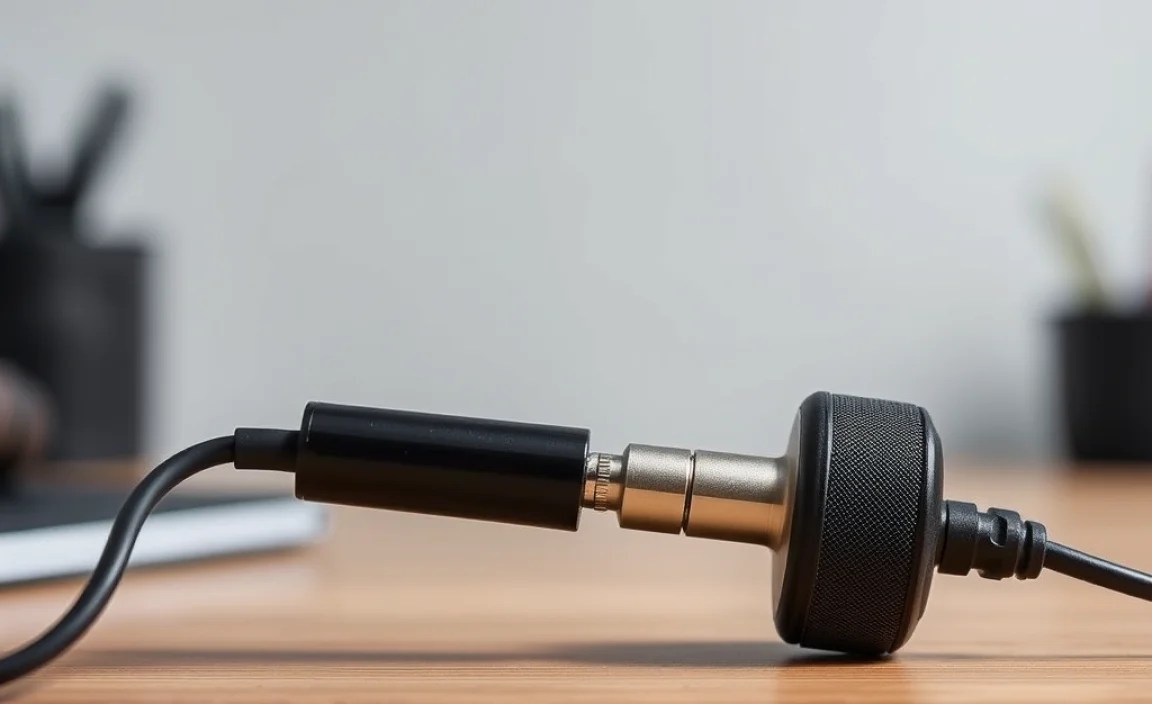
Gathering the right tools before you begin is key to a smooth repair process. You don’t need a professional electronics workshop, but a few specific items will make the job much easier and the results more reliable. Here’s a list of what you’ll likely need for a standard headphone jack repair:
Essential Tools:
- Replacement 3.5mm Headphone Jack: Make sure it’s compatible with your headphones (e.g., stereo, TRRS for mic functionality). You can find these online from electronics suppliers or on platforms like Amazon and eBay.
- Wire Strippers: A small, precision set is ideal for safely removing insulation from the headphone wires without damaging them.
- Soldering Iron and Solder: A low-wattage soldering iron (around 15-30W) is perfect for delicate electronics work. Use electronics-grade solder.
- Heat Shrink Tubing or Electrical Tape: To insulate the soldered connections and prevent short circuits. Various small sizes will be useful.
- Pliers: Small needle-nose pliers can be helpful for manipulating wires and holding components.
- Wire Cutter: For clean cuts on wires.
- Magnifying Glass (Optional but Recommended): Especially if your eyesight isn’t what it used to be, this can help you see those tiny wires and solder points clearly.
- Multimeter (Optional but Recommended): A multimeter can be invaluable for checking continuity – ensuring wires are connected properly and not broken internally. This can help diagnose the problem before you even start cutting!
- Craft Knife or Box Cutter: For carefully stripping the outer cable insulation.
- Tweezers: For handling very small wires or components.
- A Clean, Well-Lit Workspace: Essential for clear visibility and preventing loss of small parts.
You can often find inexpensive “headphone repair kits” online that bundle many of these items. For those interested in the technical aspects of how these jacks work, resources like this Wikipedia article on the 3.5mm connector) can provide a deeper understanding, though it’s not necessary for the repair itself.
Step-by-Step: Fixing Your Broken Headphone Jack
Let’s get to the heart of the matter. This guide focuses on replacing the entire jack connector at the end of your headphone cable. This is usually the most practical approach for DIY repair.
Step 1: Identify the Problem and Prepare Your Workspace
First, confirm that the headphone jack is indeed the issue. Plug your headphones into a known working audio source (like a smartphone or computer) and test them. Try wiggling the cable near the jack. If the sound cuts in and out or changes drastically when you move the cable, the problem is almost certainly at or near the jack itself.
Set up your workspace. Ensure it’s clean, well-lit, and you have plenty of room to work. Lay out your tools so they are easily accessible. If you have a multimeter, now is a good time to use it. You can test for continuity on each wire to see if any sections are broken before you start cutting.
Step 2: Carefully Remove the Old Headphone Jack
Most headphone jacks have a plastic housing that can often be unscrewed or gently pried apart. Sometimes, the housing is molded directly onto the cable, which can make it a bit trickier. If it’s molded, you’ll need to carefully cut away the outer plastic to expose the wires and the internal jack mechanism. Use a craft knife or box cutter and make shallow, controlled cuts to avoid nicking the wires inside. Remove enough of the outer housing to comfortably access the connection points for the wires.
Once the housing is open or removed, you’ll see the individual wires (usually 3 for stereo, 4 for TRRS with a mic) connected to the solder terminals of the old jack. Before you desolder, take clear pictures with your phone or make a quick sketch of which wire goes to which terminal. This is crucial for proper reassembly!
Step 3: Desolder and Remove the Old Jack
Using your soldering iron, heat up the solder connecting each wire to its terminal on the old jack. As soon as the solder melts, gently pull the wire away. You might need to use tweezers or a pair of pliers to help guide the wire. Be quick but careful; excessive heat can damage the wires or nearby components.
Once all wires are detached, remove the old headphone jack. You might need to snip any remaining wire or pull it free.
Step 4: Prepare the Headphone Cable Wires
Now, inspect the headphone cable. If the damage was near the jack, you might need to cut off the damaged section of the cable and strip a new end. Use your craft knife or wire cutters to carefully cut off the old, potentially damaged jack and a small section of the cable if necessary. Then, use your wire strippers to gently remove about half an inch (1-1.5 cm) of the outer cable insulation from the exposed cable end.
Inside, you’ll find the thin, colored wires (often red, green, blue, and sometimes a bare/shield wire). These thin wires are also insulated. You’ll need to carefully strip a tiny amount of insulation from the very end of each of these inner wires, usually just a few millimeters. Be extremely delicate; these wires are very fine. A good pair of precision wire strippers or even a craft knife used with extreme care can work.
You’ll also notice a shielding or ground wire, which might be bare or have a thin, often green or clear coating. If it has a coating, you’ll need to strip that off too to expose the metal conductor. If there are extra strands of wire, twist them together neatly.
Step 5: Solder the New Headphone Jack
Take your new 3.5mm headphone jack. Refer to your photos or diagram from Step 2. The terminals are usually clearly labeled or identifiable by position:
- Tip (T): Usually the leftmost terminal when looking at the front of the jack (the part that goes into the device). This is typically the left audio channel.
- Ring (R): The middle terminal. This is usually the Right audio channel.
- Sleeve (S): The rearmost terminal (where the cable enters the jack). This is the ground wire.
- For TRRS jacks (with microphone): There will be an additional Ring terminal (often R2) for the microphone. The order can vary, so double-check your replacement jack’s documentation if available, or rely on the common configurations.
Apply a tiny bit of solder to the tip of each wire you just stripped. This is called “tinning” and makes for a much easier connection. Then, tin the terminals on the new headphone jack the same way – a tiny dab of solder on each terminal.
Now, carefully solder each wire to its corresponding terminal on the new jack. Hold the tinned wire to the tinned terminal with tweezers or needle-nose pliers, and briefly touch the hot soldering iron to the junction. The solder should flow smoothly. Work quickly to avoid overheating the wire. Repeat for all wires.
Helpful Table: Typical Wire Color to Terminal Mapping (May Vary!)
| Common Wire Color | Common Terminal Function | Jack Part |
|---|---|---|
| Left (e.g., Green, White) | Left Audio Channel | Tip (T) |
| Right (e.g., Red, Blue) | Right Audio Channel | Ring (R) |
| Ground (e.g., Bare Copper, Black) | Ground | Sleeve (S) |
| Mic (e.g., separate color like Blue, or part of ground shield) | Microphone (for TRRS) | Ring 2 (R2) |
Disclaimer: Wire colors can vary significantly between headphone brands and models. Always refer to your old jack’s wiring or test with a multimeter if unsure.
Step 6: Insulate and Reassemble
Once everything is soldered, it’s time to insulate. Cut small pieces of heat shrink tubing, just large enough to cover each individual solder joint. Slide one over each wire before you solder it, and then after soldering, heat the tubing gently with your soldering iron or a heat gun (carefully!) so it shrinks and seals the connection. Alternatively, you can use small pieces of electrical tape. Make sure each individual connection is insulated, and then use a slightly larger piece to wrap around all the wires together, providing strain relief.
Carefully tuck the wires into the housing of the new jack. If your replacement jack came with a separate housing, screw or snap it back together firmly. Ensure the cable is seated correctly and that no wires are pinched.
Step 7: Test Your Repair
Before you pack everything away, it’s time for the crucial test! Plug the newly repaired jack into your audio source. Play some music or audio. Check if both left and right channels are working. Listen for any static, crackling, or silence. Wiggle the newly repaired jack and cable gently to see if the connection remains stable.
If everything sounds clear and stable, congratulations! You’ve successfully repaired your headphones. If there are still issues, don’t get discouraged. It might mean a wire came loose during assembly, a solder joint wasn’t perfect, or there’s another issue with the cable further up. Double-check your soldering and insulation, or consider using a multimeter to test continuity again.
Troubleshooting Common Issues & Advanced Tips
Even with careful work, you might run into a snag. Here are some common problems and how to tackle them:
- Intermittent Sound/One Ear Out: This is usually a sign of a loose connection at the jack or further up the cable. Re-check all solder joints. If the issue persists, the break might be in the cable itself, which is a harder fix, but sometimes possible by cutting out the damaged section and rejoining wires.
- Static or Crackling: This often points to corrosion or a poor solder joint. Make sure the solder flowed well and that there’s no debris causing a bad connection.
- No Sound at All: Double-check your wire-to-terminal mapping. A single wire in the wrong place can disable all audio. Also, ensure your solder joints are solid and that all wires are making good contact.
- Microphone Not Working (TRRS Jacks): The microphone wire is often the most delicate. Ensure it’s correctly connected to the correct terminal (usually R2 on a TRRS jack) and that its solder joint is secure.
- Strain Relief: A critical but often overlooked part of headphone longevity is strain relief. When reassembling, try to ensure the new jack housing provides some clamp or protection where the cable enters the jack. If not, a dab of hot glue or some strategically wrapped tape can help prevent future breaks at this stress point.
For those interested in more in-depth electronics repair, the principles of soldering and circuit continuity are fundamental. Websites like SparkFun’s Learn section offer excellent, beginner-friendly guides to soldering and electronics basics that can build your confidence for future projects.
Pros and Cons of DIY Headphone Jack Repair
Like any DIY project, there are definitely upsides and downsides to fixing your headphone jack yourself. Weighing them can help you decide if it’s the right path for you.
Pros:
- Cost Savings: Significantly cheaper than buying new headphones or paying for professional repair.
- Sustainability: Reduces electronic waste by giving your existing headphones a second life.
- Skill Development: A great way to learn basic electronics and soldering skills.
- Satisfaction: The immense pride and satisfaction of fixing something yourself.
- Customization: You can choose a replacement jack that perhaps offers better durability or functionality.
Cons:
- Requires Tools and Skills: You need specific tools and a steady hand.
- Risk of Further Damage: If not done carefully, you could further damage the headphones or injure yourself.
- Voids Warranty: Attempting DIY repairs will almost certainly void any manufacturer’s warranty.
- Time Consuming: Can take a significant amount of time, especially for a first-timer.
- Aesthetic Imperfection: The repair might not look as clean or professional as the original.
Frequently Asked Questions (FAQ)
Q1: How do I know if my headphone jack is actually broken?
When you plug your headphones in, if you experience crackling, intermittent sound, one ear not working, or no sound at all, and this happens with multiple audio devices, your headphone jack is a likely culprit. Wiggling the cable near the jack and seeing if the sound changes is a good indicator.
Q2: What is TRRS, and how do I know if I need a TRRS jack?
TRRS stands for Tip-Ring-Ring-Sleeve. It’s a jack with four conductors, typically used for headphones that include a microphone for calls or voice commands. If your headphones have a mic, you’ll need a TRRS replacement jack. Standard stereo headphones use TRS (Tip-Ring-Sleeve), with three conductors.</
