
Quick Summary: Don’t toss those headphones yet! This guide offers a beginner-friendly approach to fixing a broken wired headphone jack. We’ll cover identifying the problem, gathering tools, and performing simple repairs safely, helping you extend the life of your audio gear and save money.
Fix Broken Headphone Jack Wired: Your Essential Repair Guide

Hey, audio adventurers! Edward Cavitt here from Headphone Horizon, and I know the frustration. You’ve got your favorite headphones plugged in, ready to dive into music, a podcast, or a crucial call, and then… nothing. Or maybe just static, or sound from only one ear. A broken headphone jack can feel like a major roadblock, but before you start pricing replacements, let me tell you: many times, this is a fixable problem! With a few simple tools and a little patience, you can often bring your beloved headphones back to life. This guide is designed for everyone, whether you’re a seasoned DIYer or just starting out. We’ll walk through the common causes of jack issues and show you how to tackle them step-by-step, so you can get back to enjoying crystal-clear audio without breaking the bank.
Why Does a Headphone Jack Break Anyway?

Before we get our hands dirty, it’s helpful to understand why headphone jacks tend to fail. Most commonly, the culprit is wear and tear. Think about it: your headphone cable is constantly being bent, twisted, and pulled, especially where it connects to the plug. This stress can lead to internal wire breaks or loose connections within the jack itself.
Other common reasons include:
- Physical Damage: Dropping your headphones, stepping on the cable, or yanking the plug aggressively can all cause damage.
- Corrosion: Moisture, sweat, or dirt can get into the jack over time, leading to corrosion that disrupts the electrical connection.
- Manufacturing Defects: While less common, sometimes a jack is faulty right out of the box or fails prematurely due to poor manufacturing.
Understanding these common issues helps us diagnose the problem more effectively when it happens to your headphones.
Before You Start: Safety First and What You’ll Need
Working with electronics, even simple repairs, requires a bit of caution. Always ensure your device (the one you’re plugging the headphones into) is powered off or unplugged before you start troubleshooting or attempting any repairs. Also, be gentle. Over-forcing components can lead to more damage than you started with.
Here’s a list of the essential tools and materials you’ll likely need for most headphone jack repairs. Don’t worry if you don’t have everything; some items can be substituted, and we’ll point those out.
Essential Tools and Materials:
- Replacement 3.5mm Headphone Jack: You can find these online at electronics stores or on sites like Amazon. Look for a sturdy, metal-cased jack.
- Wire Strippers or a Sharp Utility Knife: To carefully remove insulation from the headphone wires.
- Soldering Iron and Solder: For making secure electrical connections. If you’re new to soldering, practice on scrap wire first!
- Helping Hands (Optional but Recommended): A tool with clips to hold wires steady while you solder.
- Heat Shrink Tubing or Electrical Tape: To insulate the soldered connections and prevent shorts.
- Pliers (Needle-nose are best): For gripping and manipulating small parts.
- Multimeter (Optional, but very helpful): To test continuity and diagnose breaks.
- Screwdriver Set (Small Phillips head): If your headphone jack is housed in a case that needs to be opened.
- Magnifying Glass (Optional): For inspecting tiny wires and connections.
Remember, the goal is to create a solid, insulated connection. Take your time, and don’t get discouraged if your first attempt isn’t perfect. YouTube has fantastic visual guides for soldering basics if you need them!
Step 1: Diagnose the Problem – Is It Really the Jack?
Before you jump into repairs, let’s be sure the jack is the actual problem. Sometimes, the issue might be with the headphones themselves or the device you’re plugging them into.
Troubleshooting Steps:
- Test with Another Device: Plug your headphones into a different phone, computer, or audio player. If they work perfectly, the issue is likely with your original device’s jack. If they still sound bad, the problem is almost certainly the headphone jack itself or the cable.
- Test Another Pair of Headphones: Plug a different pair of headphones into your original device. If they work fine, your original headphones’ jack is the problem.
- Inspect the Jack: Look closely at your headphone jack. Is it bent? Is there visible debris or corrosion inside? Gently try to clean it with a dry cotton swab or a blast of compressed air.
- Wiggle Test: With the headphones plugged in and playing audio, gently wiggle the cable where it meets the jack. If the audio cuts in and out, this is a strong indicator of a broken wire or loose connection inside the plug.
If you’ve gone through these steps and the evidence points to a broken wired headphone jack, then it’s time to get to work!
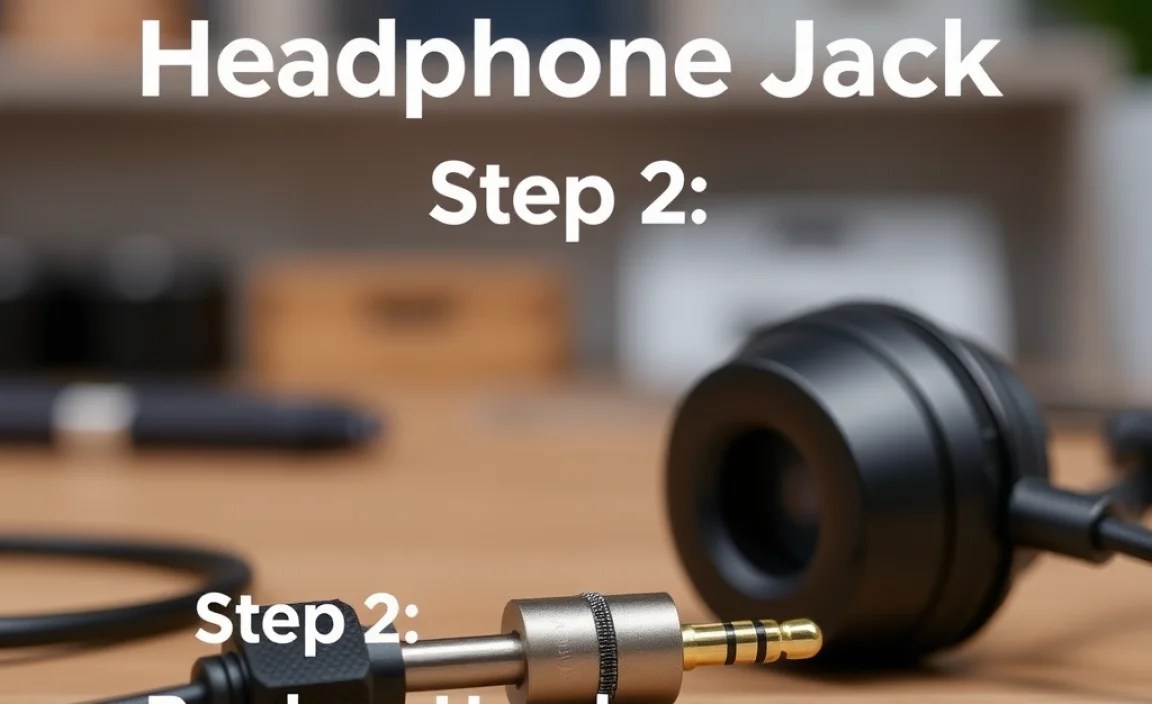
Step 2: Disassembling the Broken Headphone Jack
This is where we get to the heart of the problem. Most 3.5mm headphone plugs have a casing that can be carefully opened. This casing often unscrews, or sometimes it’s a press-fit that might require a bit of gentle prying.
Common Jack Types and How to Open Them:
- Screw-On Jacks: Many higher-quality headphone jacks have a metal casing that’s threaded. You’ll see a distinct seam where the plug tip meets the thicker body. Carefully try to unscrew the thicker body section from the tip. Sometimes, there’s a small set screw on the side that needs to be loosened first with an Allen wrench (often included with replacement jacks).
- Molded/Press-Fit Jacks: These are more common on cheaper headphones and often have a solid, seamless casing. These are trickier. You might need to carefully use a hobby knife to score a line around the seam and then gently pry it open. Be extremely careful not to cut yourself or damage the wires inside.
Pro Tip: Before you start prying, check if there’s a very small screw on the underside of the jack body. If there is, you’ll need a very small Phillips head or sometimes an Allen wrench to loosen it. If you’re unsure, a quick search for “how to open [brand/model] headphone jack” might yield specific instructions.
Once you’ve opened or removed the outer casing, you’ll typically see the internal components: the plug itself and the wires from your headphone cable leading into it.
Step 3: Identifying and Preparing the Wires
Inside the jack, you’ll find the wires that carry the audio signal. Most standard stereo headphones have three main wires, plus a common ground wire. You might also find a fourth wire if your headphones have an inline microphone or controls.
Understanding the Wires:
These wires are usually color-coded, but the colors can vary significantly between manufacturers. Common colors you might encounter include:
- Red: Often Right Audio Channel
- Green or White: Often Left Audio Channel
- Copper or Bare Wire: Common Ground
- Blue or other colors: Microphone/Control (if applicable)
Important Note: Don’t rely solely on color! The actual connection points on the jack are what matter. We’ll discuss these in the next step.
You will likely see that one or more of these wires have detached from their solder points on the jack’s internal terminals. If the wires look intact but just disconnected, this is good news – it means a relatively straightforward repair.
Preparing the Wires:
- Inspect for Damage: Look closely at each wire. If a wire is frayed or looks damaged further up the cable, you may need to cut off the damaged section and strip a fresh end.
- Strip the Insulation: If the ends of the wires are old, oxidized, or you’ve cut off damaged sections, you’ll need to strip about 3-5mm of the insulation from the very tip of each wire. Be very gentle when stripping, especially with thin wires, to avoid nicking the conductive strands within. A good pair of wire strippers is ideal. If you don’t have them, you can very carefully use a sharp utility knife, rotating the wire gently to score the insulation before pulling it off.
- Twist Strands (if necessary): After stripping, if the wire strands are splayed out, gently twist them together to form a neat tip for soldering.
You can find helpful diagrams of headphone jack wire color codes online, but remember to always confirm by looking at how the wires were originally connected to the specific terminals inside your jack, if possible.
Step 4: Soldering the Wires to the New Jack
This is the crucial step where you’ll reconnect the wires to their terminals. If wires have broken off, you’ll need to solder them back onto the appropriate points on your replacement jack. If you’re replacing the entire jack, it will come with new solder points.
Identifying Solder Points on a 3.5mm Jack:
A standard 3.5mm stereo jack has at least four connection points inside. From the tip of the plug looking backwards:
- Tip (T): Connected to the foremost terminal. This is usually the Left Audio Channel.
- Ring (R): Connected to the second terminal from the tip. This is usually the Right Audio Channel.
- Sleeve (S): Connected to the longest, rearmost terminal. This is the Common Ground.
- Sleeve 2 (S2, if applicable): Some jacks have a second sleeve terminal, often identical to the main sleeve terminal. This is also for the Ground wire and provides a more robust connection.
- Microphone/Control (M, if applicable): If your headphones have a mic, there will be an additional terminal for that wire.
A helpful visual aid can be found on resources like Electronics Tutorials, which often show diagrams of the jack’s internal structure.
Soldering Process:
- Prepare the Jack Terminals: If your replacement jack is new, the terminals might need a tiny bit of solder applied to them first. This is called “tinning” the terminals. Heat the tip of your soldering iron, dip it in solder, and then touch it to the terminal for a second or two. You want a small, shiny bead of solder on each terminal you’ll be attaching a wire to.
- Feed Wires Through: Carefully feed the prepared wires from your headphone cable through the opening in the jack’s casing and towards their respective terminals. Make sure the wires aren’t crossed over each other in a way that they could short out.
- Solder Each Wire:
- Gently hold the prepared wire end against its corresponding solder terminal using pliers or a helping hand tool.
- Heat the wire and the terminal simultaneously with your soldering iron for a second.
- Touch the solder to the point where the wire meets the terminal. The solder should flow smoothly, creating a strong bond.
- Remove the solder first, then the soldering iron.
- Repeat for All Wires: Solder each wire to its correct terminal. Take your time and ensure each connection is clean and shiny.
- Inspect Your Work: Once all connections are made, carefully inspect them. Look for any stray wire strands that might be touching adjacent terminals (this would cause a short circuit). Ensure the solder joints are solid and not “cold” (lumpy or dull-looking).
Tip for Beginners: If you’re new to soldering, practicing some basic soldering techniques on scrap wires before tackling your headphones can make a big difference. Watch a few short YouTube tutorials on how to make good solder joints!
Step 5: Insulating and Reassembling the Jack
After soldering, it’s vital to insulate the connections to prevent them from touching each other or the outer casing, which could cause a short circuit and damage your headphones or device.
Insulation Techniques:
- Heat Shrink Tubing: This is the most professional and durable method. Cut small pieces of heat shrink tubing (one for each wire and a larger piece to go over all the soldered connections) slightly longer than the exposed solder joint. Slide them into place over the soldered wires before you start assembling. After soldering, use a heat gun (or the side of your soldering iron, carefully) to shrink the tubing snugly around the connections.
- Liquid Electrical Tape: Apply a small amount of liquid electrical tape over each solder joint, allowing it to dry completely between coats.
- Electrical Tape (Use with Caution): While functional, wrapping each connection individually with electrical tape can be fiddly and may not hold up as well over time. Ensure it’s wrapped tightly and neatly.
Reassembly:
- Strain Relief: Make sure the cable is positioned so that the point where the wires enter the jack body is not under direct tension. The outer jacket of the headphone cable should ideally be crimped or secured inside the jack housing to provide strain relief. Some replacement jacks come with a small rubber boot or clamp to help with this.
- Close the Jack Housing: Once the connections are insulated and secured, carefully reassemble the outer casing of the headphone jack. If it’s a screw-on type, gently screw it back together. Avoid overtightening.
If you had to cut off a section of the original jack housing, you might need to use some electrical tape or Sugru (a moldable glue) to create a new protective outer shell.
Step 6: Testing Your Repaired Jack
The moment of truth! It’s time to plug in your headphones and see if your hard work paid off.
Testing Procedure:
- Power On Your Device: Turn on the phone, computer, or audio player you’ll be using.
- Play Some Audio: Start a song, video, or any audio source.
- Plug In Your Headphones: Insert the repaired jack firmly into the device’s headphone port.
- Listen Carefully:
- Do you hear audio?
- Is it in stereo (both ears)?
- Is the sound clear, with no crackling or static?
- Wiggle Test (Again): Gently wiggle the cable around the repaired jack. The audio should remain stable.
Success! If everything sounds great, congratulations! You’ve successfully fixed your broken headphone jack.
Troubleshooting if it didn’t work:
- No Sound: Double-check your solder joints. Did any wires come loose? Are the correct wires connected to the correct terminals? Use a multimeter to check continuity if you have one.
- Sound in Only One Ear: The connection for the other channel (left or right) or the ground wire might be faulty.
- Crackling/Static: This often indicates a loose connection or a poor solder joint. Reheat and reflow the affected solder joint(s).
Don’t get discouraged if it takes a second attempt. This is a learning process, and you’re gaining valuable skills!
When to Consider Professional Help or Replacement
While many headphone jack issues are DIY-friendly, there are times when professional help or simply buying new headphones might be the better option.
When to Draw the Line:
- Complex Cable Damage: If the damage extends far up the cable, or if the cable itself is severely frayed or cut through, repairing just the jack might not be enough.
- Internal Headphone Damage: If the problem persists even with a perfectly working jack, the issue might be within the headphone drivers themselves, which is usually not cost-effective to repair.
- Lack of Confidence/Tools: If you’re uncomfortable with soldering or don’t have the necessary tools, attempting the repair could cause more damage. In these cases, a local electronics repair shop might be able to help, or it might be time to invest in a new pair.
- High-End Headphones: For very expensive or specialized headphones, it’s often best to consult the manufacturer or a reputable repair service to ensure no warranty is voided and that the repair is done to the highest standard.
However, for most common consumer headphones, a successful DIY repair is rewarding and saves perfectly good gear from the landfill.
