
Quick Summary: Finding gaming headphones that fit comfortably on larger heads is crucial for long sessions. This guide will help you identify key features like adjustable headbands, spacious earcups, and flexible materials, ensuring a snug yet painless fit so you can focus on your game, not discomfort.
Hey everyone, Edward Cavitt here from headphonehorizon! If you’re a gamer with a larger head, you know the struggle is real. Many gaming headsets, while boasting incredible sound and mic quality, can feel downright constricting or even painful after just a short while.
It’s not about having a “big head” metaphorically speaking; it’s about finding gear that’s designed with ample room and adjustability. The right pair of gaming headphones for big heads doesn’t just feel better; it lets you immerse yourself completely in your virtual worlds without the nagging distraction of discomfort. Let’s dive into how to find that perfect, pressure-free fit!
Why Headband Size Matters for Gamers

It might seem like a minor detail, but the headband is the primary point of contact between your head and your headphones. For gamers with larger head circumferences, a headset’s headband needs to offer more than just basic adjustment. It needs to extend far enough, be padded generously, and distribute pressure evenly. Without these features, you can experience:
- Pain and Discomfort: This is the most obvious issue. A headband that’s too tight will press down on your scalp, leading to headaches and an overall unpleasant gaming experience.
- Poor Seal and Sound Quality: If the earcups aren’t able to sit flush against your ears due to a restrictive headband, you can lose out on crucial audio cues. A good seal is vital for accurate sound imaging and effective noise isolation.
- Instability: A headset that’s constantly slipping or feeling precarious is a distraction in itself. Proper fit ensures the headset stays put, even during intense gaming moments.
- Jaw and Temple Pressure: Beyond the top of your head, a tight fit can sometimes extend to pressure points around your jaw and temples, which is incredibly uncomfortable.
Finding the right gaming headphones for big heads is about ensuring your focus remains on victory, not on adjusting your gear. It’s an essential part of a comfortable and immersive setup.
Key Features to Look For in Gaming Headphones for Big Heads

When you’re shopping for new gaming headphones, and your head size is a primary concern, certain features become non-negotiable. Here’s what you should prioritize to ensure a great fit:
1. Extensive Headband Adjustability
This is the most critical factor. Look for headsets that offer a wide range of vertical extension. Some manufacturers provide specific measurements for their headband’s maximum extension, which can be incredibly helpful.
What to look for:
- Multiple Extension Points: Seating mechanisms that click into place at many different lengths are better than those with just a few.
- Deep Extension Range: Don’t just look at the visual adjustment; check for specifications if available. A truly adjustable headband will have a significant range of motion.
- Smooth Operation: The adjustment should be smooth and stay put once set.
2. Spacious and Deep Earcups
Even with a perfect headband, if the earcups are too small or shallow, they can press against your ears, causing discomfort. “Over-ear” or “circumaural” designs are generally best as they fully encompass the ear.
What to look for:
- Internal Earcup Dimensions: If you can find specifications for the internal width and depth of the earcups, pay attention.
- Ample Clearance: Your ears should fit inside the earcup without touching the driver housing or the padding.
- Deep Cushioning: Thick, plush ear cushions can add to the comfort and help create a better seal, but they can also sometimes make the internal space feel smaller if they’re too firm.
3. Flexible and Durable Materials
The materials used in the headband’s construction can make a big difference. Headbands made from flexible plastics or even metals (like spring steel, which can be surprisingly flexible) are often more accommodating.
What to look for:
- Flexible Steel or Durable Plastic: These materials can flex outwards to accommodate larger head shapes without excessive pressure.
- Comfortable Padding: The padding on the headband should be soft, breathable, and resilient. Memory foam is often a good choice.
- Weight Distribution: A well-designed headband also distributes the headset’s weight evenly, reducing pressure points.
4. Headband and Earcup Swivel/Pivoting
Earcup yolks that allow for significant tilting and pivoting can help the earcups conform to the unique shape of your head and jawline, even if the headband itself is only moderately adjustable. This can compensate for a less-than-perfect headband extension.
What to look for:
- Multi-axis Movement: The ability for earcups to tilt inward/outward and swivel up/down is ideal.
- Smooth Yet Secure: They should move easily but hold their position when placed.
How to Measure Your Head for the Best Fit

Before you even start looking, knowing your head measurements can be a game-changer. It empowers you to compare specifications and make more informed decisions. It’s a simple process, and you probably have the perfect tool right at home!
What You’ll Need:
- A flexible measuring tape (like one used for sewing) or a piece of string/cable and a ruler.
- A pen and paper to record your measurements.
Step-by-Step Measurement Guide:
- Find the Widest Part: Place the measuring tape around your head. Start just above your eyebrows and ears, and go around the widest part of your head, usually just above the occipital bone at the back.
- Keep it Snug but Not Tight: The tape should be snug enough to stay in place but not so tight that it’s uncomfortable or deforms your head shape.
- Note the Measurement: Read the measurement where the tape overlaps. If using string, mark the overlap point with your pen and then measure the string against a ruler. Record this number in centimeters or inches.
- Consider Earcup Clearance: While the headband measurement is primary, also think about how much space you have around your ears. If your ears are quite large or stick out significantly, this can influence how the headset feels.
Knowing this measurement will help you look for adjustable ranges that accommodate your size. For example, if your measurement is 62 cm (approx. 24.4 inches), you’d want to find a headset that can easily adjust to at least that size, ideally with a little extra room.
Comparing Headband Adjustability Ranges
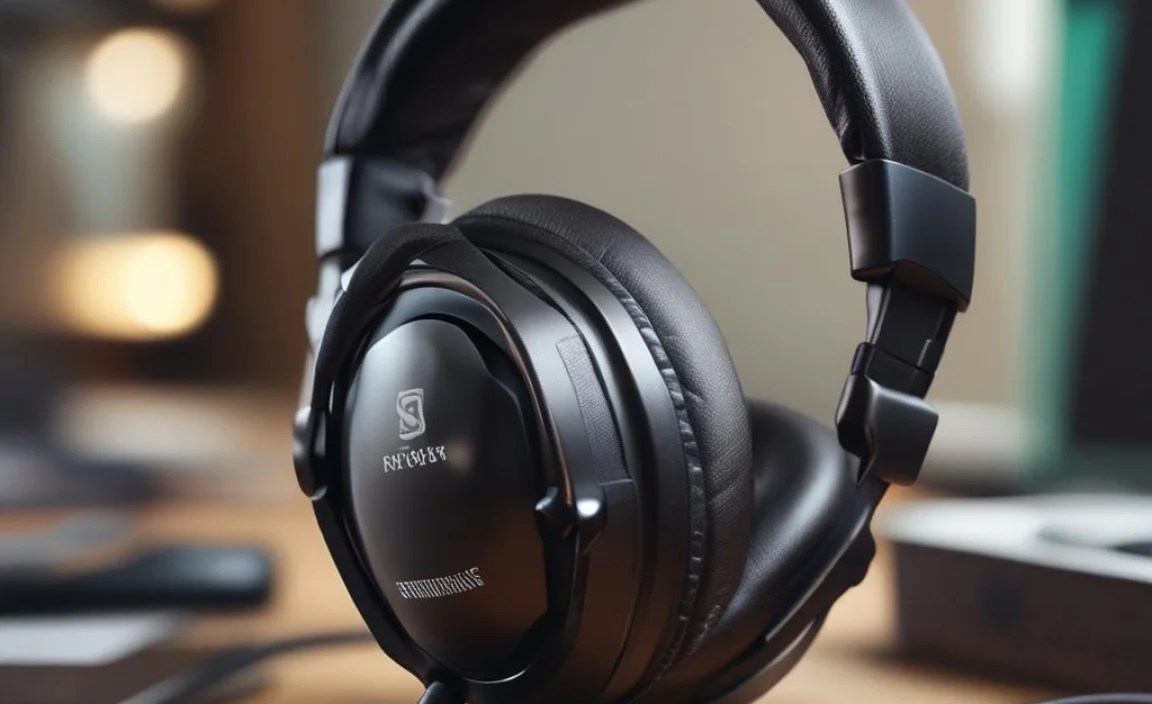
Not all manufacturers are forthcoming with exact headband extension specs. However, some brands are more transparent than others. Here’s a general idea of what to expect, though always check product descriptions and reviews for specific models.
Here’s a comparison table to give you a general idea. Remember, these are approximate figures and can vary by model within a brand.
| Brand/Model Type | Typical Adjustable Range (Approximate) | Notes on Fit for Larger Heads |
|---|---|---|
| Entry-Level Gaming Headsets | ~5-10 cm (2-4 inches) of extension | Often the least adjustable; can be tight for larger heads. |
| Mid-Range Gaming Headsets | ~8-12 cm (3-5 inches) of extension | More likely to have a decent range; look for models with well-segmented sliders. |
| Premium/Enthusiast Gaming Headsets | ~10-15+ cm (4-6+ inches) of extension | Often designed with wider adjustability and more robust materials. |
| Some Audiophile Headphones (often used for gaming) | Varies greatly, but many are designed for comfort and extended wear. | Focus might be on clamping force rather than sheer extension. Material flexibility becomes key. |
It’s important to note that “clamping force” is another significant factor. Some larger-head-friendly headsets might have a lighter clamping force, which is great for comfort but could mean they aren’t as stable if you move your head very quickly. Conversely, a headset with a strong clamping force might never feel truly comfortable, regardless of headband extension.
Tips for Testing Fit In-Store or Remotely
If you have the opportunity to try headphones on in person, take full advantage! If not, there are still ways to make a smart choice.
In a Physical Store:
- Don’t Just Slap Them On: Take your time. Adjust the headband to its maximum extension if you’re unsure.
- Wear Them for a Few Minutes: Don’t just put them on and take them off. Wear them for 5-10 minutes, simulating some gaming movements (nodding, tilting your head).
- Check for Pressure Points: Feel around your temples, the top of your head, and under your jaw. Are there any areas of intense pressure?
- Listen for Seal: Are the earcups pressing your ears uncomfortably against your head? Is there a good seal around your ears?
- Test the Mic (if applicable): Ensure the boom mic is long enough and flexible enough to be positioned correctly without straining.
Buying Online:
- Read Reviews Specifically Mentioning Fit: Look for comments from users who also have larger head sizes. Search terms like “tight,” “comfortable,” “snug,” “wide head,” or “big head” within product reviews.
- Check Manufacturer Specifications: While not always available, look for details on headband extension, earcup dimensions, and material.
- Understand Return Policies: Buy from retailers with generous return policies. This is your safety net if a headset simply doesn’t fit. You can find extensive information on consumer rights and return policies on official government websites, such as those from the Federal Trade Commission (FTC) (in the US), which details consumer protection rights.
- Watch Video Reviews: Many tech reviewers will demonstrate how a headset adjusts and often comment on the fit for different head sizes.
Common Pitfalls to Avoid
When searching for gaming headphones for big heads, there are a few common pitfalls that can lead to disappointment. Being aware of these can save you time and frustration.
1. Relying Solely on Brand Reputation
While some brands might be known for comfort, even within a reputable brand, specific models can vary wildly in their fit. Don’t assume a brand’s reputation for comfort automatically means a specific headset will work for you. Always look at the specific model and its features.
2. Ignoring Earcup Size and Depth
A large, well-adjusted headband is only half the battle. If the earcups are too shallow or too small, they can still cause significant discomfort by pressing against your ears. This is especially true if you wear glasses, as they can add an extra layer of pressure.
3. Underestimating the Importance of Materials
Cheap, brittle plastic headbands are prone to cracking or becoming rigid, losing their adjustability and flexibility over time. Durable, somewhat flexible materials are key for longevity and consistent comfort.
4. Forgetting About Weight Distribution
A heavy headset, even if adjustable, can become uncomfortable if its weight isn’t distributed evenly. Look for designs that cradle your head rather than just pressing down on a few points.
5. Not Considering Cable Length or Detachability
While not directly related to head fit, an awkward cable can also be a nuisance. For wireless, battery life is key. For wired, a long enough cable that doesn’t pull or tug is important. Detachable cables are a plus for durability and replacement.
Recommended Headset Types for Larger Heads
While specific models are always evolving, certain categories of gaming headphones tend to be more accommodating. These often prioritize comfort and adjustability.
- Larger Over-Ear (Circumaural) Designs: These are generally the best as they offer the most space for your ears and often have more substantial, adjustable headbands.
- Headsets with Steel-Reinforced Headbands: The flexibility of steel allows for a greater range of adjustment and can provide a more secure fit without feeling overly tight once adjusted. Brands like SteelSeries and HyperX often utilize durable, adjustable headbands.
- Brands Known for Comfort and Durability: Some brands consistently receive praise for their comfortable designs and robust build quality, making them good starting points for your search. Examples include certain models from Sennheiser (though often more audiophile-focused, they offer excellent comfort), Beyerdynamic (known for their durable and often wide-adjustable headbands), and some offerings from Razer and Logitech which have increasingly focused on ergonomics.
It’s always a good idea to look at reviews and specifications for individual models within these categories. For instance, the Rtings.com headphone database is an excellent resource that often includes detailed measurements and comfort assessments for a vast array of headphones.
A Note on Glasses Wearers
If you wear glasses while gaming, this adds another layer to finding the perfect fit. The arms of your glasses can create pressure points between your head and the earcup padding. This is where deeper earcups and softer, more conforming earcup materials become even more important. Additionally, look for headsets with a well-padded and sufficiently adjustable headband to minimize pressure on the top of your head.
FAQ: Your Gaming Headset Fit Questions Answered
Q1: Are there specific gaming headset brands that are generally better for big heads?
While it varies by model, brands like HyperX, SteelSeries, and some higher-end Logitech or Razer models have often been cited for their generous headband adjustments and comfort. However, individual models can differ, so always check specific reviews.
Q2: If a headset feels too tight at first, will it loosen up over time?
Some headsets will loosen slightly with use as the padding compresses and materials flex. However, if it feels painfully tight initially, it’s unlikely to become perfectly comfortable. It’s better to find a headset that fits well right out of the box or has ample adjustment.
Q3: How important is the weight of a gaming headset for comfort on larger heads?
Weight is very important. Lighter headphones distribute their load more evenly and are less likely to cause fatigue or discomfort, even during marathon gaming sessions. Heavier headsets require more robust headband designs and padding to be comfortable long-term.
Q4: Can I modify a gaming headset to fit a larger head if it’s a bit tight?
Generally, attempting to modify a headset is not recommended. You risk damaging the internal structure, wiring, or materials, which can void warranties and make the headset unusable. It’s far better to find a headset designed for a larger fit.
Q5: What is “clamping force,” and how does it affect fit for big heads?
Clamping force refers to how tightly the headphones grip your head. A high clamping force can feel secure but uncomfortable, especially on larger heads. A lower clamping force is generally more comfortable but might make the headset less stable during rapid head movements. You want a balance that feels secure but not constrictive.
Q6: Are wireless gaming headsets generally less comfortable for big heads than wired ones?
Not necessarily. The design of the headband and earcups is the primary determinant of comfort, not whether it’s wired or wireless. However, wireless headsets often have batteries and electronics integrated, which can sometimes add weight. This makes a well-distributed weight and adjustable headband even more critical for wireless models.
Conclusion
Finding the right gaming headphones for big heads is all about looking beyond just the audio specs and focusing on the physical design and fit. By prioritizing extensive headband adjustability, spacious earcups, flexible materials, and a comfortable weight distribution, you can find a headset that feels great, no matter how long your gaming sessions last.
Don’t settle for discomfort; your gaming enjoyment and performance depend on it. Take the time to measure your head, read reviews with fit in mind, and leverage return policies if needed. With a little research, you’ll be ready to conquer your games in ultimate comfort. Game on!
